## 1. Technical features
* `fastbee-view` is an efficient low-code visual editor. Charts and page elements are packaged as base components, so users can quickly build dashboards for exhibitions, business monitoring, risk alerts, and other scenarios without writing code.
* Technology stack: Vue 3, TypeScript 4, Vite 2, Naive UI, ECharts 5, Axios, Pinia 2, and PlopJS.
* Typical workflow: create a project -> edit the project name -> drag and arrange components -> save manually or wait for 60-second auto-save -> preview -> publish and generate an access URL.
## 2. Run the project
### 2.1 Modify configuration
Edit `.env.development` in the project root and configure the backend API address.
```js
# Backend API address.
VITE_DEV_PATH = 'http://localhost:8080'
```
### 2.2 Install dependencies
Install dependencies before starting the project. `pnpm` is recommended to avoid unnecessary dependency installation errors. Node.js 16.14.x is recommended.
```shell
# Install pnpm.
npm install -g pnpm
```
```shell
# Install project dependencies.
# pnpm, recommended. Use a suitable registry mirror when needed.
pnpm install
# npm
npm install
# yarn
yarn install
```
### 2.3 Start the project
```shell
# pnpm
pnpm dev
# npm
npm run dev
# yarn
yarn dev
# makefile
make dev
```
Reference external URL:
```text
https://iot.fastbee.cn/view/#/project/items
```
## 3. API description
```text
Project list GET /goview/project/list
Create project POST /goview/project
Save project content POST /goview/project/save/data
Update project info or publish state PUT /goview/project/
Delete project DELETE /goview/project/{ids}
Upload file /goview/project/upload
Get project data GET /goview/project/getData
```
The `getData` API is used by preview pages, so it should be allowed by the frontend and backend whitelist configuration.
## 4. Add menu entries
::: tip
The FastBee professional edition includes a built-in large-screen dashboard. The visual editor can also be integrated into the IoT platform by adding menu entries.
:::
Fixed dashboard menu:
```text
System Management -> Menu Management -> Add
Parent menu: Data visualization
Menu type: Menu
Menu icon: monitor
Menu name: Large-screen display
External link: Yes
Sort order: 1
Route address: https://iot.fastbee.cn/bigScreen
Cache: Yes
Display status: Show
Menu status: Normal
```
Replace `iot.fastbee.cn` with your own server address.
Visual editor menu:
```text
System Management -> Menu Management -> Add
Parent menu: Data visualization
Menu type: Menu
Menu icon: monitor
Menu name: Visual editor
External link: Yes
Sort order: 2
Route address: https://iot.fastbee.cn/view
Cache: Yes
Display status: Show
Menu status: Normal
```
Replace `iot.fastbee.cn` with your own server address.
## 5. Notes
* Use Node.js v16.14.x or later. v16.14.2 is recommended.
* If `npm install` fails, use `pnpm`.
* `pnpm` setup example:
```shell
# 1. Install pnpm.
npm install -g pnpm
# 2. Install nrm.
npm install -g nrm
# 3. Add a registry mirror.
nrm add taobao https://registry.npmmirror.com/
# 4. List registry mirrors.
nrm ls
# 5. Use the registry mirror.
nrm use taobao
```
## 6. FAQ
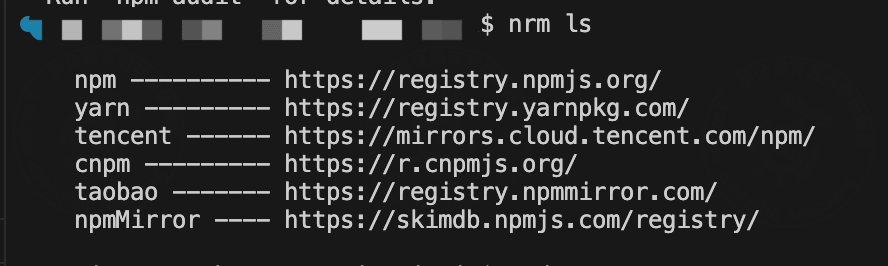
### 6.1 `const open = require('open')` error when running `nrm ls`
 Install the compatible `open` package, then run `nrm ls` again.
```shell
npm i nrm -g open@8.4.2 --save
nrm ls
```
 ### 6.2 Node.js memory limit
Check the current heap limit:
```shell
node -e "console.log(v8.getHeapStatistics().heap_size_limit/(1024*1024))"
```
Increase the memory limit when needed:
```shell
export NODE_OPTIONS="--max-old-space-size=8192"
```
Common values are `2048`, `4096`, `8192`, and `16384`.