## Page Guide
- **Use Cases**: Suitable for gateways mounting sub-devices that cannot connect to the network directly, such as Modbus, OPC UA, ZigBee, and BLE devices.
- **Prerequisites**: The gateway product, sub-device product, sub-device address rules, communication protocol, and collection method have been confirmed.
- **Configuration Path**: Product type → Thing Model → Modbus/sub-product configuration → device topology binding → polling tasks.
- **Acceptance Criteria**: After the gateway is online, the sub-device topology is visible, sub-device data can be reported, and polling or edge collection results are normal.
::: tip
In IoT systems, a gateway connects devices that cannot directly access the cloud platform. The gateway forwards data and performs protocol conversion.
Communication between a gateway and the cloud platform includes:
* Communication between the gateway device itself and the cloud platform, such as reporting gateway status and properties or receiving control commands from the cloud.
* Communication between gateway sub-devices and the cloud platform. For example, a Zigbee temperature and humidity sensor reports data through the gateway, or an RS485/Modbus eight-channel relay receives real-time commands through the gateway. These sub-device messages are forwarded by the gateway.
:::
## 1. Terms
### 1.1 Device types under a product
**Direct device**
A device with an IP address that can connect directly to the IoT platform. It usually has its own network module, such as Wi-Fi or 4G, and can access the cloud through the Internet.
**Gateway sub-device**
Also called a slave device. It does not connect to the IoT platform directly. Instead, it accesses the platform through a gateway device.
**Gateway device**
A direct device that can mount sub-devices. The gateway has a sub-device management module, maintains topology relationships, and synchronizes the gateway-sub-device topology to the cloud.
**Device communication mode**
The physical communication mode used by the device, such as Wi-Fi, 2G/3G/4G/5G, BLE, Zigbee, LoRa, RS485, or Ethernet.
**Sub-device number**
Also called the sub-device address. It identifies a sub-device so the cloud platform and gateway can distinguish different sub-devices. The sub-device address must be unique under the same gateway.
Examples:
1. A Modbus sub-device address is the slave station number.
2. A BLE sub-device usually uses the module chip UUID.
3. An OPC UA sub-device can use the MAC number.
4. A Zigbee sub-device can use a custom number.
### 1.2 Gateway and sub-device protocol combinations
The protocols listed below are device-layer protocols, not transport protocols such as MQTT or TCP. For example, an OPC UA sub-device communicates with the gateway through OPC UA, and the gateway converts OPC UA to MQTT for cloud communication.
* **Custom**: the sub-device and gateway use another standard or private protocol.
* **Modbus**: the communication protocol between the sub-device and gateway is Modbus.
* **OPC UA**: the communication protocol between the sub-device and gateway is OPC UA.
* **Zigbee**: the communication protocol between the sub-device and gateway is Zigbee.
* **BLE**: the communication protocol between the sub-device and gateway is BLE.
## 2. Products
Gateways and sub-devices are both devices. Their difference is the product type they belong to:
* A gateway device must belong to a **gateway** product.
* A gateway sub-device must belong to a **gateway sub-device** product.
### Configuration options
**Direct access**
When creating the product, select **direct device** as the device type. Define the thing model and configure Modbus parameters for this product.
**Gateway with sub-devices**
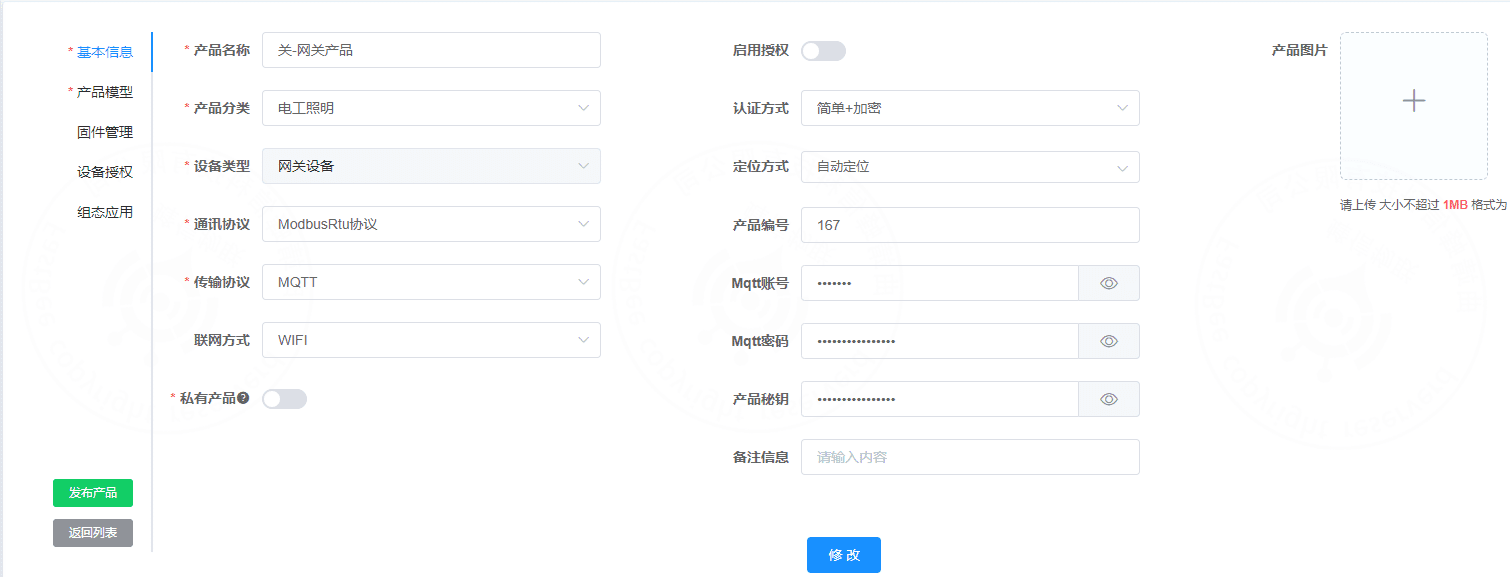
Create the gateway product first and select **gateway device** as the device type. The gateway product can omit thing model and Modbus configuration if the gateway itself does not collect additional data.
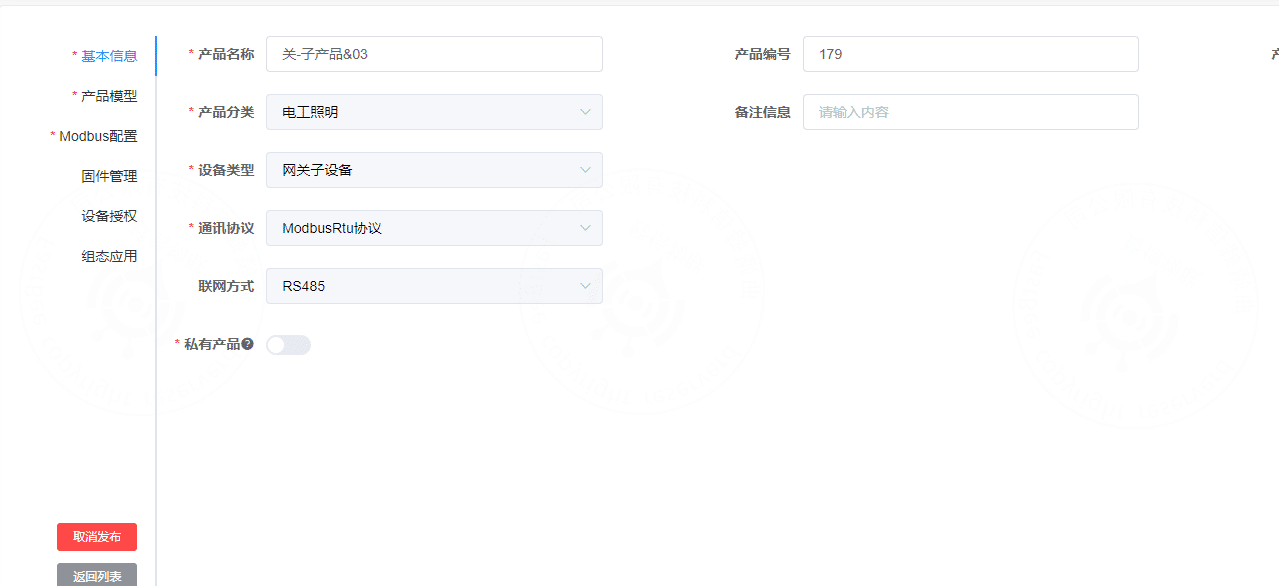
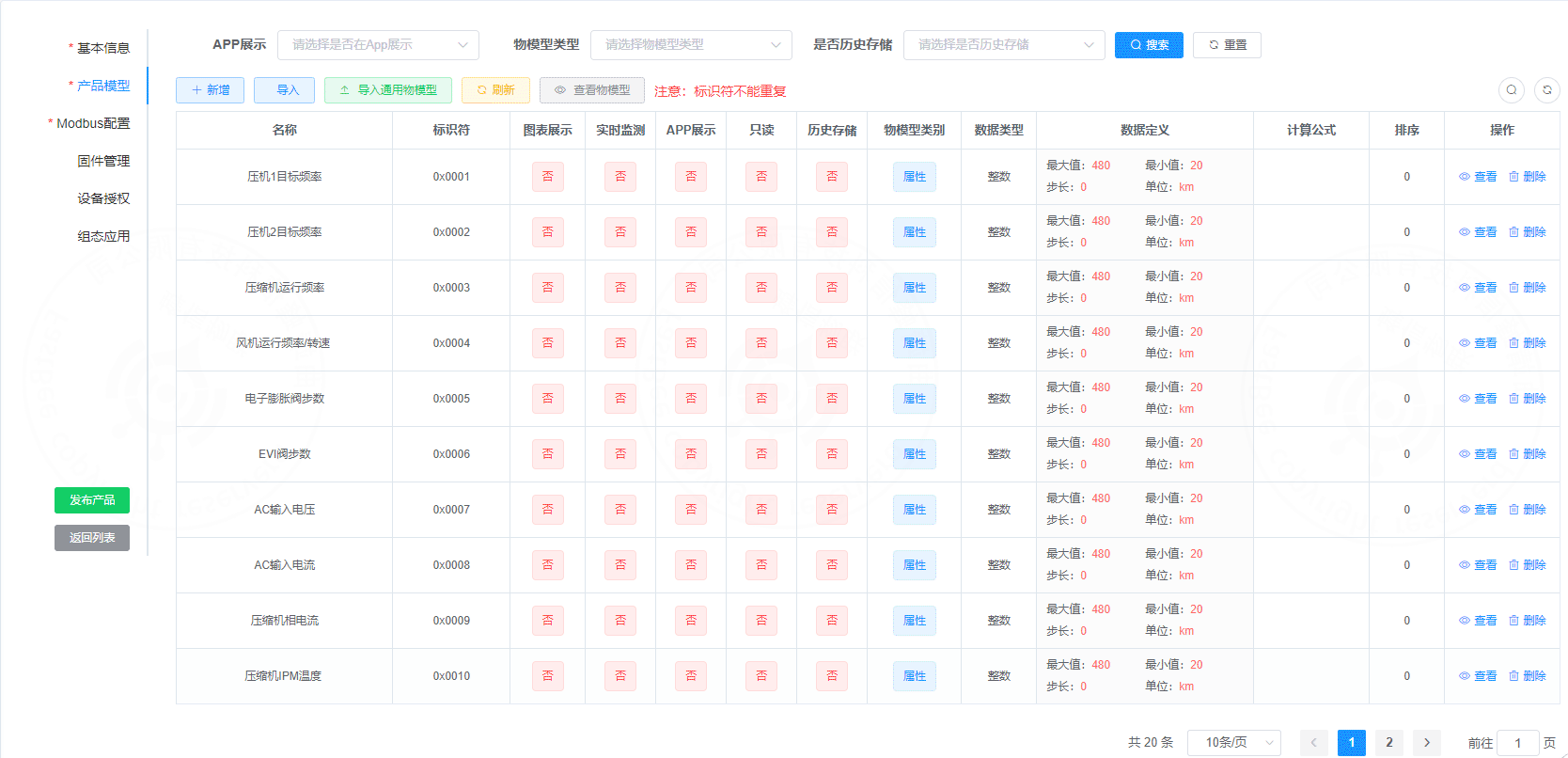
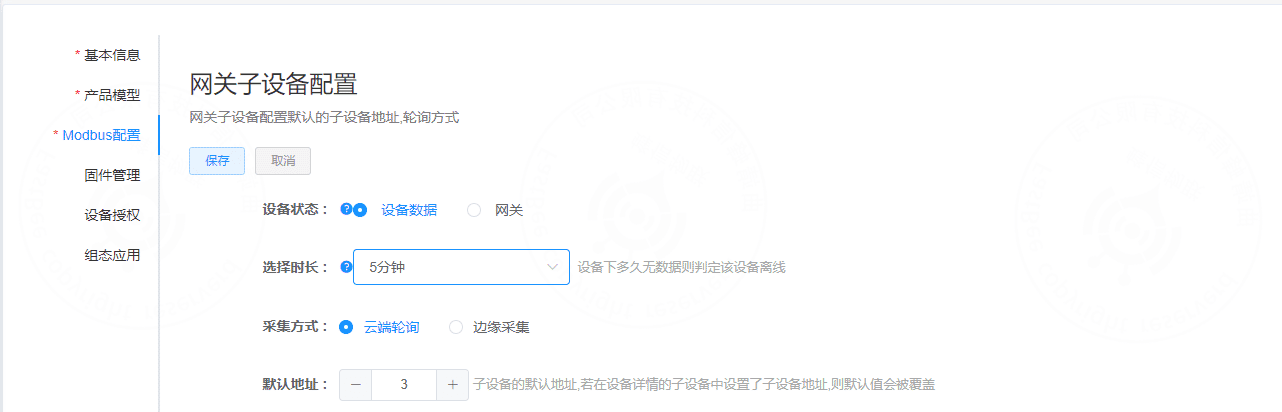
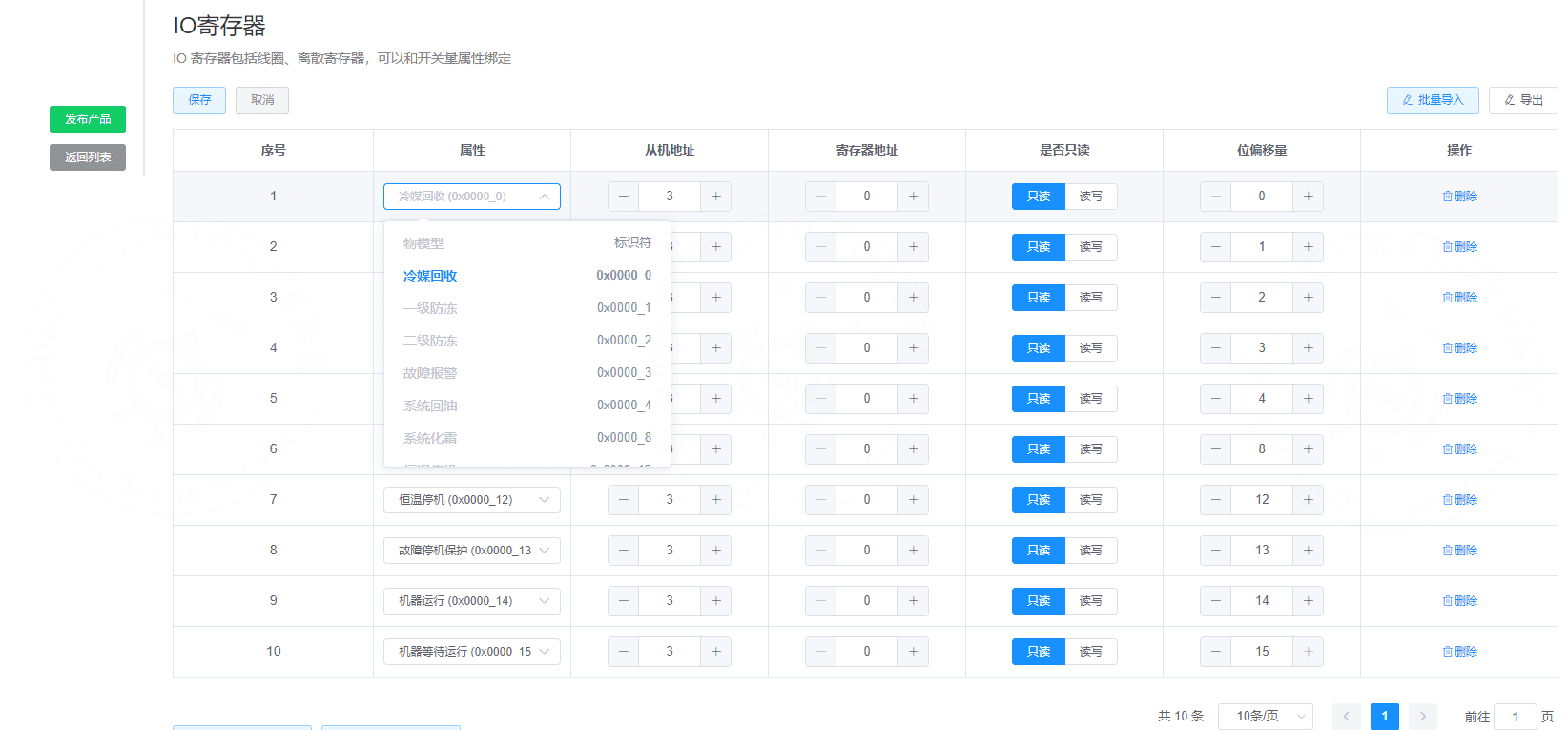
Then create the sub-device product, select **gateway sub-device** as the device type, and configure the thing model and Modbus parameters for the sub-device product.
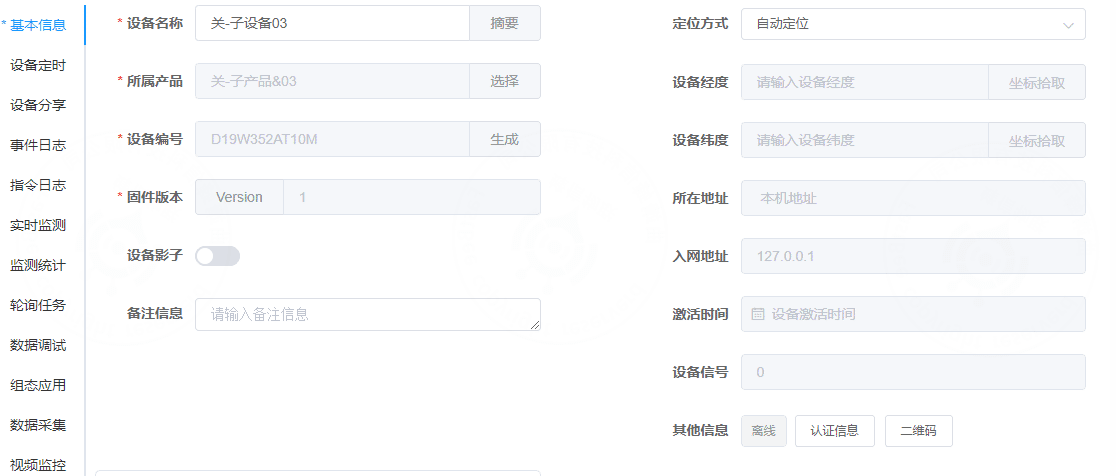
After both products are created, create the gateway device and sub-devices. Bind the sub-devices on the gateway device page and set the sub-device slave addresses.
::: tip
For both direct access and gateway sub-device access, if polling is selected, configure **polling tasks** on the direct device or gateway sub-device detail page.
:::
### Create a sub-device product
 ### Configure the thing model
 ### Configure Modbus parameters
 ### Configure Modbus IO registers
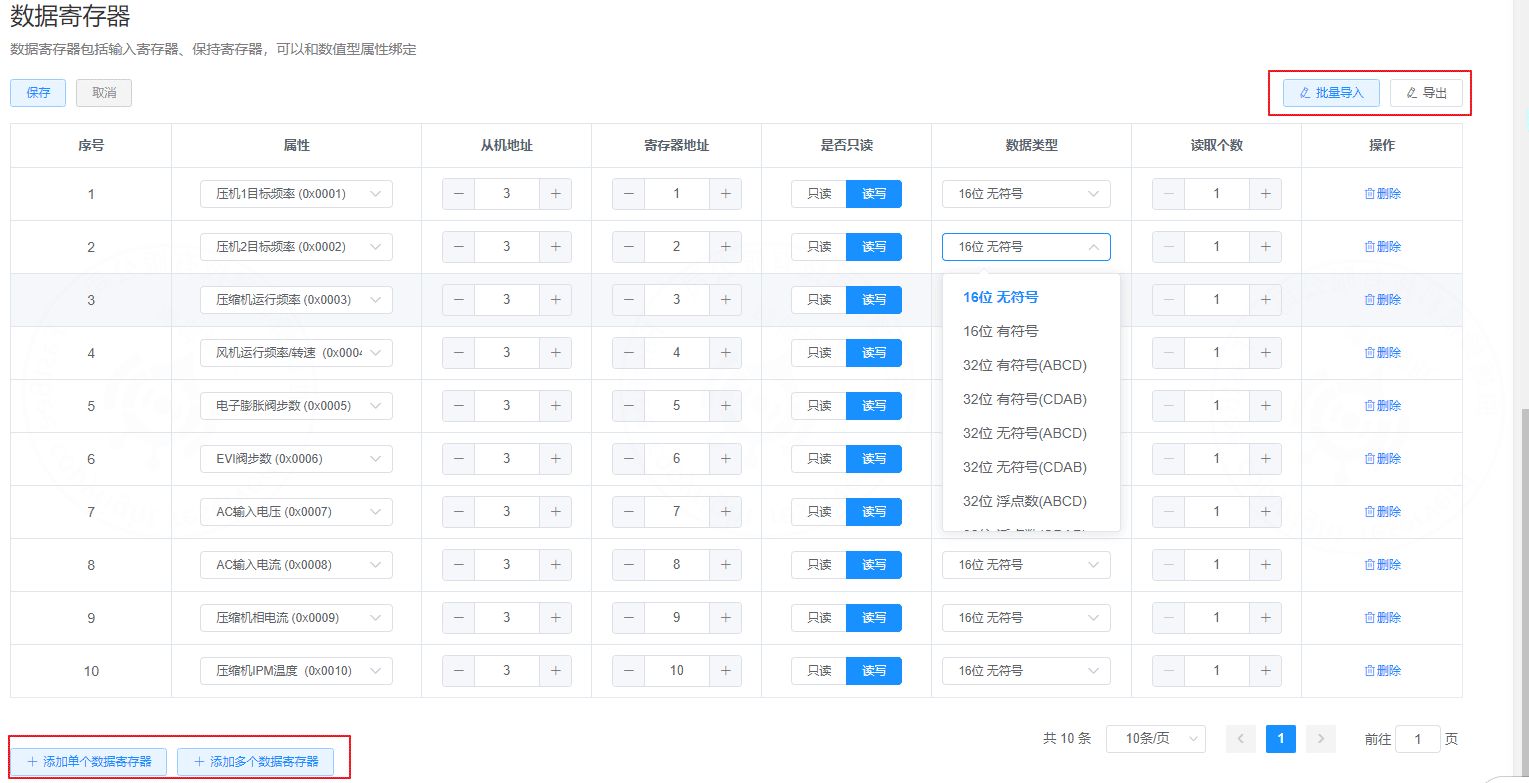
 ### Configure Modbus data registers
 ### Create a sub-device
 ## 3. Create a gateway product
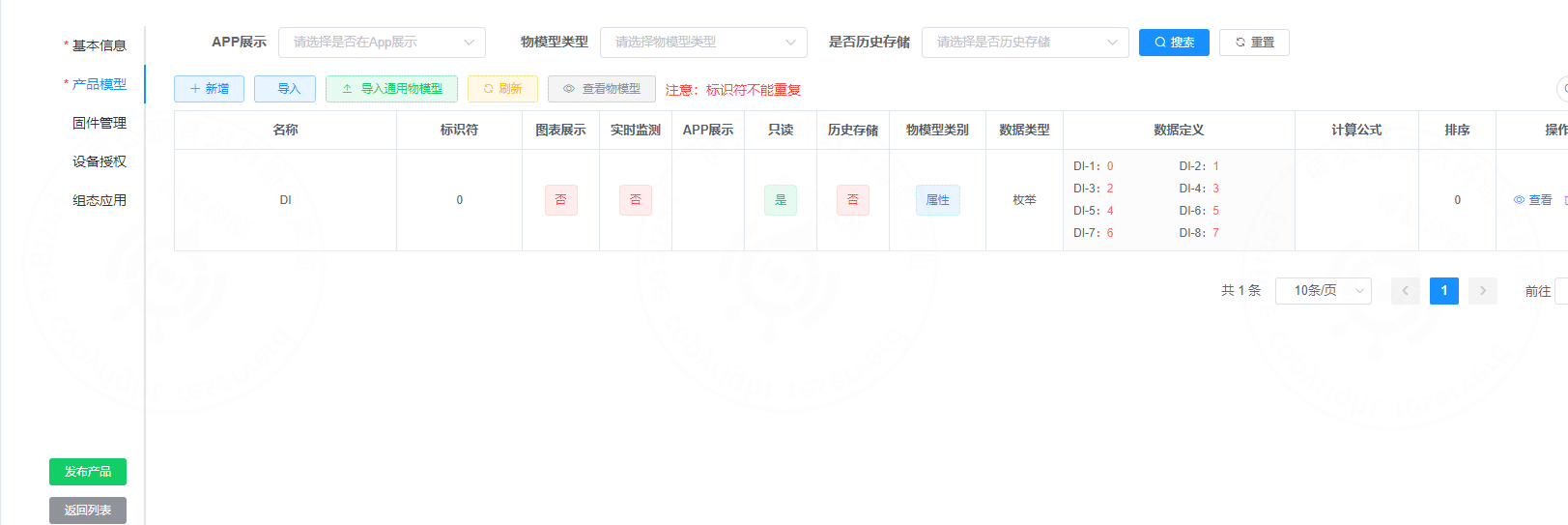
 ### Optional: configure the gateway product thing model
If the gateway has additional properties to collect, configure them in the gateway product thing model.
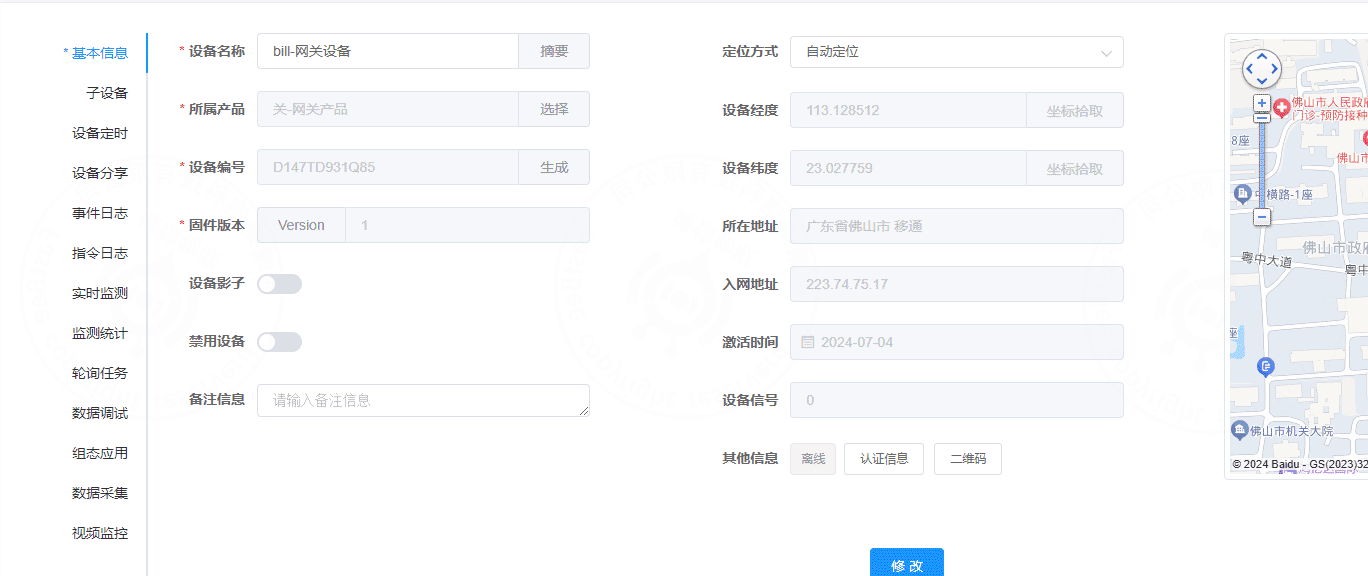
 ### Create a gateway device
 ### Bind sub-devices
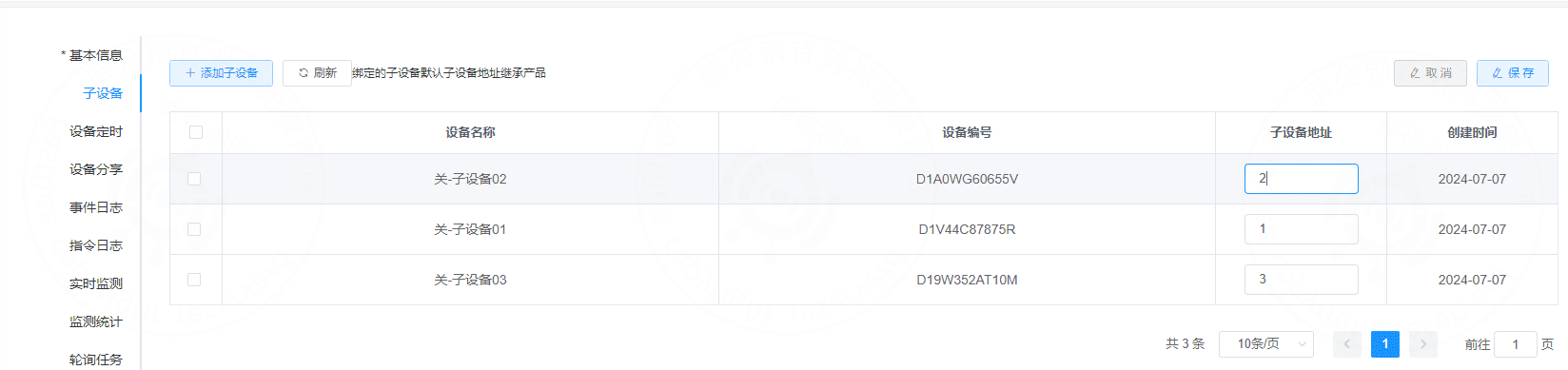 The gateway and sub-device topology is now established.