## 1. Device Maintenance
### 1.1 Overview
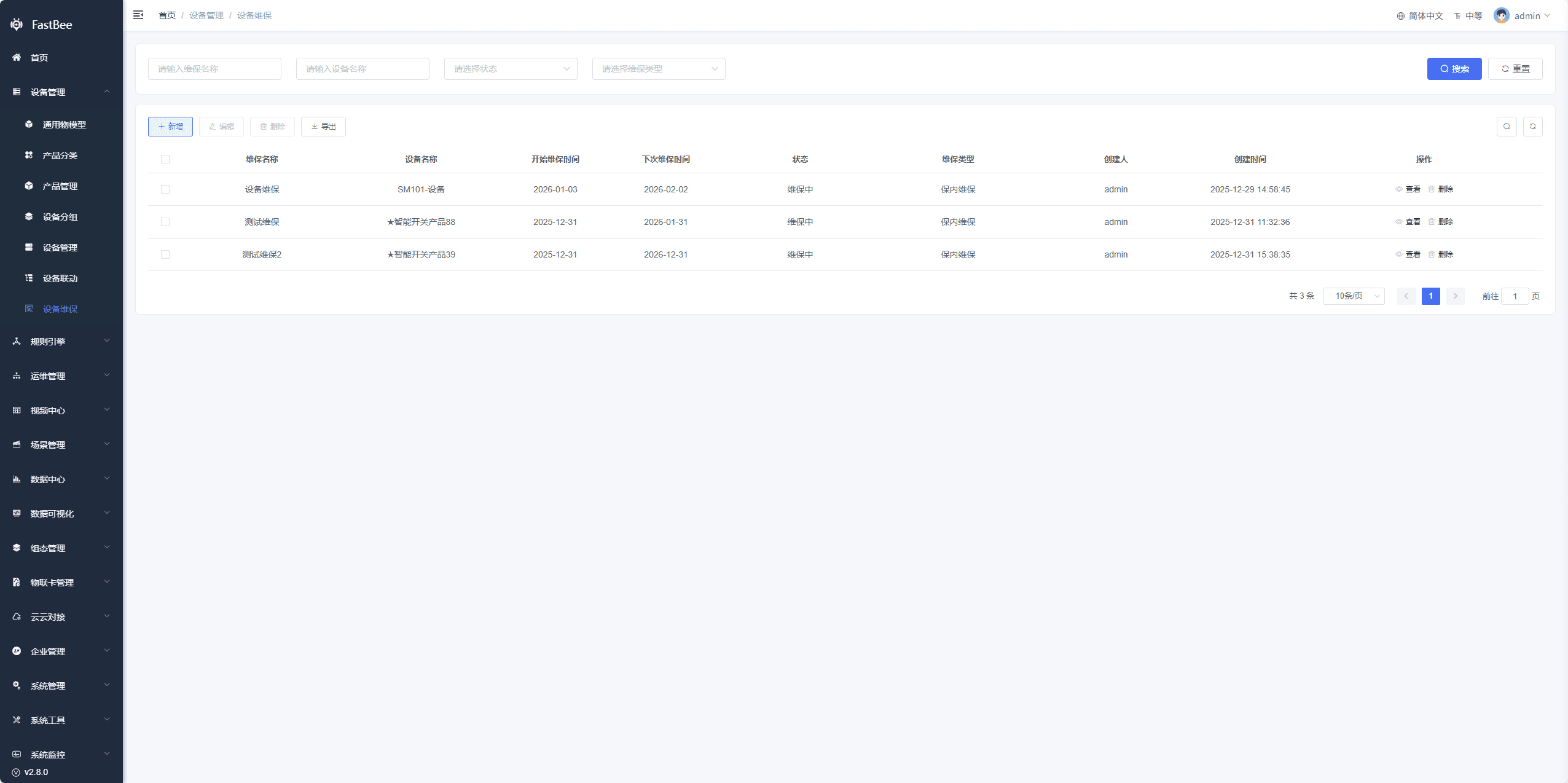
Create maintenance plans for devices that require periodic maintenance; **Routine Maintenance** work orders are automatically generated based on the maintenance start time.
 ### 1.2 Maintenance Types
#### In-Warranty Maintenance
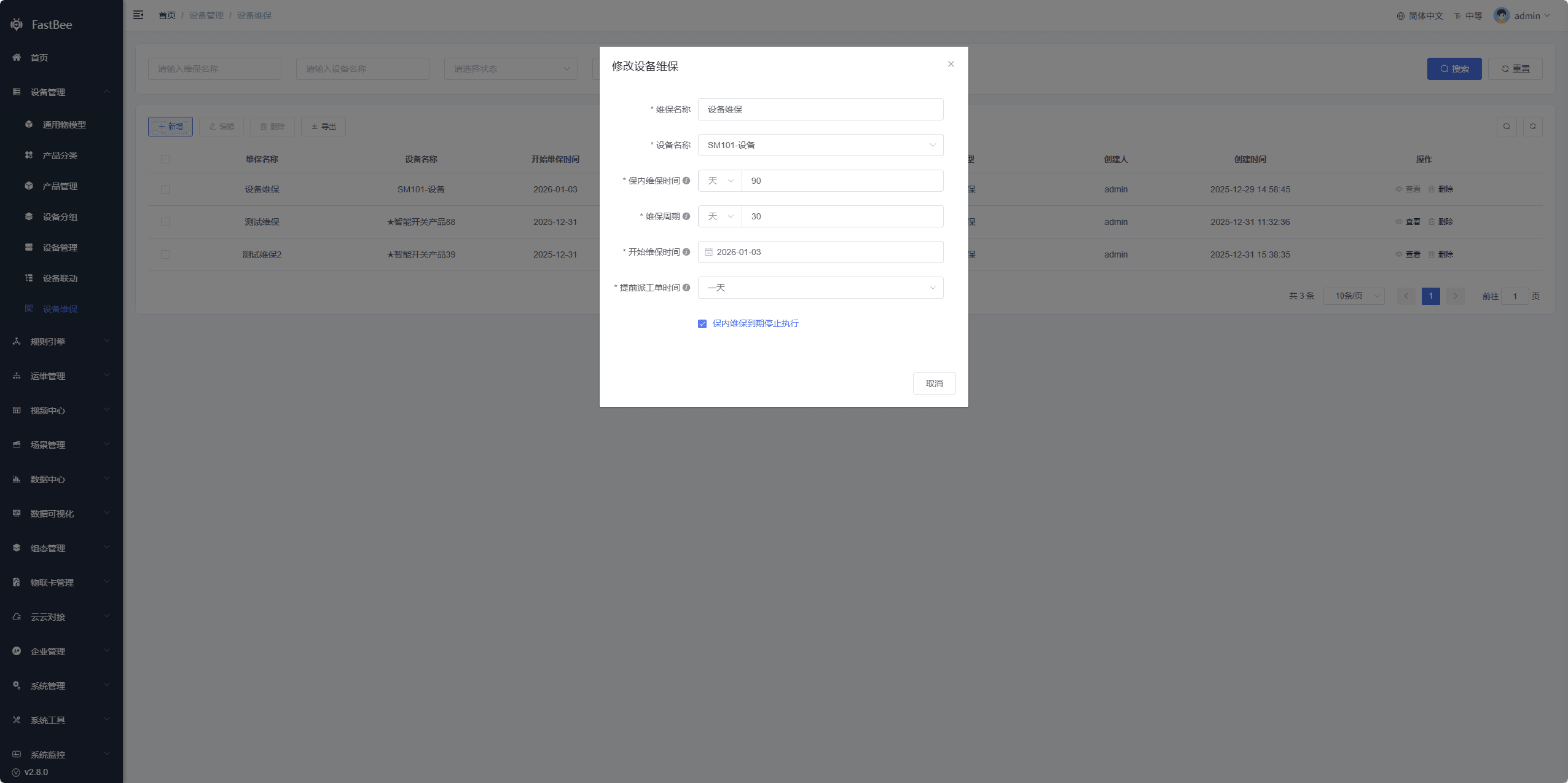
A newly created device maintenance plan defaults to the in-warranty maintenance type.
 #### Out-of-Warranty Maintenance
If **Stop execution when in-warranty maintenance expires** is not checked for a device maintenance plan, maintenance work orders will continue to be generated according to the maintenance cycle after the in-warranty maintenance period expires, counted from the maintenance start time; the type then automatically changes to out-of-warranty maintenance.
 ### 1.3 Maintenance Status
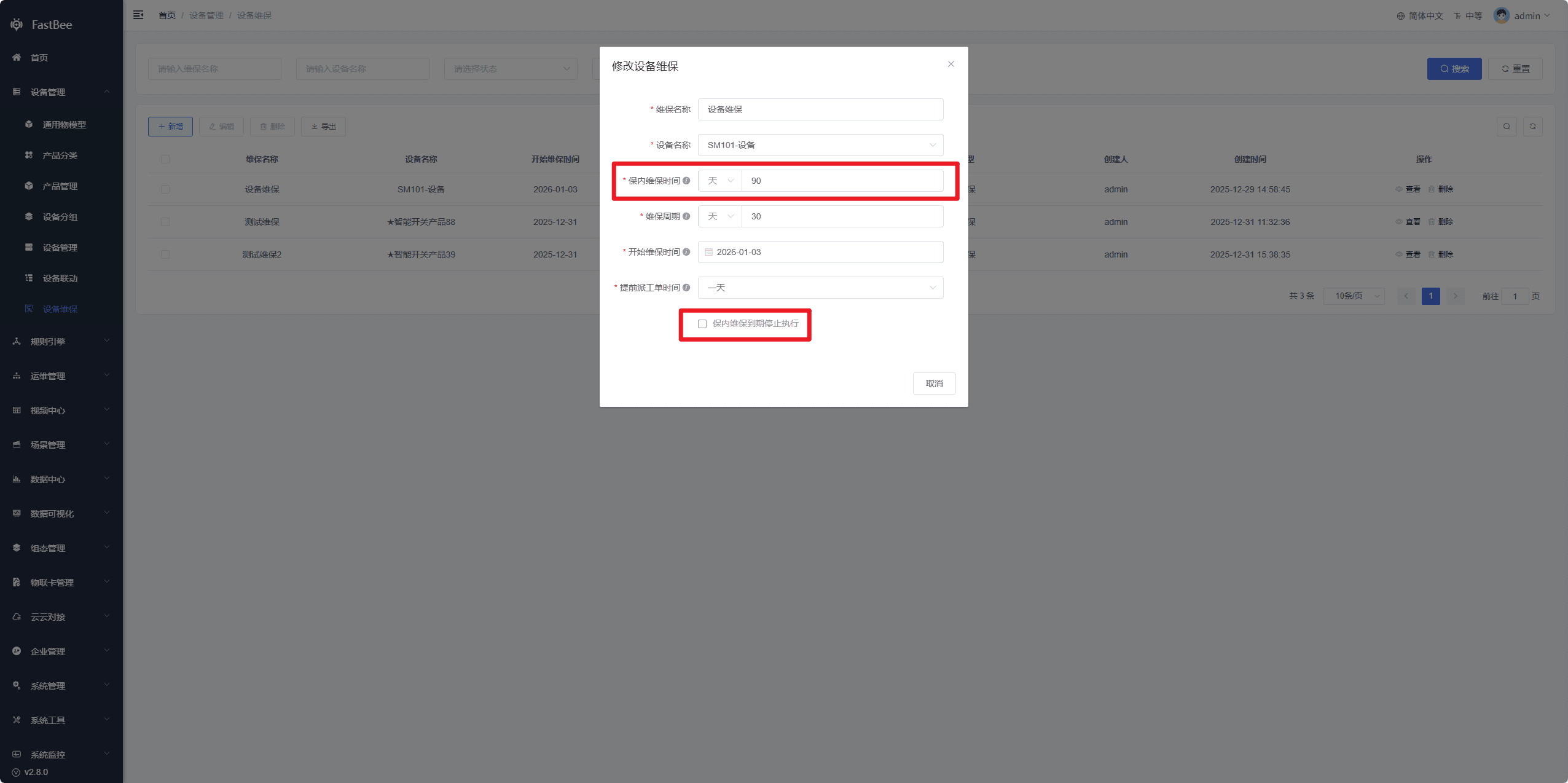
* Not Started: the maintenance plan has not yet reached the configured maintenance start time;
* In Progress: the maintenance plan has reached the configured maintenance start time;
* Stopped: the configured maintenance period has expired (**Stop execution when in-warranty maintenance expires** must be checked)
 ### 1.4 Configuration Description
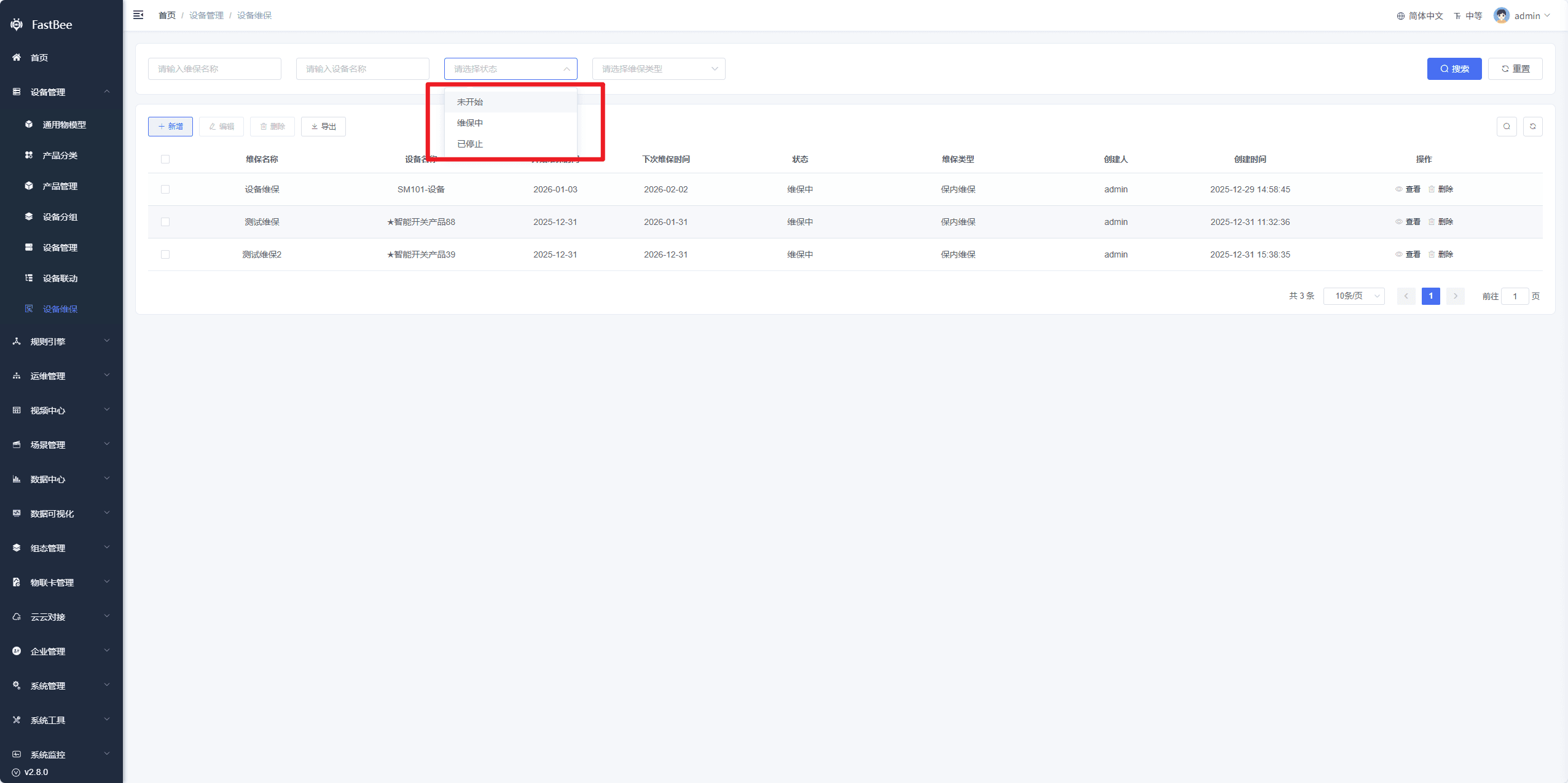
* Device Name: the data comes from the device list; select a single device.
* In-Warranty Maintenance Period: the maintenance duration of the device (meaningless if **Stop execution when in-warranty maintenance expires** is not checked)
* Maintenance Cycle: the cycle at which the maintenance plan executes within the in-warranty maintenance period; the maintenance cycle must be shorter than the in-warranty maintenance period;
* Maintenance Start Time: the time at which maintenance work orders start to be generated automatically;
* Stop execution when in-warranty maintenance expires: checked - maintenance work orders stop within the in-warranty maintenance period; unchecked - the maintenance plan continues to execute even after the in-warranty maintenance period is reached;
* Advance Dispatch Lead Time: planned work orders are automatically generated ahead of the maintenance start time by this lead time and synchronized to "Work Order Management";
For example: if the in-warranty maintenance period is 3 years, the maintenance cycle is 2 months, the maintenance start time is 2026-01-31, and the advance dispatch lead time is 1 day, the maintenance plan will start generating **Routine Maintenance** work orders on 2026-01-30, with the work order status set to **Pending Assignment**.
## 2. Scheduled Task
The scheduled task runs every day at midnight. It queries all device maintenance plans in **Not Started** and **In Progress** status, then decides whether to generate work orders based on the configured plans. After starting work each day, operations staff can check Work Order Management for routine maintenance work orders and assign them to maintenance personnel.
## 3. Result Verification
After configuring device maintenance, it is recommended to confirm in the following order:
| Acceptance Item | Expected Behavior |
| --- | --- |
| Maintenance plan | Device, start time, cycle, and in-warranty expiration time are displayed correctly |
| Maintenance status | Not Started, In Progress, and Stopped statuses are consistent with the time settings |
| Automatic dispatch | Routine maintenance work orders are generated after the advance dispatch time is reached |
| Work order association | The work order shows the device, contact, deadline, and logs |
| Expiration handling | After "stop when in-warranty expires" is checked, no new work orders are generated after expiration |
## 4. FAQ
### No work orders are generated automatically
First check the maintenance start time, advance dispatch lead time, maintenance cycle, whether the scheduled task is enabled, and whether the server time is correct.
### Duplicate work orders are generated
Check whether multiple maintenance plans are configured for the same device, or whether the scheduled task is executed repeatedly by multiple nodes. For cluster deployment, confirm the task scheduling strategy.
### Maintenance status does not match expectations
Check the in-warranty maintenance period, whether "stop when in-warranty expires" is checked, and whether the current time has passed the planned interval.
## 5. Secondary Development Entry Points
| Type | Path or API | Description |
| --- | --- | --- |
| Frontend page | `vue3/src/views/iot/maintenance` | Device maintenance page |
| Frontend page | `vue3/src/views/iot/workOrder` | Handling of generated work orders |
| Backend API | `/iot/maintenance` | Maintenance plan API |
| Backend API | `/iot/workOrder` | Work order API |
| Scheduled task | `springboot/fastbee-plugs/fastbee-quartz` | Periodic work order generation |