## Overview
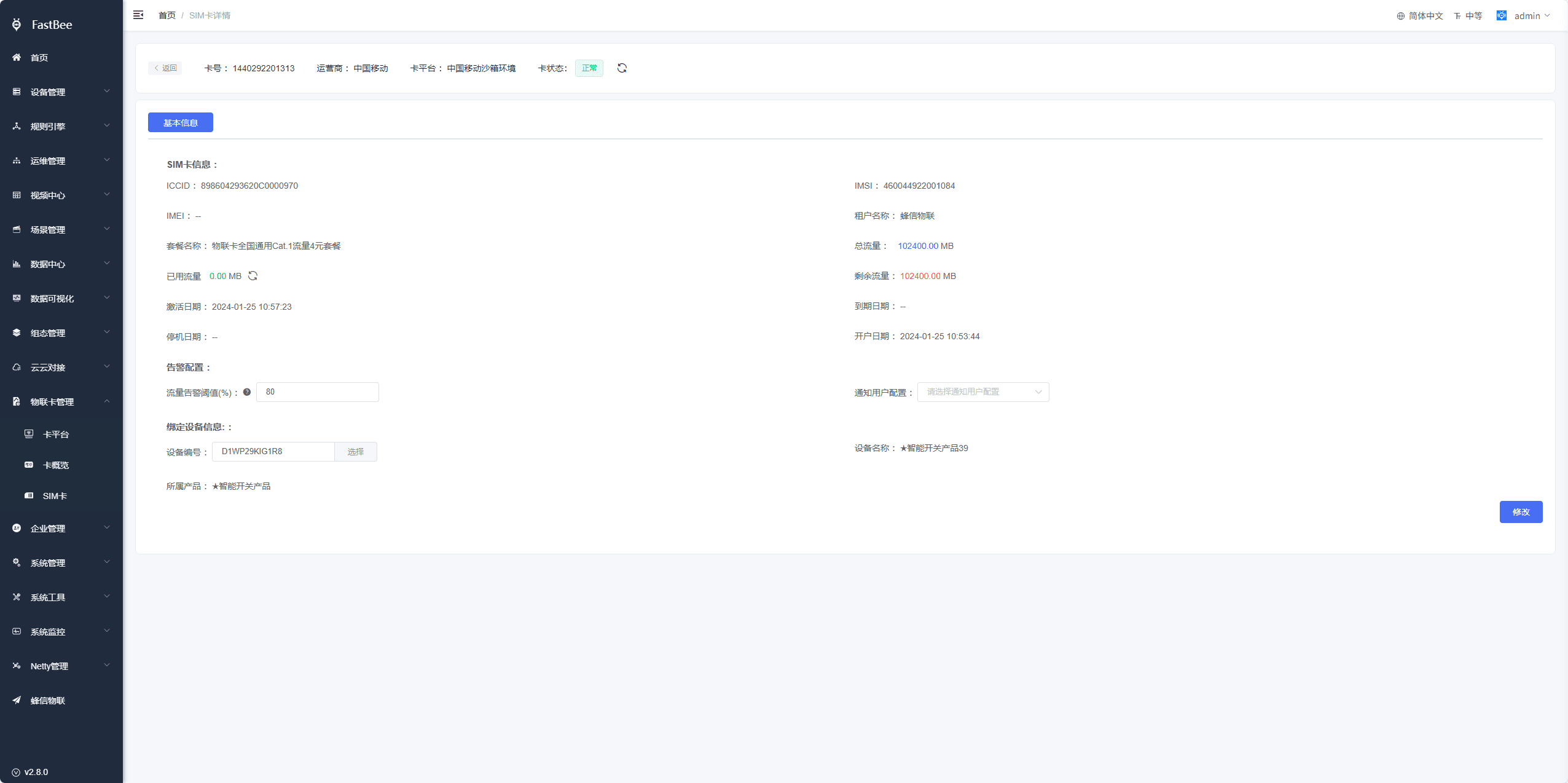
IoT Card Management is used to maintain SIM card information, ICCID, carrier platform, device binding, traffic usage, and card status. It is commonly used when devices report through cellular networks.
## Operation Flow
```mermaid
%%{init: {"flowchart": {"htmlLabels": false}}}%%
flowchart LR
A["Configure card platform"] --> B["Import or add cards"]
B --> C["Bind device by ICCID"]
C --> D["Device reports card data"]
D --> E["Query status and usage"]
E --> F["Handle abnormal cards"]
```
## Key Concepts
| Item | Description |
| --- | --- |
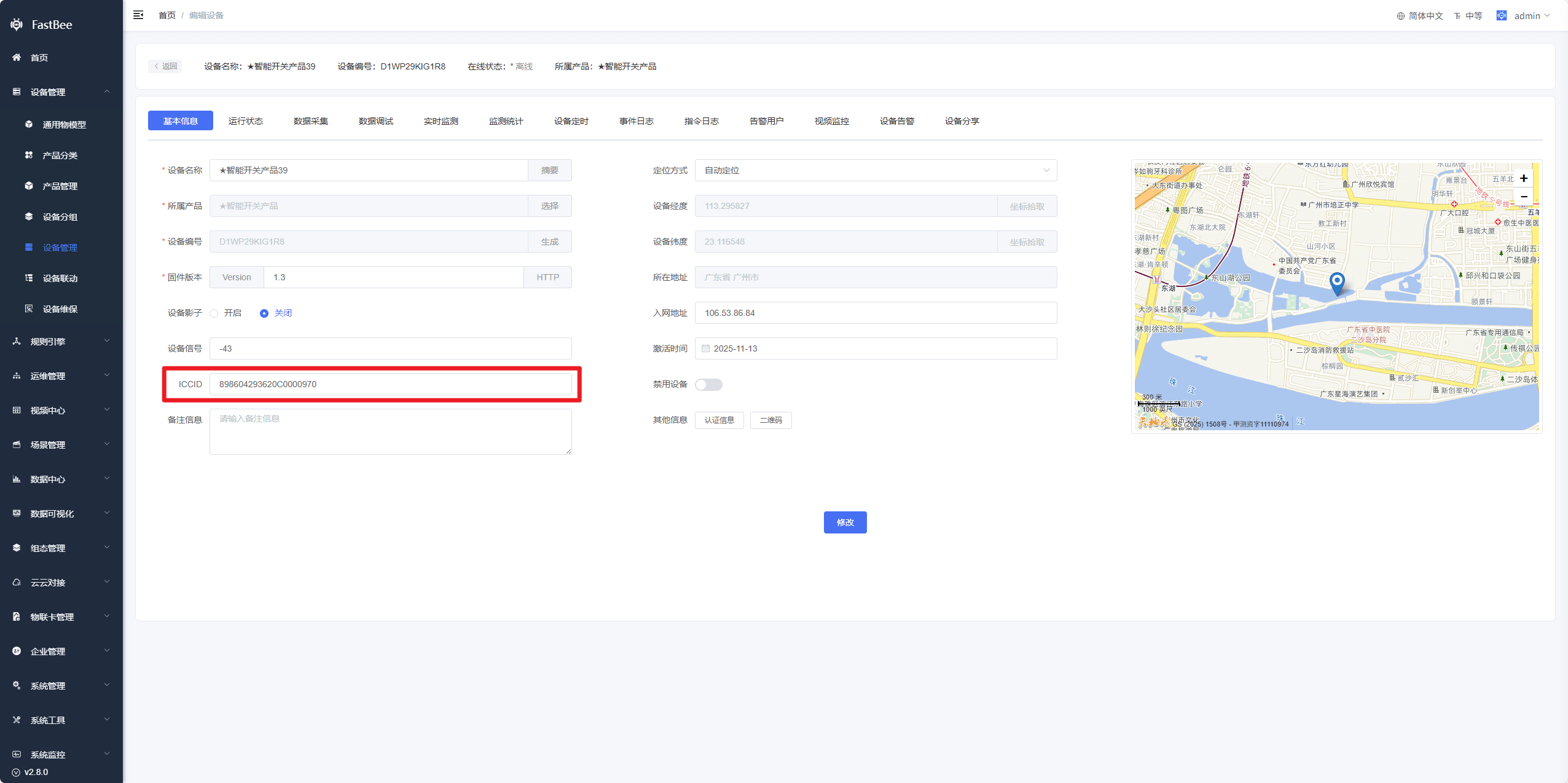
| ICCID | Unique identifier of the SIM card. Keep it consistent with device-reported data. |
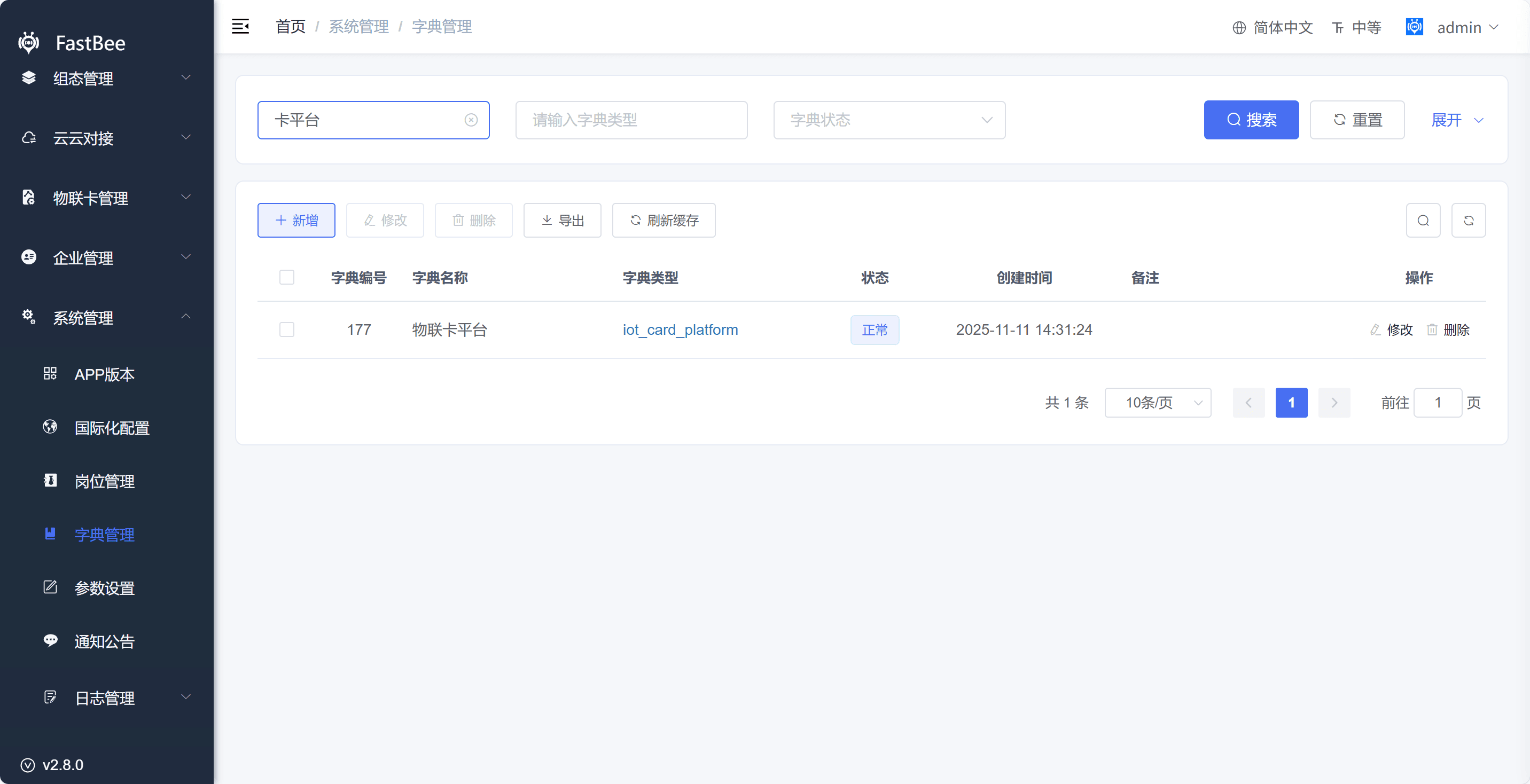
| Card platform | Carrier or third-party card platform used for status and usage query. |
| Bound device | Device associated with the SIM card. |
| Usage status | Traffic, activation, suspension, expiration, and package information. |
| Device report | Device can report ICCID and platform identifier together with device info. |
## Reference Commands And Configuration
The following snippets are preserved from the source guide because commands, configuration keys, and protocol examples should remain exact.
```ts
# 描述:1.设备上电后发布设备信息; 2.设备接收到设备信息指令后发布设备信息
# iccid 可选,物联网卡的ICCID号,设备使用物联网卡时上传
# cardPlatformId 可选,对应物联网卡管理-卡平台编号,设备上传ICCID号时上传,如果不上传则默认遍历所有卡平台查询
{
"rssi": -43,
"firmwareVersion": 1.2,
"status": 3,
"userId": 2,
"longitude": 0,
"latitude": 0,
"iccid": 898604293620C0000970,
"cardPlatformId": 0,
"summary": {
"name": "FastBee",
"chip": "ESP8266",
"author": "fastbee",
"deliveryTime": "2023-06-06",
"activeTime": "2022-10-01"
}
}
```
## Shared Screenshots
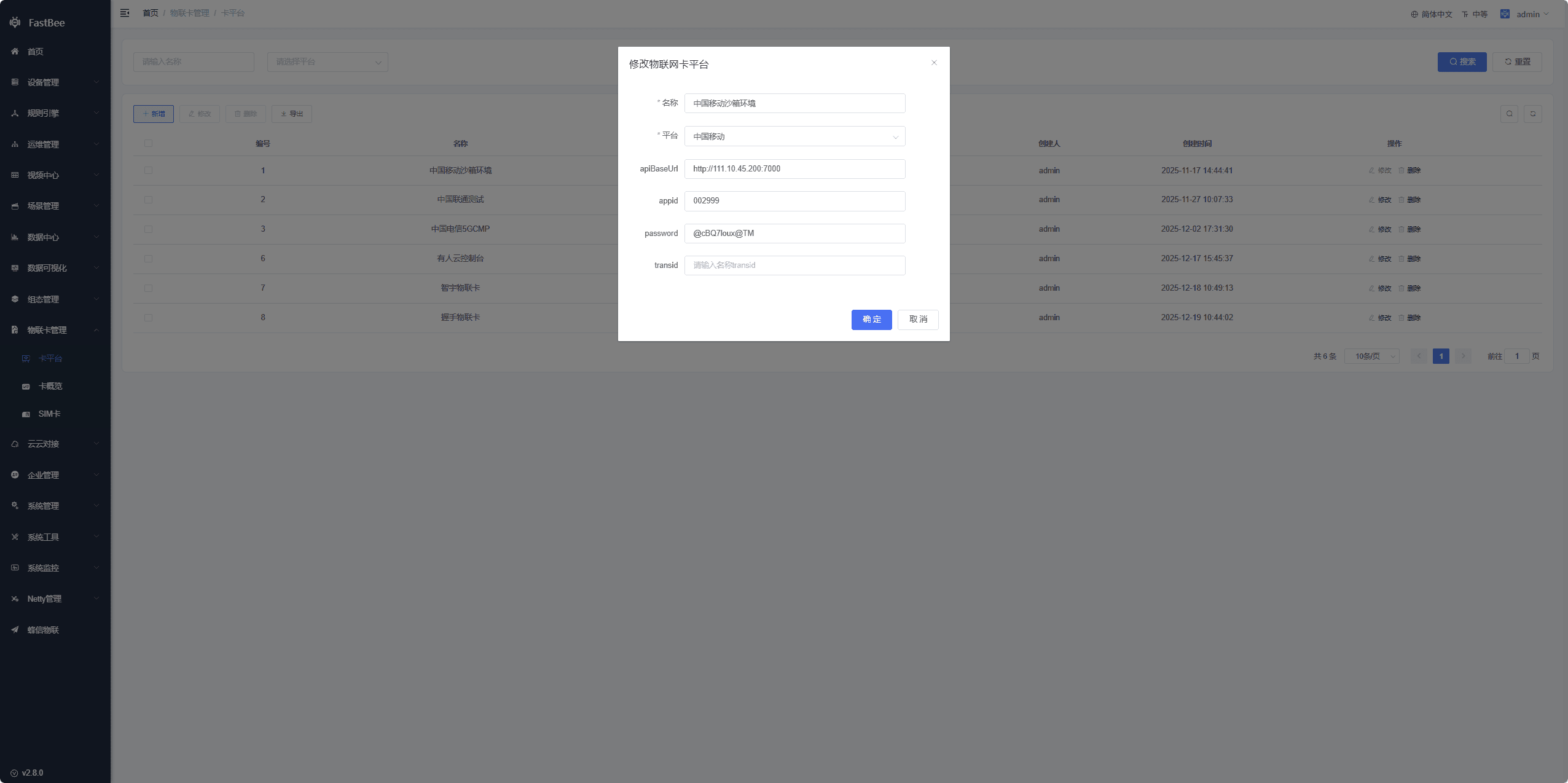
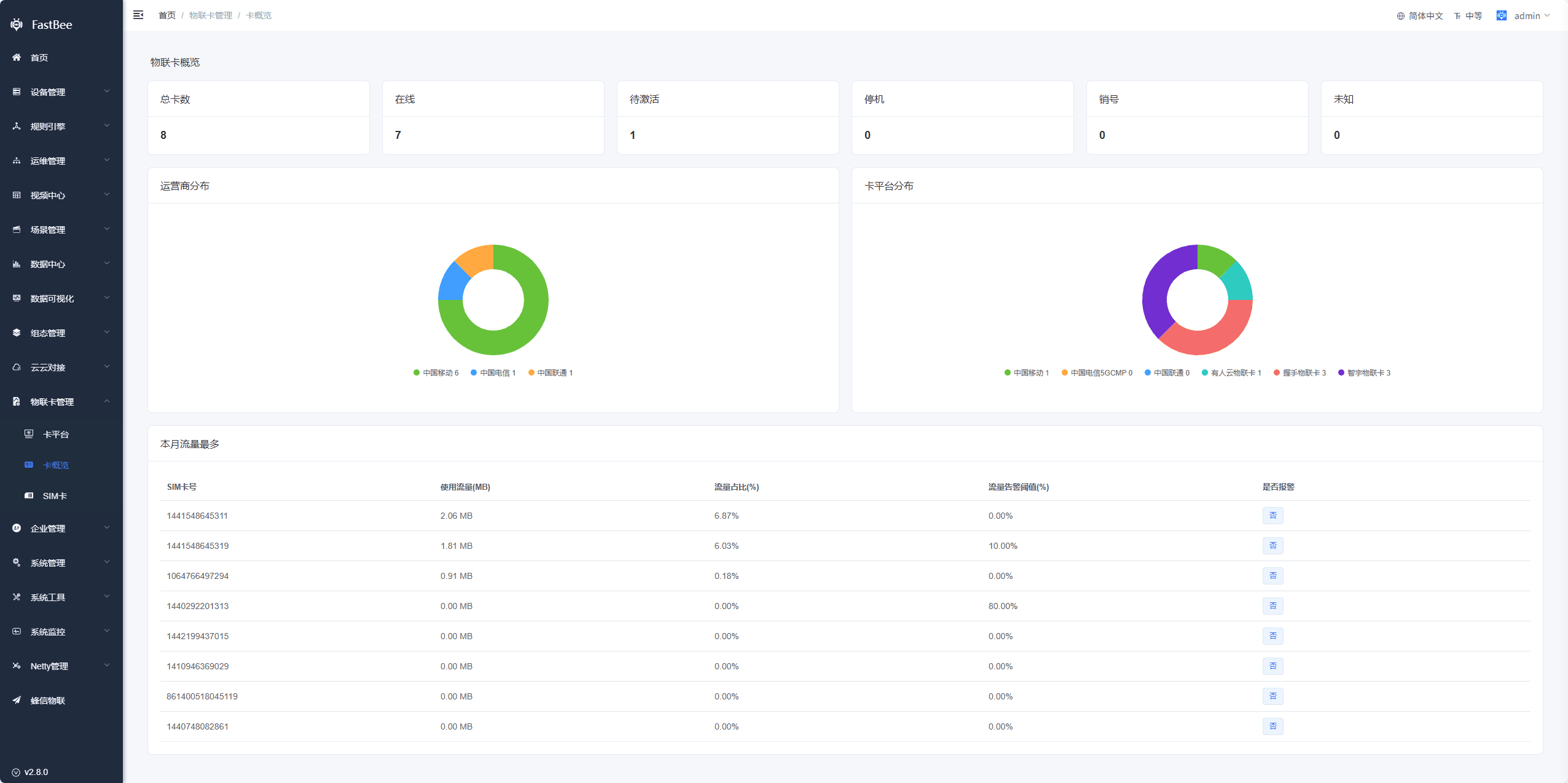
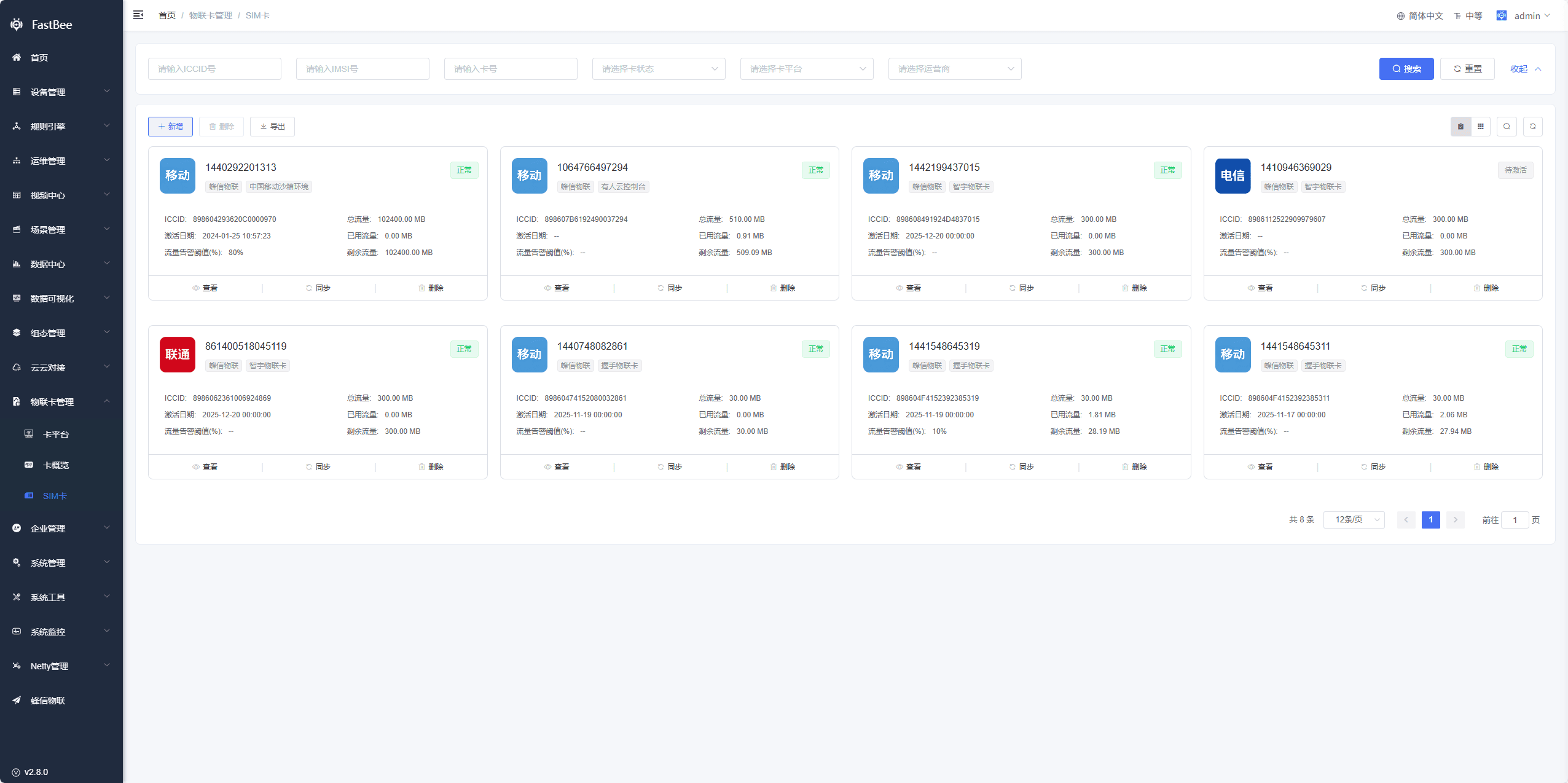
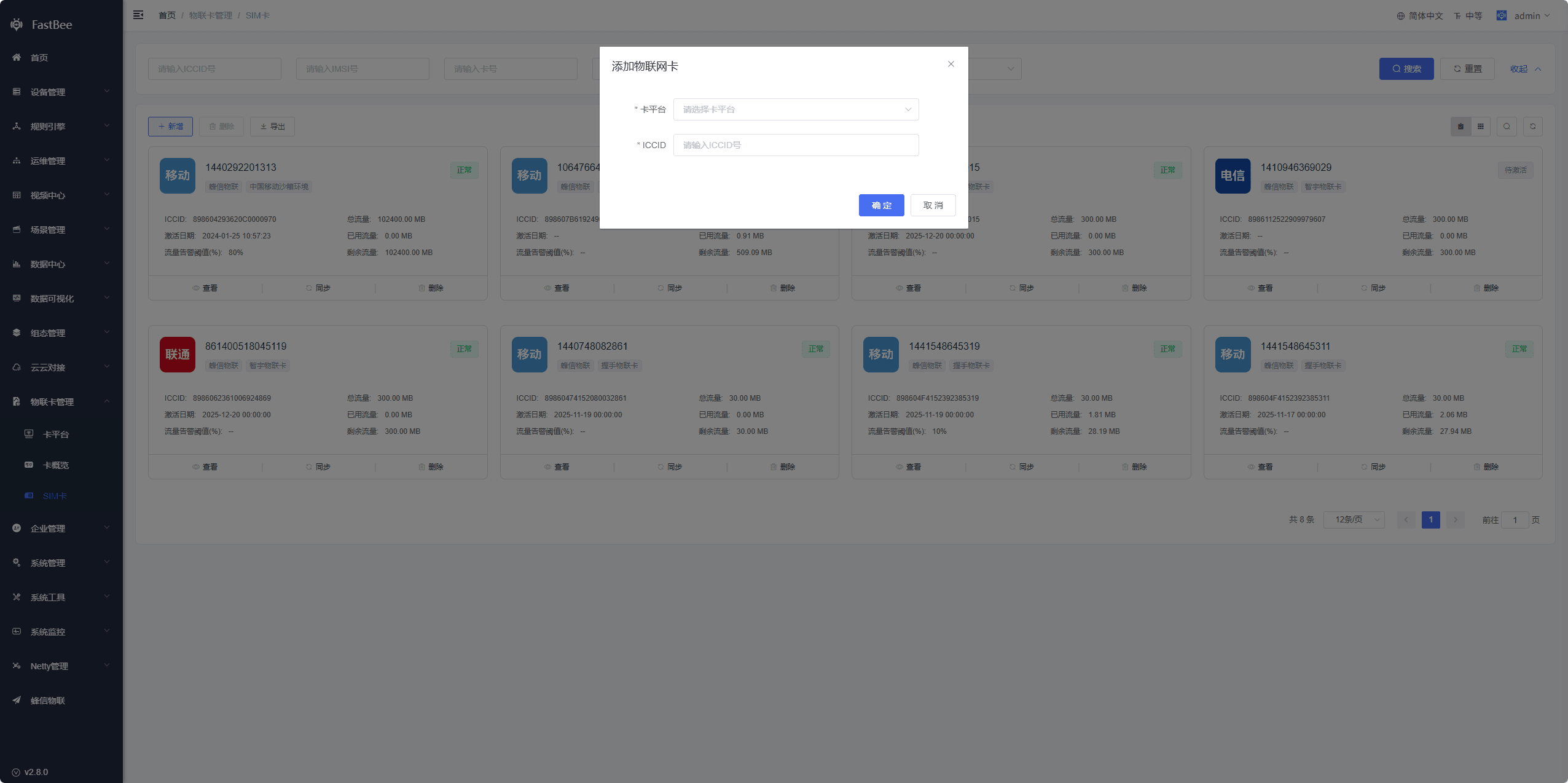
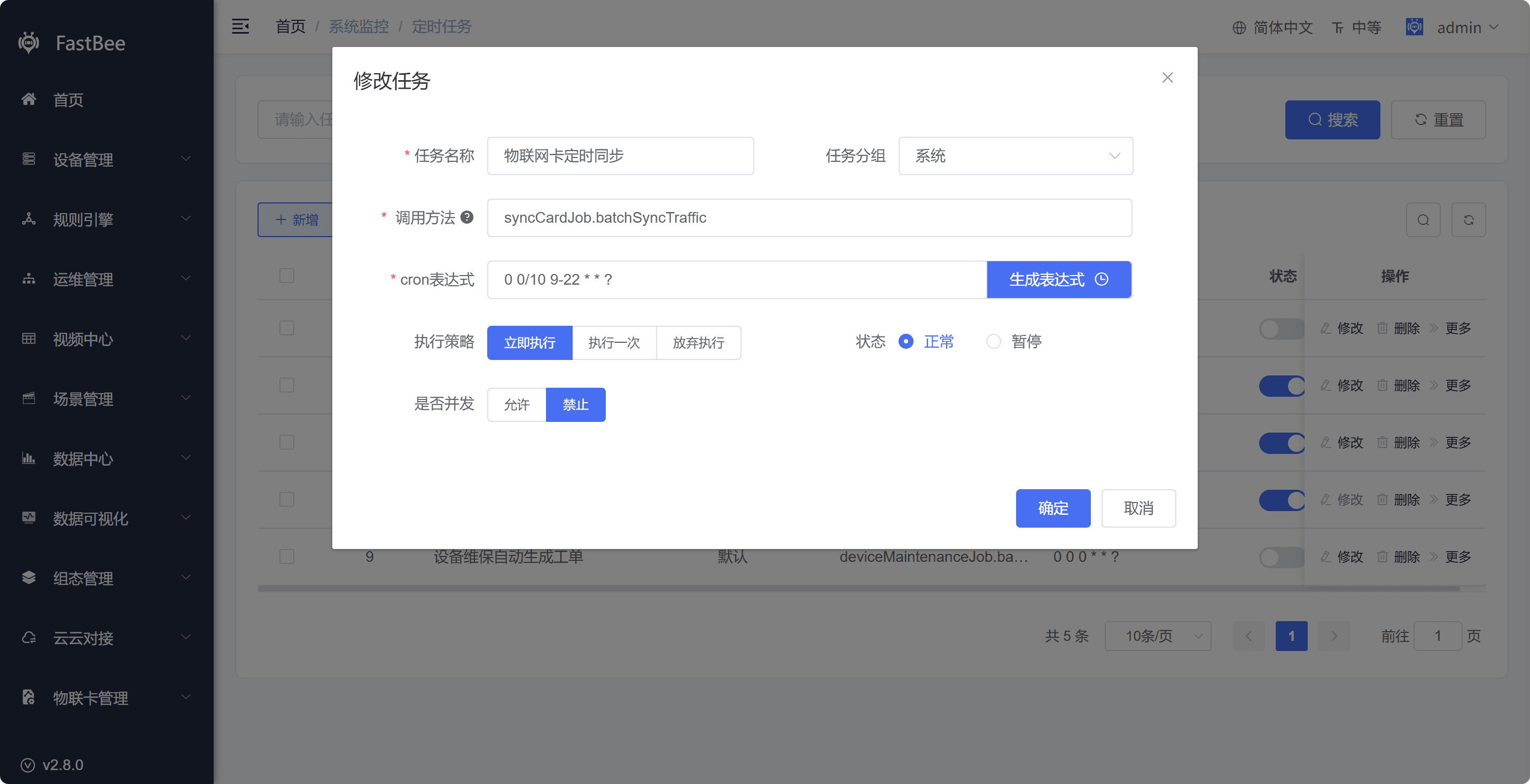
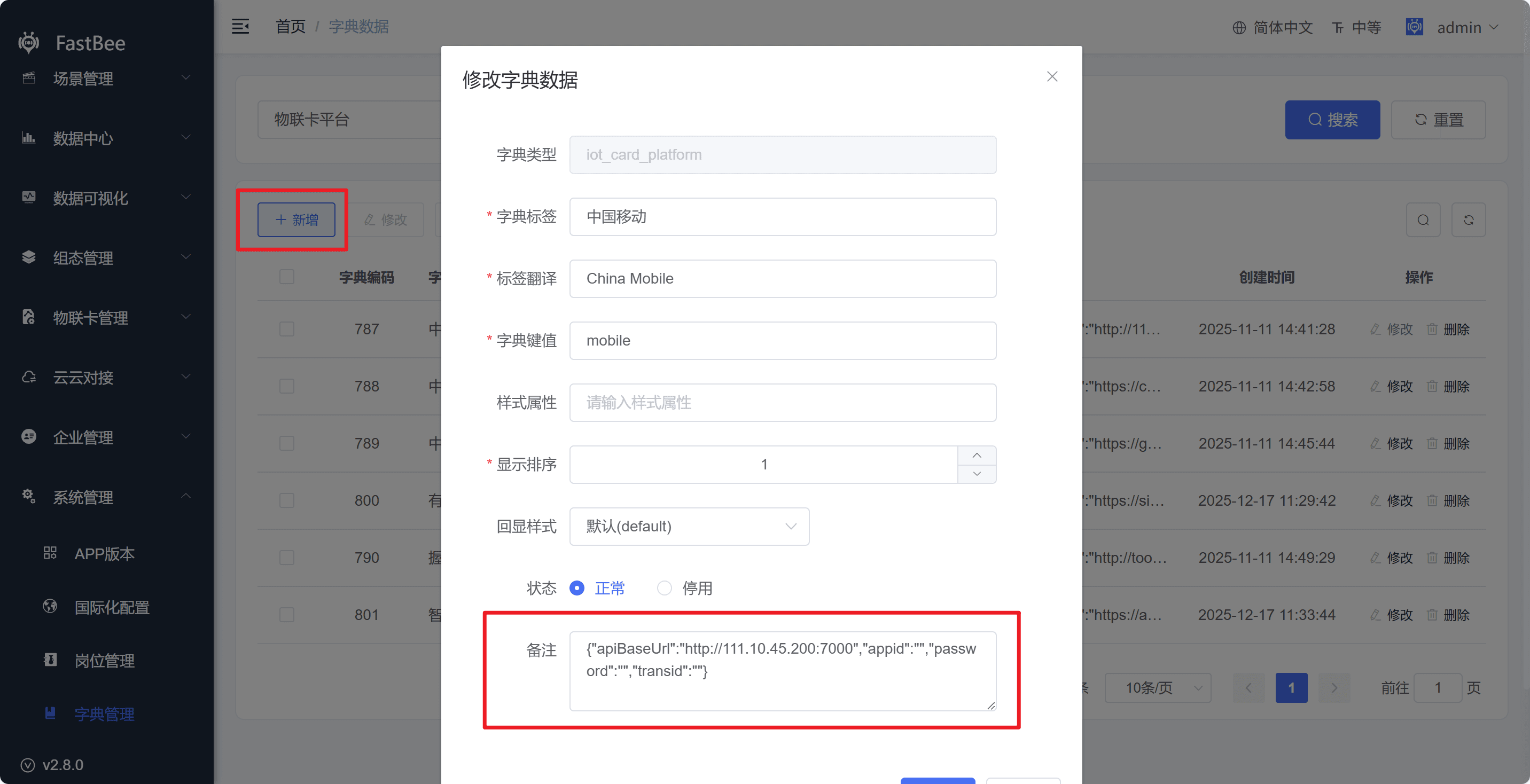
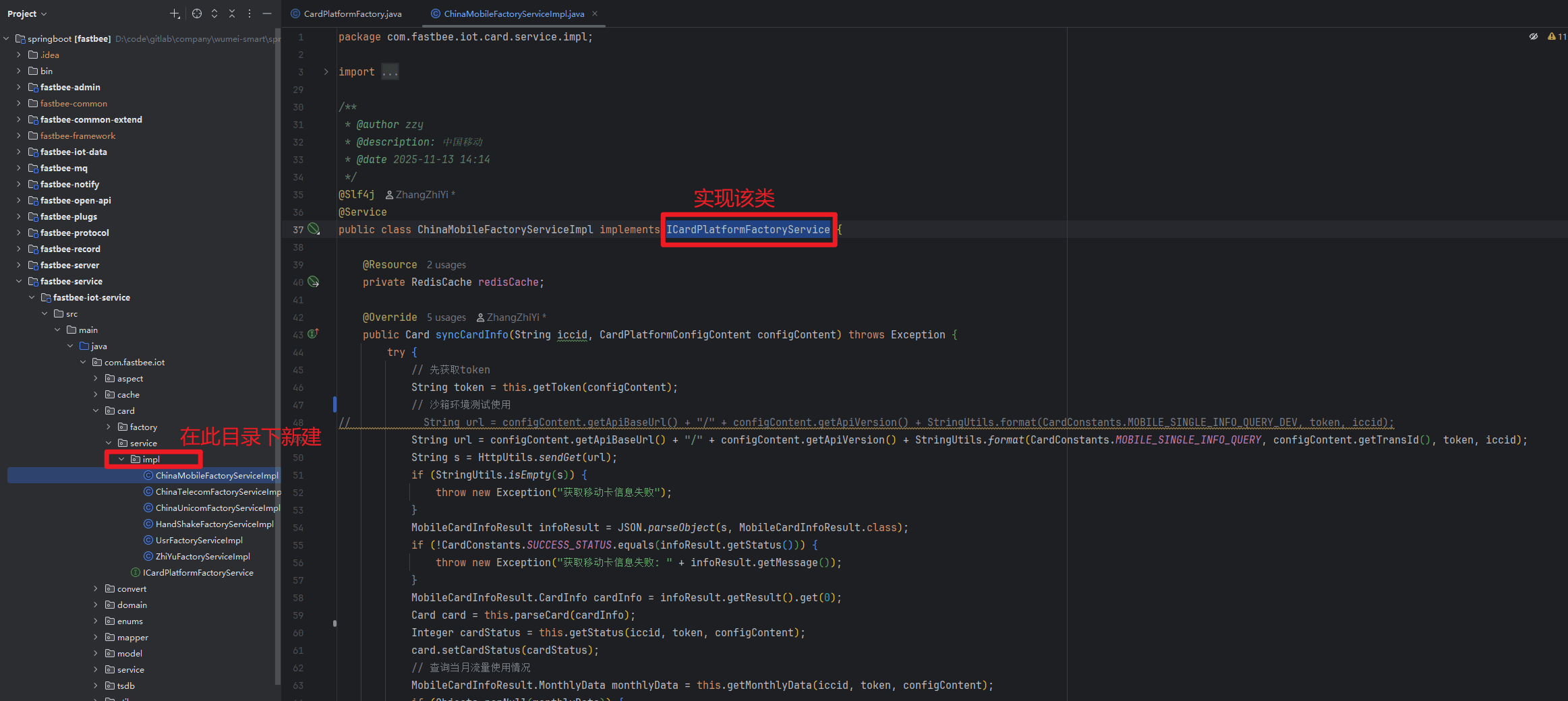
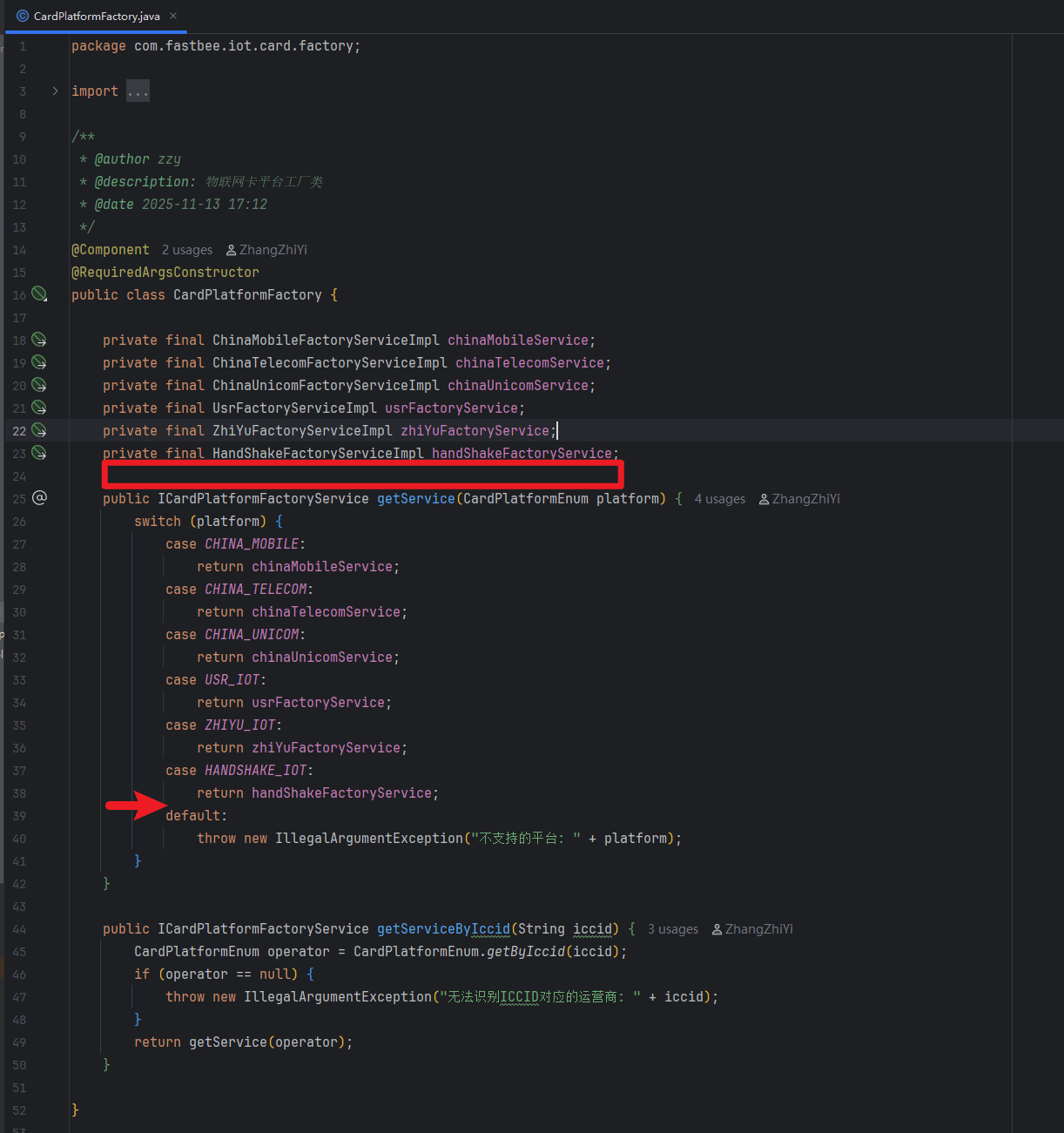
The English documentation reuses the screenshots from the Chinese source page. UI labels in screenshots may remain Chinese.
 ## Acceptance Checklist
| Item | Expected Result |
| --- | --- |
| Card platform | API address, account, and secret are configured correctly. |
| Add SIM card | Basic card information is synchronized after entering the ICCID. |
| Card status | Status, traffic, and package information can be refreshed. |
| Device binding | The card is bound automatically after the device reports its ICCID. |
| Traffic alarm | A notification is triggered when the threshold is exceeded. |
| Scheduled sync | The scheduled task synchronizes card information periodically. |
## FAQ
### Failed to add a card
Check the card platform API whitelist, account credentials, whether the ICCID exists, and whether the carrier platform has opened its API.
### No binding after the device reports ICCID
Check the `iccid` and `cardPlatformId` fields in the `/info/post` payload, and whether the platform can synchronize the card.
### Traffic data not synchronized
Check the scheduled task status, card platform API availability, server IP whitelist, and API rate limiting.
### Alarm not sent
Check the alarm threshold, notified users, and email or notification channel configuration.
## Development Entry
| Type | Path Or API | Description |
| --- | --- | --- |
| Frontend page | `vue3/src/views/iot/card` | Card platform, card overview, and SIM card list. |
| Backend API | Card management APIs | Card platform and SIM card management. |
| Backend extension | `ICardPlatformFactoryService` | Integration of new card platforms. |
| Configuration class | `CardPlatformConfigContent` | Card platform authentication parameters. |
| Database tables | `iot_card`, `iot_card_platform` | SIM cards and platform configuration. |