## Page Guide
- **Use Cases**: Start the FMQ server in a local development environment to debug cluster configuration, Kafka message bridging, and visualization features.
- **Prerequisites**: JDK, Maven, and IDEA are installed and the project opens normally; local Kafka is installed and started; the FMQ server source code is available.
- **Operation Path**: Edit application.yml → adjust the pom and run package → run FmqApplication → open the visualization page on port 18083.
- **Acceptance Criteria**: The visualization page can be logged in to, and the local node appears in the cluster overview and node list.
## 1. Run Locally & Visualization
### 1.1. Prerequisites
* JDK and Maven are installed, and IDEA can open the FMQ server project normally
* Local Kafka is installed and started (see [Kafka Installation](https://www.fastbee.cn/doc/en/cluster/v2/server/kafka-install.md)), with an address consistent with the `bootstrap-servers` configuration below
* The FMQ server source code is available
### 1.2. Configuration File Changes
Locate the path `src\main\resources\application.yml`.
Use intranet IP addresses to configure the cluster's local IP and cluster IPs.
```yaml
localAddress: 127.0.0.1
static-ip-addresses: 127.0.0.1, 1x.x.x.xx
```
Change the Kafka server address `bootstrap-servers`.
```yml
kafka:
broker-enabled: true # Whether to enable Kafka message bridging
bootstrap-servers: 127.0.0.1:9092 # Kafka address, e.g. 127.0.0.1:9092,127.0.0.1:9093
producer:
acks: -1 # acks acknowledgment: if you must wait for the acknowledgment, set acks to all; otherwise set it to -1. Waiting for the acknowledgment incurs a performance cost.
retries: 3 # Number of retries
batch-size: 16384 # Batch commit size
buffer-memory: 33554432 # Buffer size
key-serializer: org.apache.kafka.common.serialization.StringSerializer # Serialization method
value-serializer: org.apache.kafka.common.serialization.StringSerializer # Serialization method
partitioner:
class: cn.fastbee.iot.store.kafaka.MqttPartitioner
message-bridge: # Topics forwarded by the Kafka message bridge
bridge-topics:
- "property_post"
enable: true
```
### 1.3. Package the Project
Modify the `pom` file of `fmq-application`.
Comment out the configuration, then update Maven.
```xml
<--
src/main/resources
application.yml
application-dev.yml
-->
```
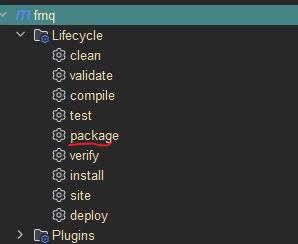
In IDEA, run `package`; the front end is packaged and generated.
 ### 1.4. Start and Run
Click `FmqApplication` to run it.
## 2. Visualization
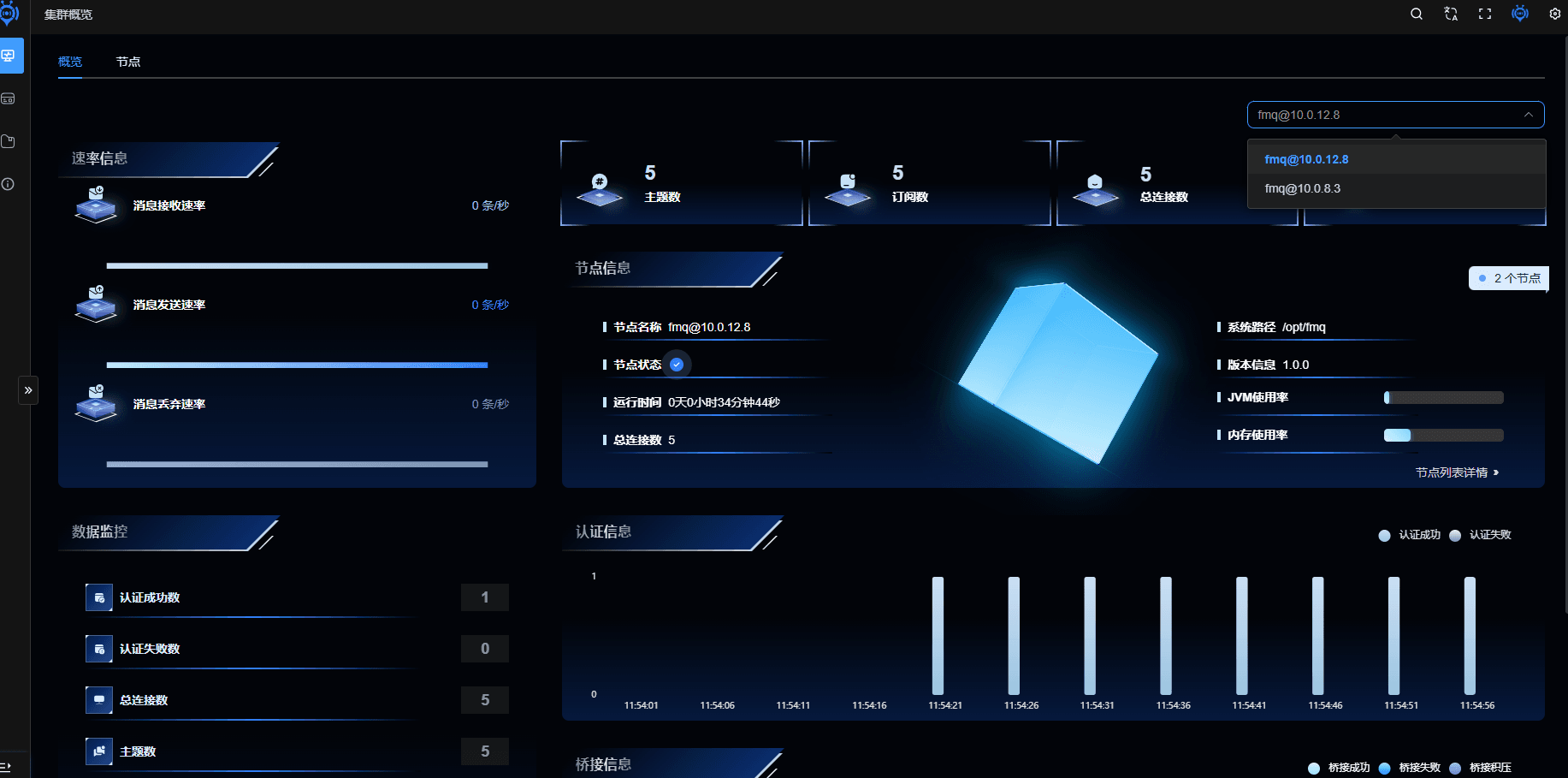
After it finishes starting, open `http://localhost:18083` to log in to the `fmq` visualization page.
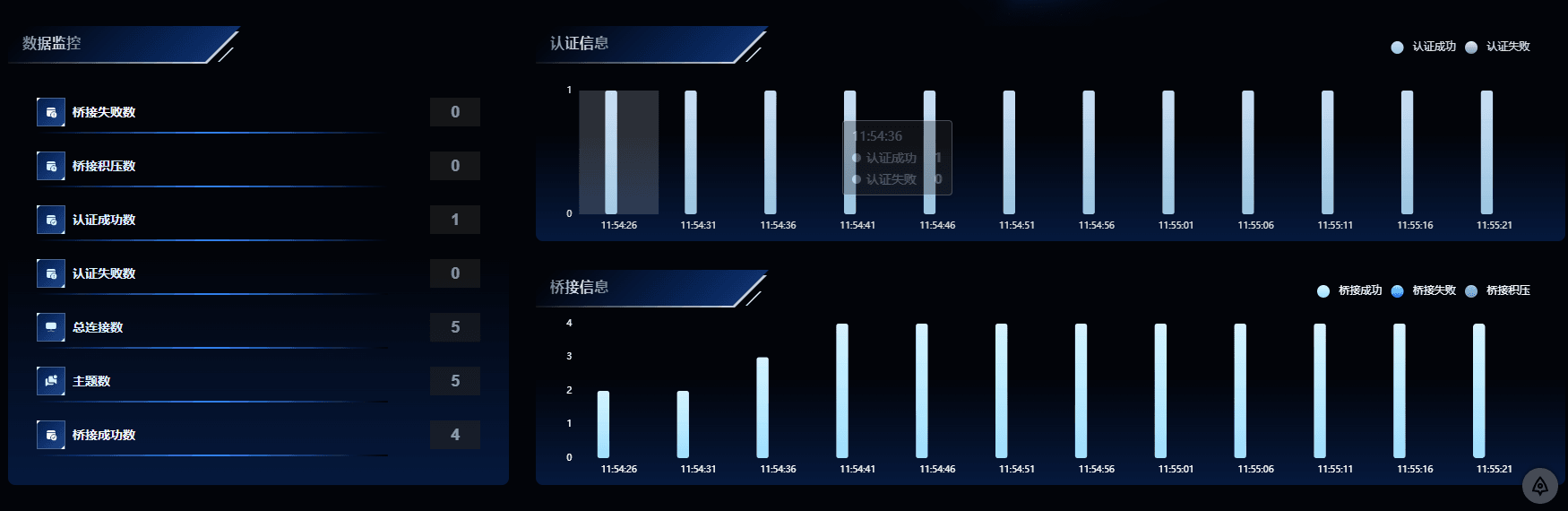
`Home Cluster Overview`
 `Cluster Node List`
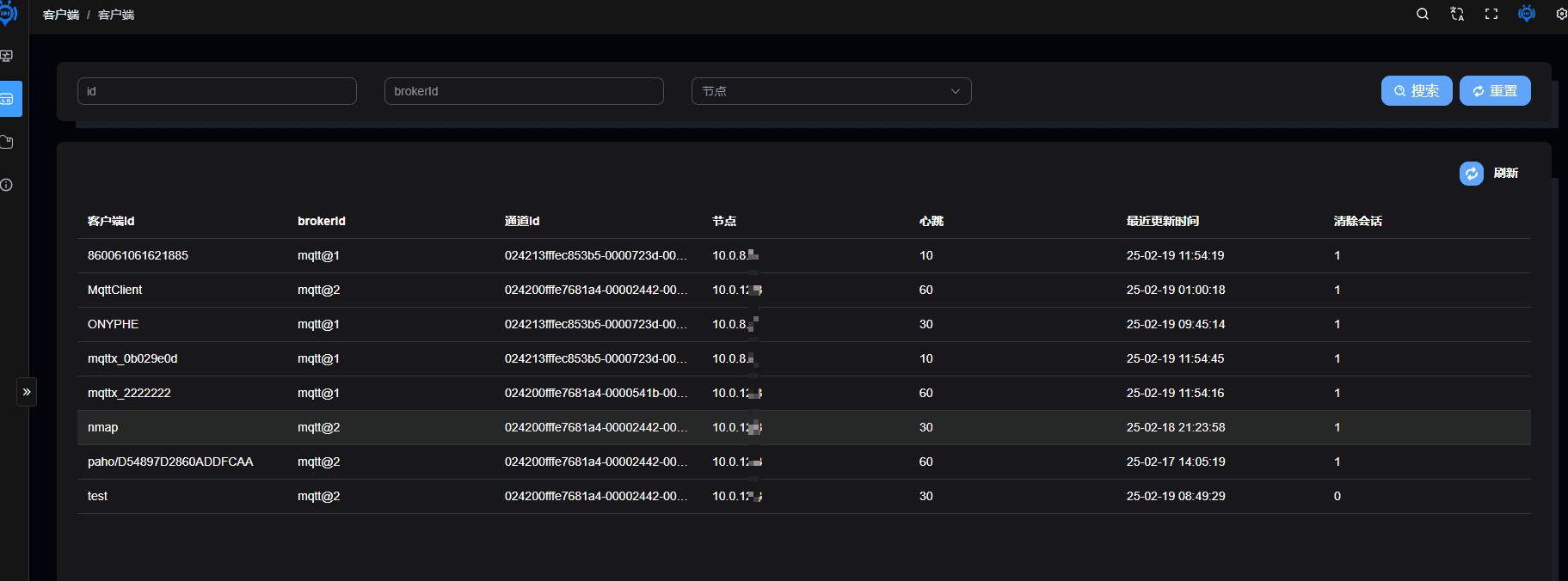
 `Client List`
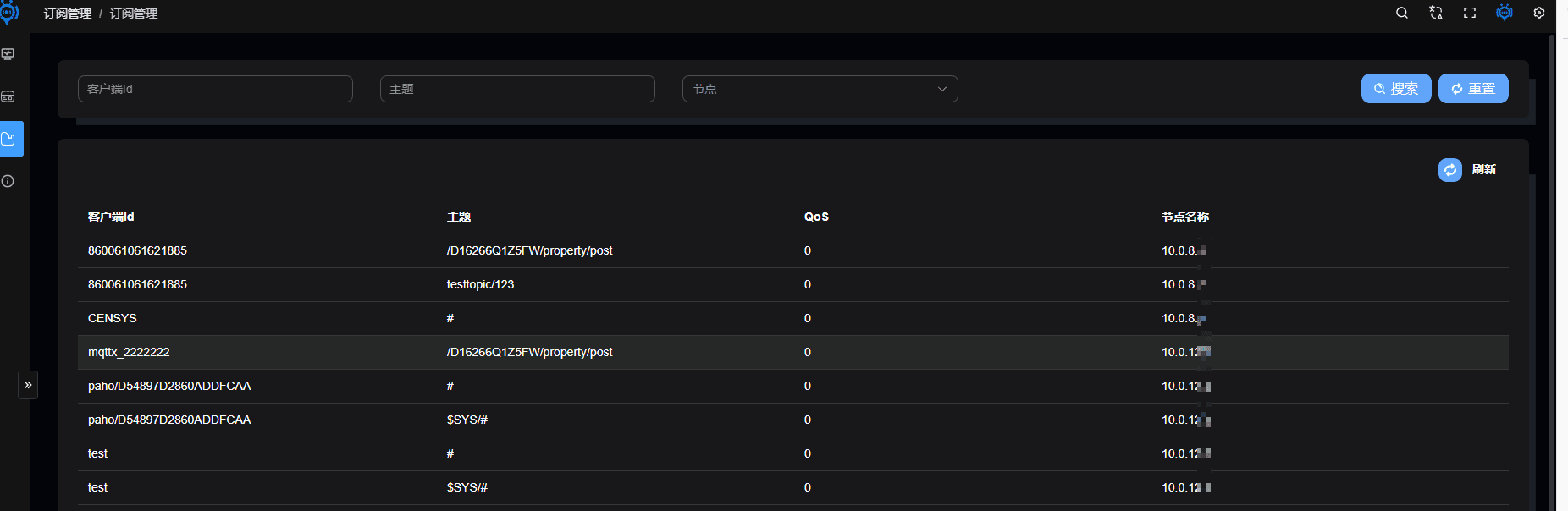
 `Subscription List`
 ## 3. Run Verification
1. Watch the startup logs of `FmqApplication` in IDEA and confirm there are no Kafka connection errors and the service starts normally.
2. Open `http://localhost:18083`, log in to the visualization page, and confirm that the home cluster overview is displayed normally.
3. In the **Cluster Node List**, confirm that the local node corresponding to the `localAddress` configuration appears.
4. After connecting an MQTT client to the local FMQ Broker, confirm that the connection appears in the **Client List**; after subscribing to a topic, confirm that the subscription appears in the **Subscription List**.
## 4. Troubleshooting
* **Kafka connection errors at startup**: confirm that local Kafka is started and that the address and port configured in `bootstrap-servers` match the actual Kafka listener.
* **Changes to `application.yml` do not take effect after packaging**: confirm that the `resources` exclusion in the `pom` file has been commented out as described above, update Maven, and run `package` again.
* **`http://localhost:18083` is unreachable**: confirm that the application has finished starting, that the port is not occupied by another process, and that the local firewall does not block the port.
* **Nodes missing from the cluster node list**: confirm that `static-ip-addresses` includes the local `localAddress` and that the configuration is consistent across nodes.
* After local verification passes, follow [Connect to FastBee](https://www.fastbee.cn/doc/en/cluster/v2/server/link-fastbee.md) to connect the cluster data to the FastBee business platform.