## Page Guide
- **Use Cases**: For platform administrators who create products, configure access protocols, define Thing Models, and prepare for subsequent device access.
- **Prerequisites**: The device type, communication protocol, transport protocol, and authentication method are decided, as well as whether gateway, Modbus, or video capabilities are needed.
- **Operation Path**: Device Management → Product Management → Add Product → Configure Thing Model/Authorization/Sub-products → Release Product.
- **Acceptance Criteria**: The product status is Released, the Thing Model configuration is complete, and the authentication info can be used by devices to connect to the platform.
## Entry Points and Recommended Flow
- Go to Device Management → Product Management, and first confirm the product category, device type, transport protocol, communication protocol, and authentication method.
- After adding a product, open its details and configure the Thing Model, Modbus, SIP, sub-products, application configuration, or SCADA application according to device capabilities.
- After finishing the configuration, release the product, then go to Device Management to add or import devices.
- After devices come online, return to the product and Thing Model pages to double-check that data, commands, events, rules, and alerts all work together correctly.
## 1. Product Management Overview
A product is a collection of devices, usually a description of physical devices of the same type and model.
This document helps you understand **product**-related features.
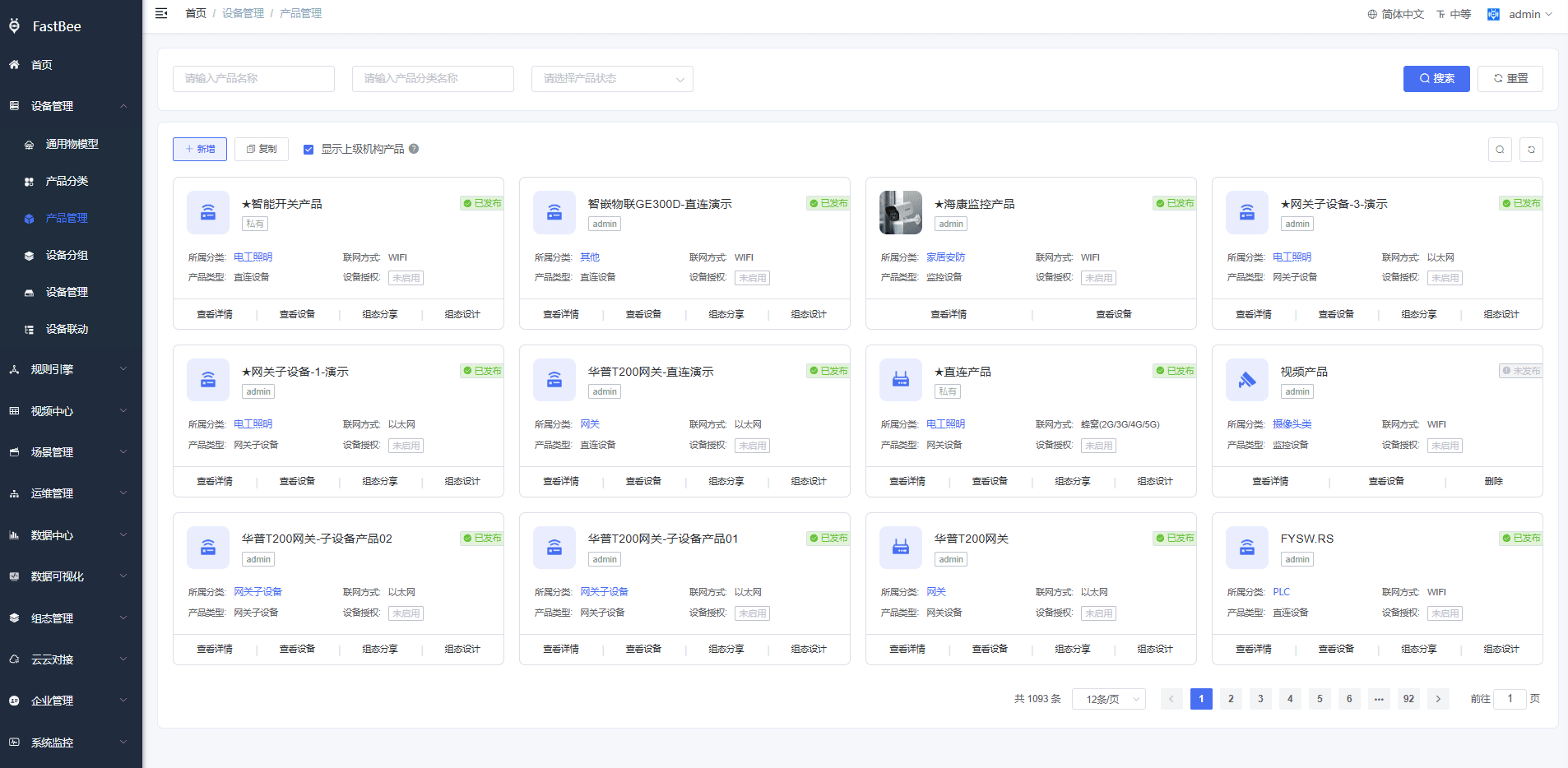 ### 1. Overview
A product provides the ability to manage, in batches, the transport protocol, communication protocol, Thing Model, and Modbus configuration of identical devices. Identical devices belong to the same product, enabling unified device management. Scene linkage, SCADA pages, and more can also be configured based on products.
### 2. Product Configuration Options
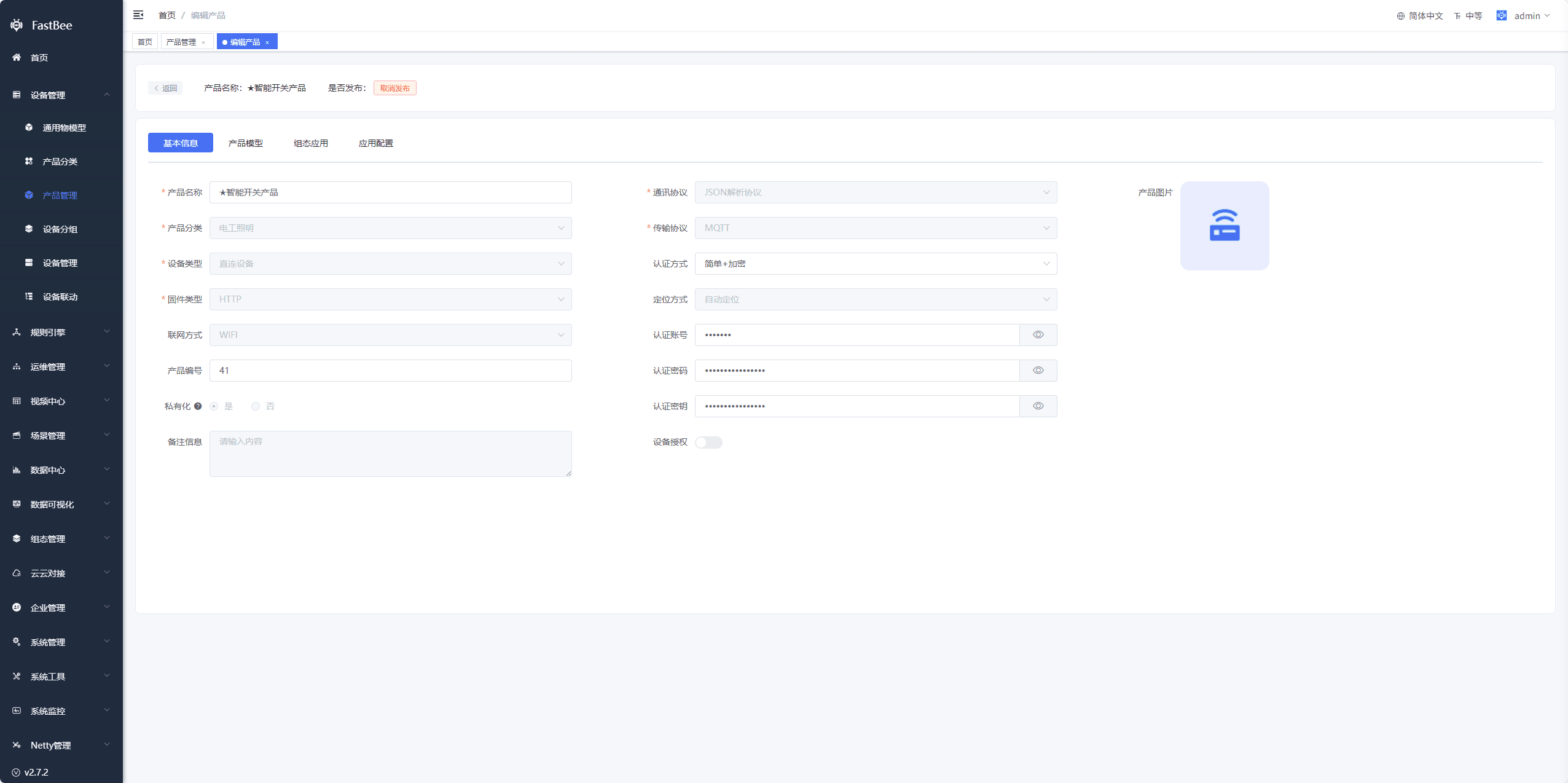
| Option | Description |\
|------|--------------------------------------------------------------------------------------------------------------------------------|
| Product Name | Required, the product name, customizable |\
| Product Category | Required, single-select dropdown, configured under the Product Category menu; multiple products can be grouped into one category |
| Device Type | Required, single-select dropdown. For cameras, select Monitoring Device directly; for other device types, see Gateway and Sub-device Documentation |
| Communication Protocol | Required, single-select dropdown; encodes and decodes device-reported data. You must choose an appropriate one. For available protocols, see the Protocol Management menu |
| Transport Protocol | Required, single-select dropdown; the way devices connect to the IoT platform. You must choose an appropriate one |
| Firmware Type | Required, single-select dropdown; choose an appropriate one. See Device OTA Upgrade Documentation |
| Network Mode | Optional, single-select dropdown; simply a label. Choose according to how the device connects to the network |
| Private Product | Toggle; once set to private, subordinate organizations cannot view it |
| Device Authorization | Toggle; the device authorization feature, disabled by default. After a product enables device authorization codes, an authorization code must be assigned to each device and is used during device authentication |
| Authentication Method | Required, the authentication method for device access, single-select dropdown. See the access documentation for each protocol under Device Access |
| Location Mode | Required, single-select dropdown
Auto Location: the platform automatically obtains the device location during authentication;
Device Location: the device actively reports longitude, latitude, and address via the /info/post topic;
Custom Location: configure longitude, latitude, and address yourself in the device details |
| Product ID | Automatically generated by the system |
| Auth Account | Required, automatically generated by the system on creation; can be modified |
| Auth Password | Required, automatically generated by the system on creation; can be modified |
| Auth Key | Required, automatically generated by the system on creation; can be modified |
| Product Image | Optional, modify as needed |
| Remark | Optional input box |
### 3. Product List
#### 3.1. Add
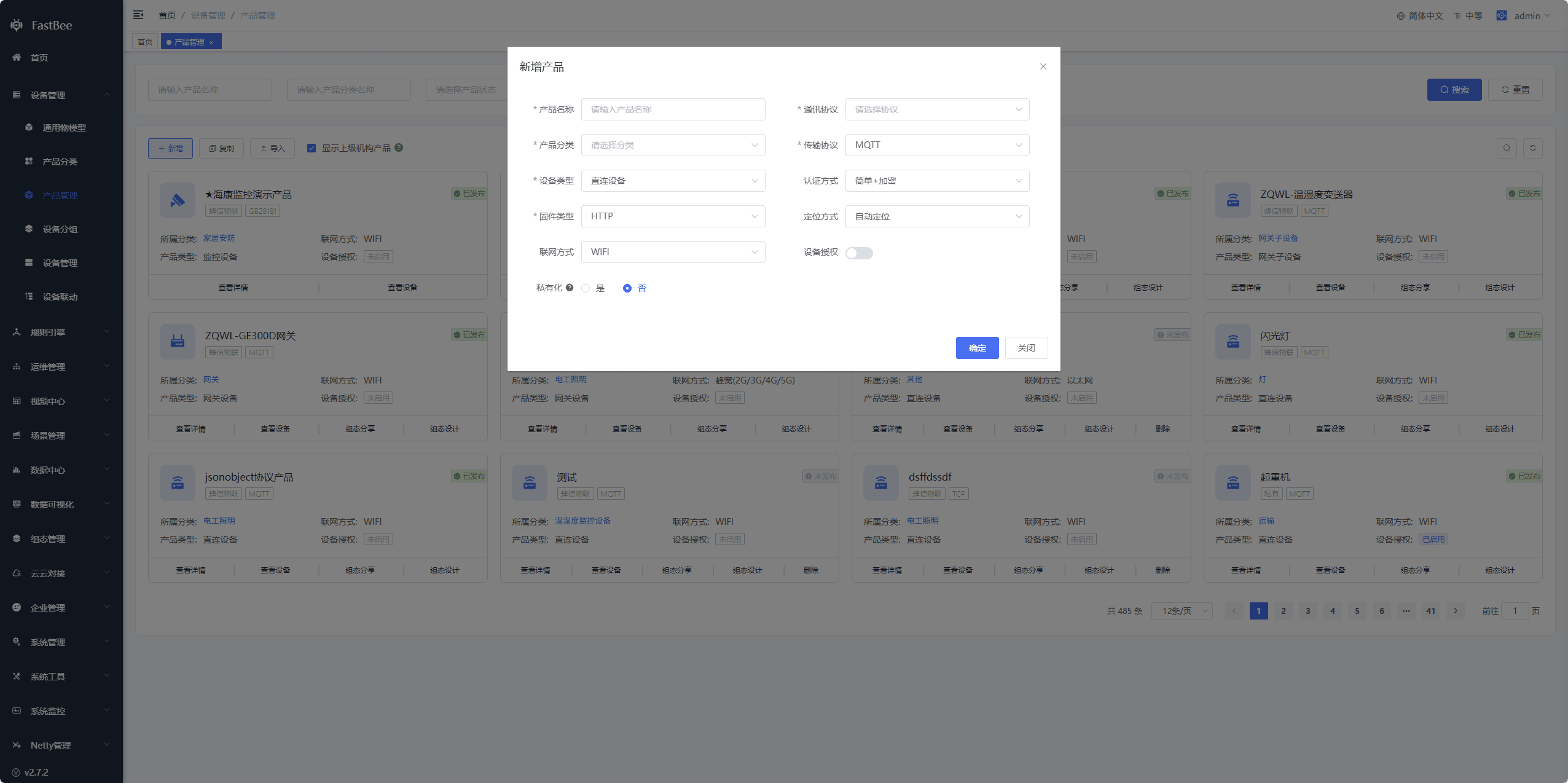
Click the "+ **Add**" button to open the Add Product window. After clicking OK, you can see the product in the list
::: tip
Note: when the product device type is **Gateway Device** and the communication protocol is ModbusRtu, Modbus-to-Json Parsing Protocol - Huapu, ModbusTcp, or JSON Gateway Parsing Protocol, a **sub-product configuration button** is available. Selecting it lets you import sub-products directly. For details, see Gateway and Sub-device Documentation
:::
 #### 3.2. Copy
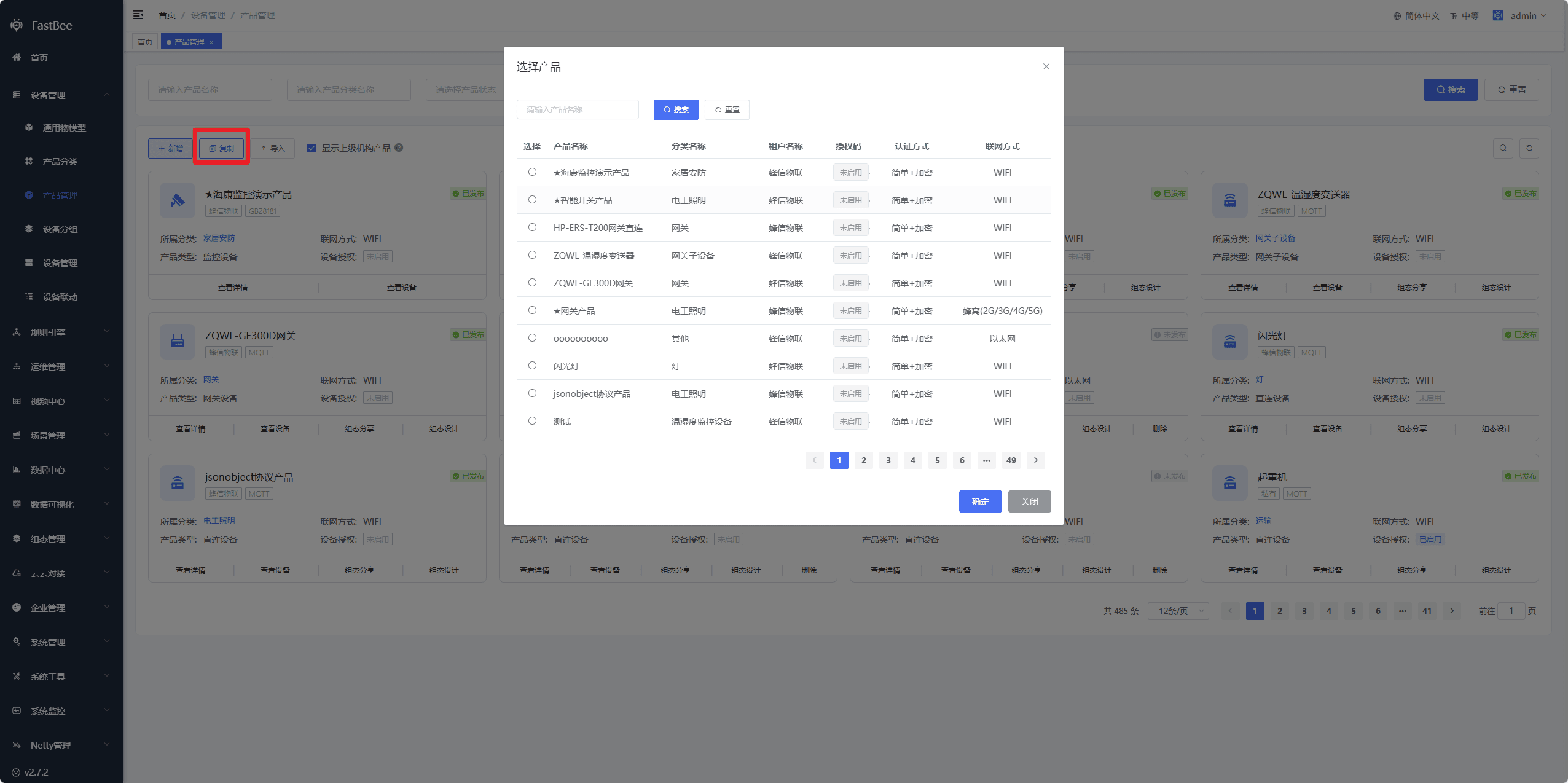
Click the "**Copy**" button to open the Select Product window, choose the corresponding product, and click OK to copy out an exactly identical product
 #### 3.3. Import
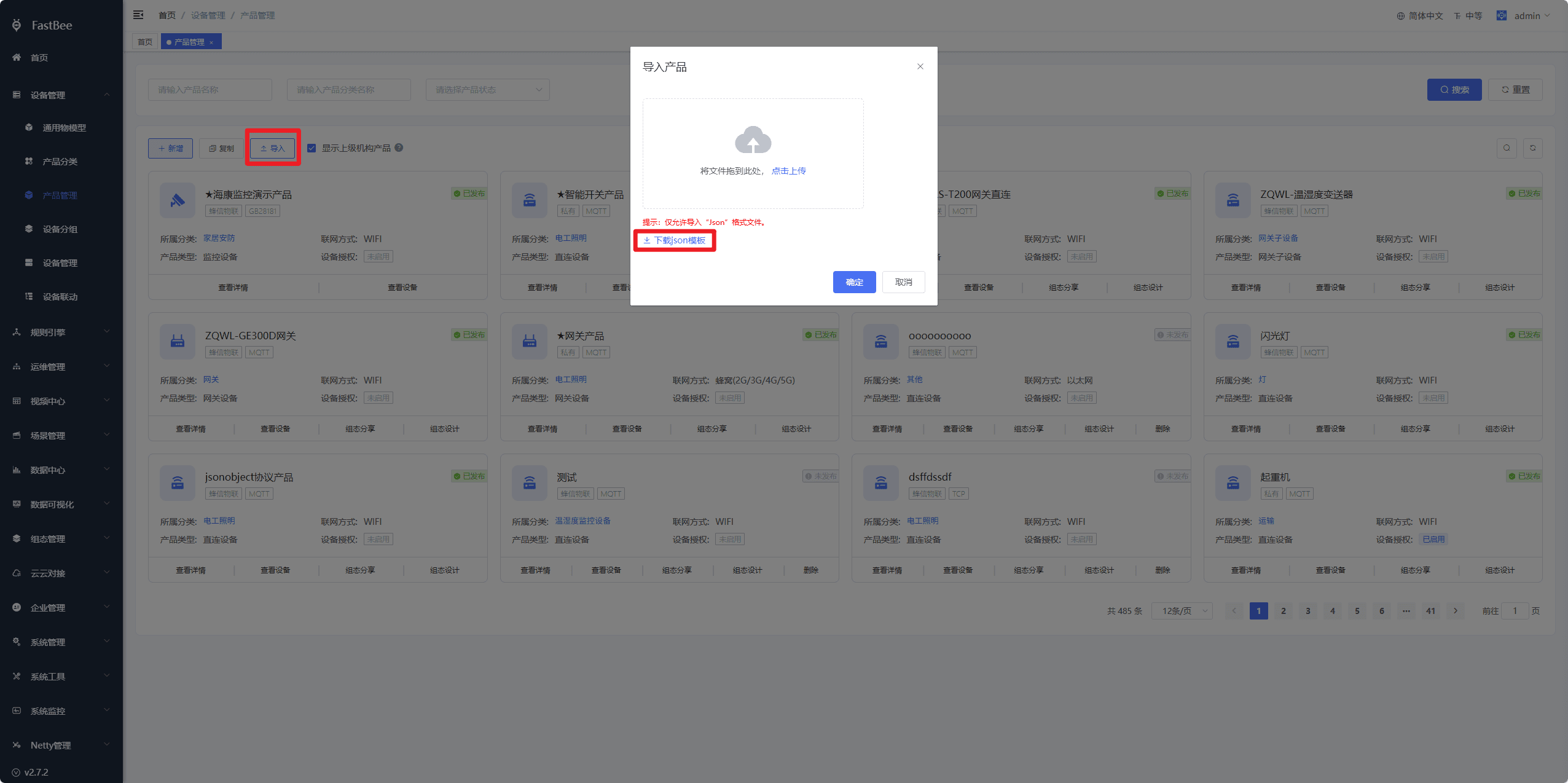
Click the "**Import**" button to open the Import Product window, first download the JSON template file, then edit the JSON file, then click Upload File, and finally click OK to import
 #### 3.4. Show Parent Organization Products
When checked, products of parent organizations are also queried out, but they cannot be edited
### 4. Product Details
The product details page includes Basic Information, Product Model, Modbus Configuration, Device Authorization, SCADA Application, Application Configuration, and more
::: tip
Note: except for sub-products, polling tasks, and application configuration, all other features require **unpublishing** the product before they can be edited
:::
#### 4.1. Basic Information
Allows modifying some basic information
 #### 4.2. Product Model
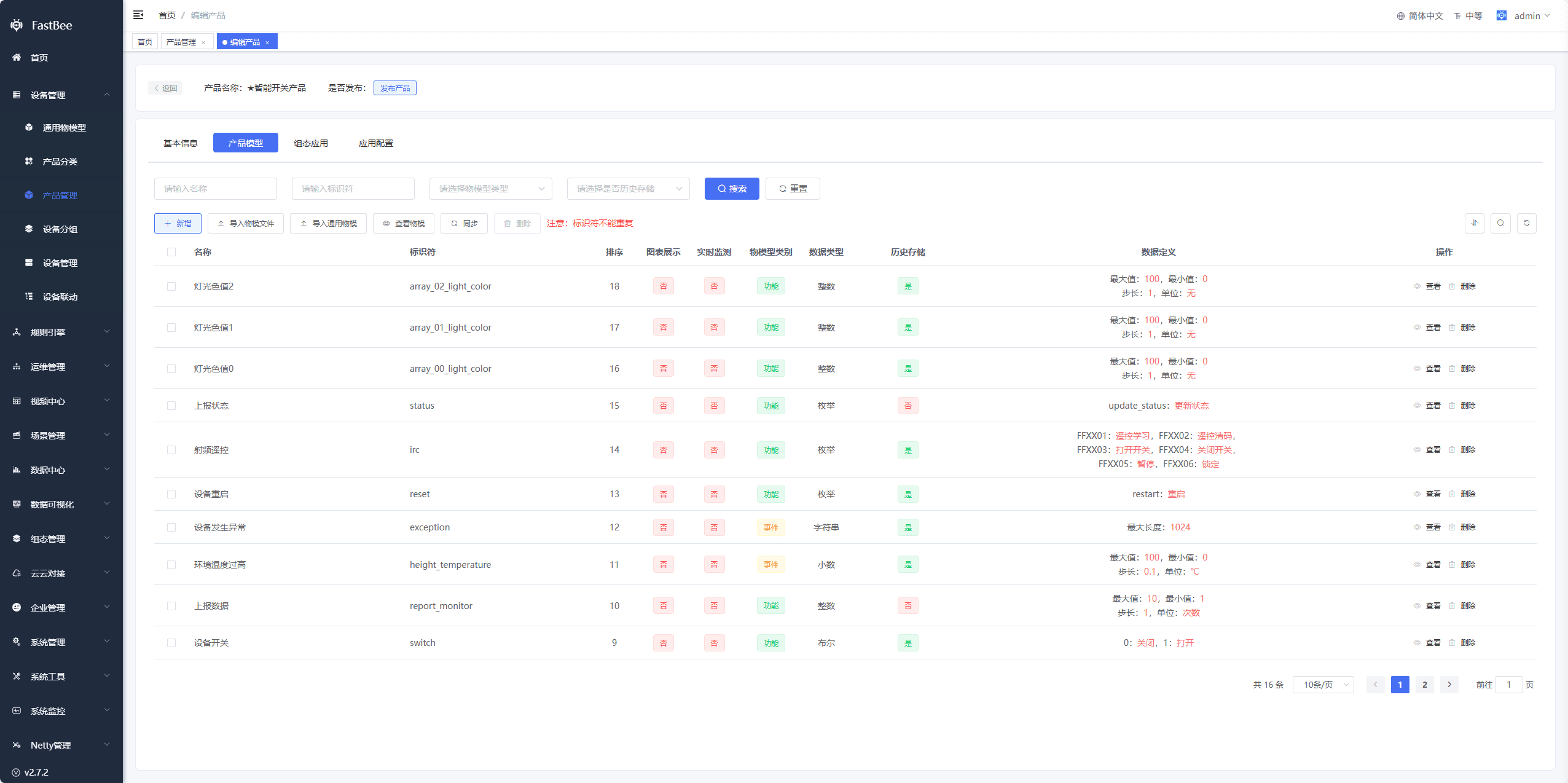
The Thing Model is the cloud-side description of a device, defining a real device along the four dimensions of properties, functions, events, and tags
* Import Thing Model file: click to open the batch import window, first download the product Thing Model import template file, edit it, click Upload File, and finally click OK to import
* Import General Thing Model: click to open the Import General Thing Model window, choose an appropriate general Thing Model, and finally click Import
* View Thing Model: click to open the Thing Model window, where you can view the data structure of the entire Thing Model
 #### 4.3. Application Configuration
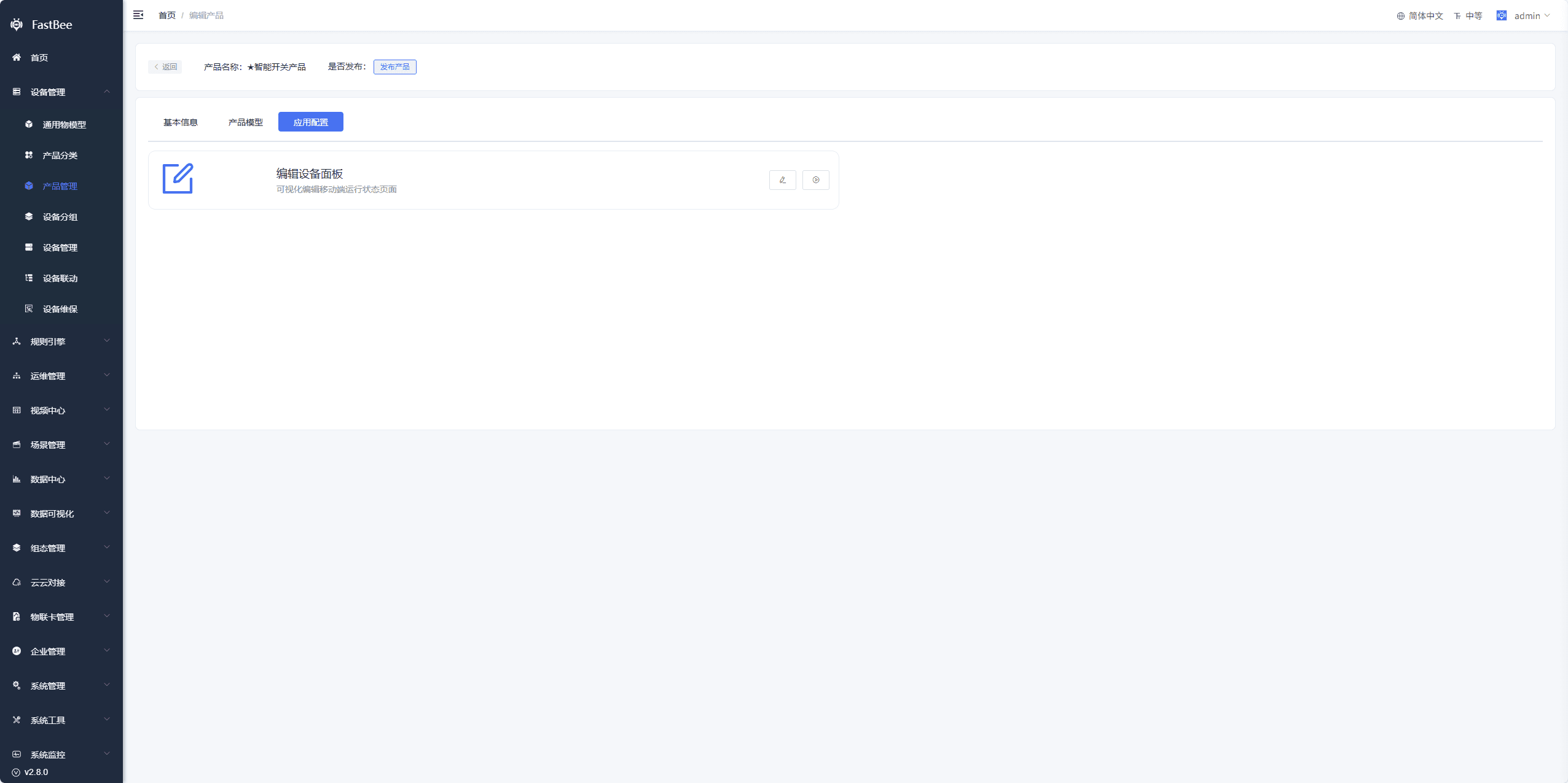
The mobile **Status Mode** UI supports customization. Click Configure in the product application configuration, customize the UI as needed in the configuration screen, and click **Enable** when done
 #### 4.4. Device Authorization
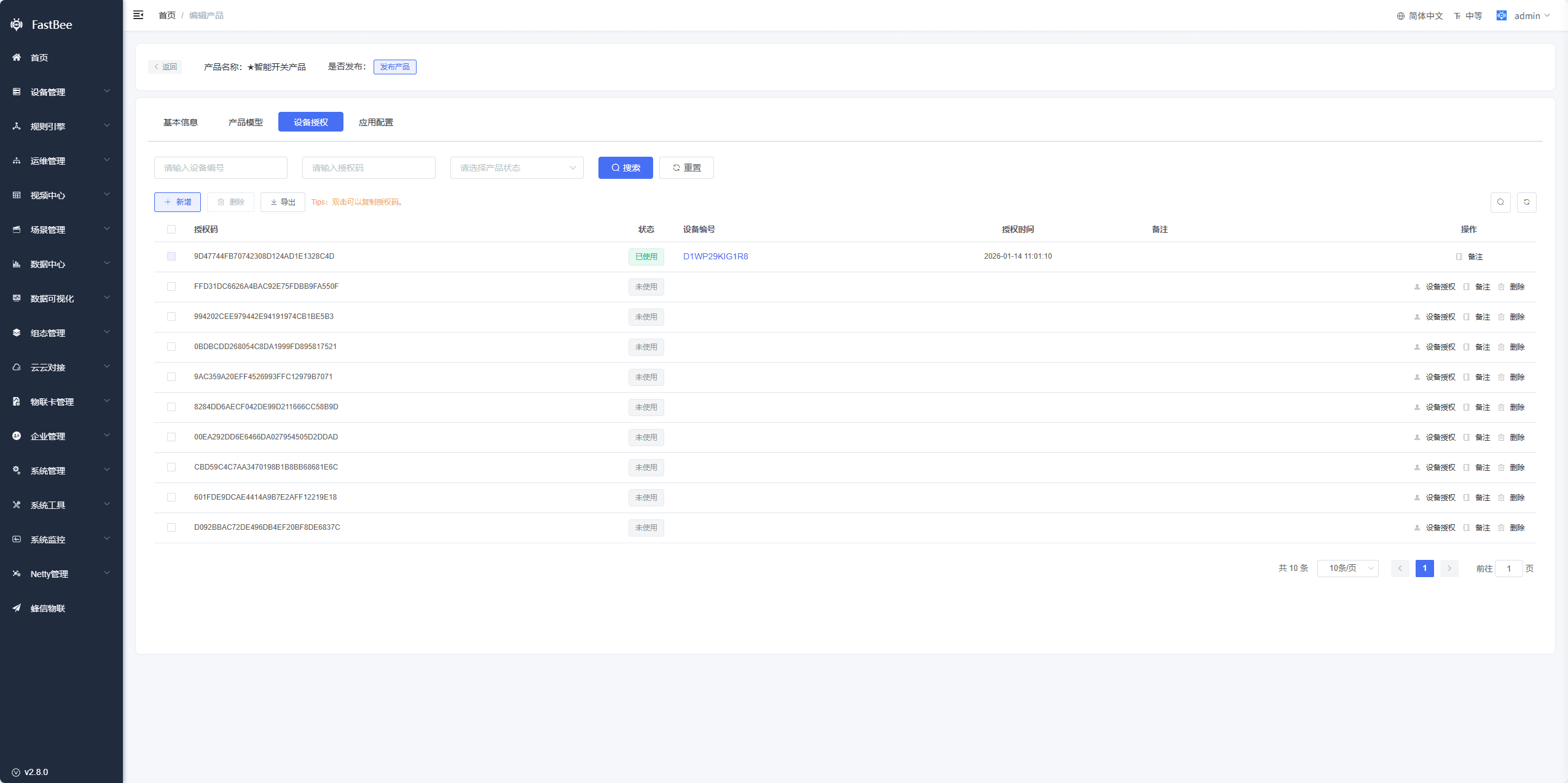
Optional feature. Once enabled, it is mainly used for device authentication, and an authorization code must be assigned to each device
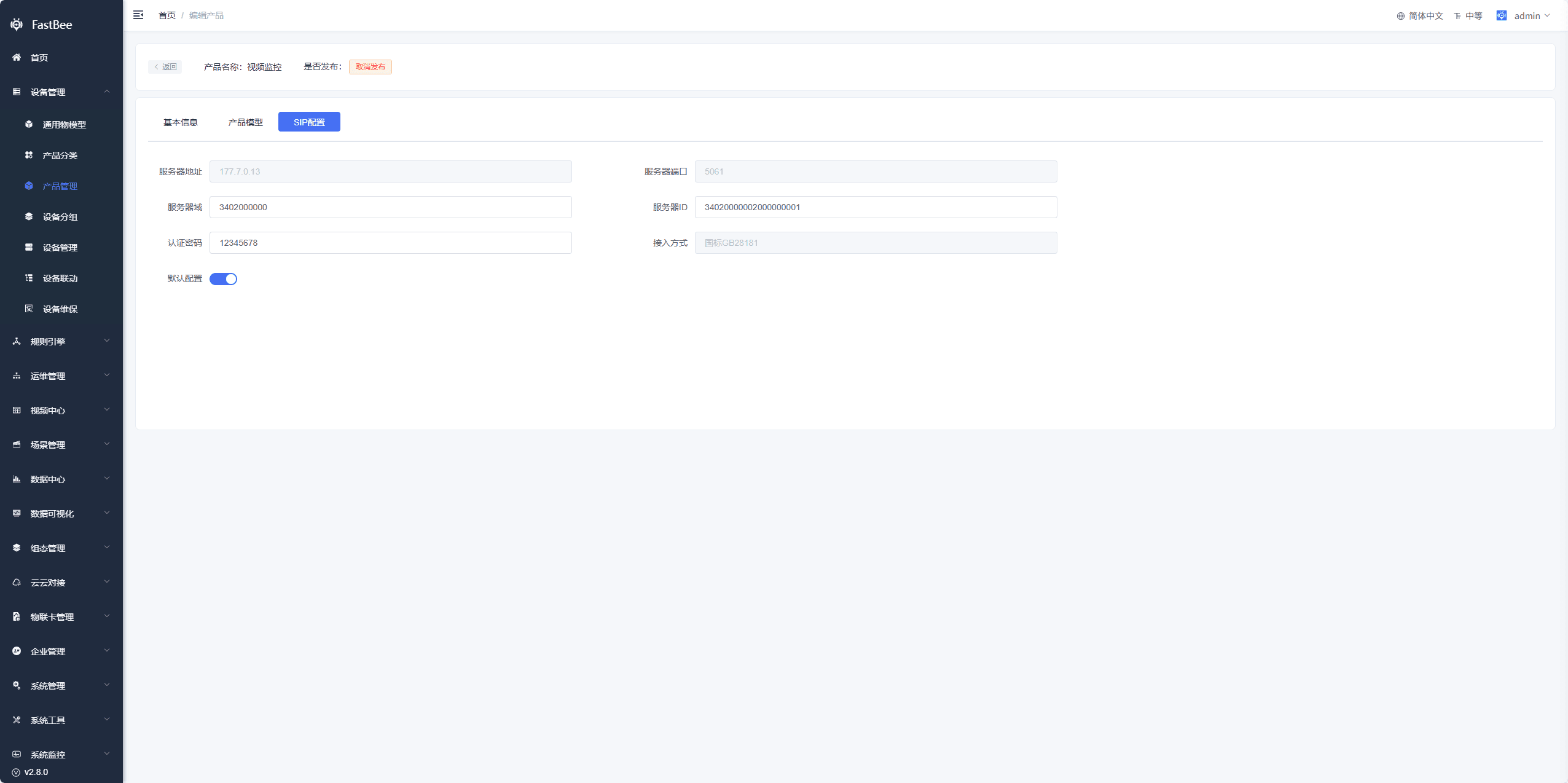
 #### 4.5. SIP Configuration
SIP protocol configuration items, corresponding to the national standard GB28181 protocol (the Chinese national standard for public-security video surveillance networking systems). Its main purpose is to let this product (usually a video device such as a camera) connect to a GB28181 video surveillance platform via the SIP protocol, enabling device registration, video stream transmission, device control, and more
 #### 4.6. Sub-products
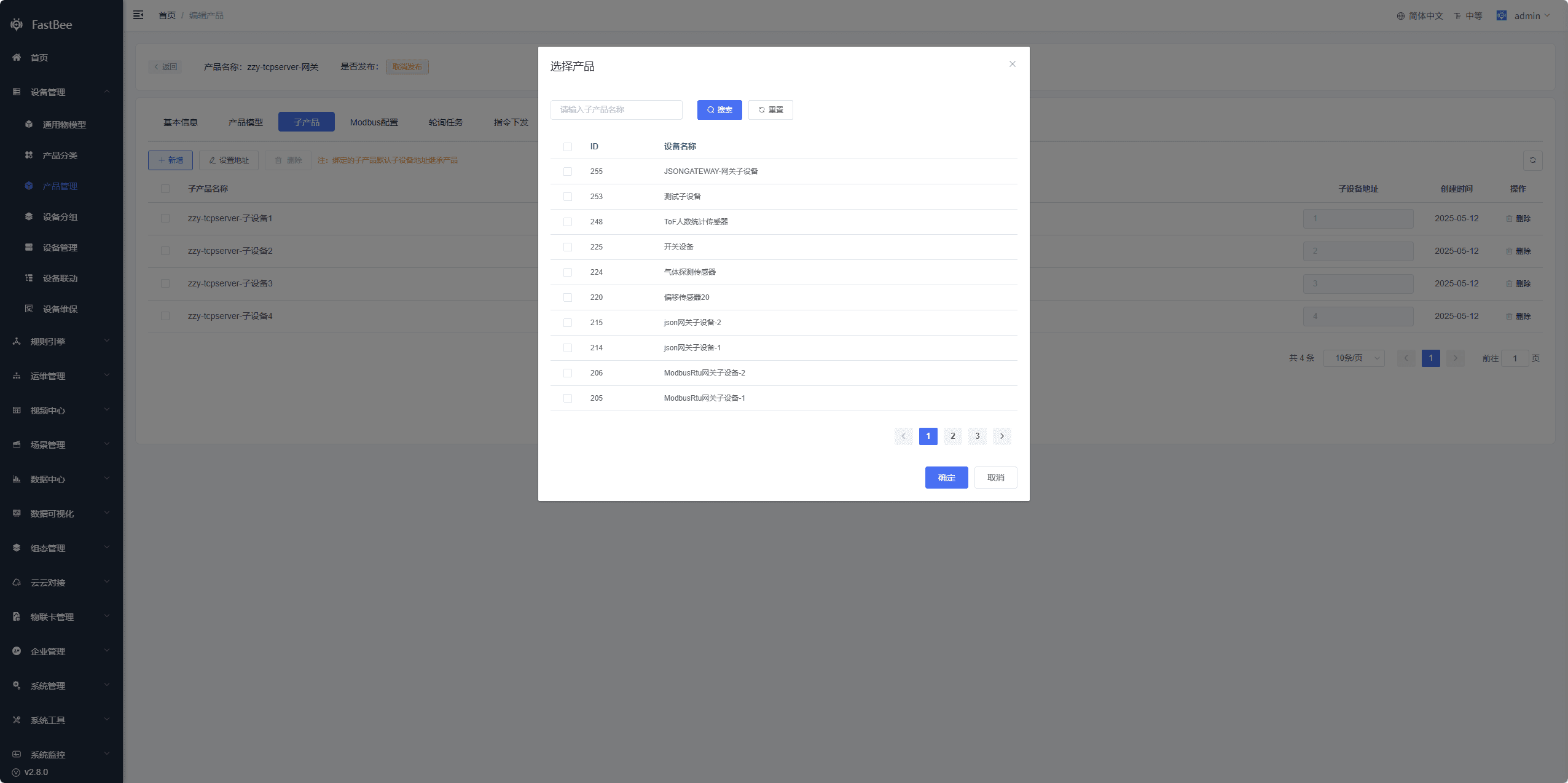
For the gateway device type, some communication protocols support configuring sub-products
* Add: click to open the Select Product window, choose the corresponding sub-product, and finally click OK to bind it
* Set Address: click to edit the default sub-device address of the sub-product; addresses must not be duplicated
 #### 4.7. Modbus Configuration
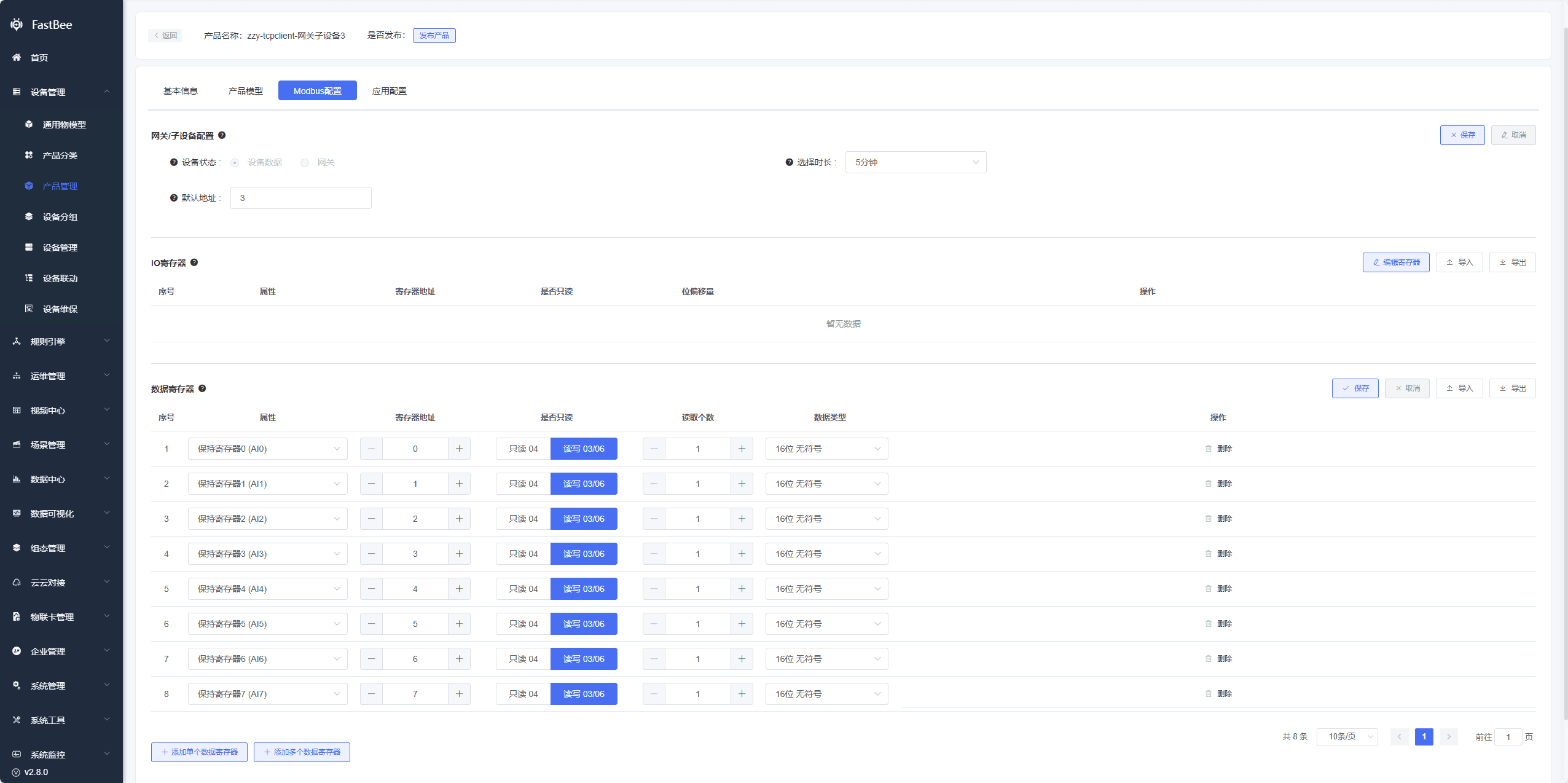
Required when the product protocol is a **Modbus-related protocol**. It configures the gateway's own properties or the gateway's sub-devices in a Modbus device setup. For details, see Gateway and Sub-device Documentation
 #### 4.8. Polling Tasks
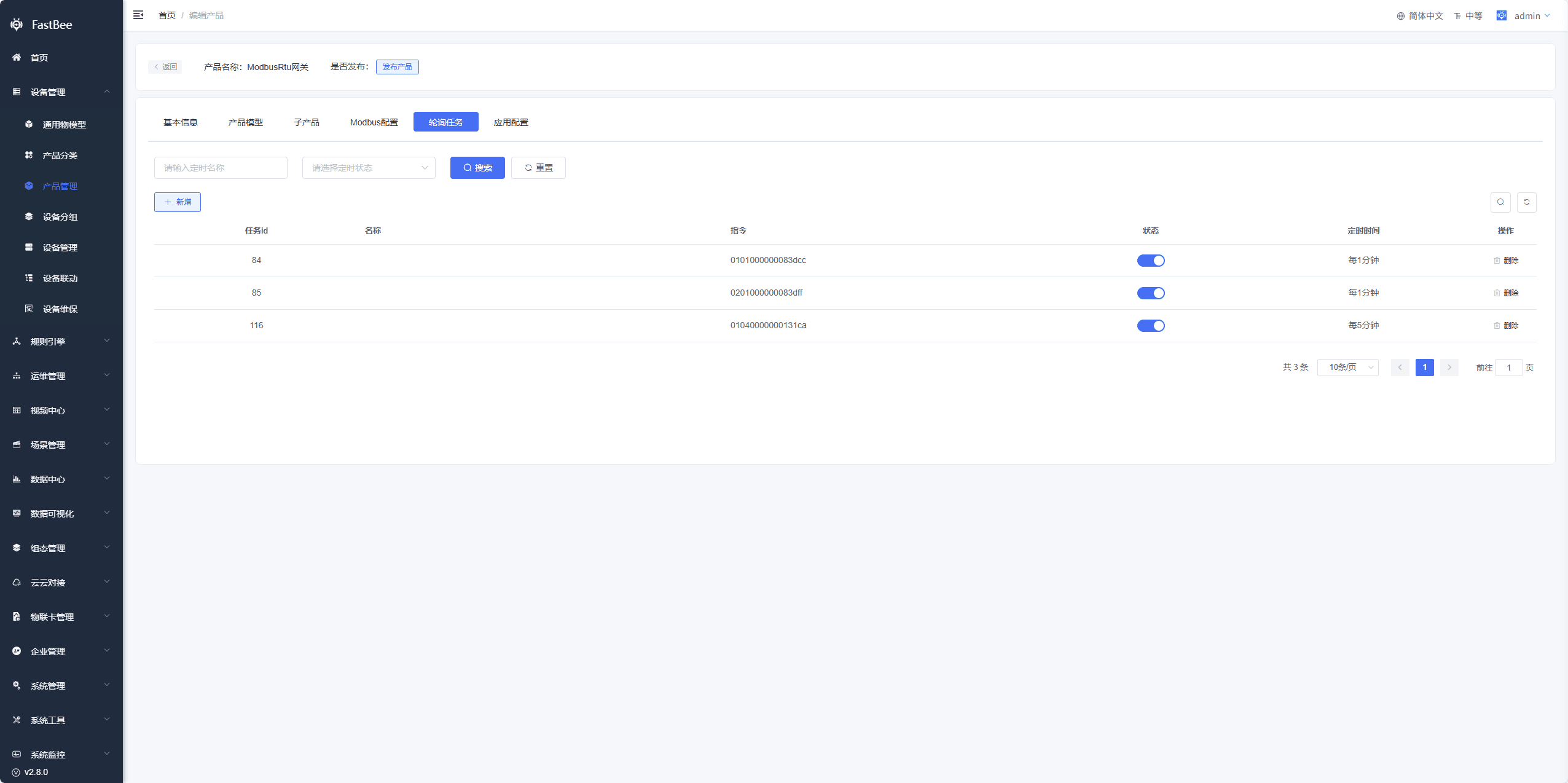
Modbus-related protocols require polling tasks to actively collect data. In Product Modbus Configuration - Gateway/Sub-device Configuration - Collection Mode, **Cloud Polling** must be checked. Newly created devices inherit this setting
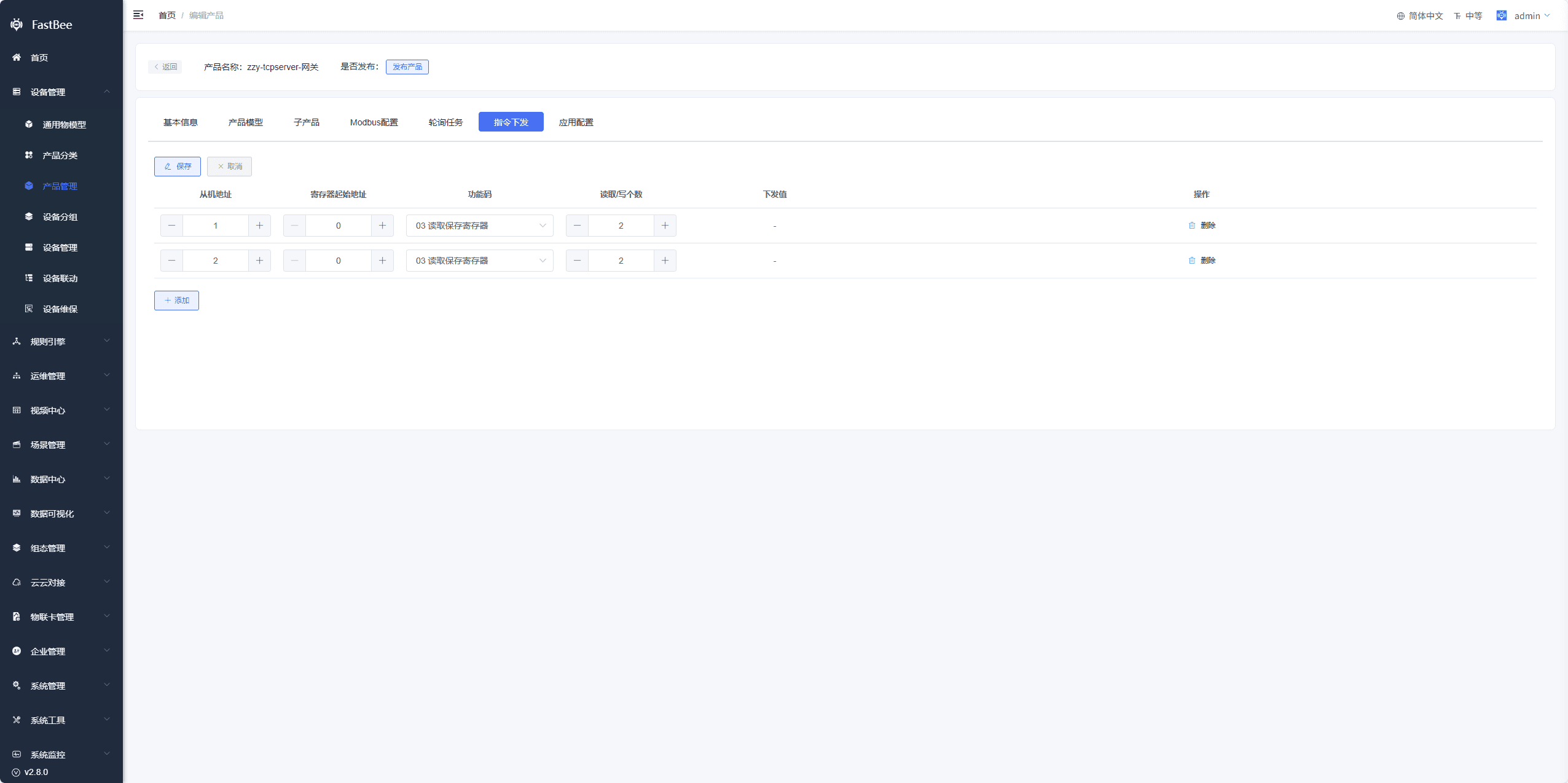
 #### 4.9. Command Delivery
Available when the product communication protocol is ModbusTcp. Commands configured here are inherited by newly created devices and can be delivered with a click on the device side
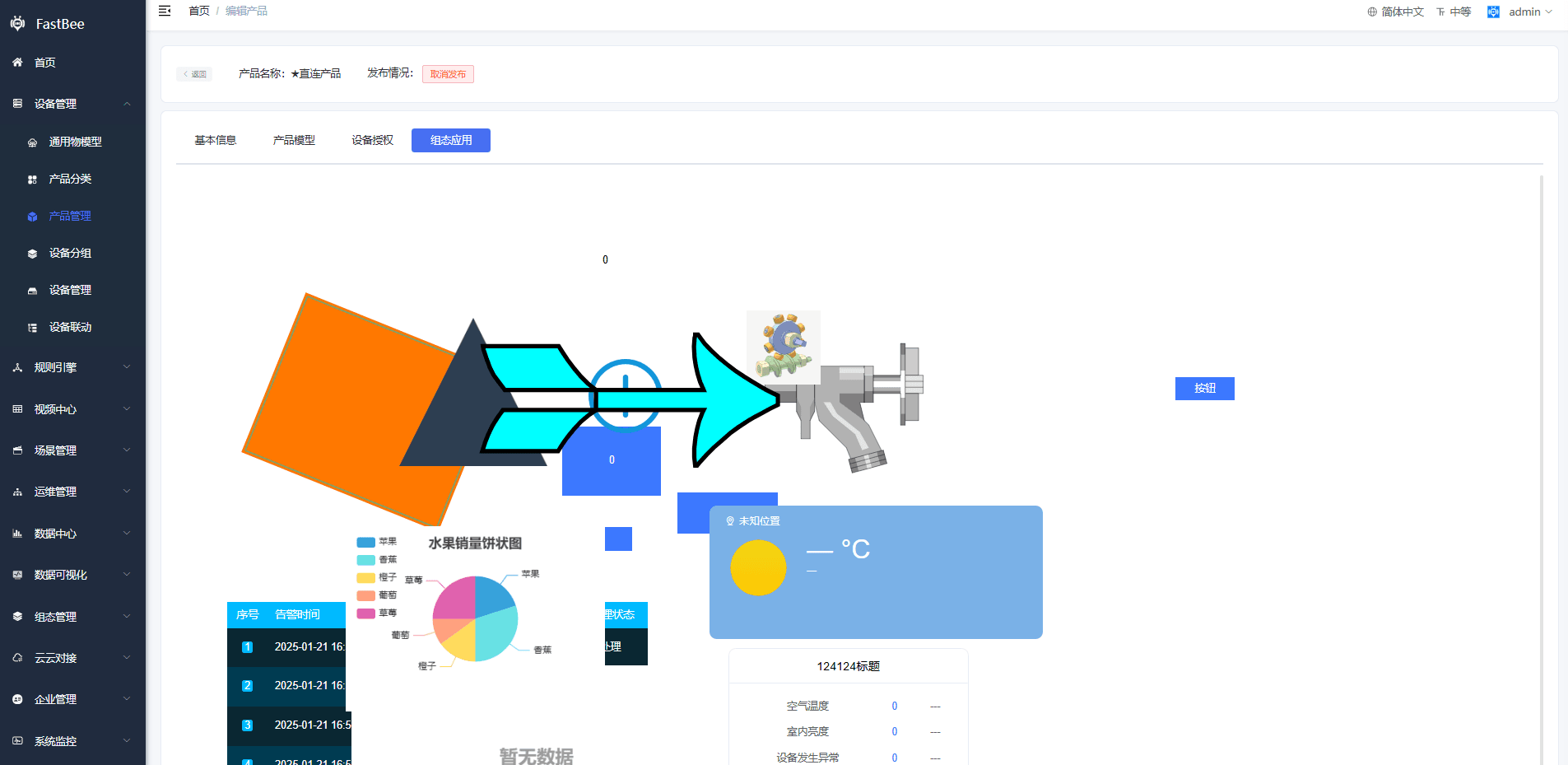
 #### 4.10. SCADA Application
Designs a SCADA page for the product. All devices under the product can view this SCADA page, which shows device-reported data in real time or delivers commands
 ### 5. Release Product
A newly created product is in the Unreleased state by default. After finishing the product definition as described in Product Details, click the "**Release Product**" button. Once released, devices of this product can be created\
::: tip
Note: if the product is in the Unreleased state, device authentication will fail
:::
### 6. Multi-tenancy
Tenant isolation: a parent organization can use and edit the products of its child organizations; a child organization can view and use, but not edit, the products of its parent organizations.
### 7. Configuration Decision Table
The options most often chosen incorrectly when creating a product are device type, communication protocol, transport protocol, and authentication method. It is recommended to decide using the table below before creating a product.
| Scenario | Device Type | Transport Protocol | Communication Protocol | Notes |
| --- | --- | --- | --- | --- |
| Ordinary MQTT sensor | Direct Device | MQTT | JSON parsing or custom protocol | The most common access method, suitable for getting started quickly |
| HTTP active-reporting device | Direct Device | HTTP | JSON parsing or custom protocol | Suitable for low-frequency reporting and devices that already have HTTP capability |
| TCP private-protocol device | Direct Device | TCP | Custom protocol | Requires server-side codec adaptation |
| Modbus RTU gateway | Gateway Device | Choose according to the field link | ModbusRtu or gateway protocol | Requires configuring sub-products, registers, and polling tasks |
| Modbus TCP device | Direct Device or Gateway Device | Modbus TCP | ModbusTcp protocol | You must clarify whether the device acts as client or server |
| GB28181 camera | Monitoring Device | SIP/GB28181 | SIP/video protocol | Requires configuring SIP and streaming media services |
| Vehicle tracking terminal | Direct Device | TCP/JT808 | JT808 protocol | You must plan the mapping between terminal phone numbers and device numbers |
## Pre-release Acceptance Checklist
Before releasing a product, it is recommended to check each item:
| Check Item | Expected State |
| --- | --- |
| Product basic information | Product name, category, device type, protocols, and authentication method confirmed |
| Thing Model | Property, function, and event identifiers unique; data types correct |
| Authentication info | MQTT/HTTP/TCP account, password, and key generated |
| Device authorization | If authorization is enabled, the authorization code assignment method is prepared |
| Modbus configuration | Registers, slave addresses, function codes, and polling tasks confirmed |
| Sub-products | The gateway product has bound the sub-products it needs to manage |
| SIP configuration | The video product has SIP info and streaming media services configured |
| Application configuration | Mobile Status Mode or SCADA application enabled as needed |
| Release status | The final product status is Released |
## FAQ
### Product release fails
Check whether all required fields are complete, whether Thing Model identifiers are duplicated, and whether protocol configuration is missing. Some configuration can only be modified after unpublishing the product first.
### Device authentication fails
First check whether the product has been released, and whether the product ID, device number, auth account, and auth password used on the device side match the current product.
### Page shows no data after device reporting
Check whether the Thing Model identifier exactly matches the `id` in the reported message, whether the data types match, and whether the product was released before the device was created.
### Subordinate organizations cannot see the product
Check whether the product is a private product, the organization data permissions, the current role permissions, and whether Show Parent Organization Products is checked.
## Secondary Development Entry Points
| Type | Path or API | Description |
| --- | --- | --- |
| Vue3 page | `vue3/src/views/iot/product` | Product list, product details, product model, and application configuration |
| Vue3 API | `vue3/src/api/iot` | Encapsulation of product, model, protocol, and other APIs |
| Backend API | `/iot/product` | Product management API |
| Backend API | `/iot/model` | Product Thing Model API |
| Backend API | `/iot/protocol` | Protocol management API |
| Protocol module | `springboot/fastbee-protocol` | Device protocol encoding and decoding |
| Business module | `springboot/fastbee-open-api` | Product-related Controllers |
| SQL scripts | `springboot/sql` | Table structures and upgrade scripts for products, Thing Models, and protocols |
## Related Docs
* [The Complete Product-to-Device Loop (Chinese)](https://www.fastbee.cn/doc/business/v2/start/product-device-flow.html)
* [General Thing Model](https://www.fastbee.cn/doc/en/business/v2/manual/things.html)
* [Device Management](https://www.fastbee.cn/doc/en/business/v2/manual/device.html)
* [MQTT Protocol Device Access](https://www.fastbee.cn/doc/en/business/v2/link/mqtt.html)
* [Device Access Troubleshooting Checklist](https://www.fastbee.cn/doc/en/business/v2/link/access-troubleshooting.html)