OTA upgrade of equipment
提示
The OTA upgrade feature was refactored after version 2.0. The overall flow is as follows:
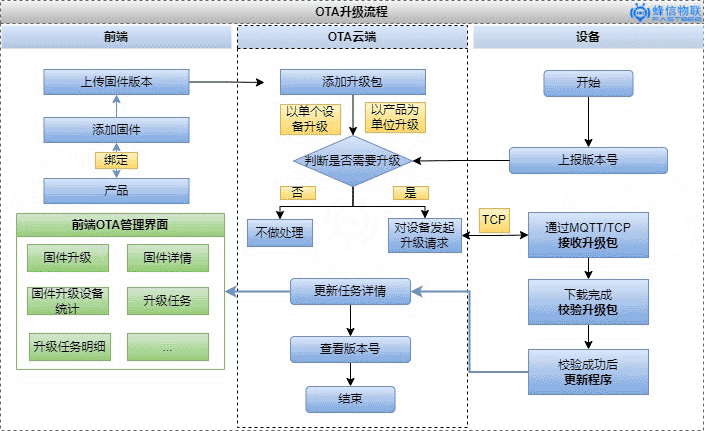
Displayed on the frontend as follows: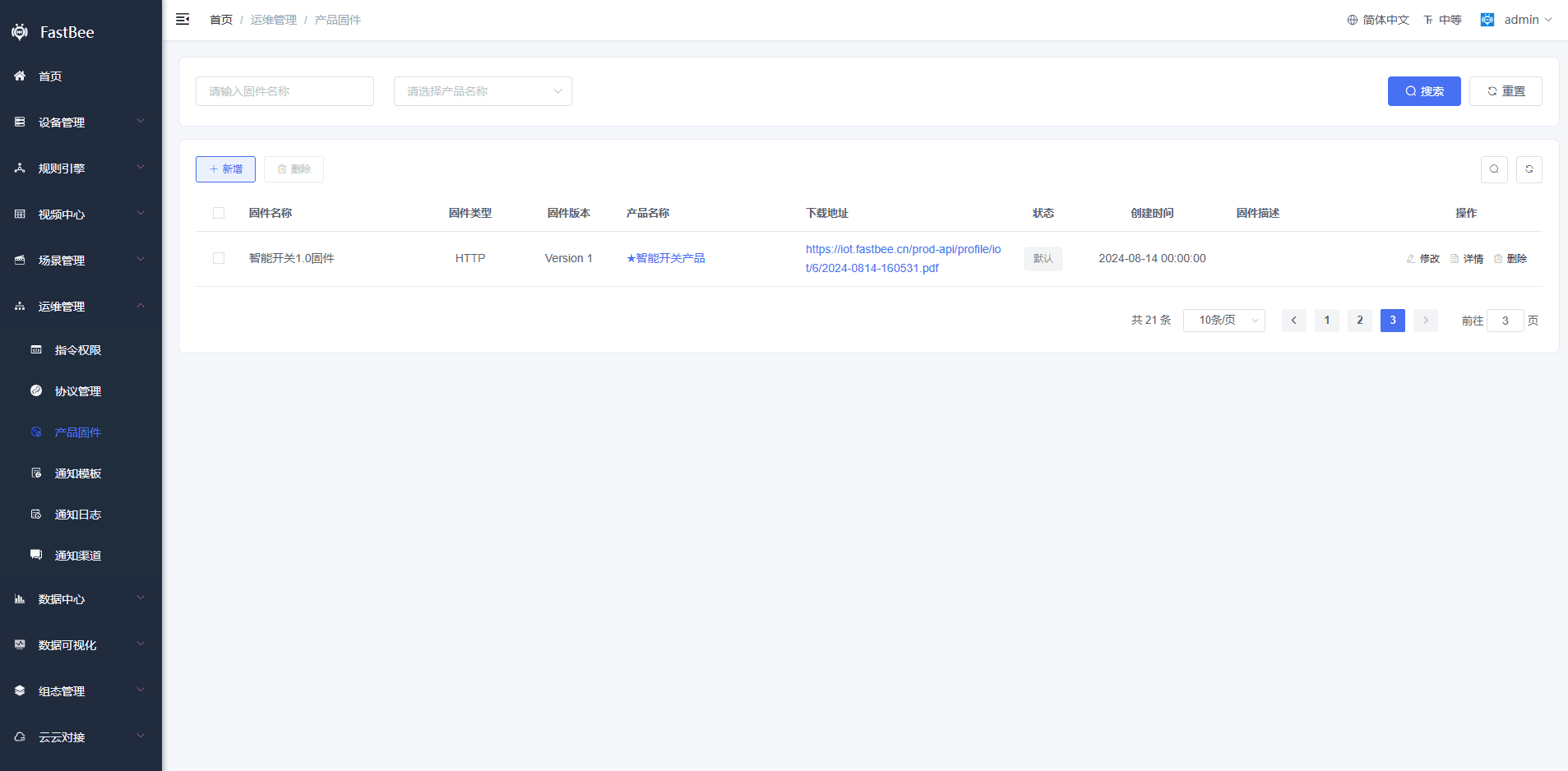
OTA Upgrade Flow
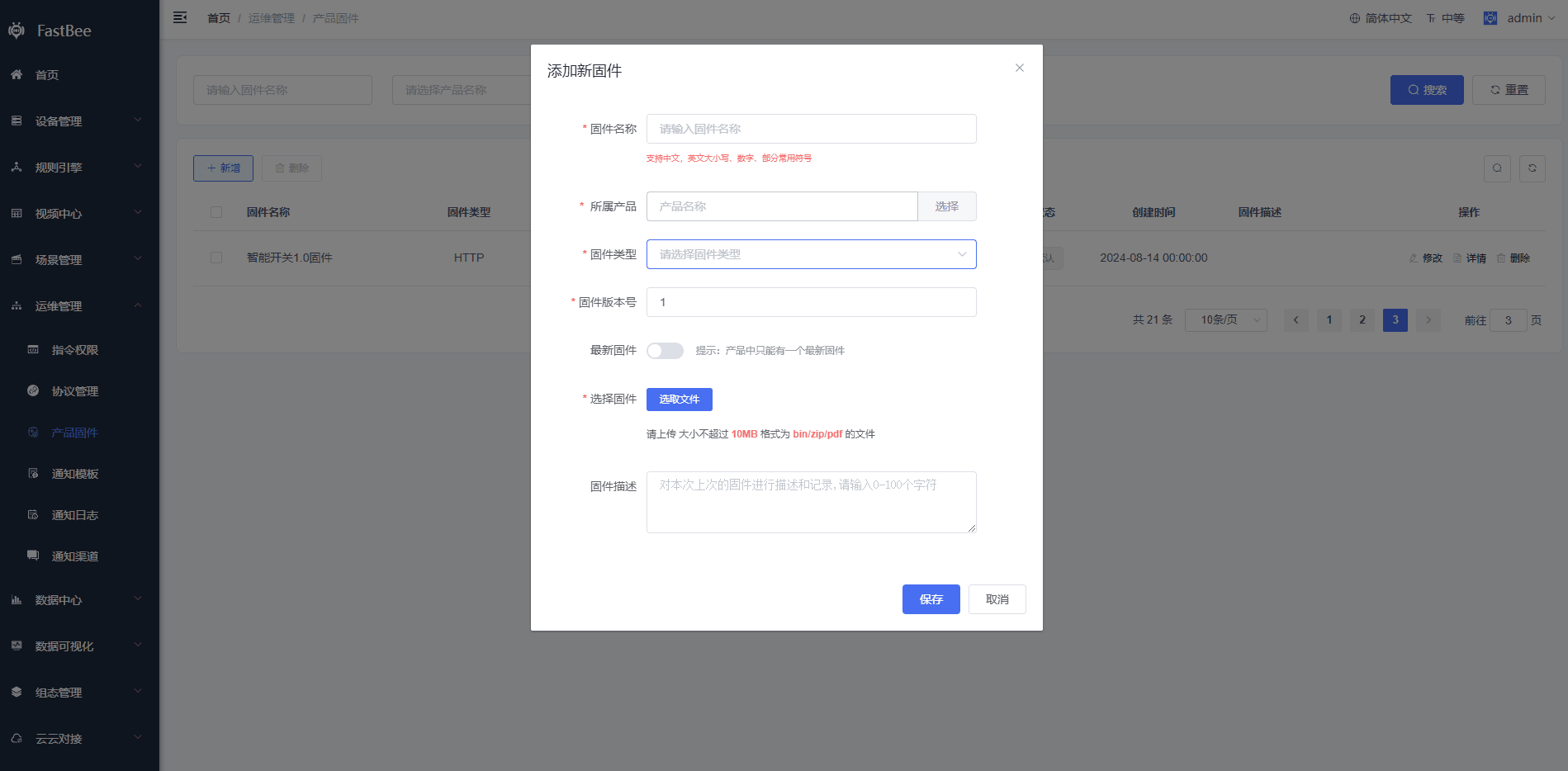
1. Adding Firmware
Click Add Firmware to add product firmware. Firmware corresponds to products one-to-one, and firmware is managed on a per-product basis.
- Select the product the firmware corresponds to
- Fill in the firmware version number
- Click to select the firmware and upload it to the cloud platform
2. Firmware Upgrade
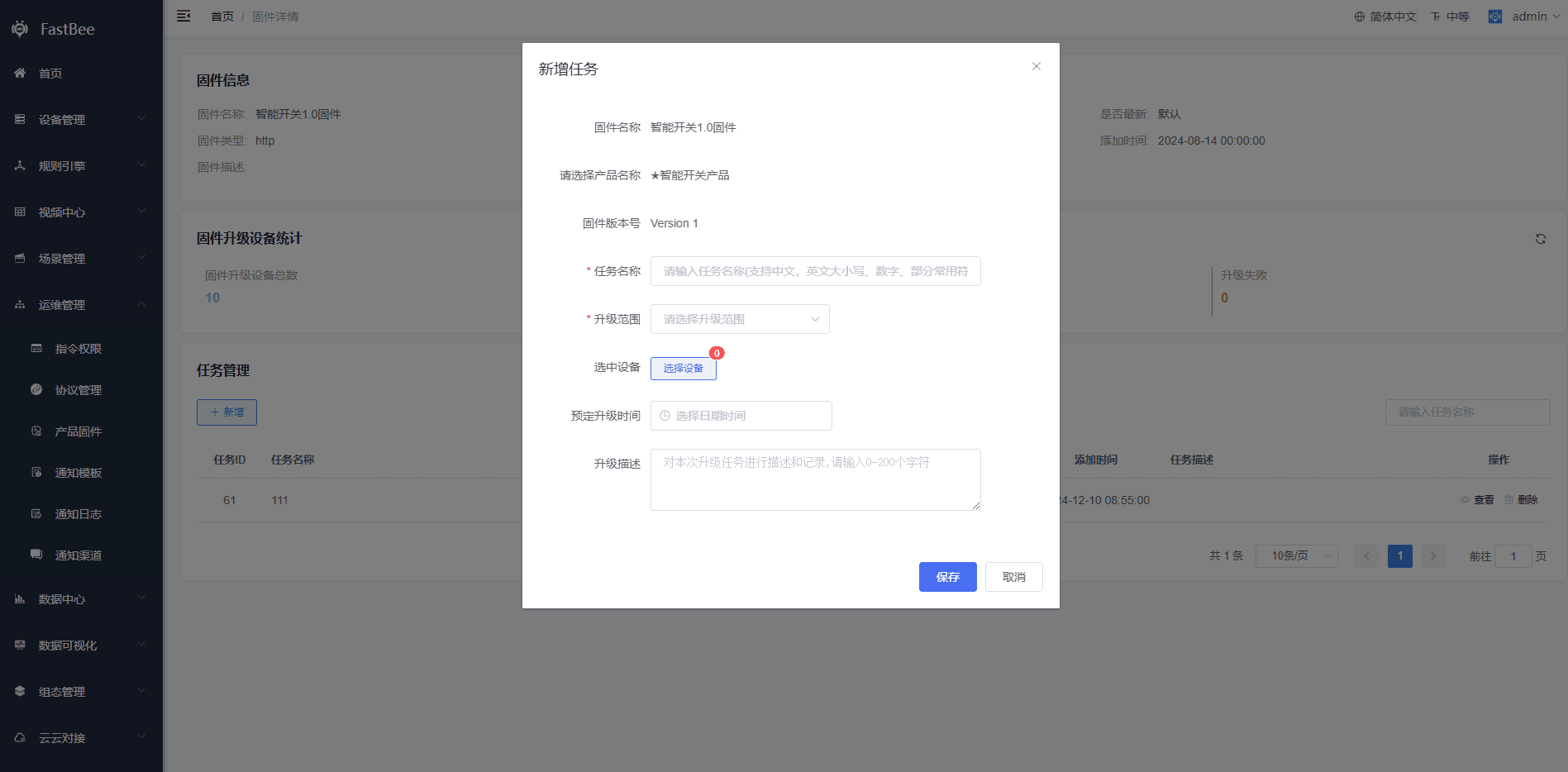
- Select Details, then add a task in Task Management
- Select the upgrade scope — all devices or specified devices
- You can schedule the upgrade time in the upgrade time preset
3. Firmware Upgrade Details
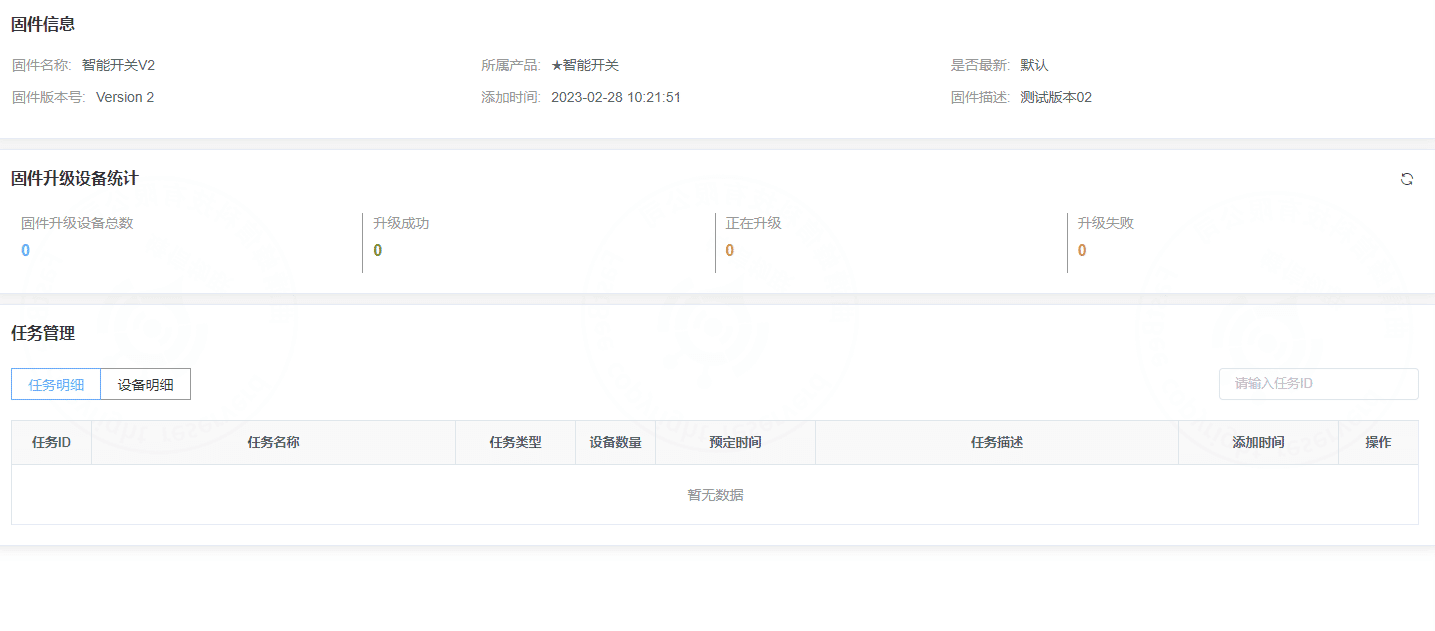
Firmware upgrade statistics
Upgrade task management / device upgrade task details