

FastBee IoT Platform — V2.7.0 Released
Our team recently upgraded the FastBee system, and the long-awaited V2.7.0 release is finally live. This upgrade mainly adds ModbusTcp, HTTP, CoAP, and other protocols, supports custom drag-and-drop for device running status, visual interface configuration for the Rule Engine, video playback in the mini program, bug fixes, and improved documentation. Meanwhile, the SCADA and speaker modules were upgraded in sync with the main system, and several other features were added. The detailed upgrade items are as follows.
1. New Features
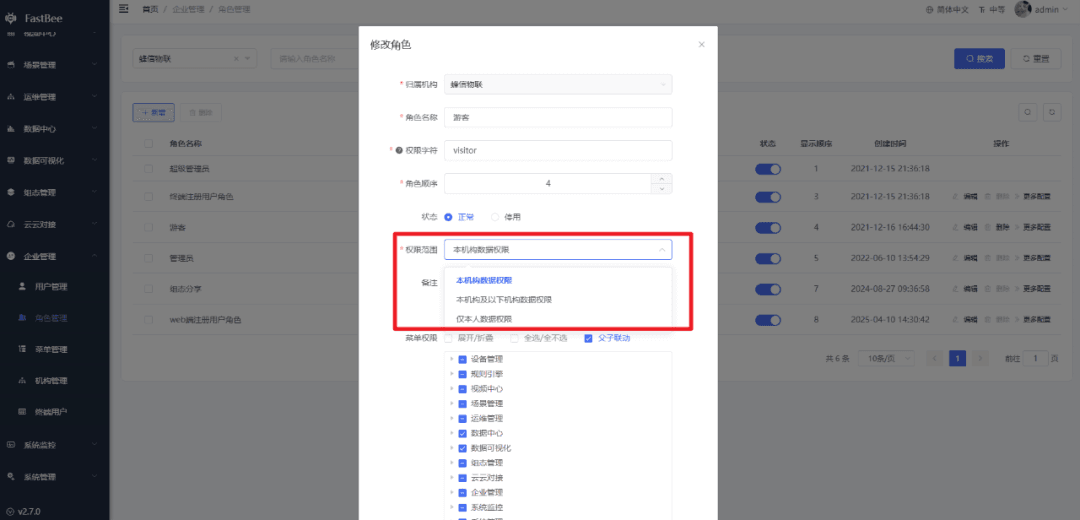
- Multi-tenancy adds data permission isolation, supporting user-level isolation, compatible with SCADA and speaker;
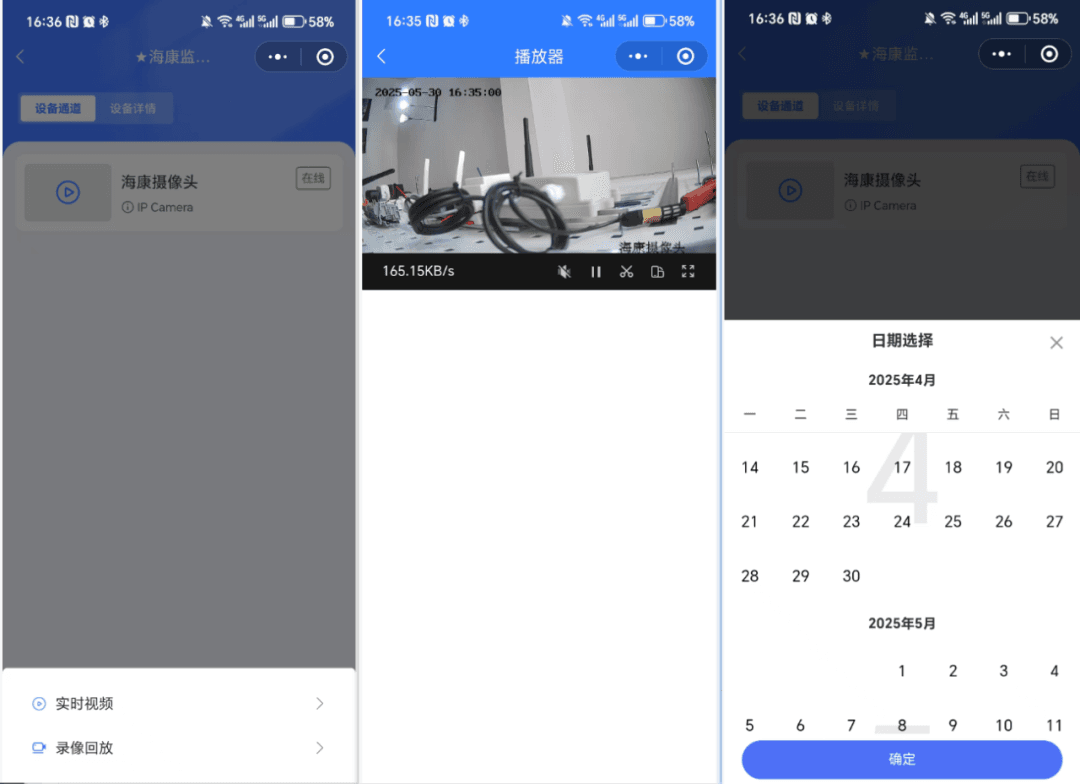
- Mobile app, mini program, and iOS now support video playback;
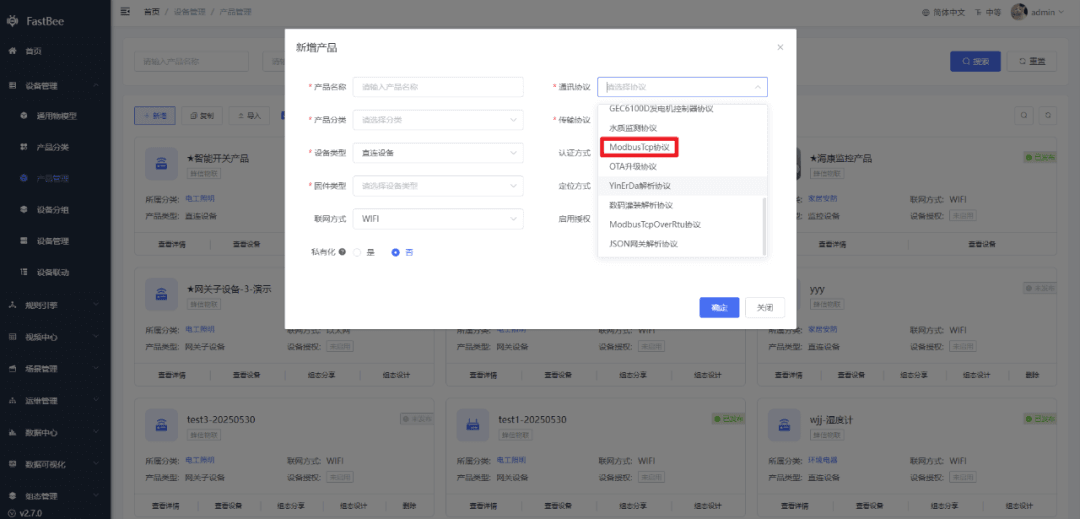
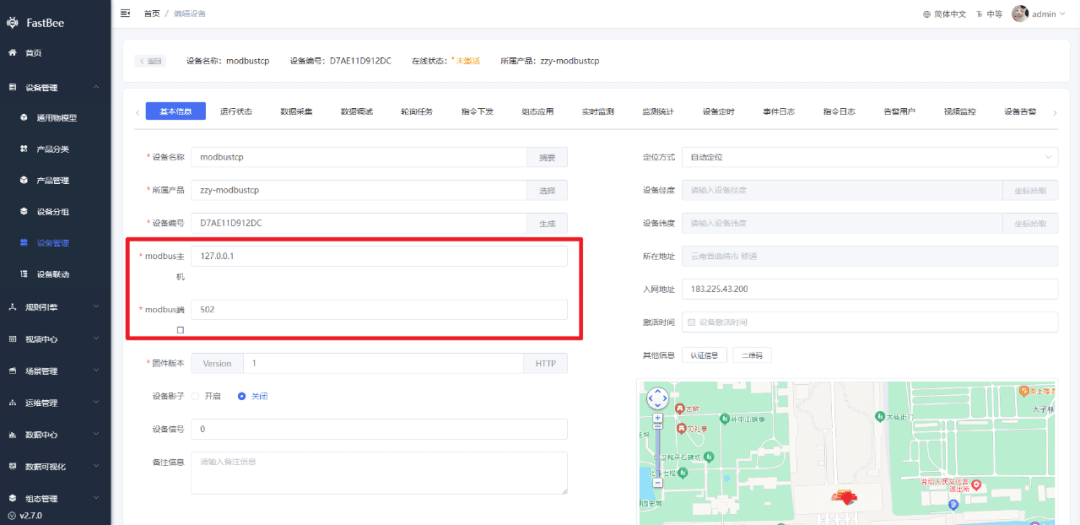
- New ModbusTcp protocol, with the device connecting as a server;
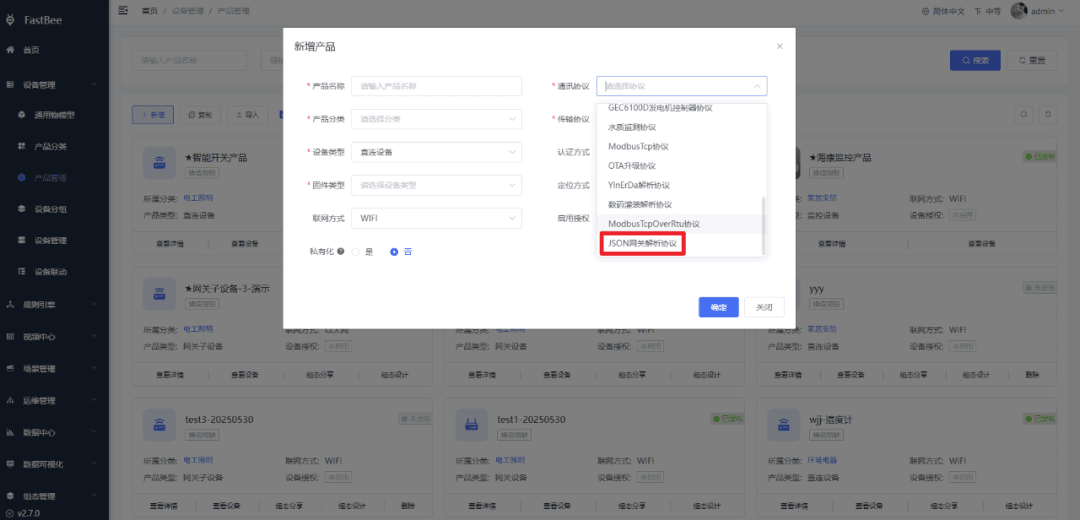
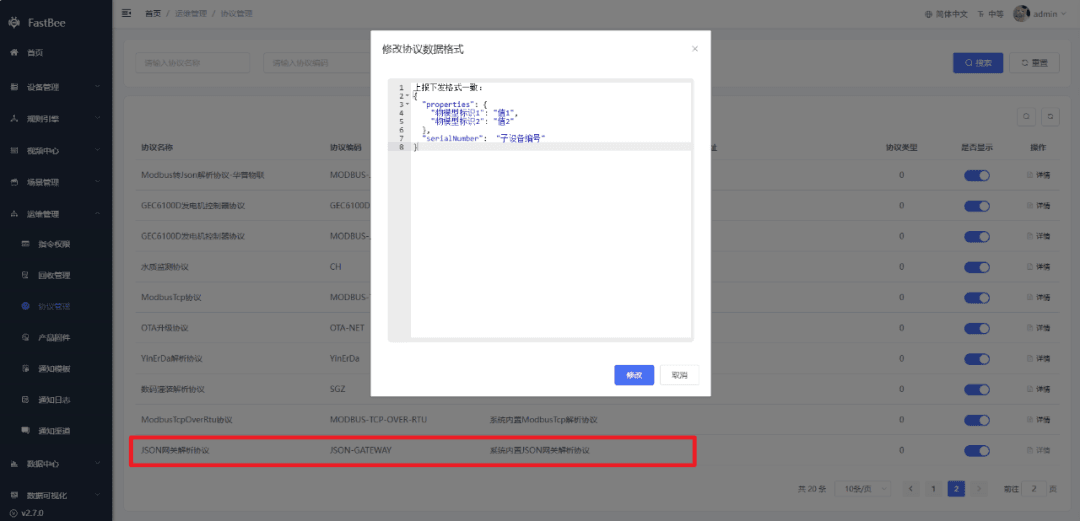
- New JSON-format gateway protocol, supporting sub-device binding;
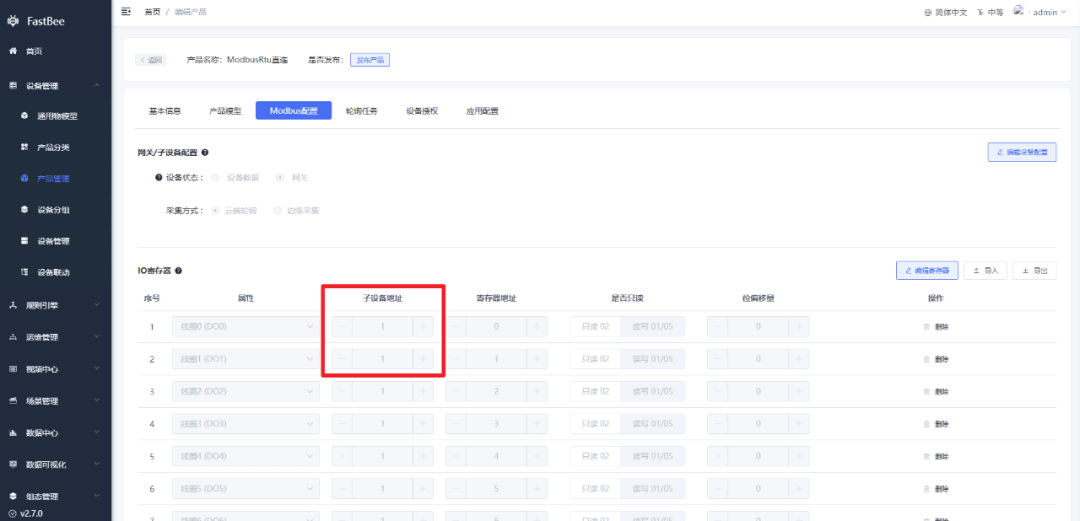
- Modbus protocol Direct Device type supports multiple slave address configuration;
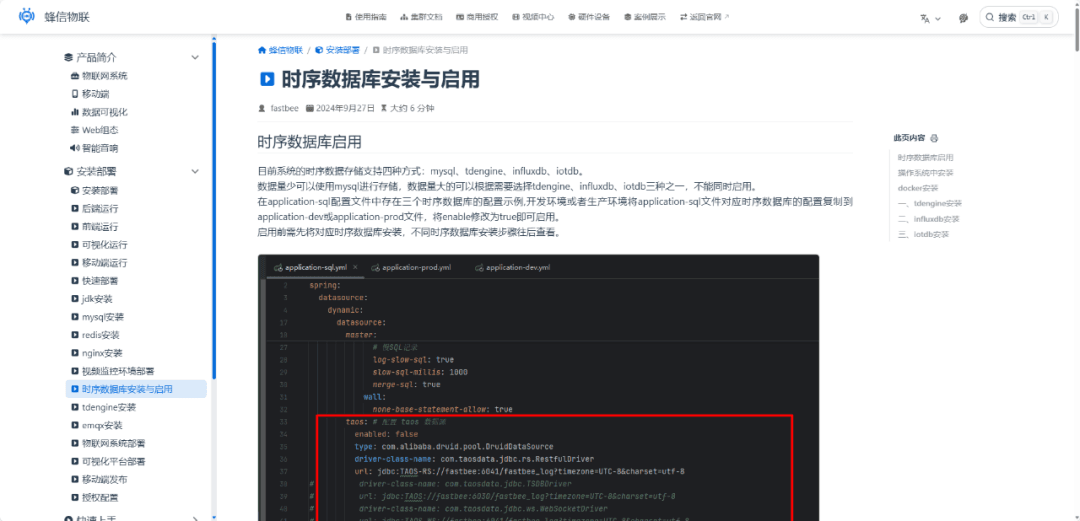
- New time-series databases InfluxDB and IoTDB;
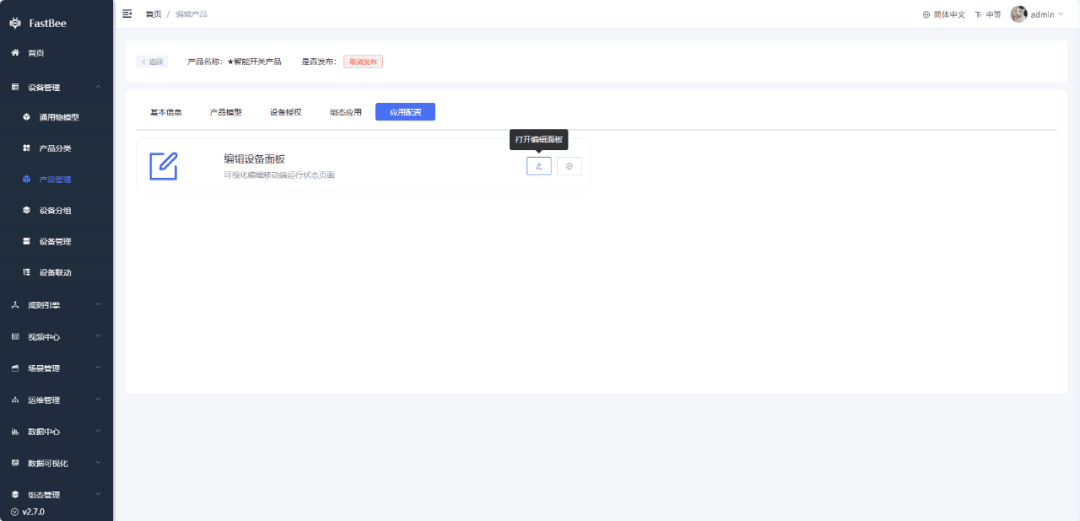
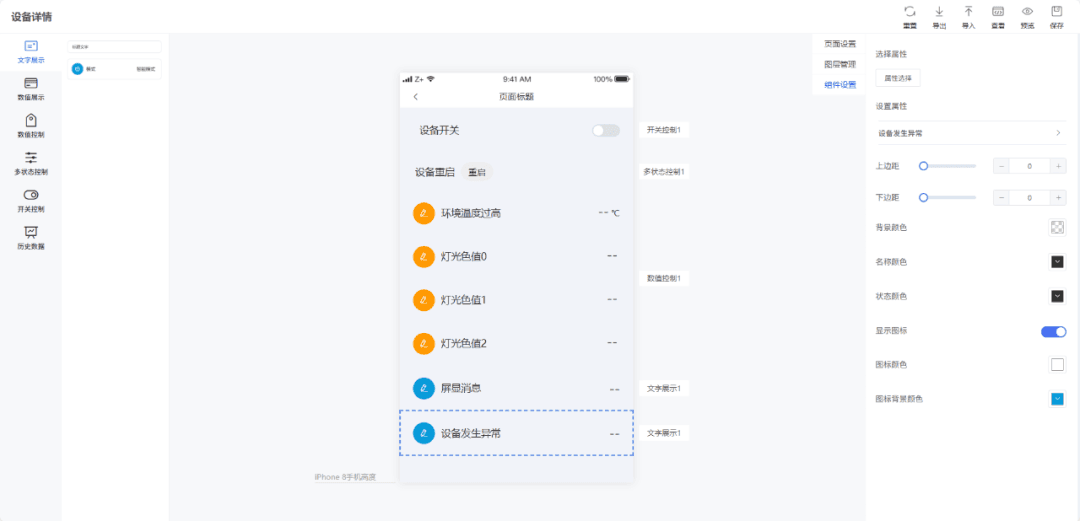
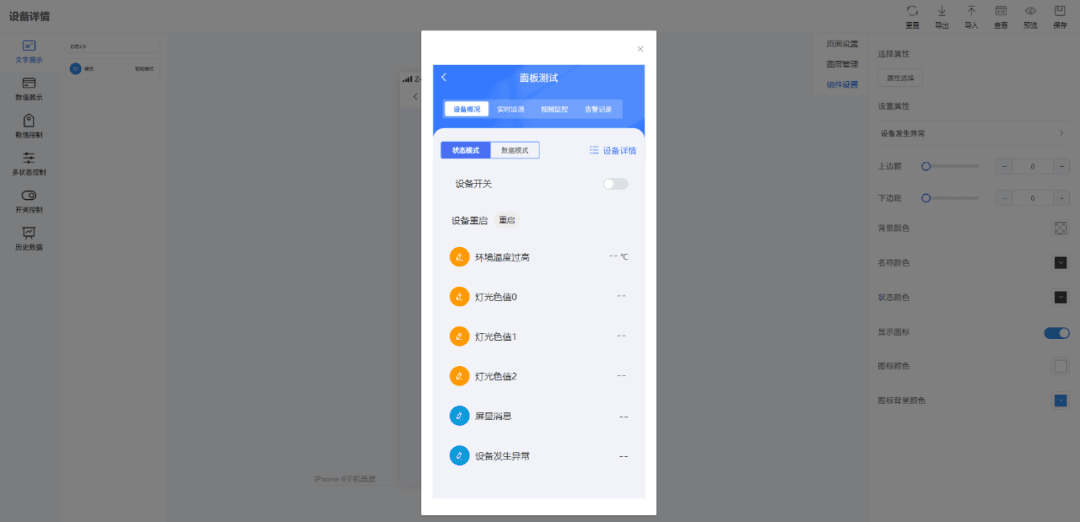
- Device running status page supports drag-and-drop configuration, displayed on mobile;
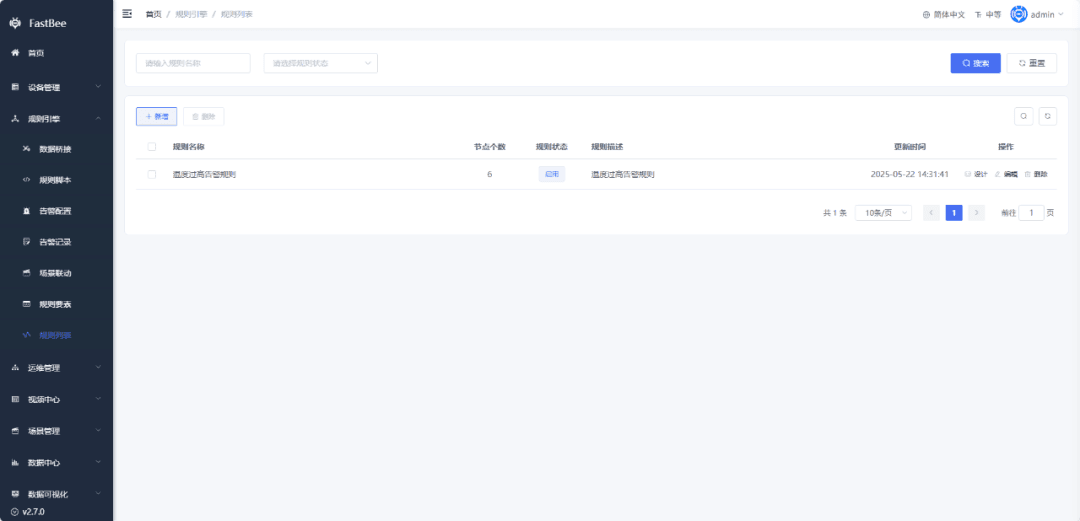
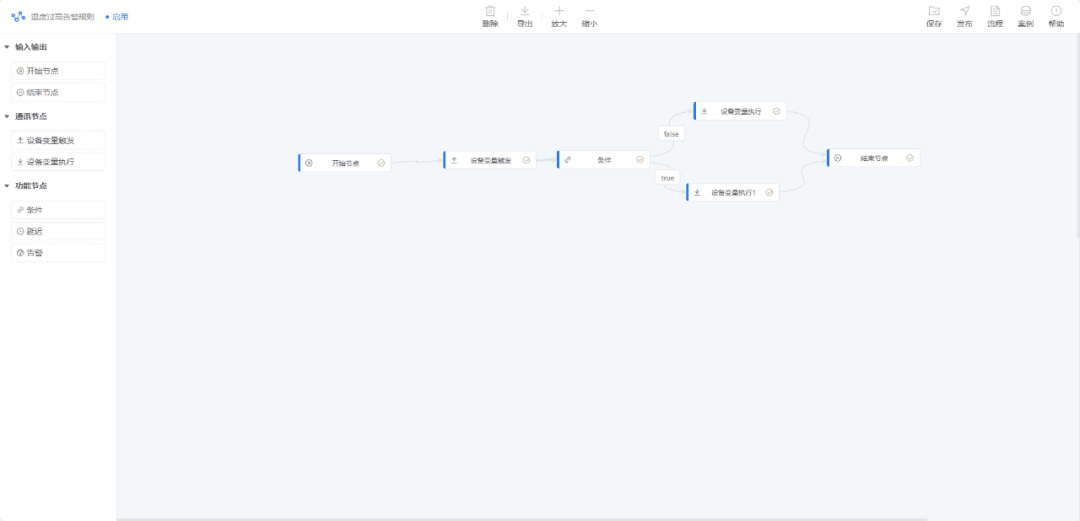
- Rule Engine adds a visual rule list page, supporting dynamic configuration;
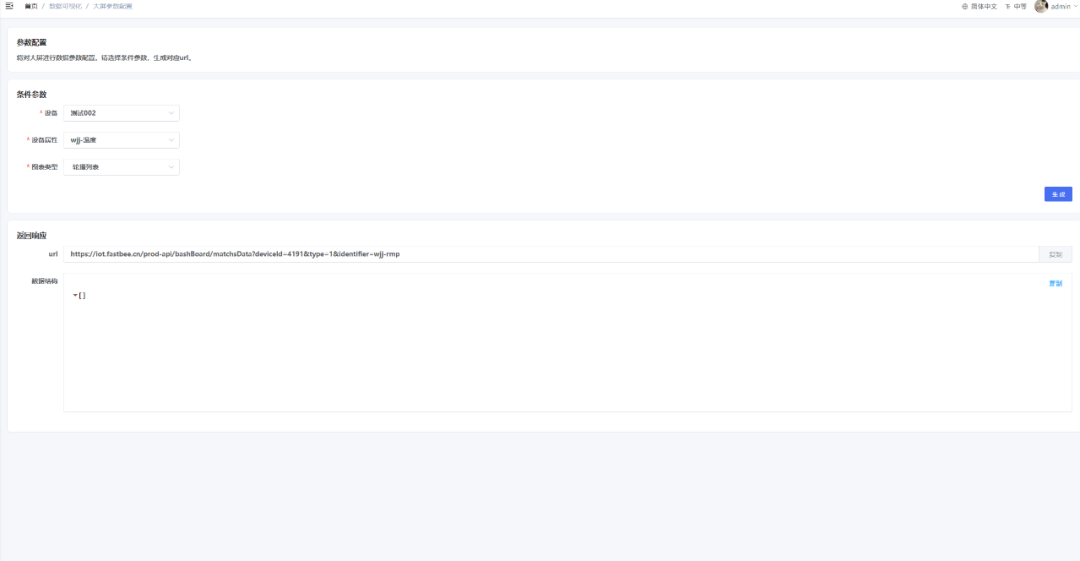
- Web adds an auto-generated API page for large-screen dashboards, with new data APIs for dashboard matching;
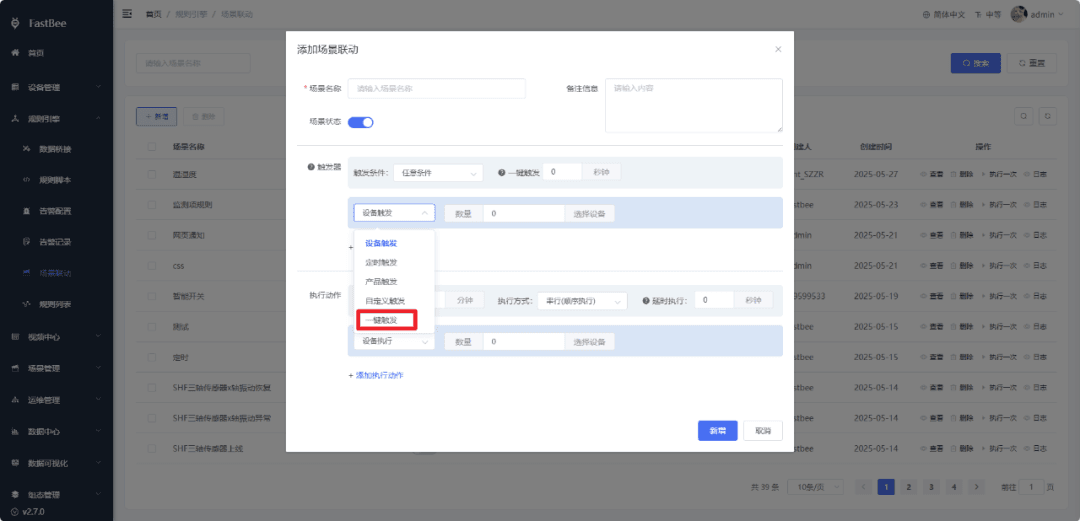
- Scene Linkage adds group filtering and one-click triggering;
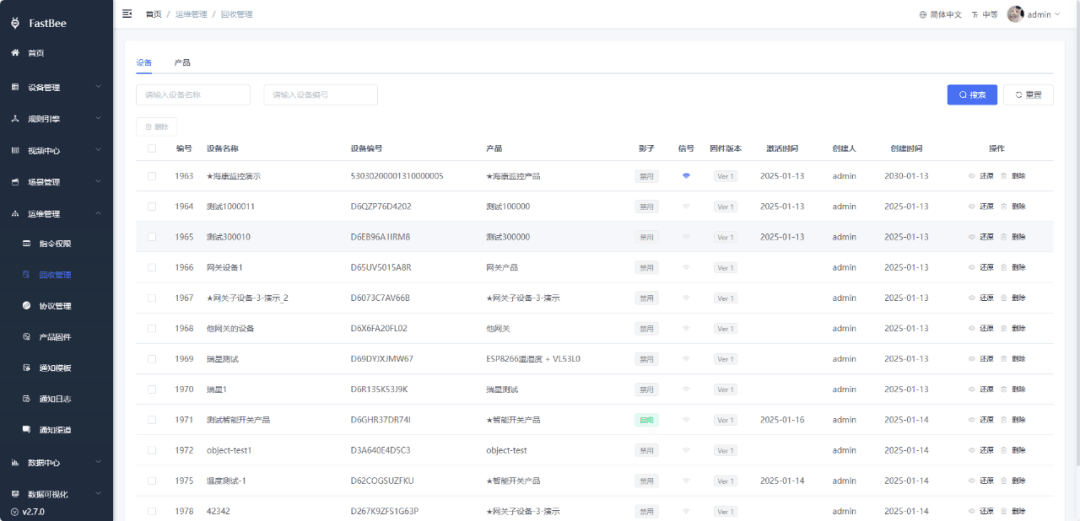
- New Recycle Management page, supporting physical deletion of devices and products, and restoring accidentally deleted products and devices;
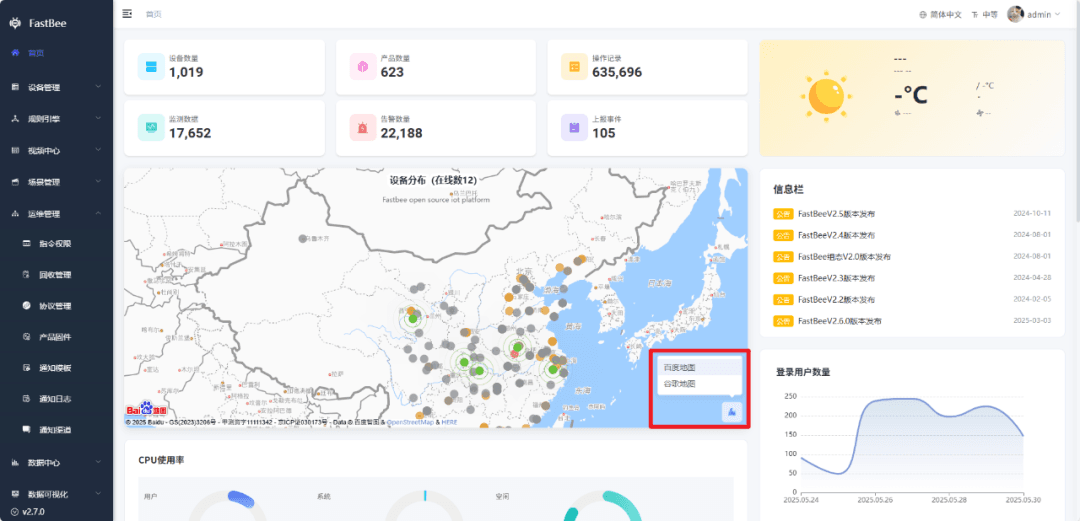
- Web homepage adds Google Maps (the key requires a non-China address);
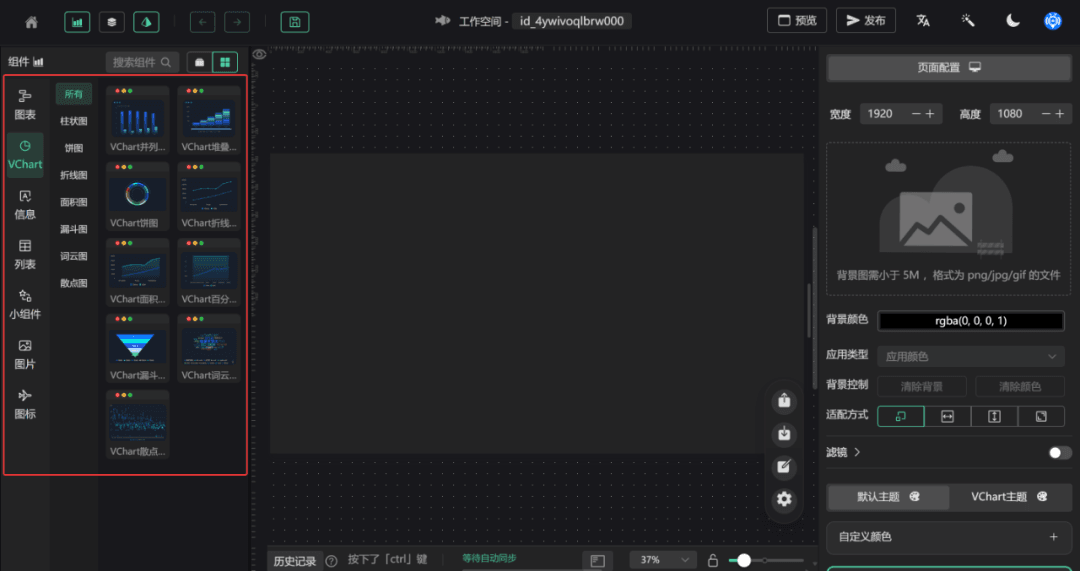
- Large-screen dashboard updated to the latest version V2.2.9;
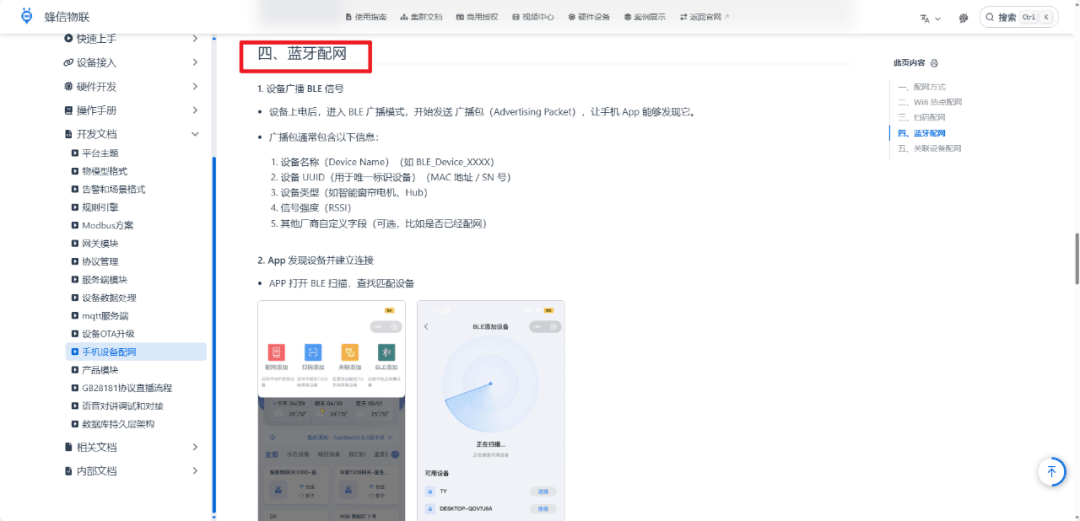
- Mobile app adds Bluetooth network provisioning;
Device Management adds filtering and sorting on both Web and mobile;
EMQX upgraded to version 5.8.4;
New support for HTTP protocol devices;
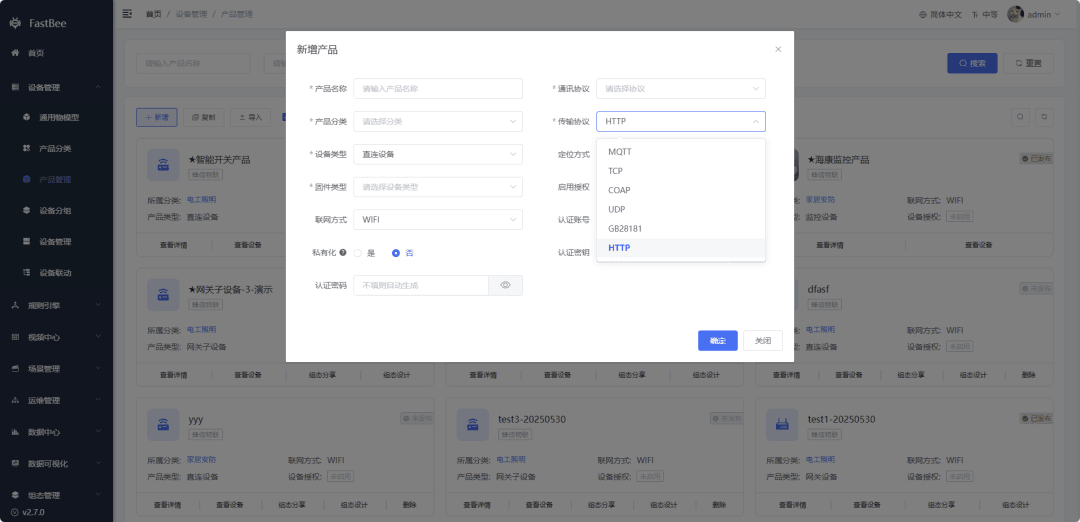
- New support for CoAP protocol devices;
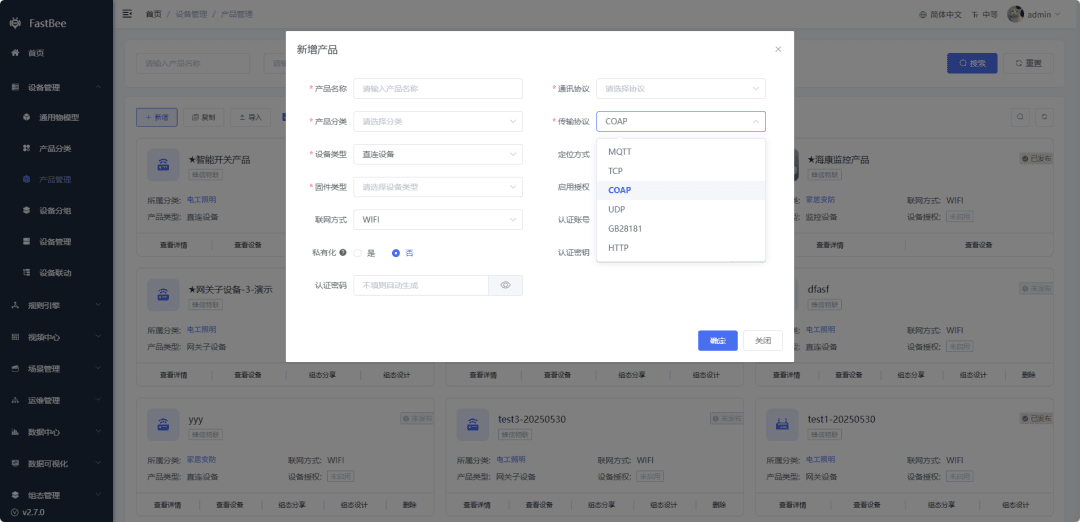
- Unified HTTP, CoAP, and MQTT authentication account and password.
2. Feature Optimizations
- Gateway and sub-device configuration optimization; polling task configuration for gateways and Direct Devices;
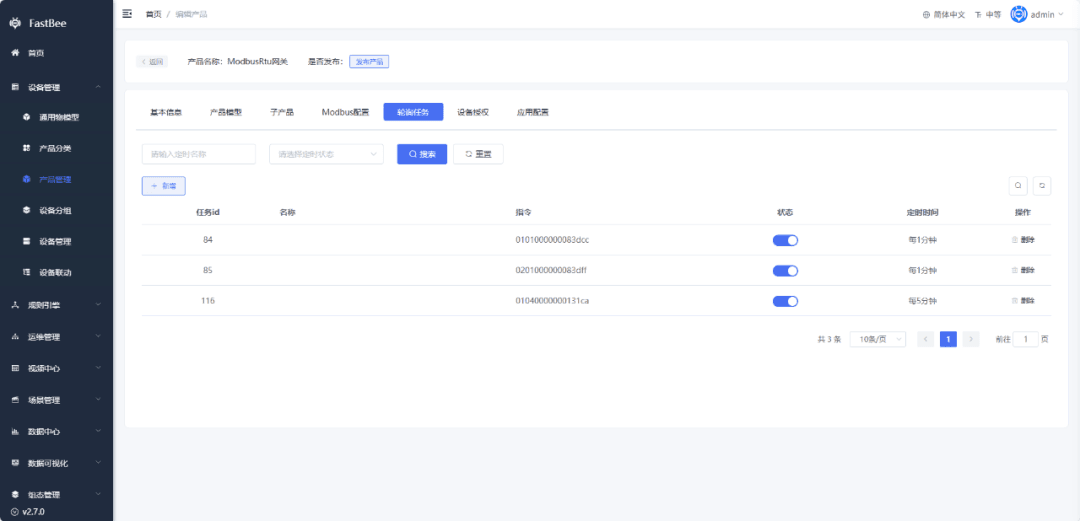
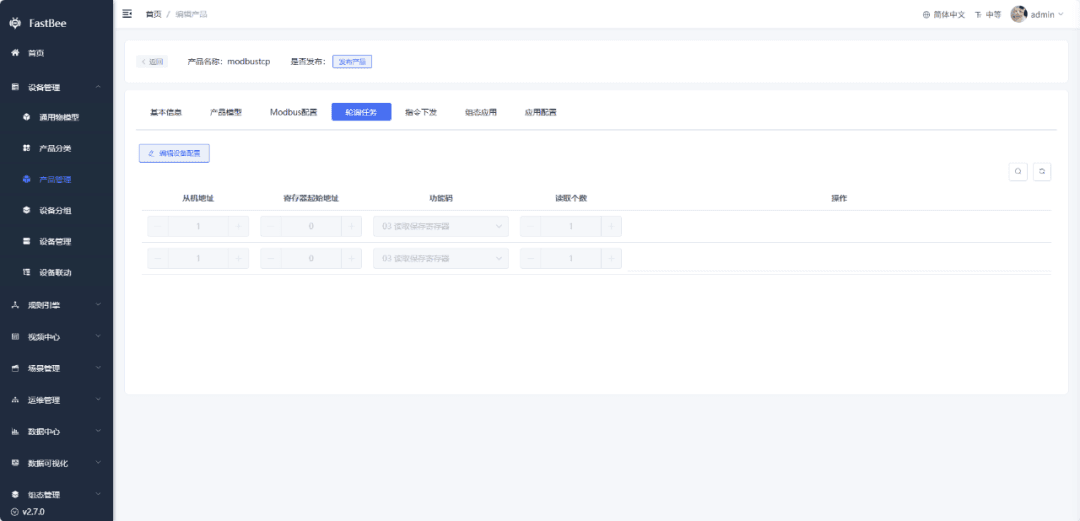
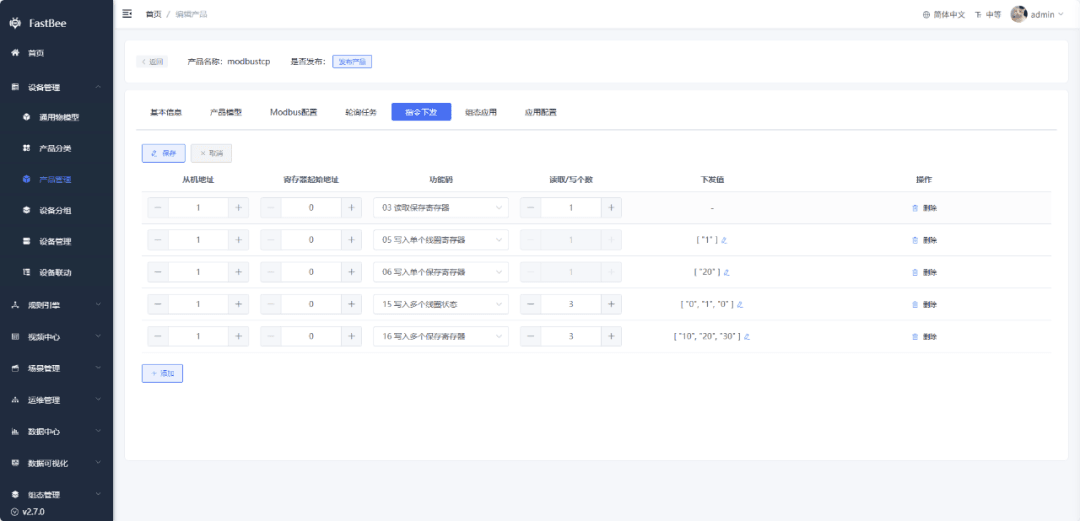
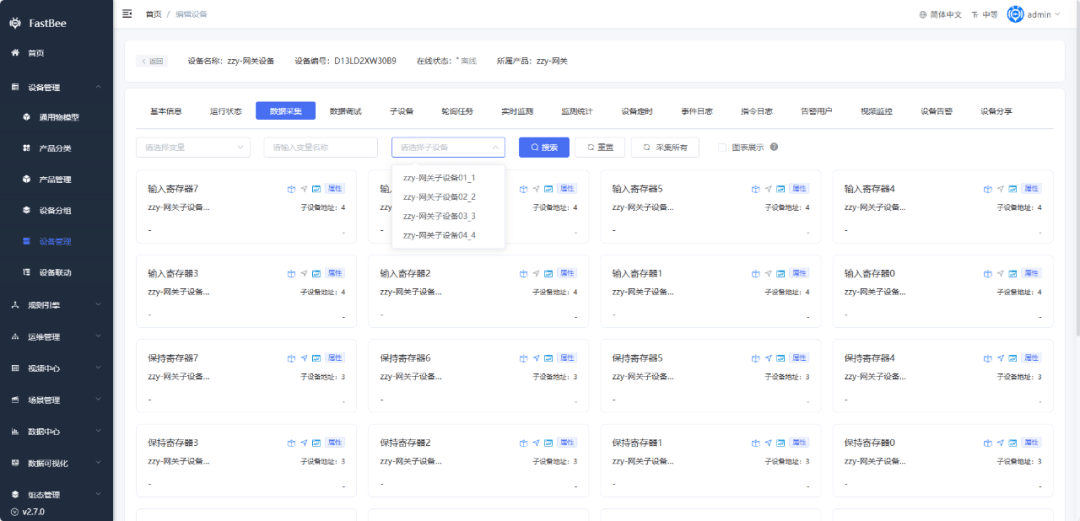
- Display optimization for the device running status and data collection pages;
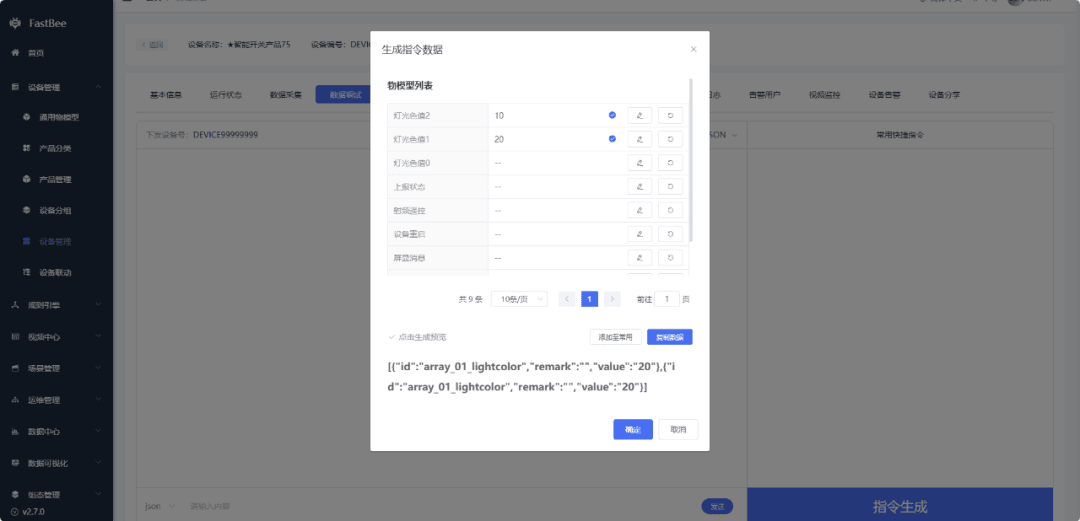
- Data Debugging JSON protocol now supports delivering multiple Thing Models simultaneously;
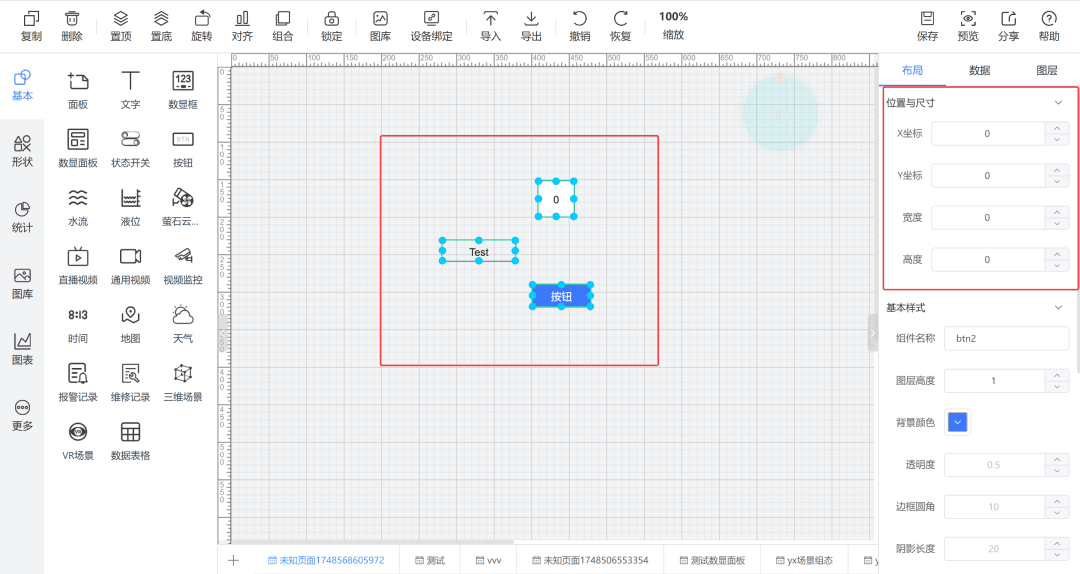
- SCADA now allows selecting multiple components to modify position and size at the same time;
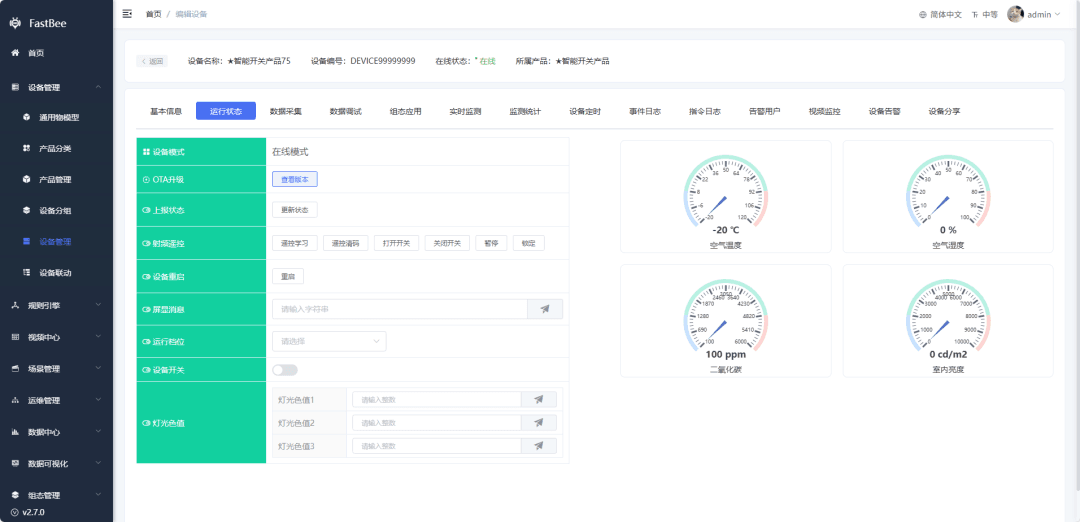
- Running status now supports resetting data of array, array-of-object, and object types;
Mobile scene options now display the last data when modified;
Mobile device sharing feature, styling, and bug optimizations and fixes;
Thing Model sorting optimization, adding move-up, move-down, and pin-to-top buttons;
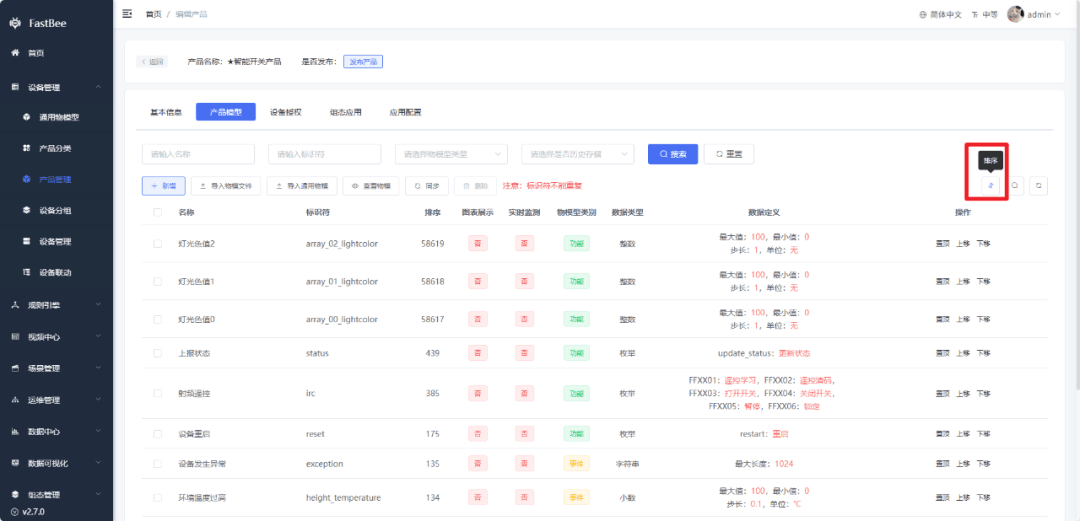
Time-series database time filtering optimization, adapted to multiple data sources;
HTTP bridging optimization.
Feel free to experience the details on our demo site: iot.fastbee.cn.
3. Bug Fixes
- Fixed the EMQX HEX data encoding error on reporting, and the JSON protocol error when reporting redundant Thing Models;
- Fixed the issue where device disabling did not take effect with the Netty version;
- Fixed bugs in SCADA video component, button component, status button, data panel, and panel;
- Fixed the Scene Linkage device alarm issue where the device itself could be selected as the alarm target, and fixed alarm recovery.
4. Upgrade Notes
- Back up your data before upgrading!
- TDengine adds a new field createBy; if you need to keep old data, be sure to back up your data;
- Redis cache: before upgrading, you need to delete the key
device:msgand all caches under theMODBUSdirectory; - This update involves many SQL statements; please back up your data before upgrading.
Welcome to experience the latest version on our demo site, and feel free to reach out with any questions! Demo site: iot.fastbee.cn.