
Smart Agriculture System
Page Guide
1. Case Nature and Evidence Boundaries
- This page is a functional demo case: the screenshots come from a demo environment of a smart agriculture system built on FastBee, showing the platform's real feature set in agricultural scenarios.
- No verifiable customer name, project location, device scale, or operational benefit data is recorded on this page. It must not be cited as a production case of any specific customer, nor as a commitment on device capacity or economic benefits.
- The only quantitative figure on this page is the video monitoring "latency within 500 ms in testing"; its test conditions and evidence boundary are documented in the Video Monitoring section below.
- The authoritative description of system features is the open-source user manual; the screenshots here serve only as feature evidence.
2. Typical Scenarios and Pain Points
The system targets production management in greenhouses, open-field planting bases, and agricultural parks, addressing four typical pain points:
- Manual environmental patrols: Temperature, humidity, and soil moisture data rely on scheduled manual records, leaving monitoring gaps at night and during extreme weather;
- Experience-based irrigation and environmental control: Differences in water and fertilizer demand across plots and growth stages cannot be responded to precisely;
- Heterogeneous device protocols: Water-fertilizer machines, pest monitoring lights, solenoid valves, and cameras come from different vendors with independent control, making unified linkage impossible;
- Scattered farming records: Planting batches, task execution, and input usage lack a unified ledger, making product traceability difficult.
3. System Architecture and Device Access Path
3.1. Architecture Layers
The system adopts a layered architecture of "device layer — access layer — platform layer — application layer": field sensors, water-fertilizer machines, pest monitoring lights, and GB28181 cameras form the device layer; the FastBee IoT gateway serves as the access layer, compatible downward with Modbus, TCP, UDP, MQTT, WebSocket, and other protocols with visual programming support, and reporting upward to the platform over MQTT; the platform layer unifies device data through thing models and provides scene linkage, alarms, and video monitoring; the application layer is the workbench, monitoring dashboards, mobile app, and traceability H5 shown on this page. The platform supports on-premises deployment, keeping data local to the park.
3.2. Device Access Path
- Modeling: Create a product on the platform and define a Thing Model, abstracting sensor readings, valve positions, and similar data into properties, methods, and events;
- Access: The gateway configures collection channels according to each device's actual protocol; actively reporting devices can connect directly over MQTT;
- Registration: Register devices in Device Management, bind them to products, and confirm they are online and reporting data normally;
- Linkage: Configure trigger conditions and execution actions in Scene Linkage, validating on a small scale first before rolling out;
- Deployment: The platform can be installed on-premises through Docker one-click deployment.
4. Verifiable Acceptance Criteria
All of the following acceptance criteria can be reproduced against the public documentation, relying on nothing beyond this page's screenshots:
| Dimension | Acceptance Criterion | How to Verify |
|---|---|---|
| Platform deployment | After Docker deployment, the platform is accessible and login works | Follow the deployment documentation |
| Protocol access | After gateway channels are configured, devices come online and report properties continuously | Check online status and latest data in Device Management |
| Thing model | Property reporting, method invocation, and event triggering all take effect | Cross-check reporting and control records in device logs |
| Scene linkage | When a monitored value crosses its threshold, the action executes automatically with a trace | Configure a linkage rule and simulate out-of-range data |
| Video monitoring | After GB28181 device registration, preview, PTZ control, and playback work | Operate directly on the monitoring page |
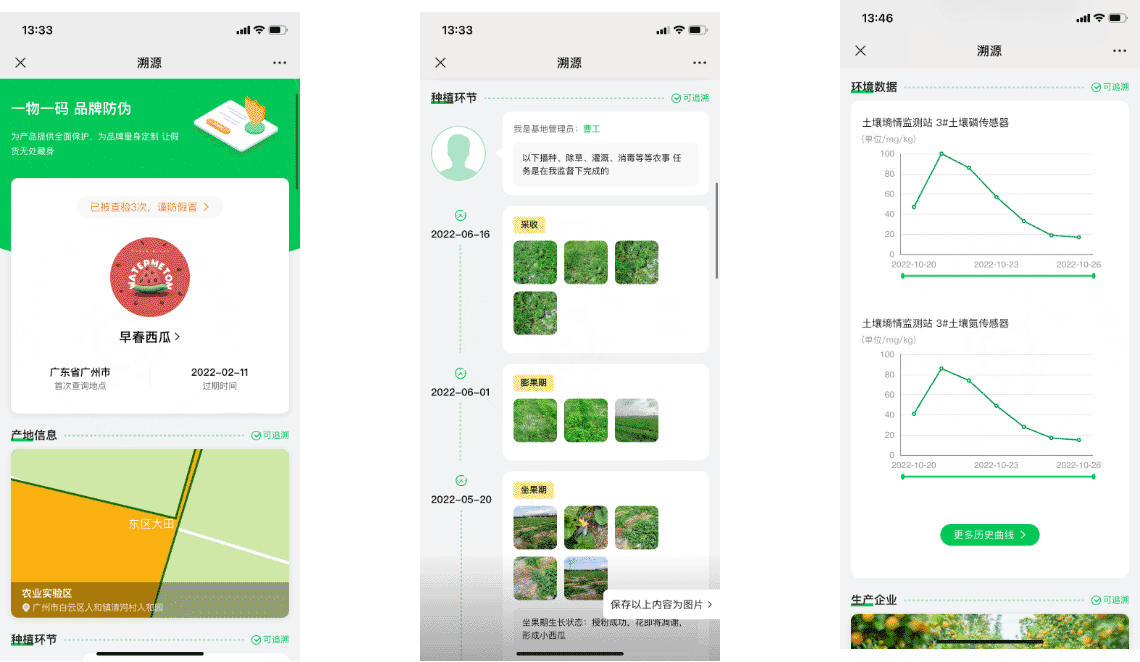
| Product traceability | Scanning a traceability code shows the linked origin, plots, and farming records | Scan the code in the traceability H5 |
5. Workbench
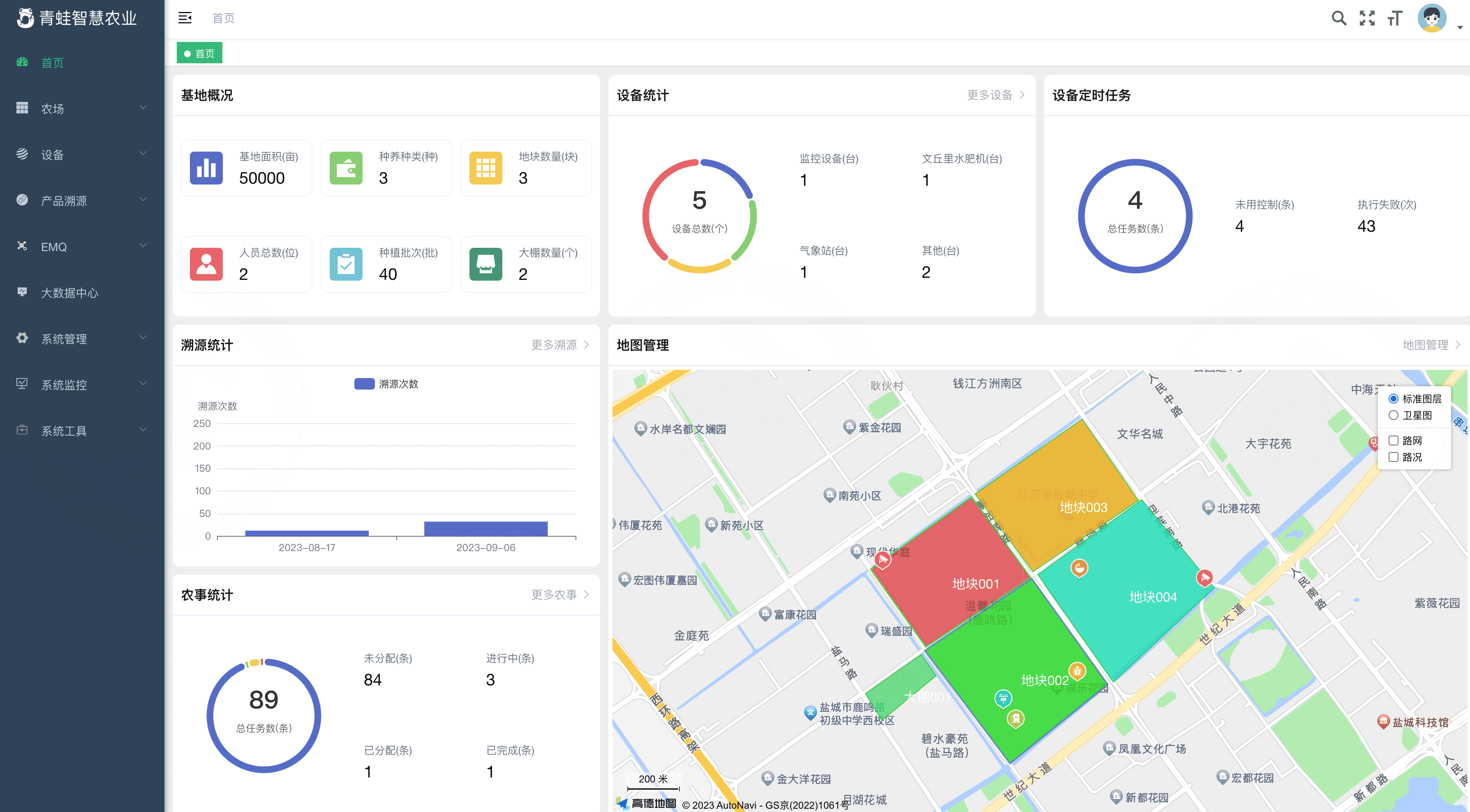
The smart agriculture case provides a unified workbench for farm operations, device monitoring, agricultural tasks, and production traceability.
6. Dashboard
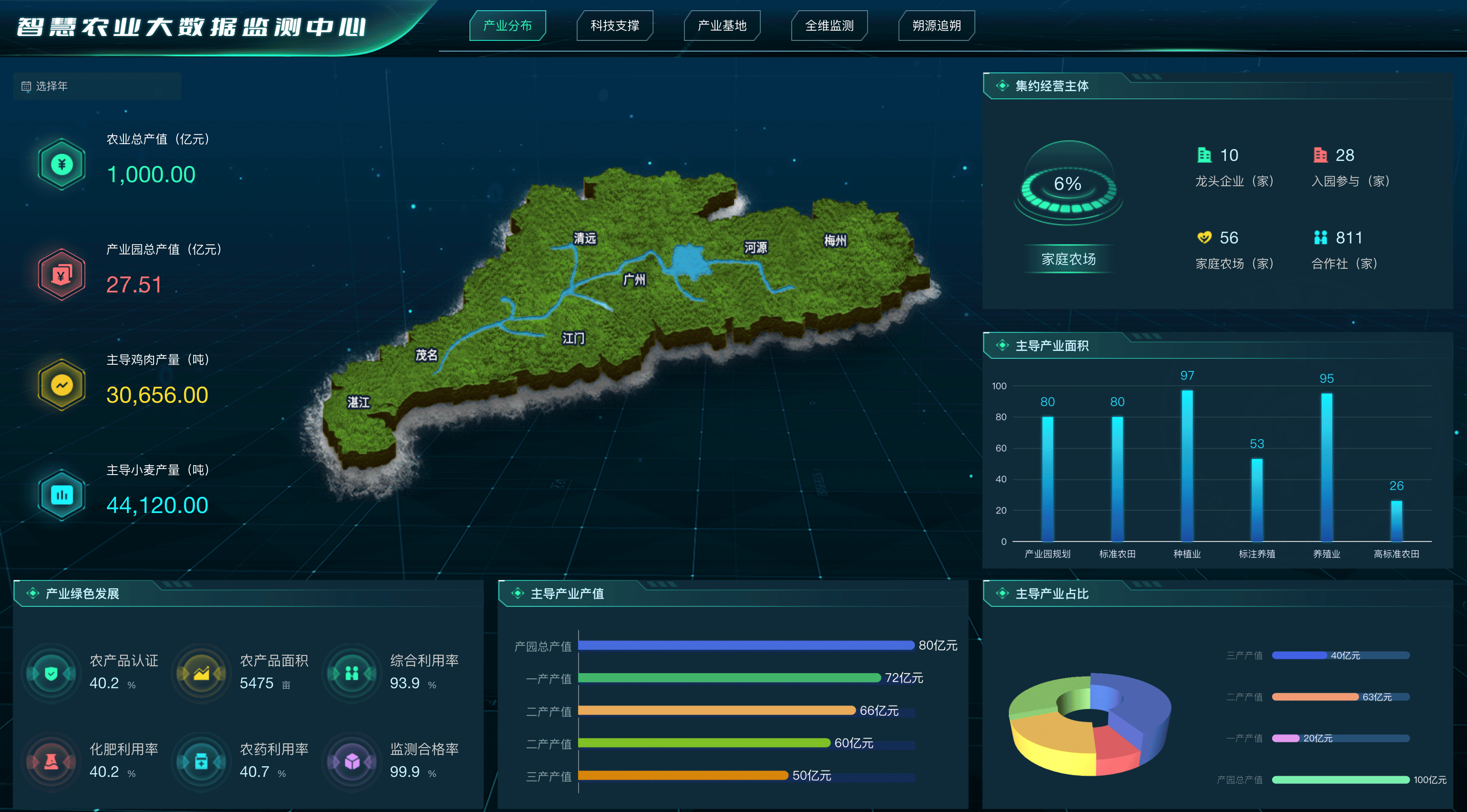
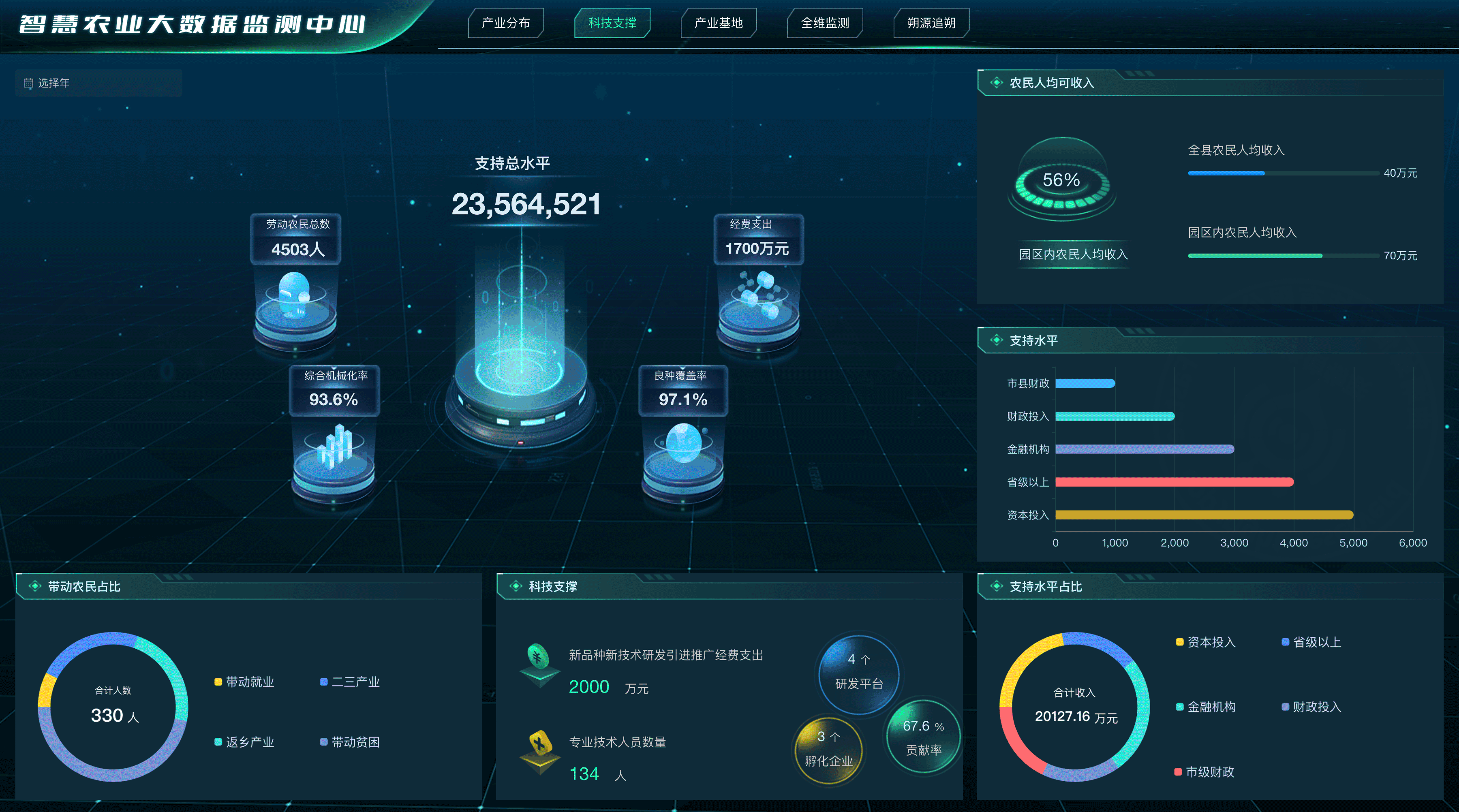
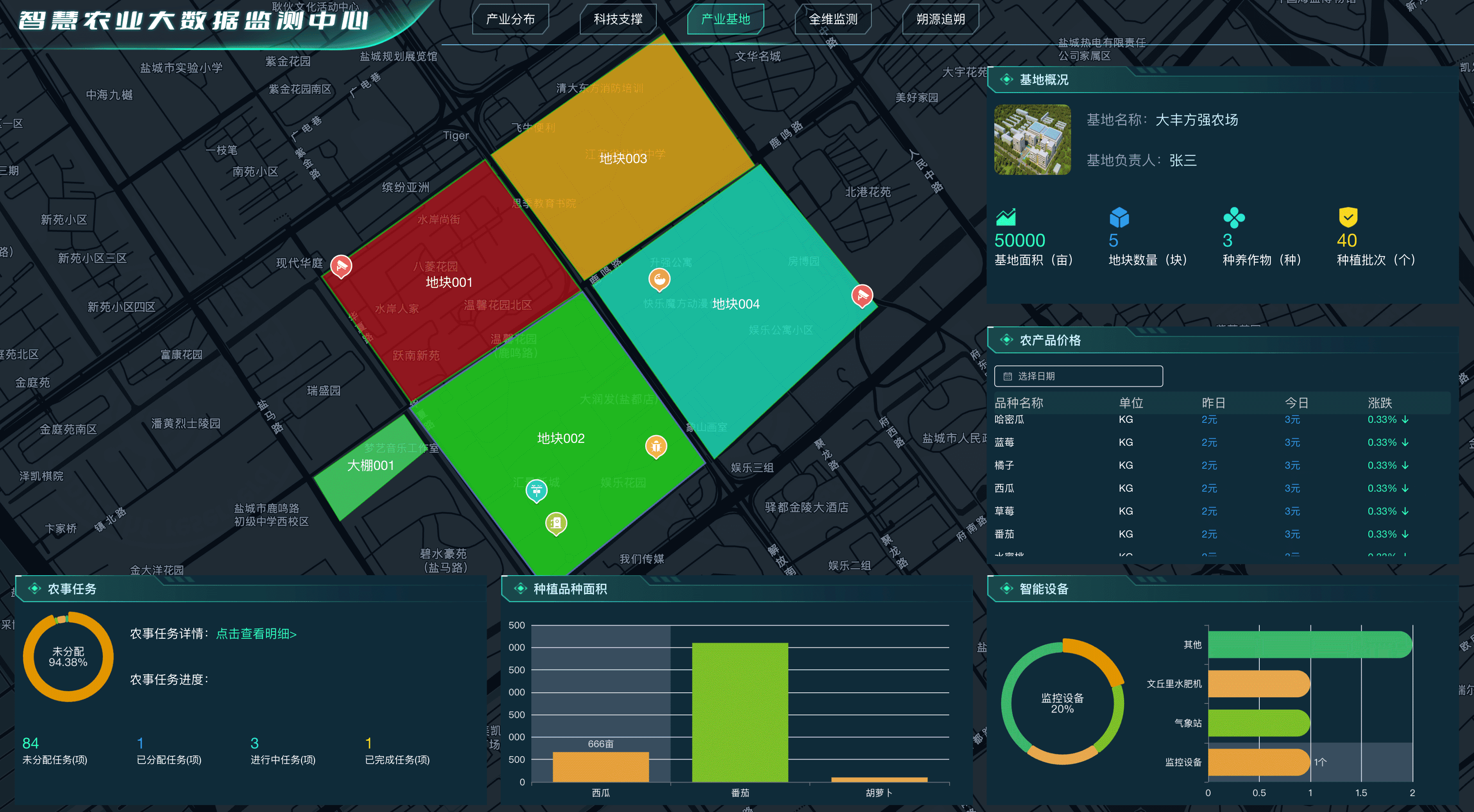
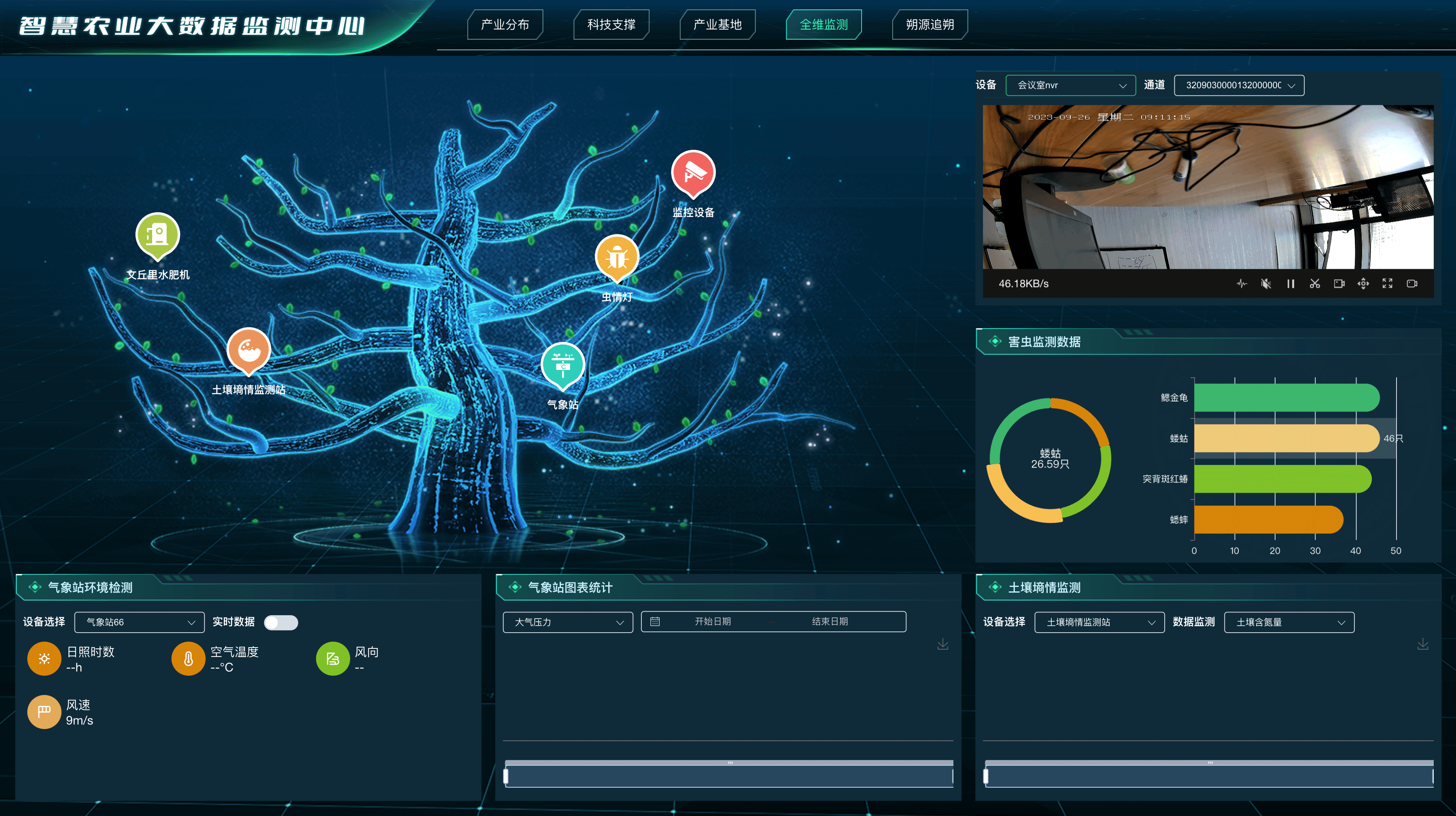
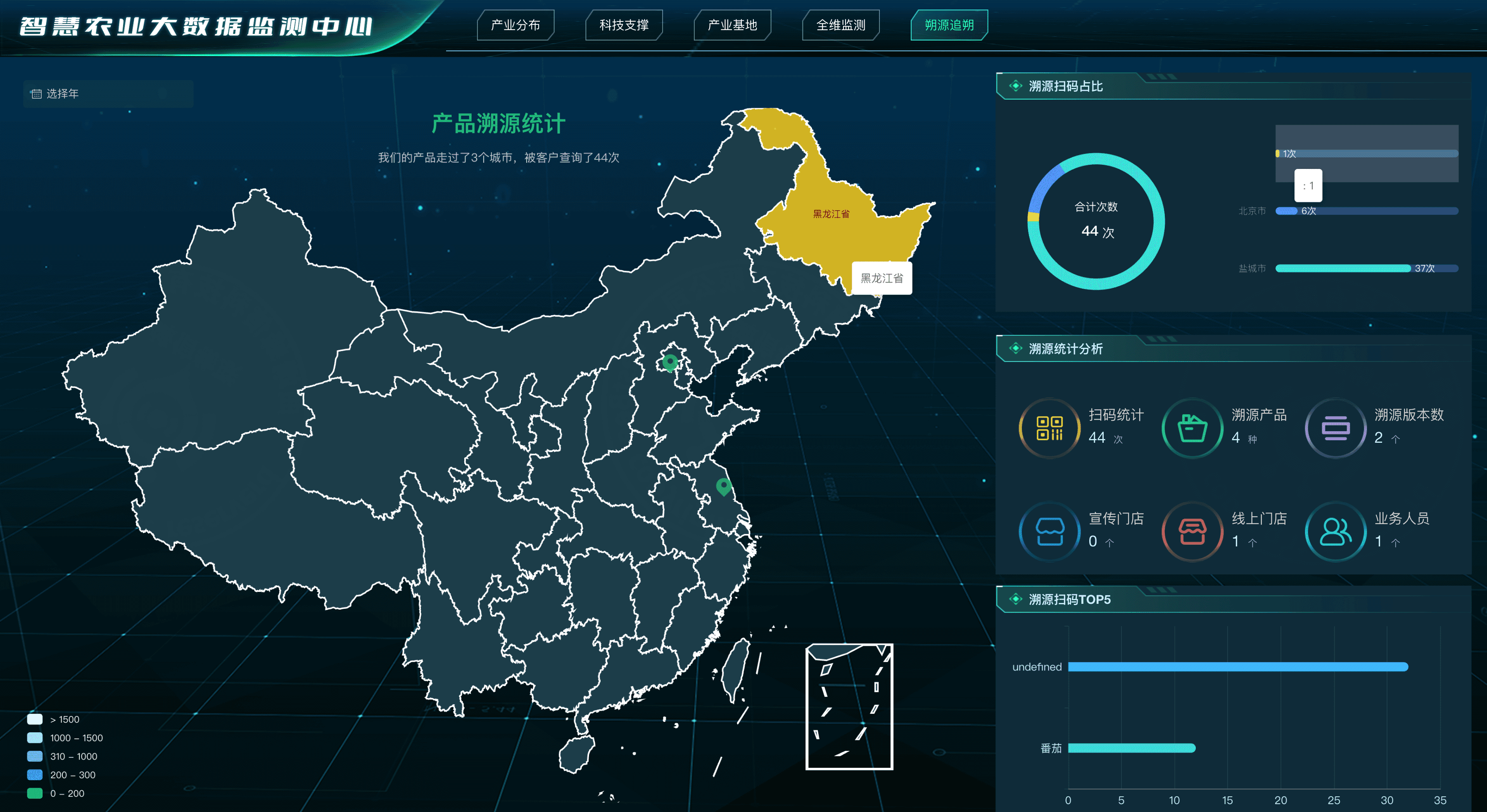
Large-screen dashboards are used for farm monitoring, environmental data display, device status, and operational overview.
7. Mobile App
The mobile side supports lightweight farm viewing and management scenarios.
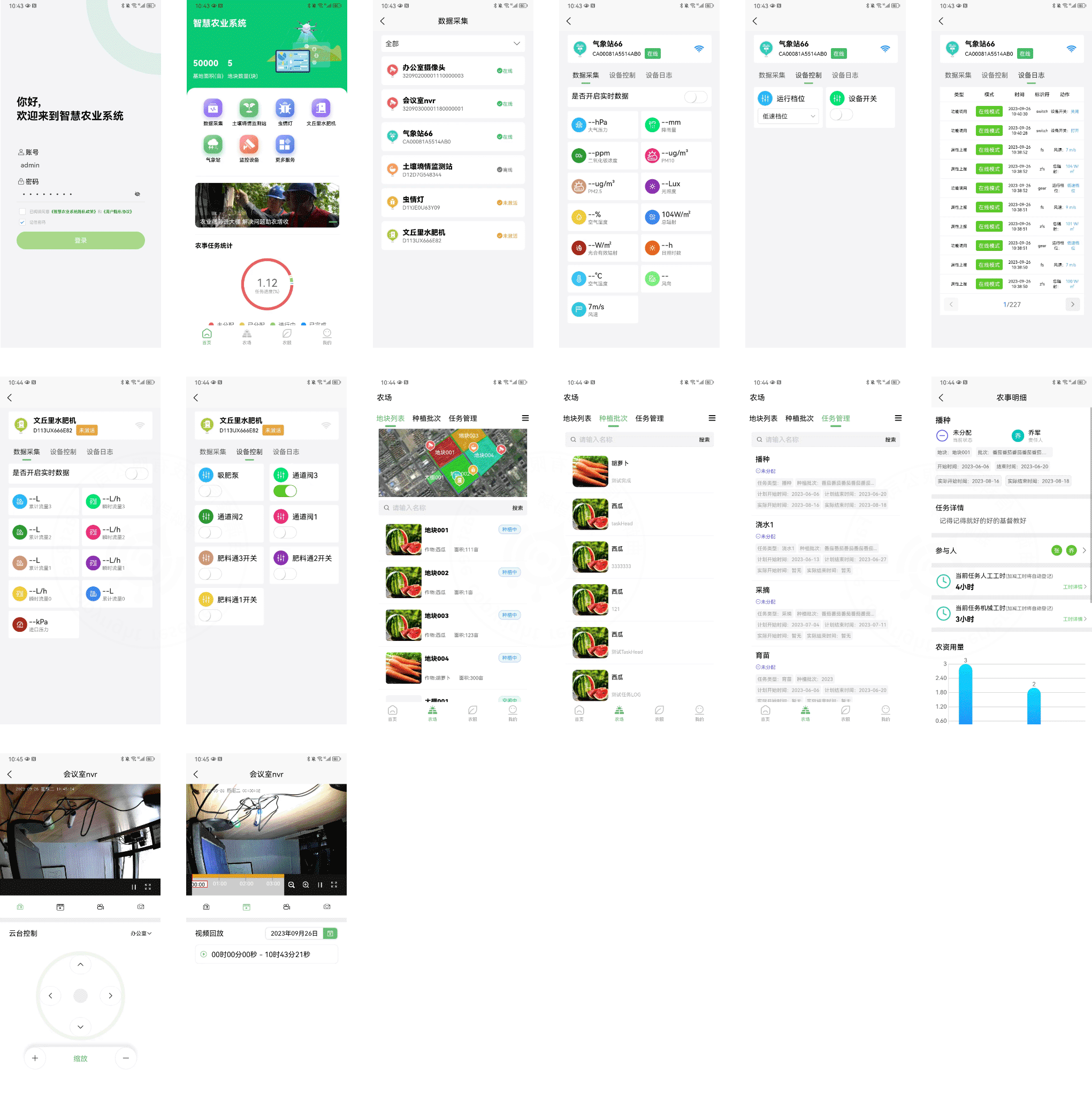
8. Farm Management
The farm module includes map management, employee management, agricultural machinery categories and records, agricultural material categories and records, germplasm management, plot management, task management, and agricultural information.
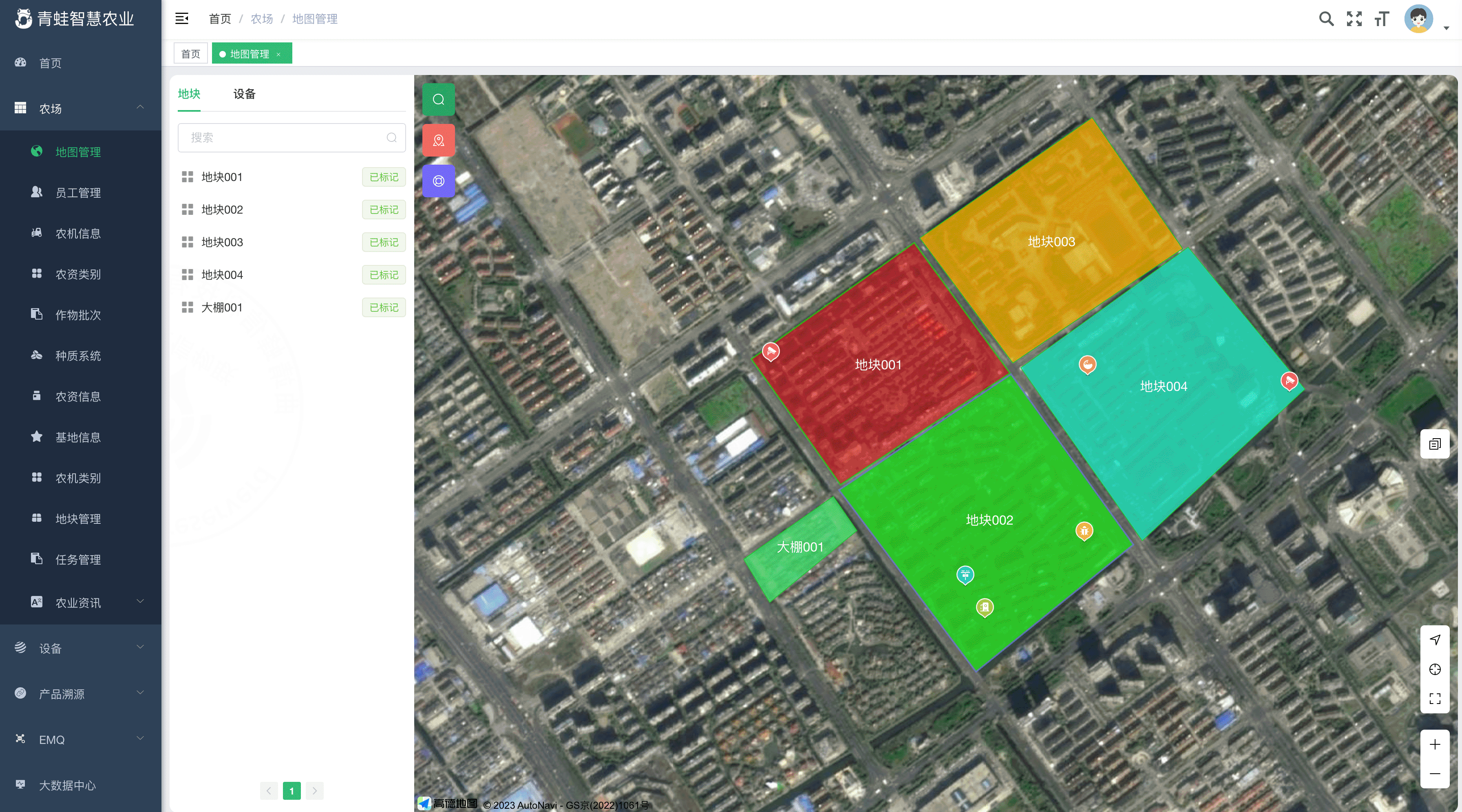
Map Management
Map management centralizes devices and land plots. It supports search, location, device creation and editing, and plot drawing or adjustment.
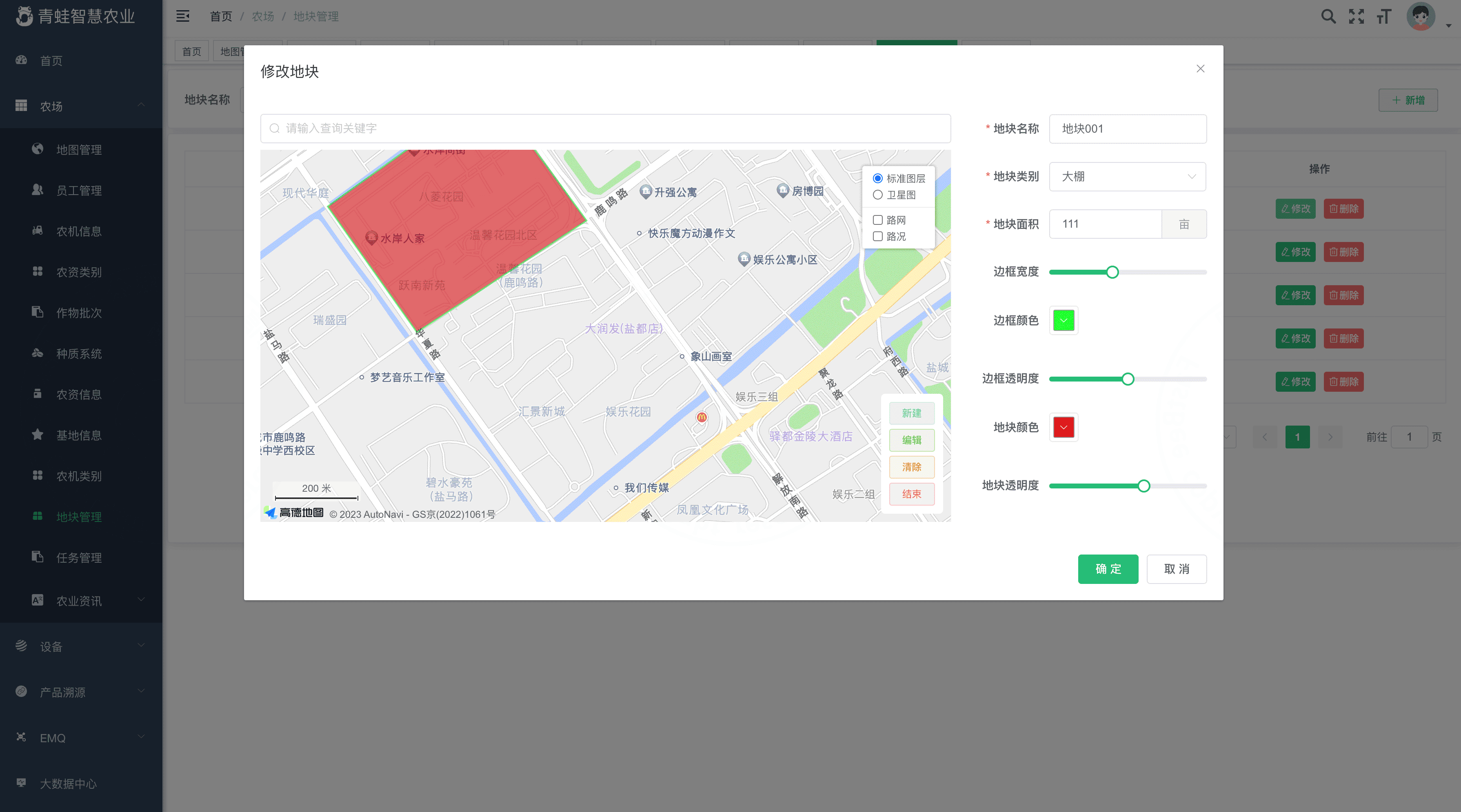
Plot Management
Plot management supports drawing land boundaries and configuring border color, border opacity, coverage color, and coverage opacity.
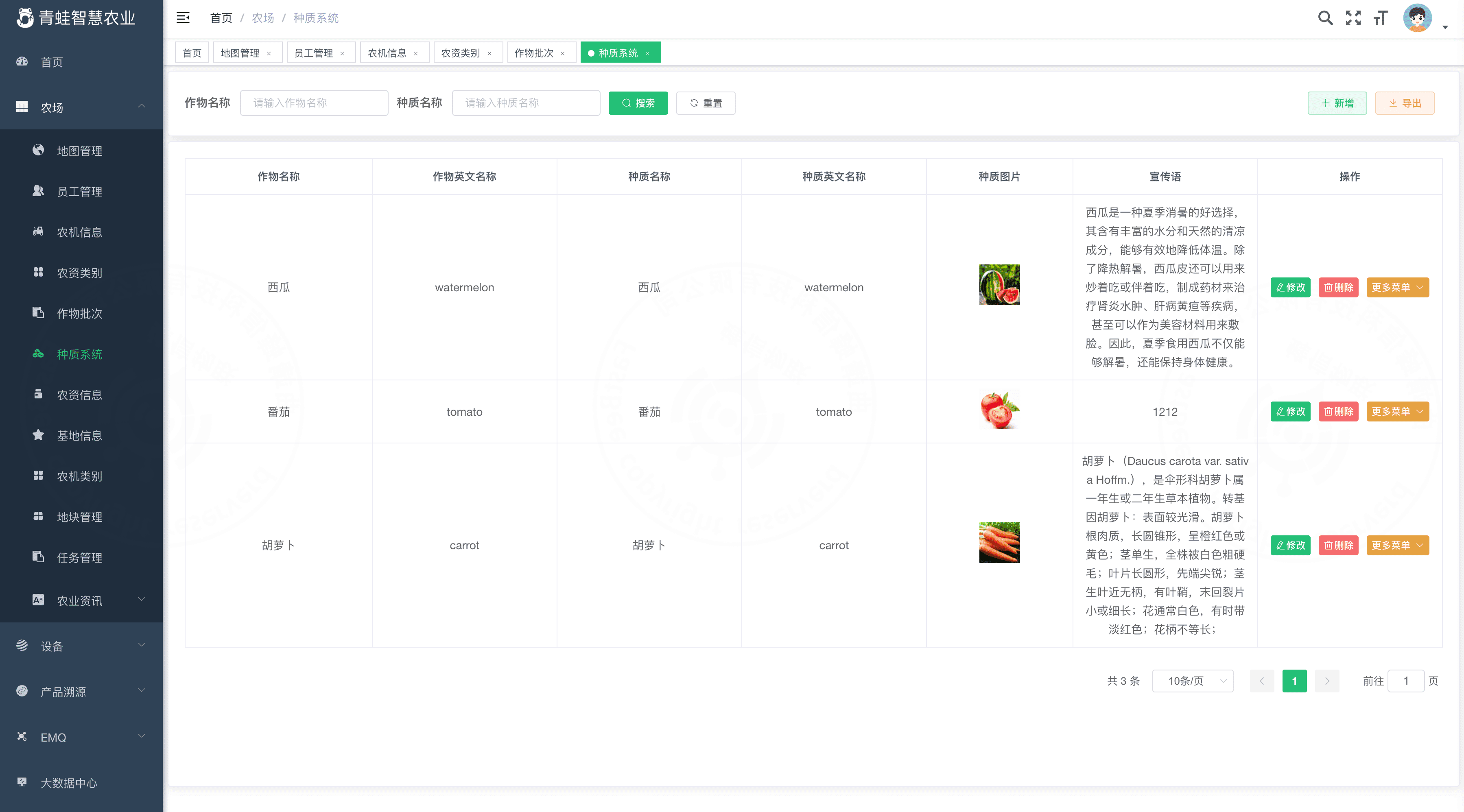
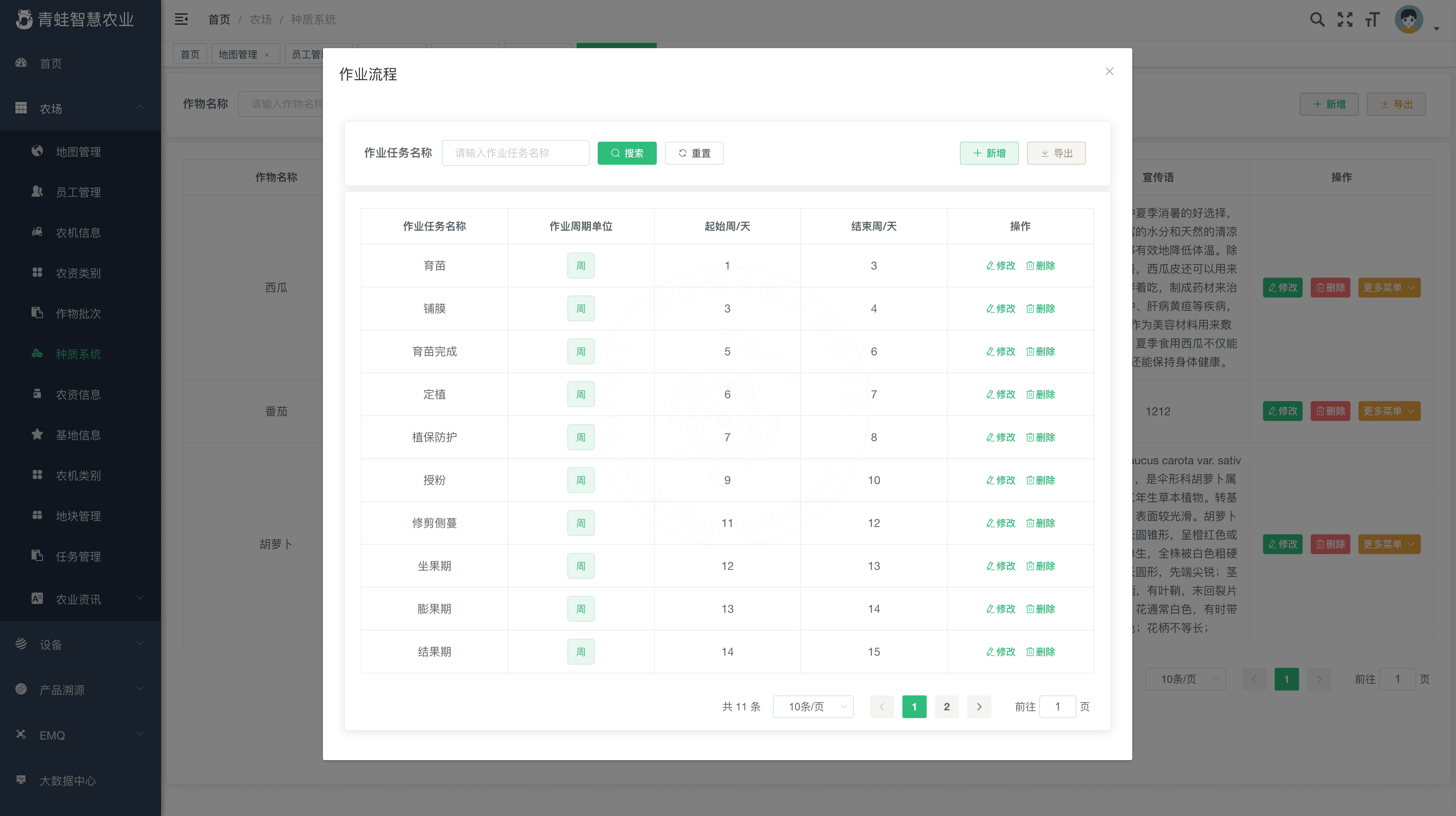
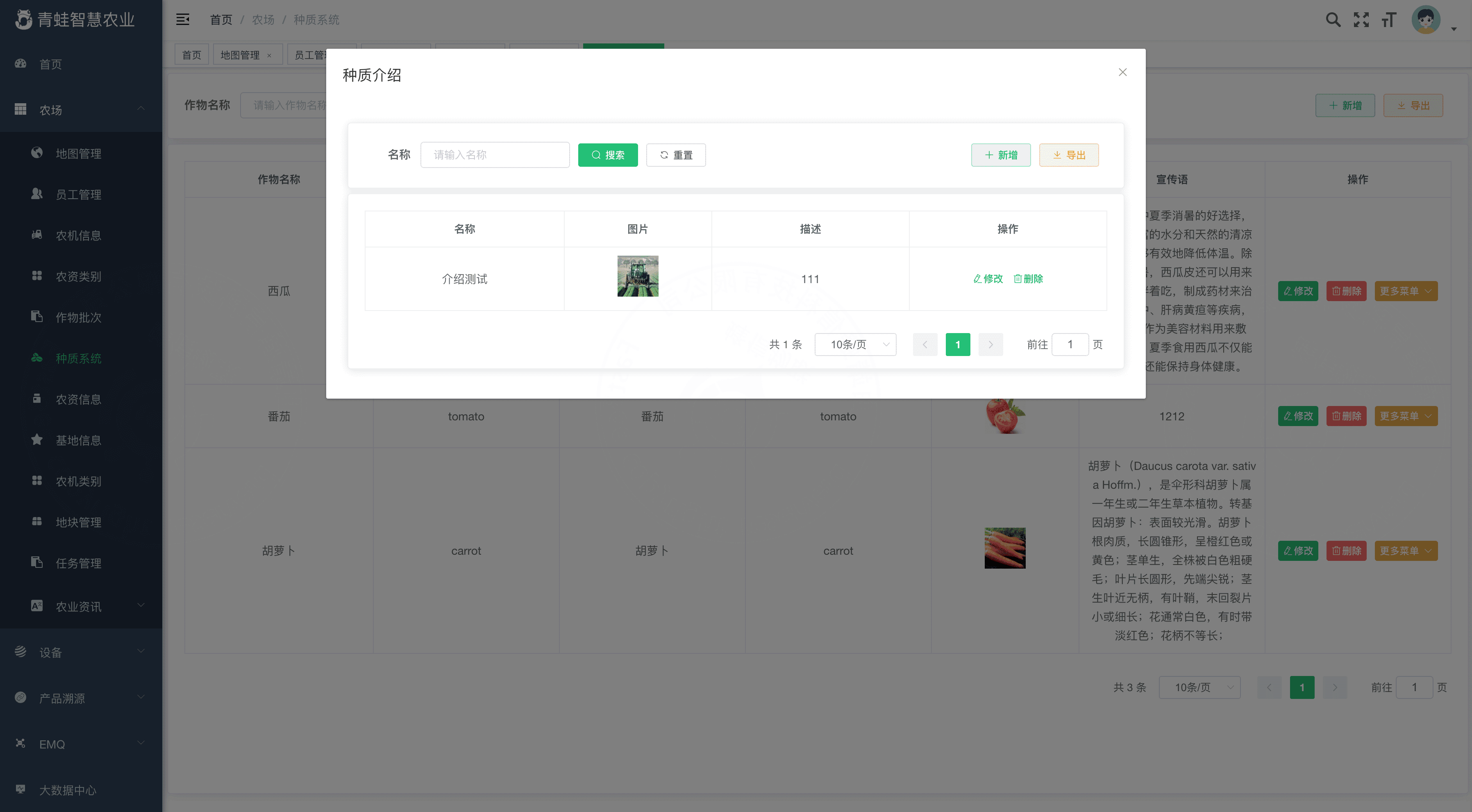
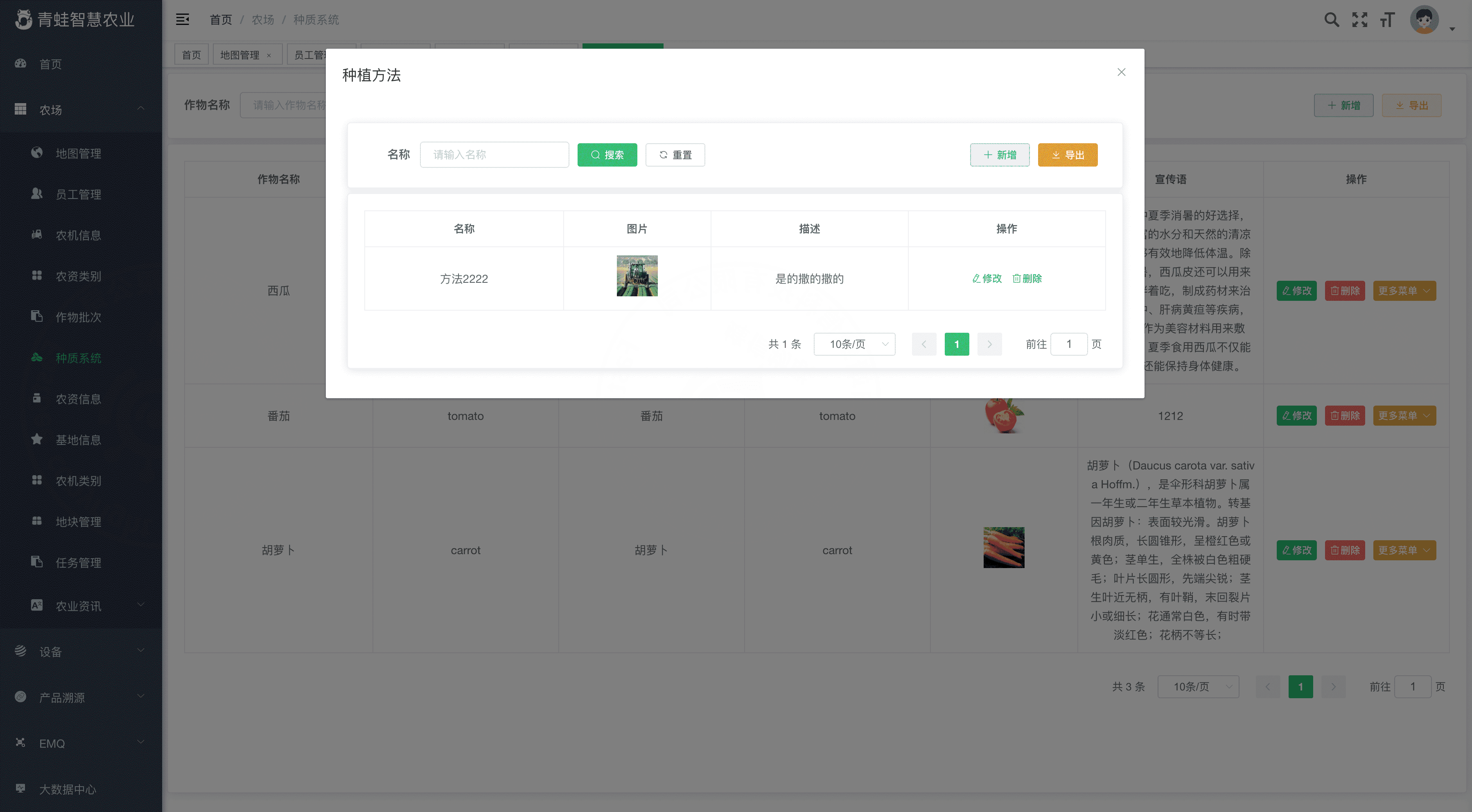
Germplasm System
The germplasm system maintains germplasm information, planting methods, introductions, and standard operating procedures.
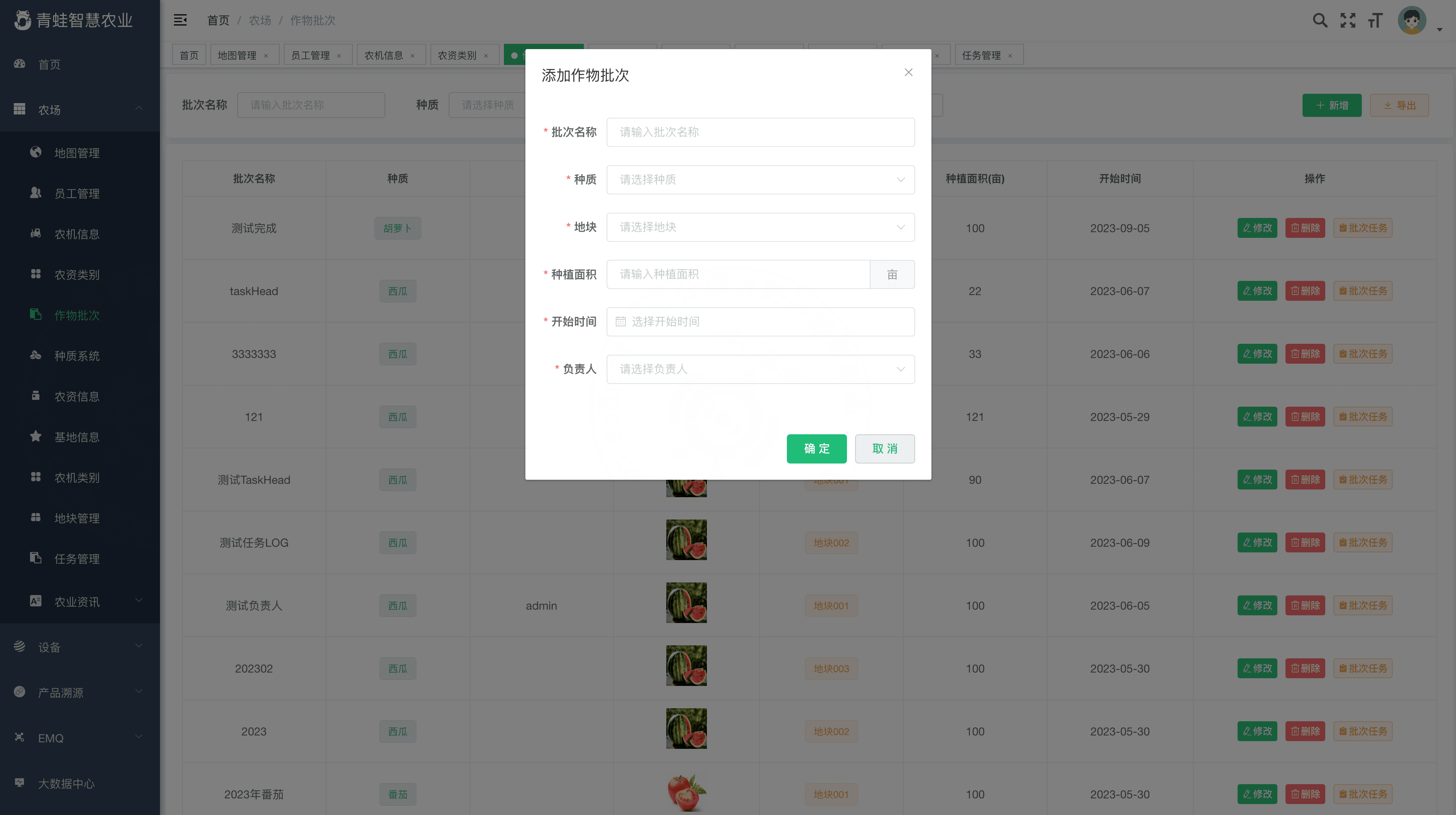
Batch Management
Batch records can be created from germplasm standard tasks, helping farms standardize and track production processes.
Agricultural Task Management
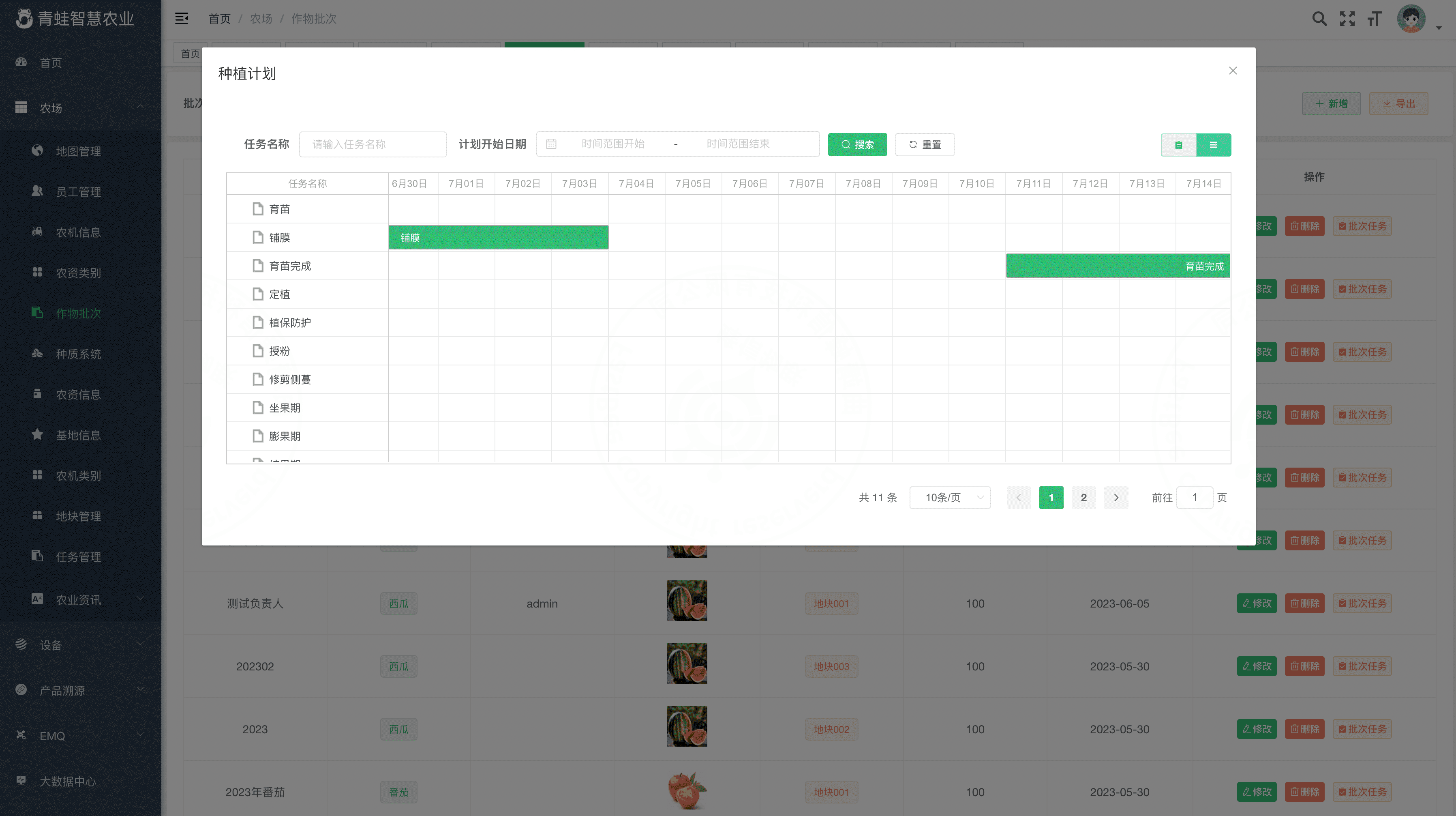
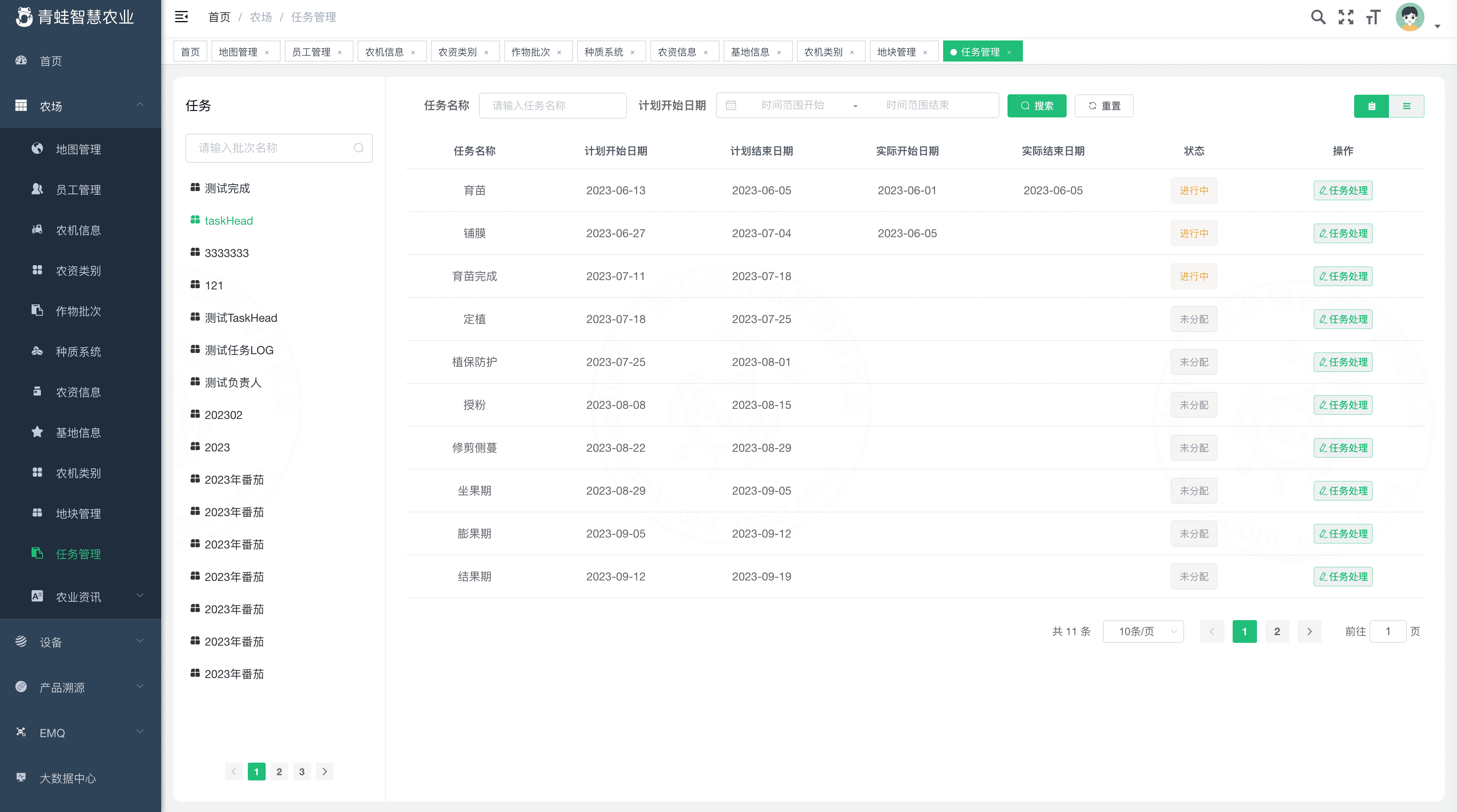
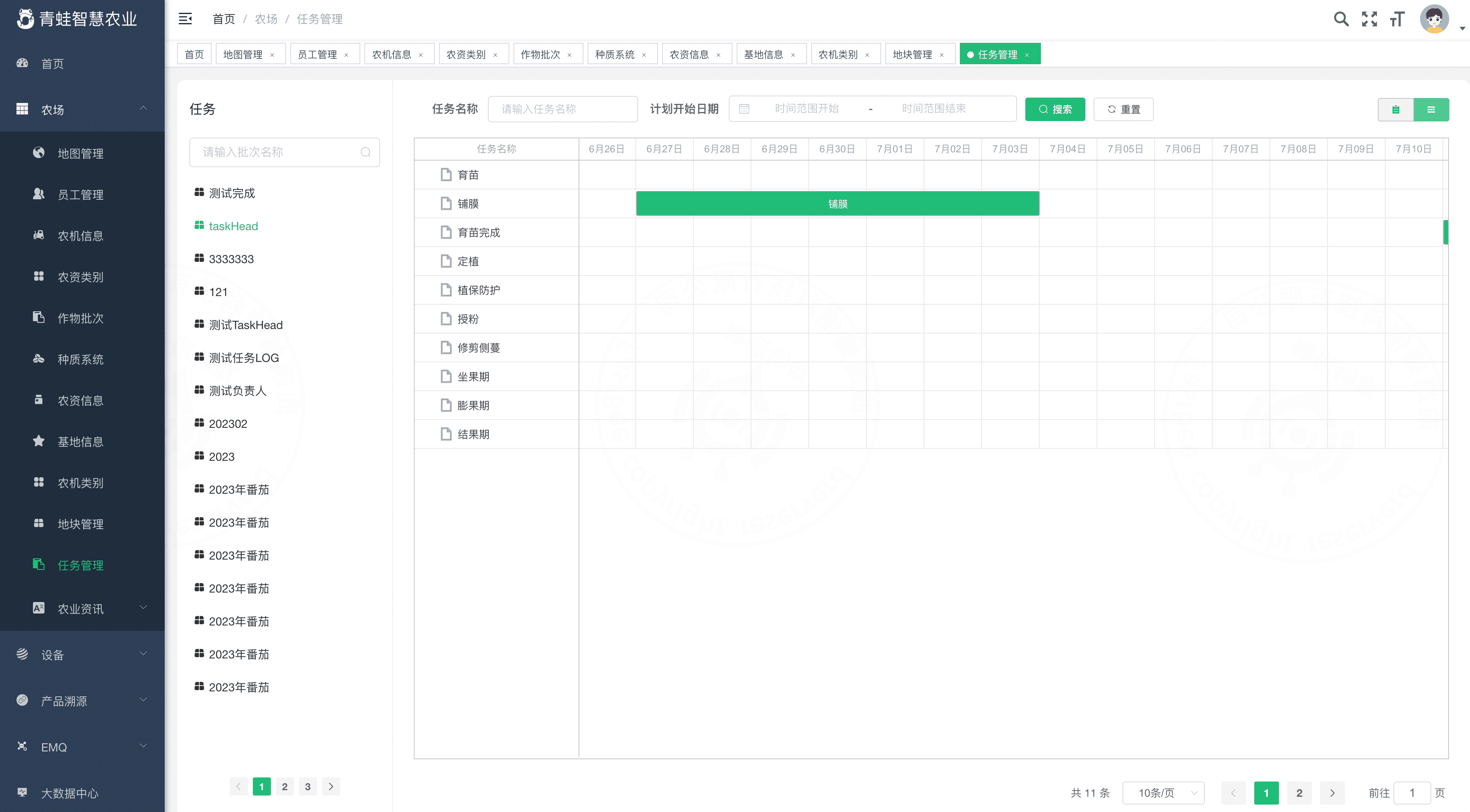
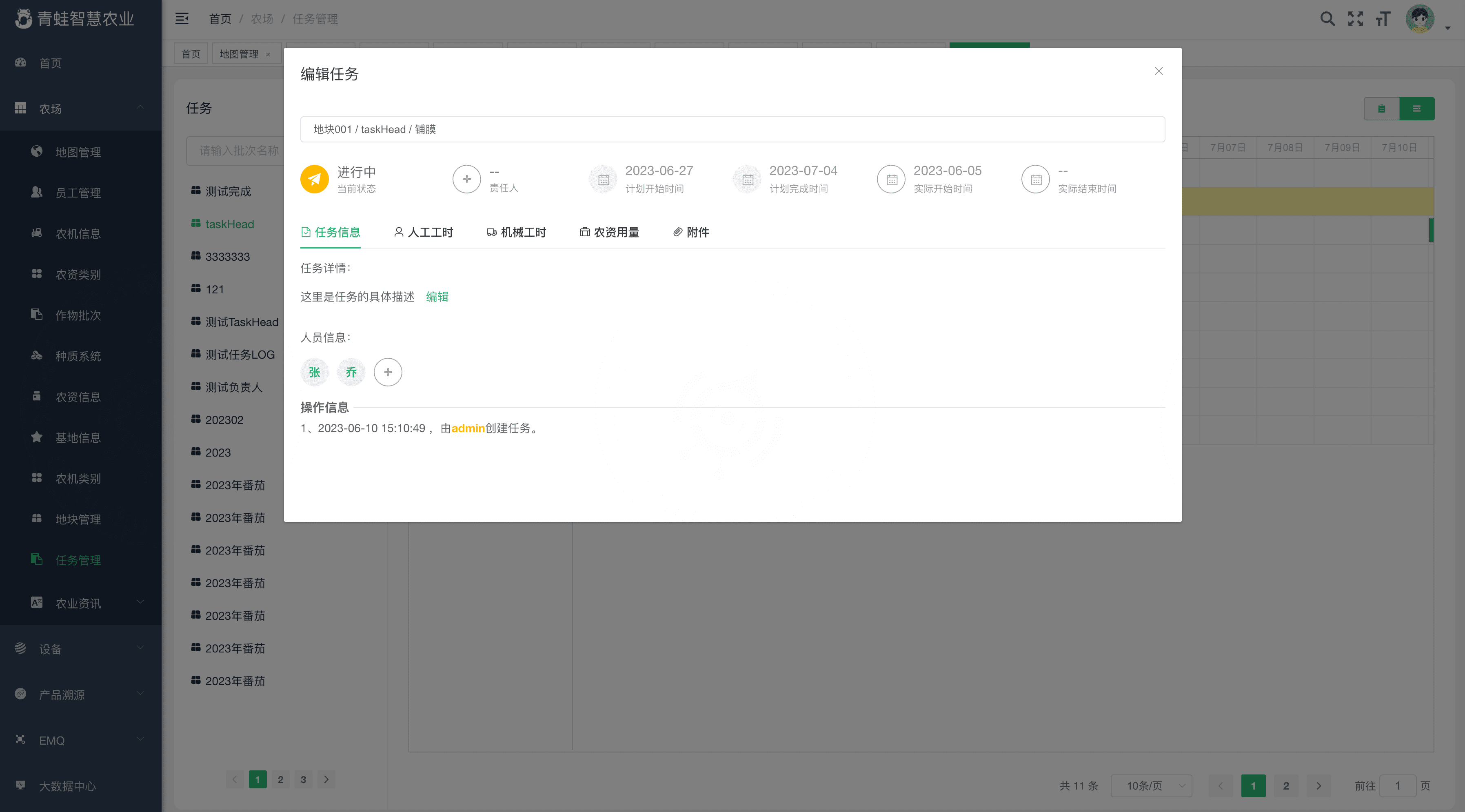
Tasks can be queried by batch and previewed in a Gantt chart. Managers can maintain personnel, working hours, machinery, agricultural materials, photos, videos, and other execution records.
9. Devices
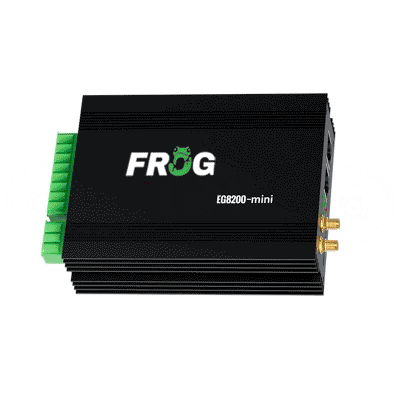
IoT Gateway Devices
The gateway coordinates device communication with the platform. It supports TCP, UDP, MQTT, WebSocket, Modbus, and other protocols, and can be combined with visual programming for custom logic.
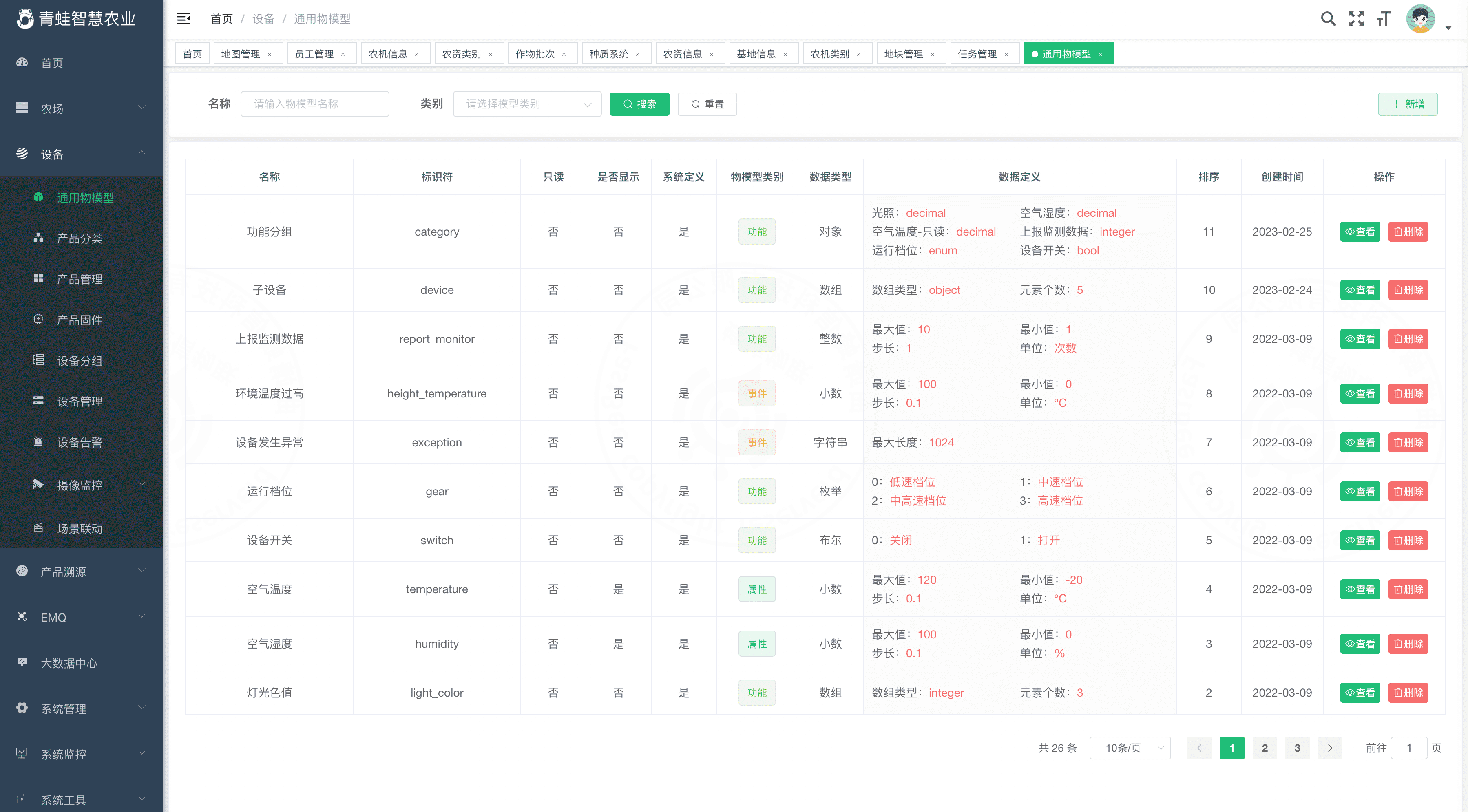
Thing Model
The thing model abstracts device capabilities into properties, functions, and events. It supports property reporting, device control, and event triggering.
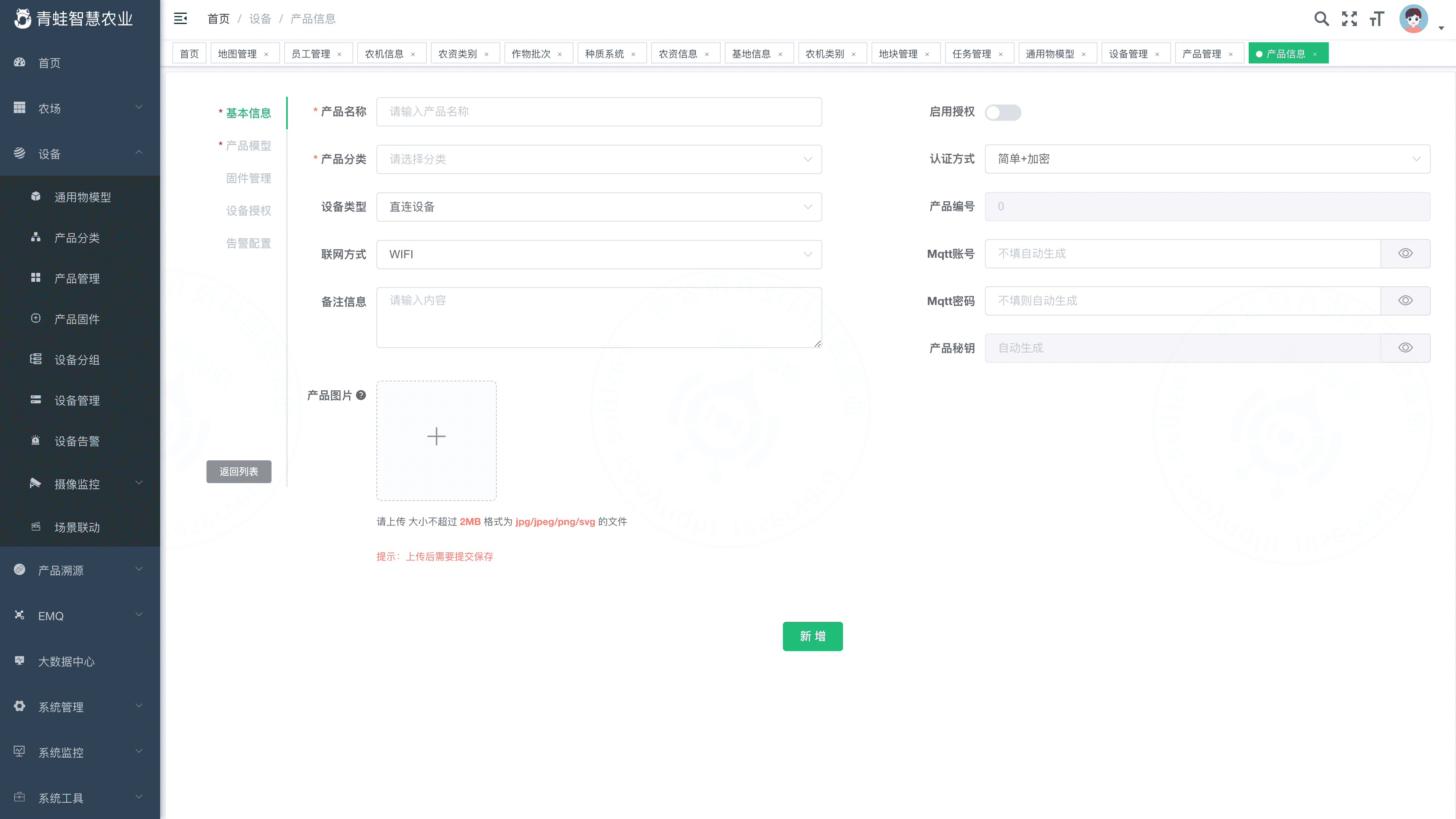
Product Management
Product management groups the same type of devices and supports thing-model configuration, authentication configuration, IoT device access, and camera device access such as IPC and NVR.
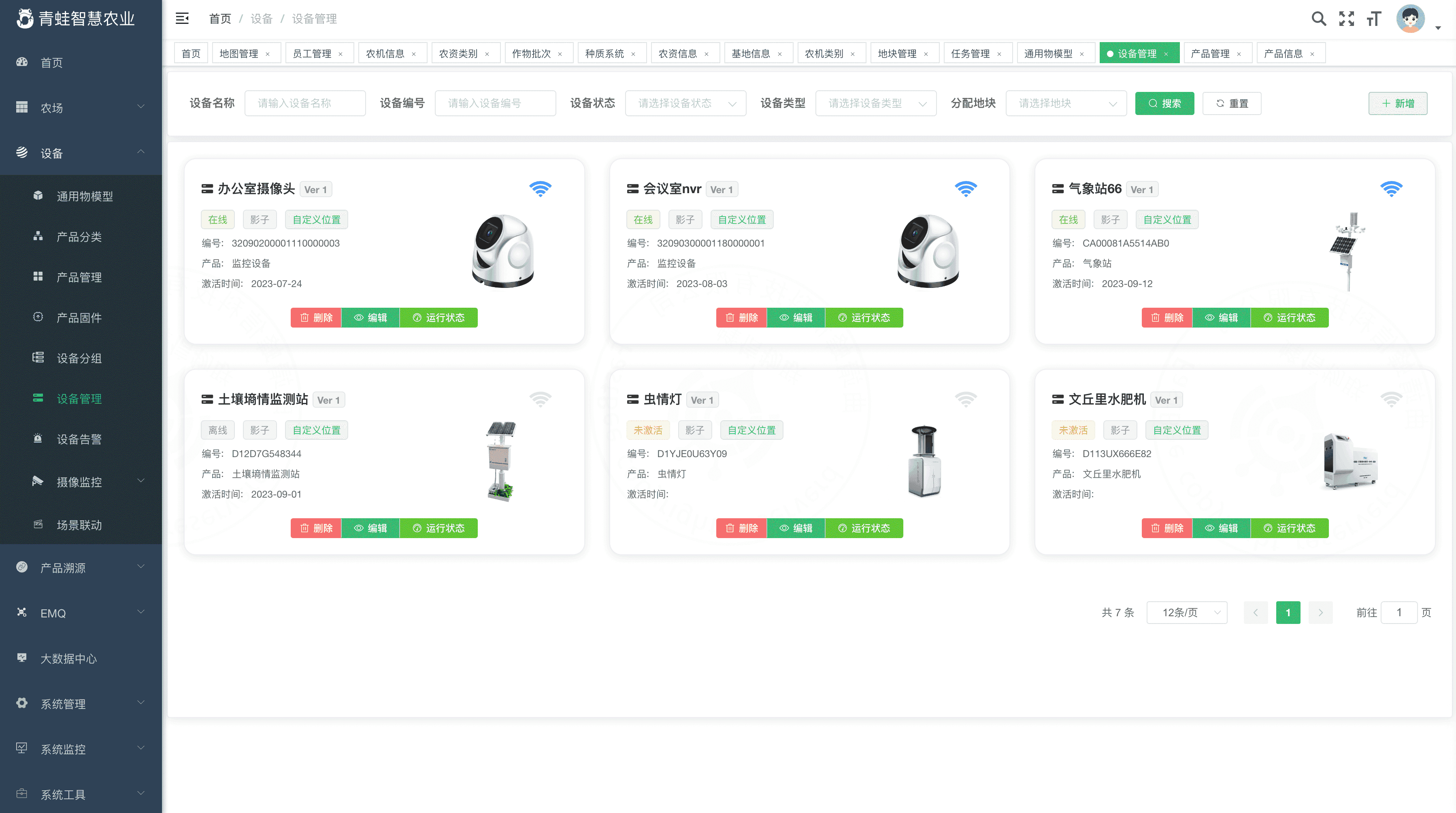
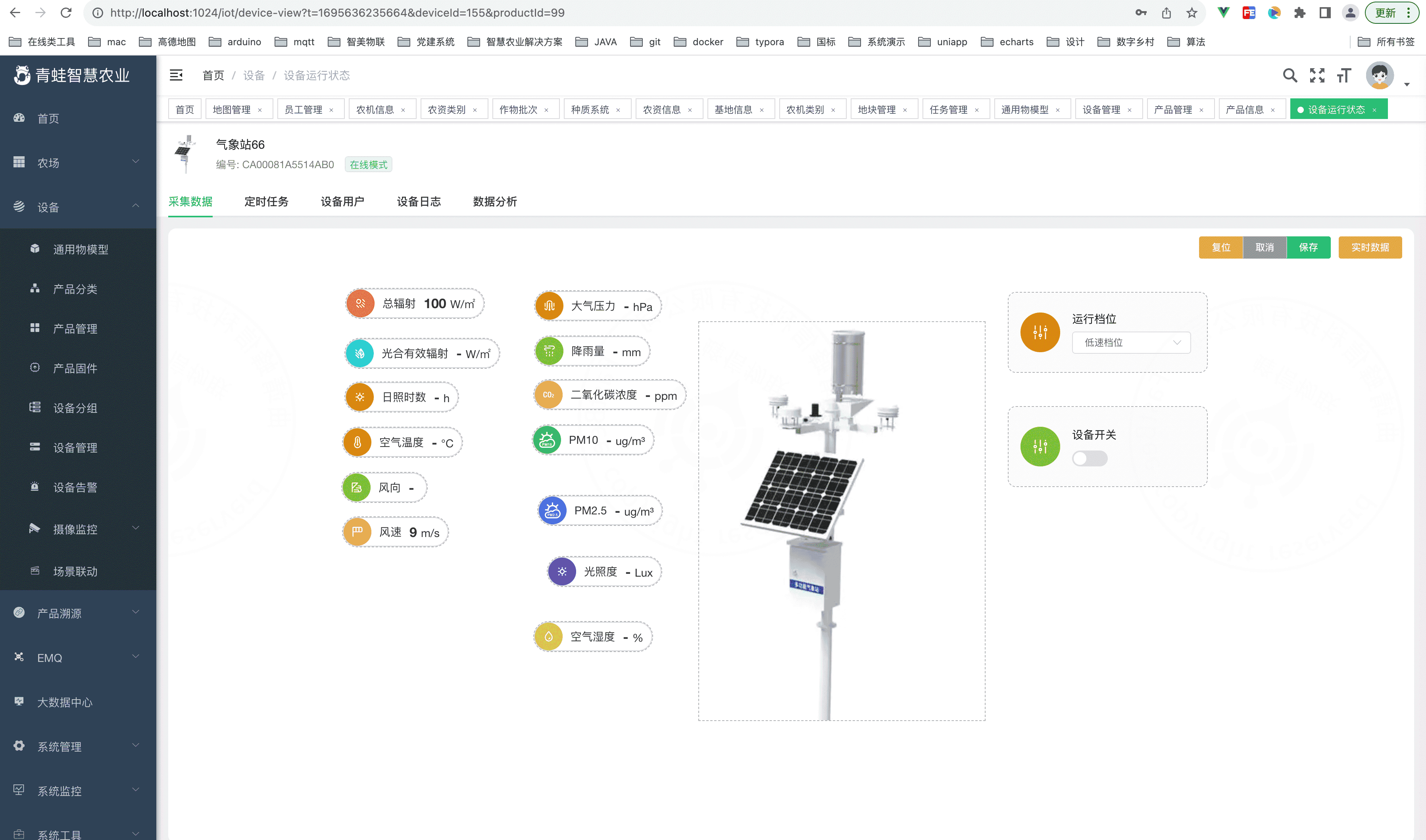
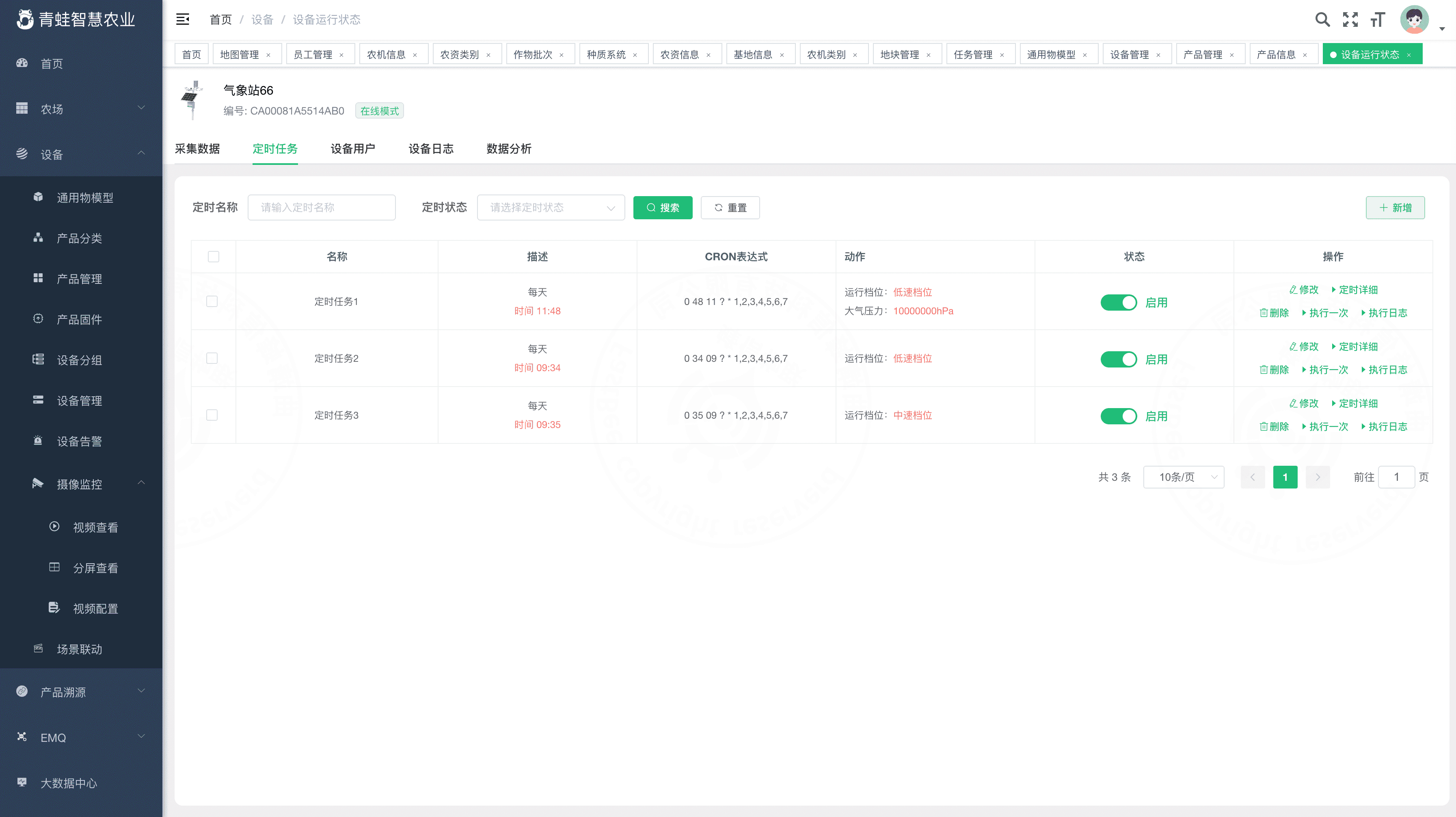
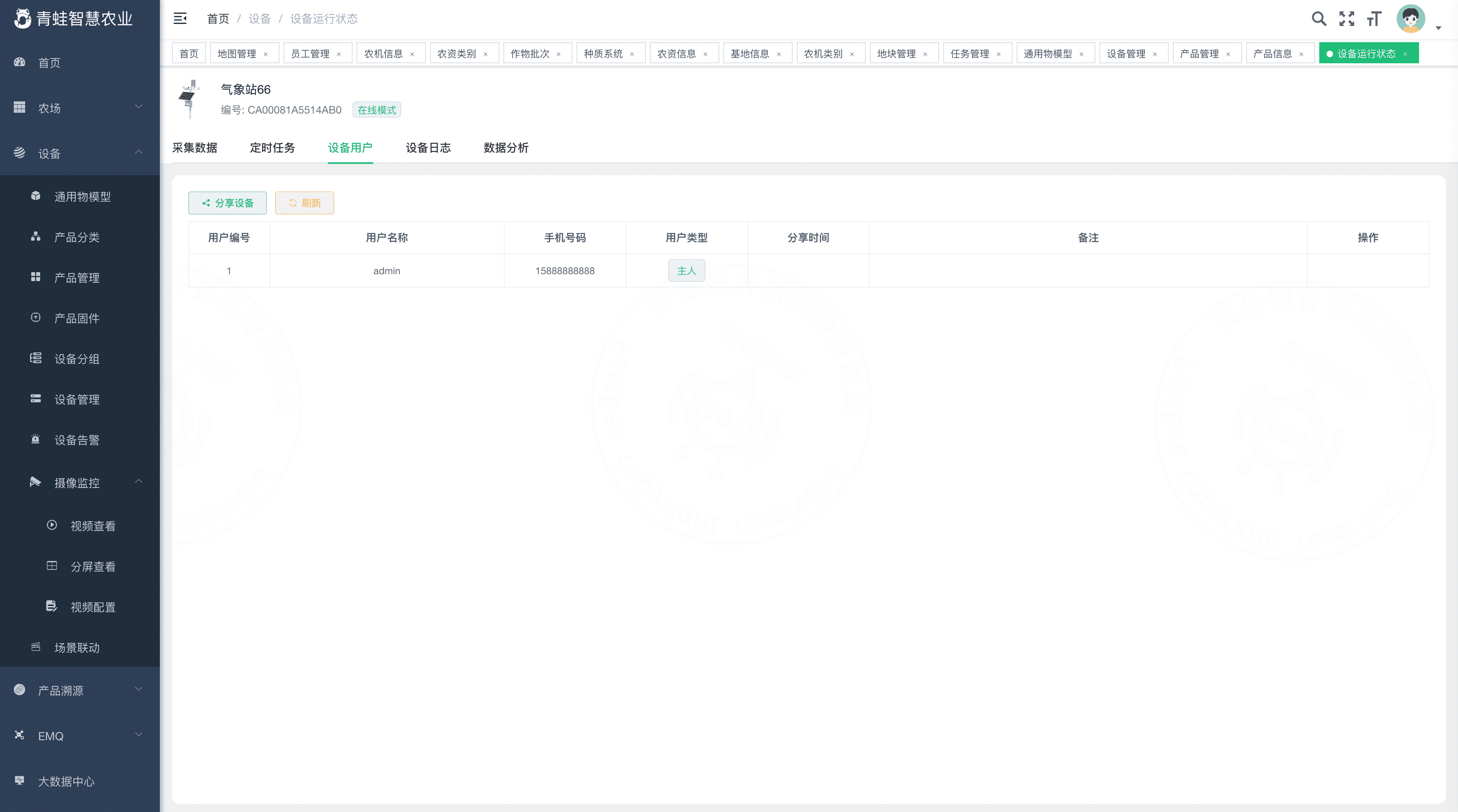
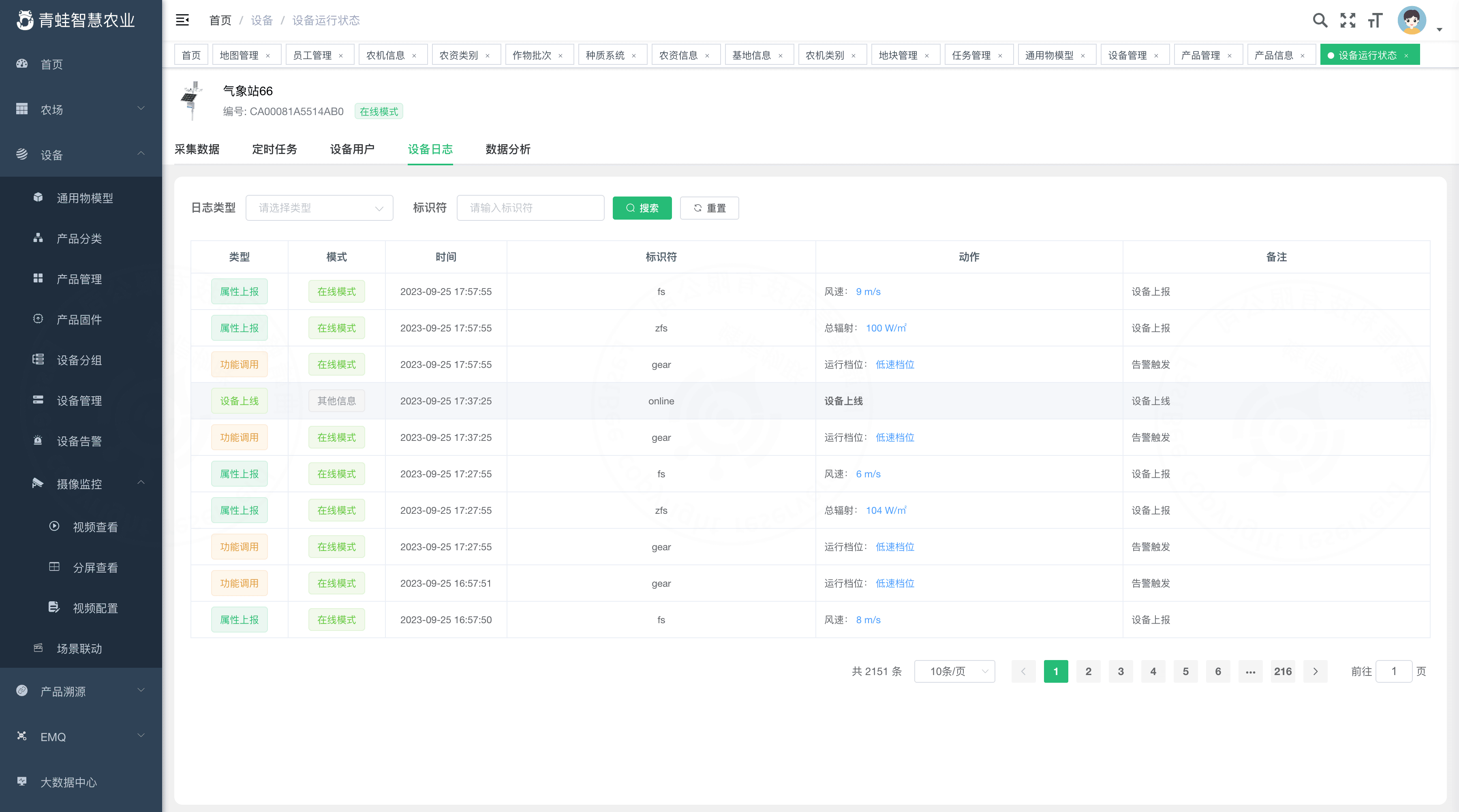
Device Management
Device management displays online status, runtime information, logs, sharing, scheduled tasks, reports, and control panels.
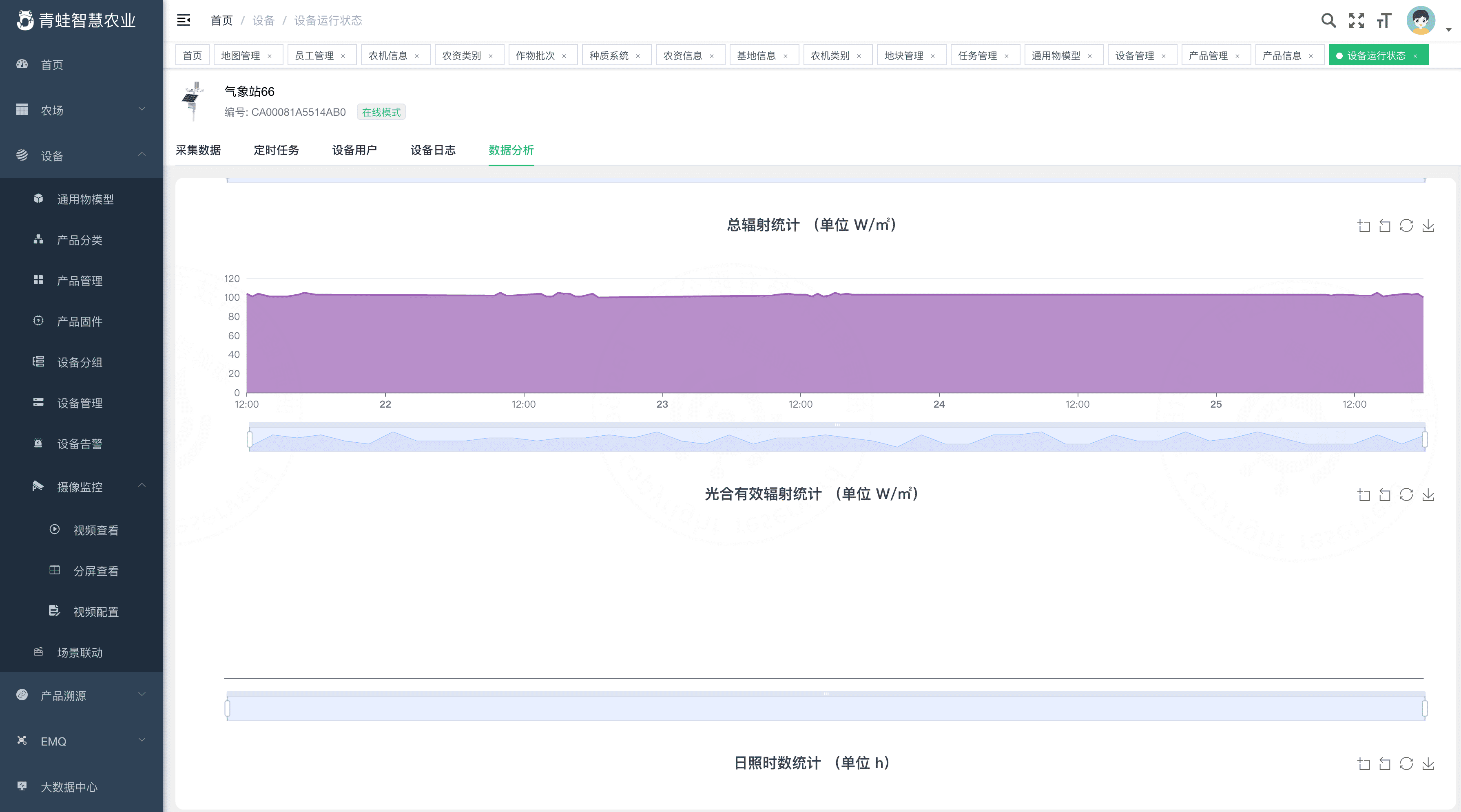
Other Device Interfaces
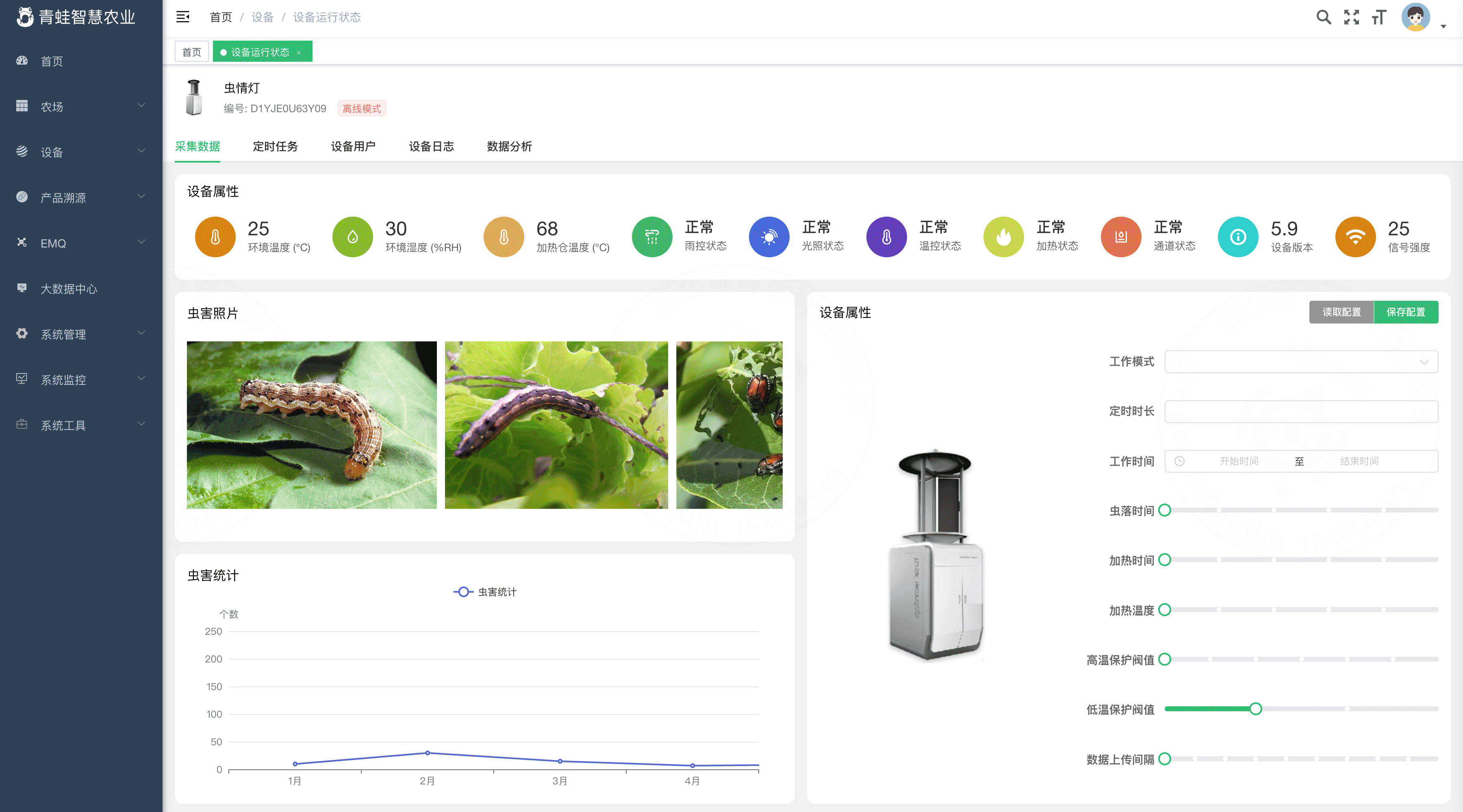
Pest monitoring light:
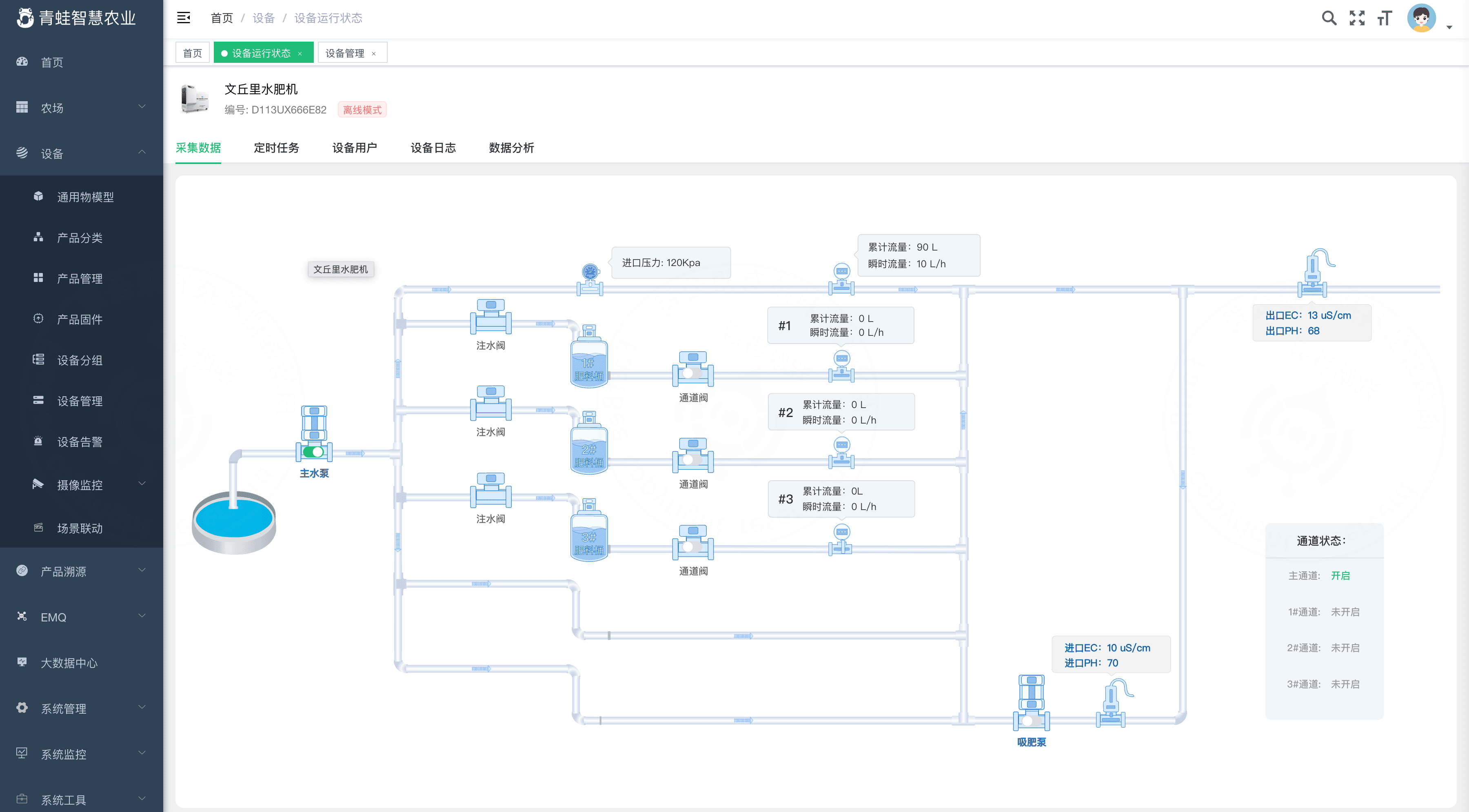
Water and fertilizer machine:
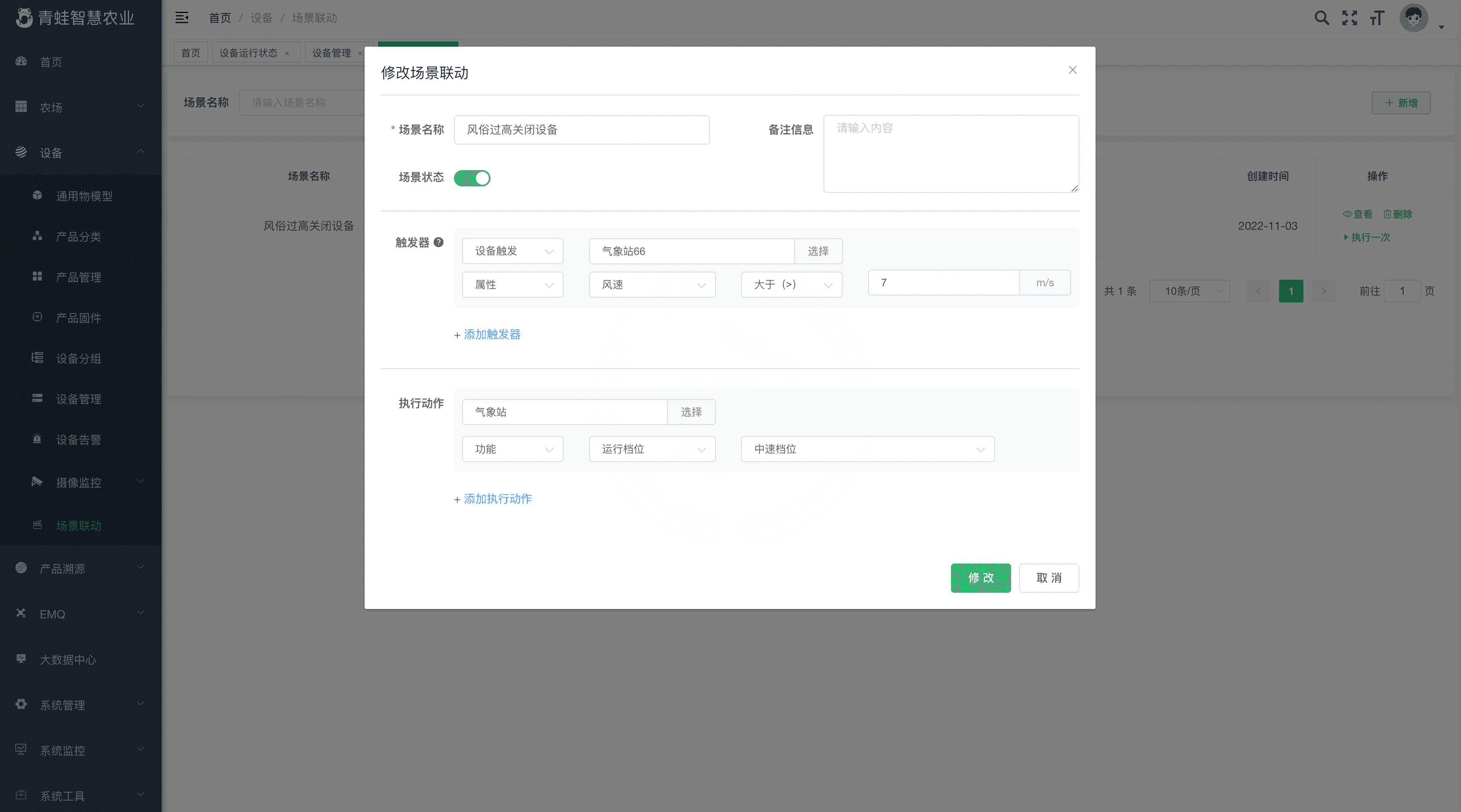
Scene Automation
Scene automation configures trigger conditions and actions for agricultural production scenarios.
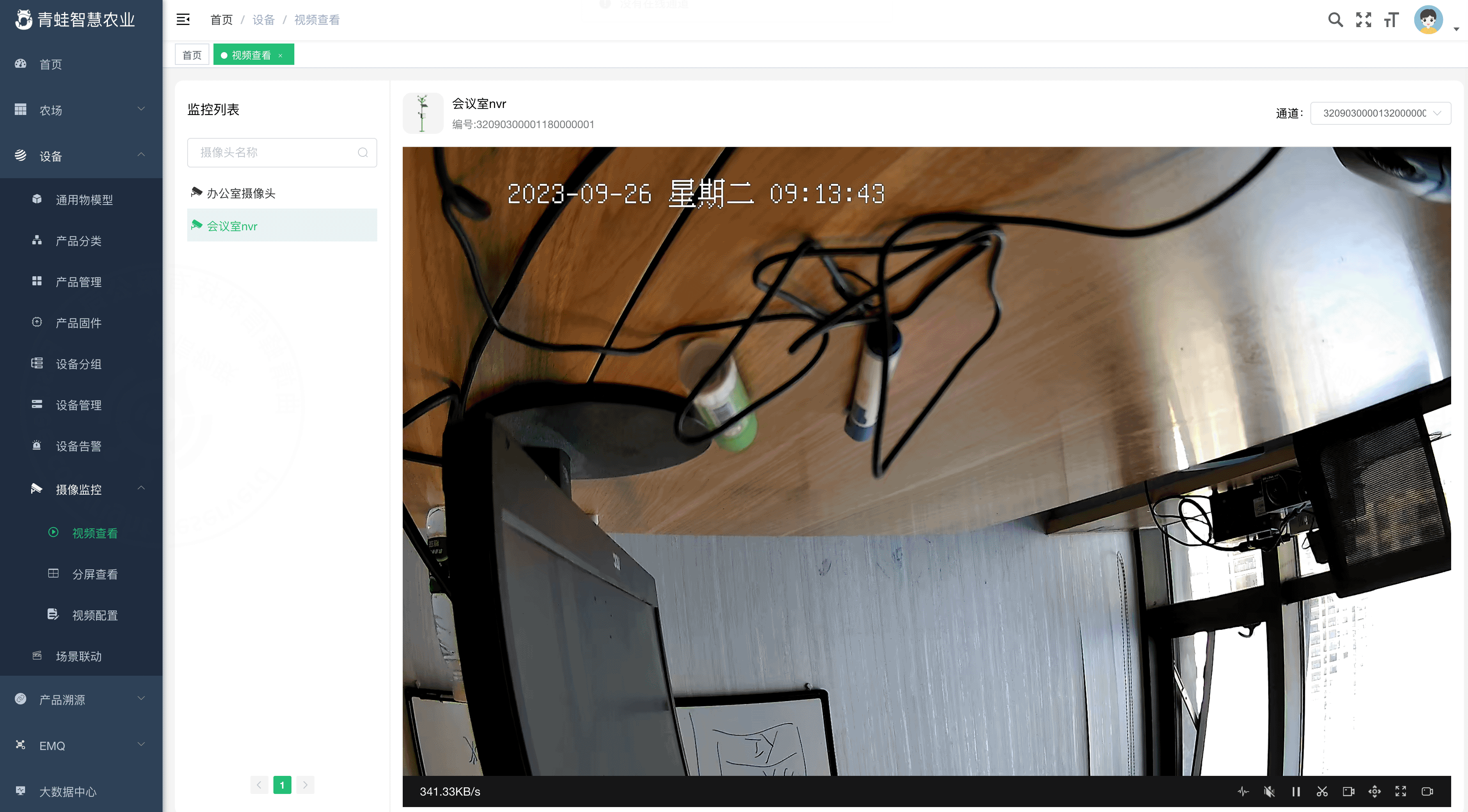
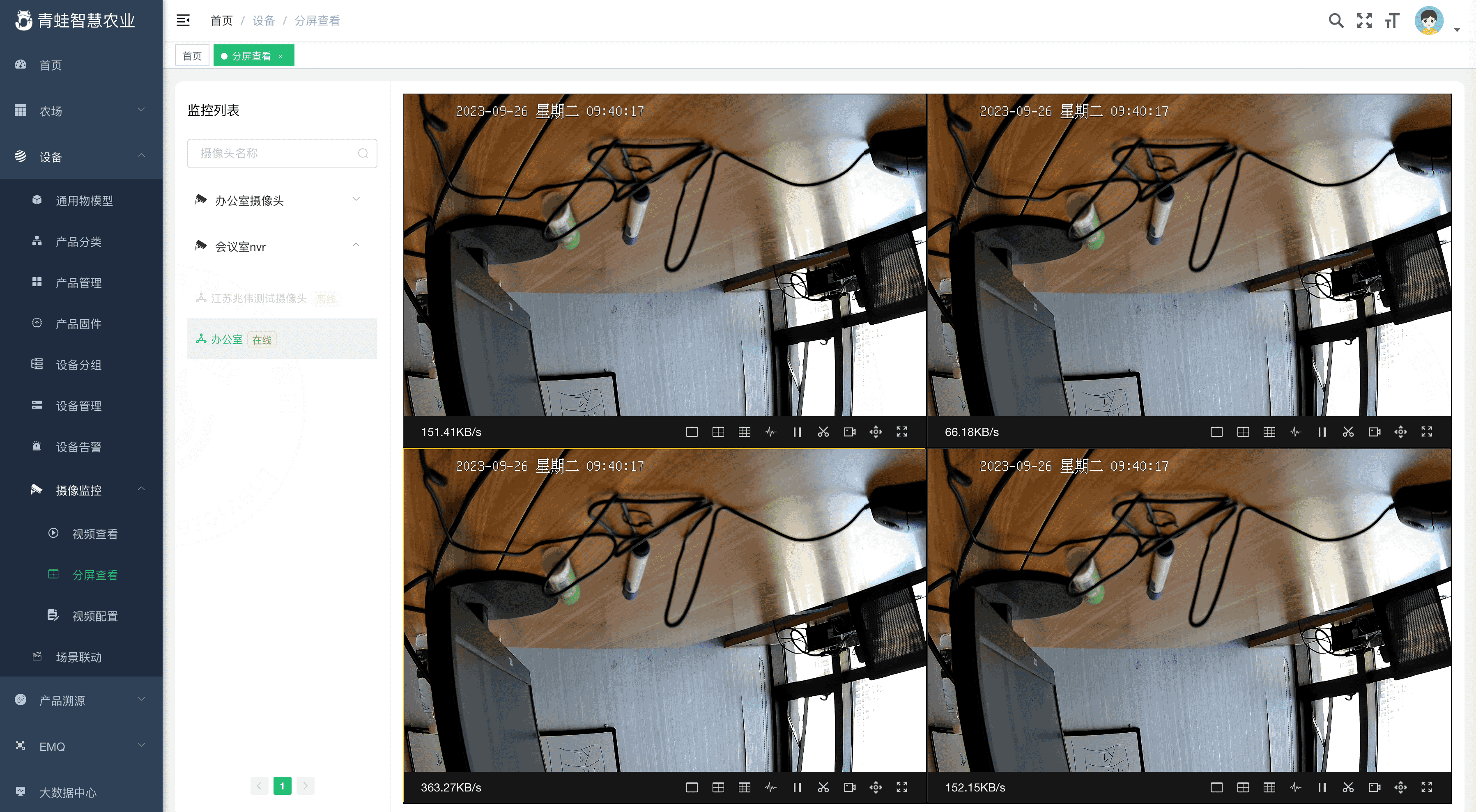
Video Monitoring
Video monitoring integrates devices through GB28181-2016 and supports direction control, zoom, stream pushing, and playback. In the test scenario, latency is within 500 ms.
Evidence boundary: this latency figure comes from an internal test record made when the demo environment was set up. The test conditions — network bandwidth, stream bitrate and resolution, and camera model — were not preserved. It only reflects an observation during functional verification and is not a performance commitment or benchmark; actual project latency depends on the site's network and devices and must be measured on site.
10. Product Traceability
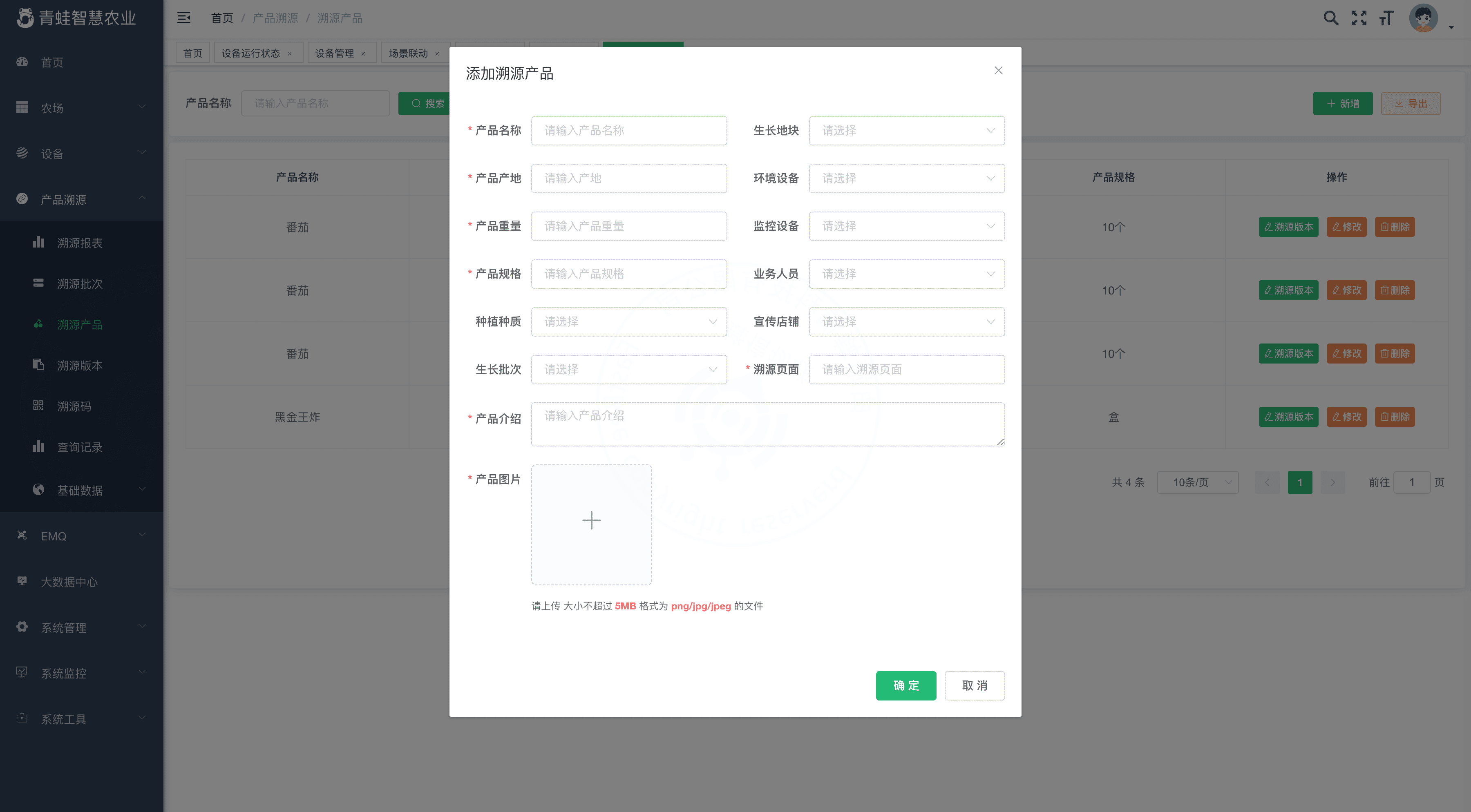
Traceable Products
Traceable products can be linked with production areas, germplasm, plots, agricultural tasks, and monitoring devices for later traceability queries.
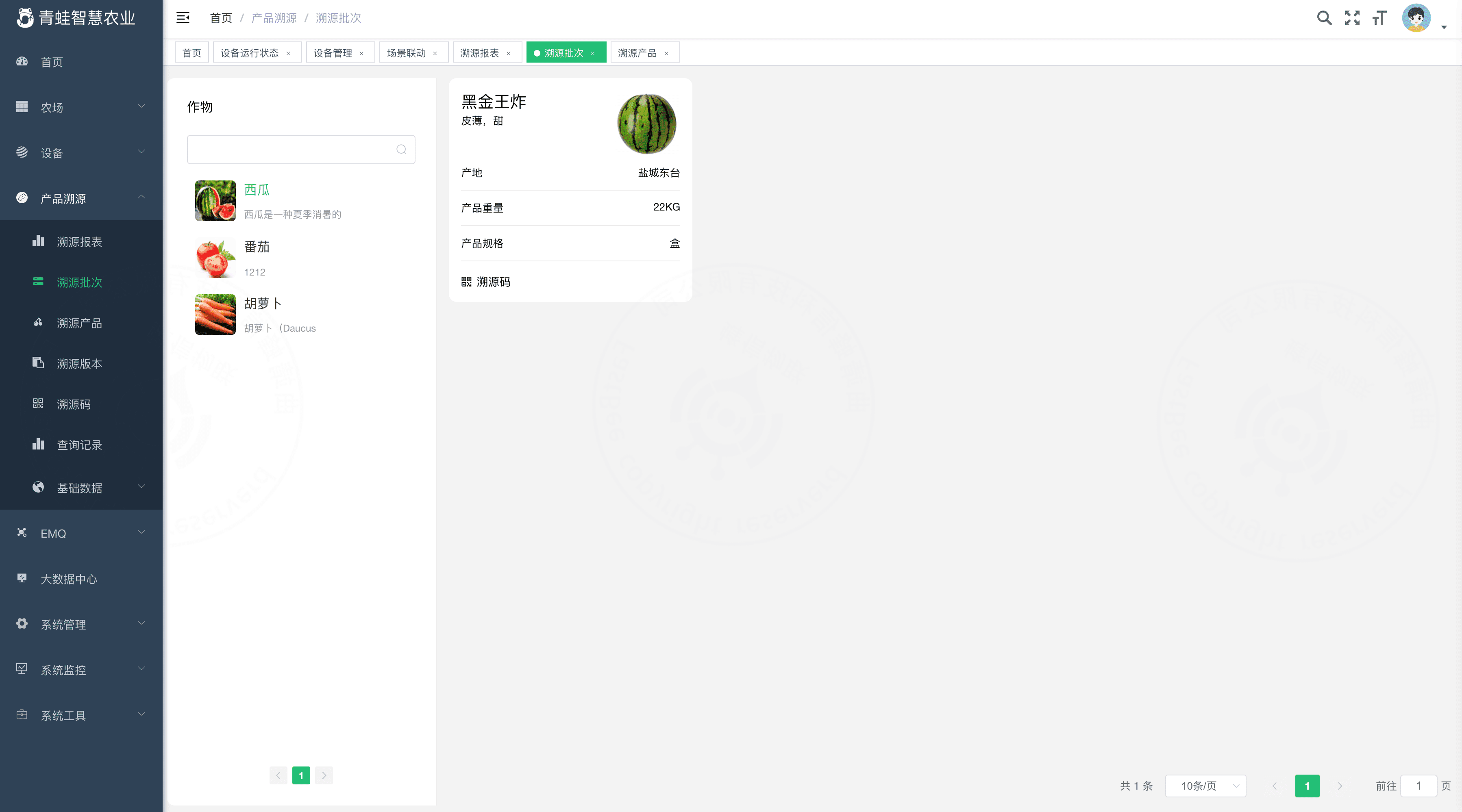
Query By Germplasm
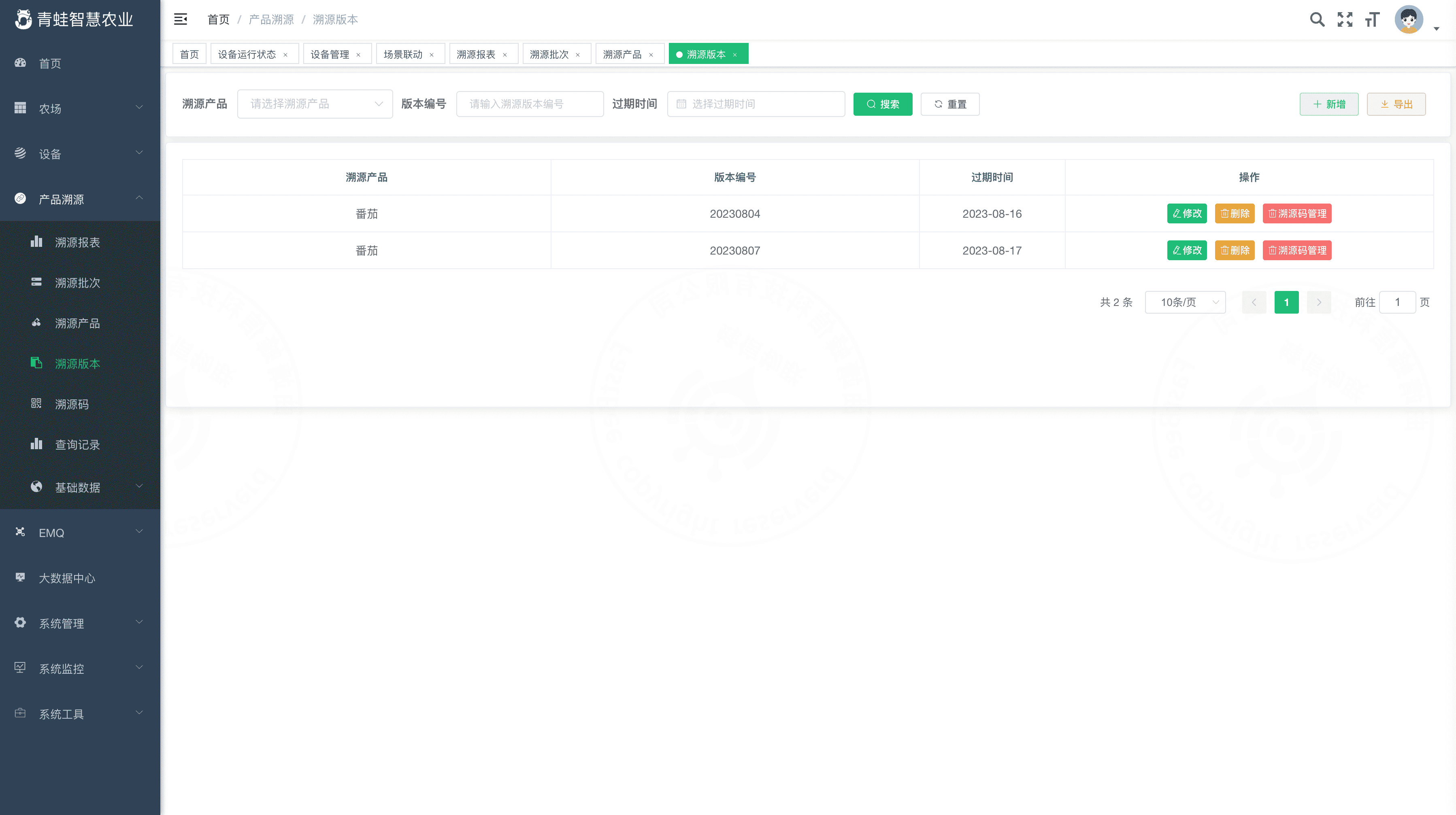
Traceability Version
Traceability versions manage QR-code batches for traceable products.
Traceability H5
11. Related Documentation
- Environmental Monitoring and Irrigation Linkage Reference Solution: pain-point analysis, four-layer architecture, and deployment steps for a similar system;
- Thing Model, Scene Linkage, and Device Management: the official manuals for the device access and linkage features shown on this page;
- Docker One-Click Deployment and Quick Start: on-premises deployment and a quick trial of the platform;
- Smart Greenhouse Retrofit Retrospective: sensor selection, power and connectivity, and linkage strategy lessons from a real agricultural project.
12. FAQ
Is this a real customer case?
This page is a functional demo case; the screenshots come from a demo environment built on FastBee. No verifiable customer name, device scale, or benefit data is recorded here. When citing it, describe it as a "FastBee smart agriculture functional/demo case", not as a production case of any specific customer.
How do the devices in the demo system connect to the platform?
Field devices connect through the FastBee IoT gateway: the gateway is compatible downward with Modbus, TCP, UDP, MQTT, WebSocket, and other protocols with visual programming support, and reports upward over MQTT. Once devices are modeled as thing models (properties, methods, events) under products on the platform, they can be managed and linked uniformly; see the "System Architecture and Device Access Path" section above.
Can the 500 ms video latency be used as a platform performance metric?
No. The figure is an observation from internal testing during the demo environment setup; the test conditions — network, stream parameters, and device models — were not preserved, so it is not a performance commitment. Actual latency must be measured on site in each project.
How can I build my own smart agriculture system following this case?
Follow the five steps in the reference solution: site survey, on-premises platform deployment with Docker, batch device access and joint debugging along the access path, gray rollout of linkage rules, and training and handover. For a quick trial, refer to Quick Start.
Commercial Consultation
To purchase the system or showcase a case developed with FastBee, scan the QR code below or contact online support.