

Stability and Release Checklist
This checklist is used to confirm that FastBee-Arduino can be built, deployed and run long-term on the corresponding chip before every feature change, release and field deployment.
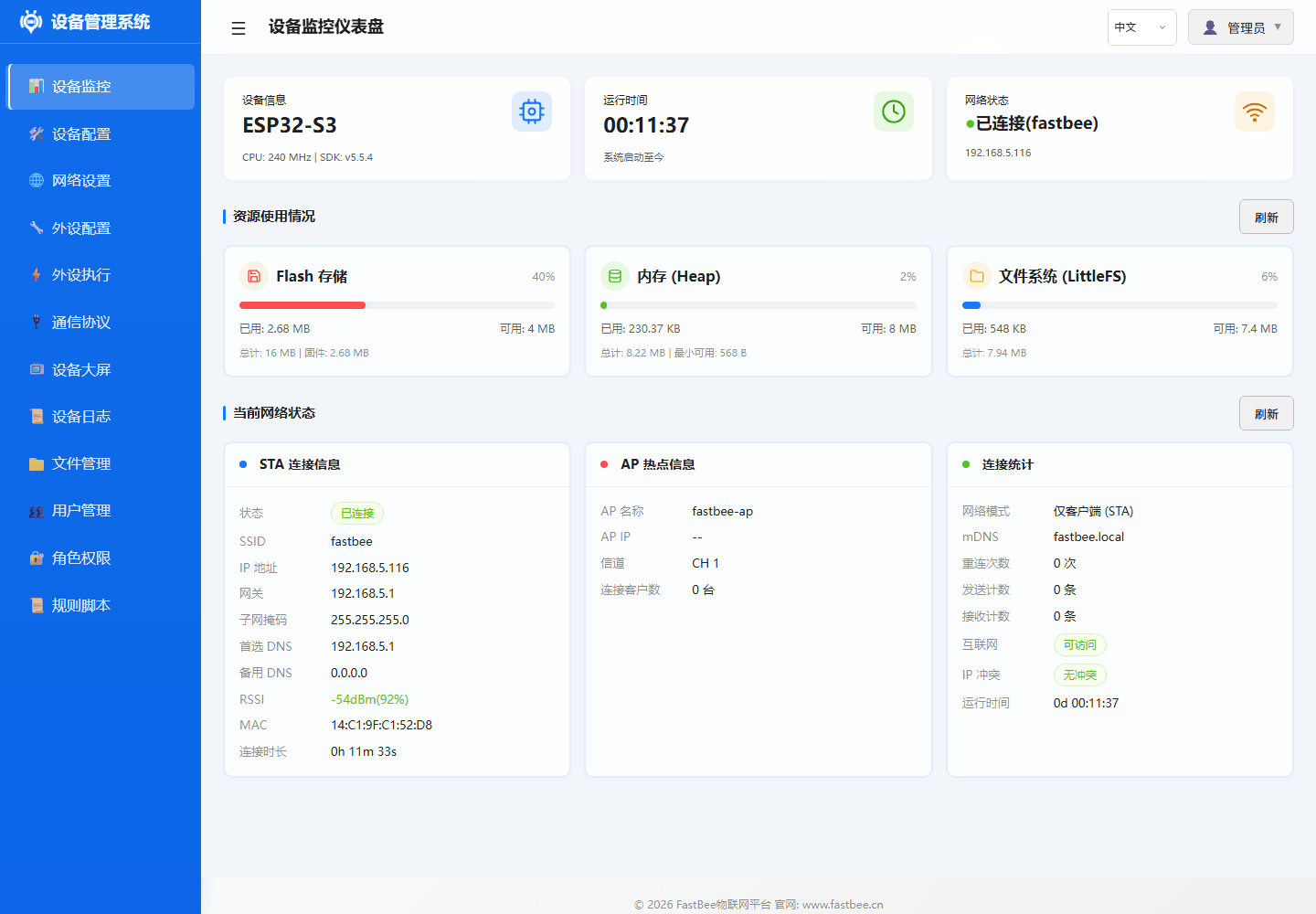
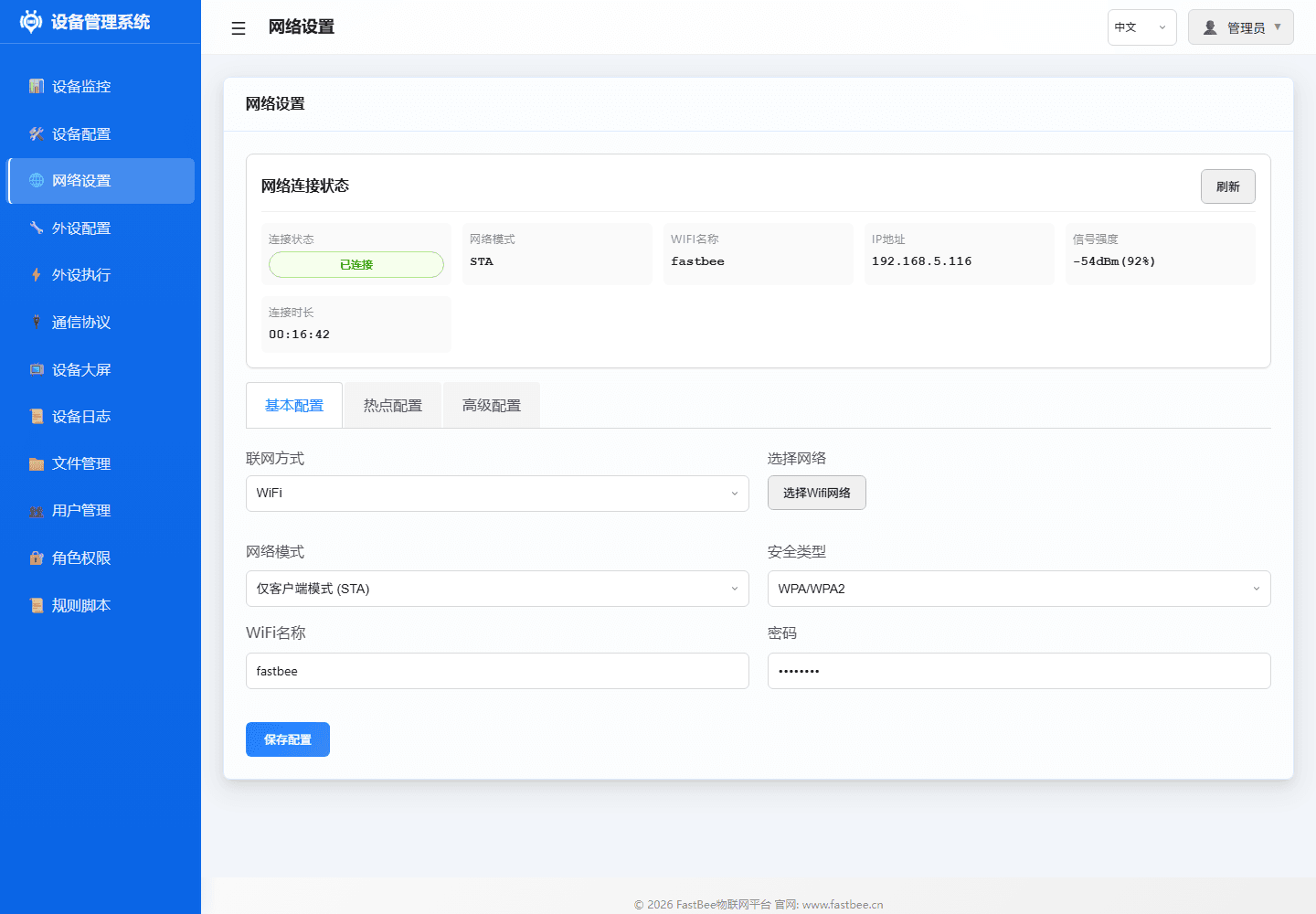
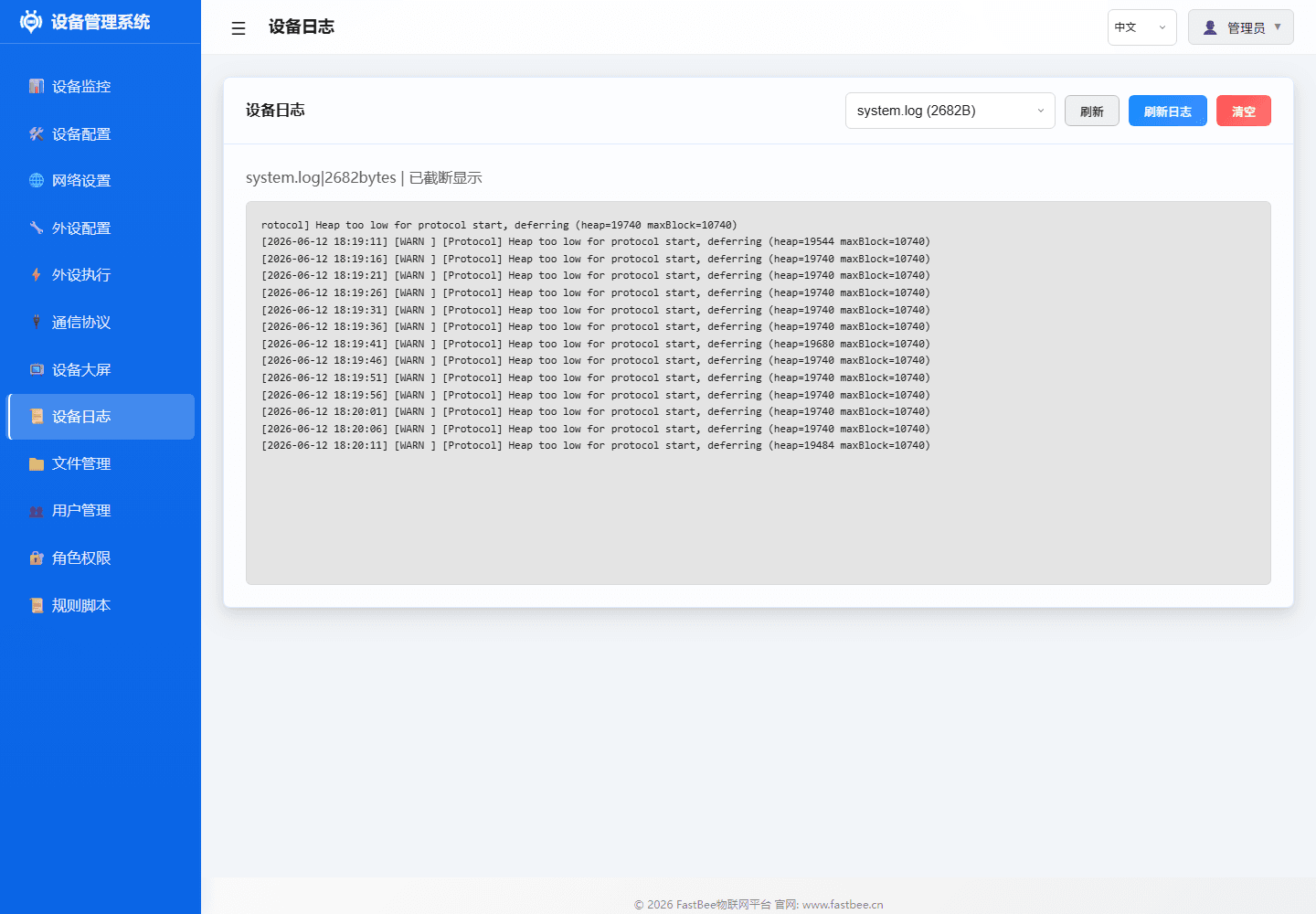
Before release, in addition to script checks, manual confirmation of key Web console pages is also needed: dashboard status is normal after login, network is online, logs have no abnormal alerts, file/config backup is accessible.
Release checks should follow the test pyramid, escalating from low-cost checks to build, device smoke and long-term stability verification.
Test layers and smoke flow are detailed in Deploy, Flash & Test. This checklist only lists the items that must be verified before release.
Only proceed to long-term stability after smoke tests pass; if auth, network, runtime capability or resource metrics are already abnormal during smoke, locate the issue first and re-flash firmware or roll back the config.
1. Local Environment Check
powershell -ExecutionPolicy Bypass -File scripts\doctor.ps1 -Port COM6Check items include PlatformIO, Node.js, Git, serial port, native test toolchain and test directory tracking status. When native tests are needed, add:
powershell -ExecutionPolicy Bypass -File scripts\doctor.ps1 -Port COM6 -RequireNativeToolchain2. Static Checks and Native Unit Tests
Static checks cover UTF-8 text format, default config validity, i18n completeness, Web frontend smoke and Git whitespace:
powershell -ExecutionPolicy Bypass -Command ".\scripts\test-all.ps1 -Checks doctor,static -Port COM6"Native unit tests require MSYS2 g++ toolchain, scripts auto-search common paths (D:\msys64\ucrt64\bin etc.):
powershell -ExecutionPolicy Bypass -Command ".\scripts\test-all.ps1 -Checks native -Port COM6"You can also specify the toolchain path via environment variable FASTBEE_NATIVE_TOOLCHAIN_BIN.
3. Full Build Baseline
powershell -ExecutionPolicy Bypass -Command ".\scripts\test-all.ps1 -Checks doctor,static,build,artifacts -Port COM6"Covers all nine release environments (see Hardware and Environments for feature boundaries and resource limits):
| Environment | Flash / PSRAM | Partition Table |
|---|---|---|
esp32-F4R0 | 4MB / None | partitions/4MB.csv |
esp32-F8R0 | 8MB / None | partitions/8MB.csv |
esp32-F8R8 | 8MB / 8MB | partitions/8MB.csv |
esp32c3-F4R0 | 4MB / None | partitions/4MB.csv |
esp32c6-F4R0 | 4MB / None | partitions/4MB.csv |
esp32c6-F8R0 | 8MB / None | partitions/8MB.csv |
esp32s3-F8R0 | 8MB / None | partitions/8MB.csv |
esp32s3-F8R8 | 8MB / 8MB | partitions/8MB.csv |
esp32s3-F16R8 | 16MB / 8MB | partitions/16MB.csv |
All environments share one feature baseline. Hardware overrides, the user's feature switch and the startup memory budget determine which features are active.
Default config strategy: peripheral templates and peripheral exec rules are factory-disabled, only enabled after on-site wiring verification.
4. Deployment
Standard deployment uses the unified entry point, port is passed as parameter, not dependent on platformio.ini fixed serial port:
powershell -ExecutionPolicy Bypass -File scripts\deploy.ps1 -Env esp32s3-F16R8 -Port COM6Update filesystem only:
powershell -ExecutionPolicy Bypass -File scripts\deploy.ps1 -Env esp32s3-F16R8 -Port COM6 -SkipFirmwareUpdate firmware only:
powershell -ExecutionPolicy Bypass -File scripts\deploy.ps1 -Env esp32s3-F16R8 -Port COM6 -SkipFsBefore deployment, the script automatically performs: residual process cleanup (esptool/python/xtensa toolchain) → build cache integrity check (auto clean when libFrameworkArduino.a is missing or bootloader.bin is locked) → doctor environment check. Build failures trigger automatic clean + rebuild once.
Other deployment options:
# Skip doctor (environment already confirmed)
powershell -ExecutionPolicy Bypass -File scripts\deploy.ps1 -Env esp32s3-F16R8 -Port COM6 -SkipDoctor

# Build only, no flash
powershell -ExecutionPolicy Bypass -File scripts\deploy.ps1 -Env esp32s3-F16R8 -BuildOnly

# Open serial monitor after deploy
powershell -ExecutionPolicy Bypass -File scripts\deploy.ps1 -Env esp32s3-F16R8 -Port COM6 -Monitor5. Device Smoke Test
powershell -ExecutionPolicy Bypass -File scripts\smoke-test-device.ps1 -BaseUrl http://<device-ip> -Profile unified -RequireNetworkConnectedWhen the field requires MQTT to have completed auth connection:
powershell -ExecutionPolicy Bypass -File scripts\smoke-test-device.ps1 -BaseUrl http://<device-ip> -Profile unified -RequireNetworkConnected -RequireMqttConnectedSmoke test cases are driven by scripts/device-api-test-matrix.json. Current releases use the unified profile and validate optional APIs against runtime capability state:
| Category | Verified Interfaces |
|---|---|
| Auth | Login session, multi-session coexistence, Bearer token priority over legacy Cookie |
| System | /api/health, /api/system/health, /api/system/status, /api/system/info?probe=1 (heap/maxAlloc/PSRAM), /api/system/metrics (memguard), /api/system/web-runtime, /api/system/capabilities |
| Device | /api/device/config, /api/device/info, /api/device/time |
| Network | /api/network/status (status / connected / deviceNetworkType / ipAddress), /api/network/config |
| Protocol | MQTT status, MQTT config, Modbus status and protocol config, checked against feature state |
| Peripherals | Peripheral list, peripheral types, peripheral exec rules, exec controls, trigger types, static/dynamic events |
| Config Migration | List, single file export, multi-file export, import roundtrip |
| Optional APIs | Filesystem, logs, OTA, rule scripts, user/role/permissions and /api/batch succeed when active or return the documented unavailable status |
6. Long-term Stability
In the long-term stability phase, focus on trends, not just whether the last round succeeded. If CSV shows continuously rising latency, declining heap/maxAlloc, intermittent failures on the same interface, or occasional auth failures, classify the root cause first before deciding whether to fix, reduce frequency, disable high-risk features, or rollback the release.
Release-level Threshold Presets
Long-term stability thresholds are managed by scripts/device-stability-thresholds.json. Current release validation uses the unified assertion set; -StabilityPreset release applies the matching gate automatically:
powershell -ExecutionPolicy Bypass -File scripts\soak-test-device.ps1 -BaseUrl http://<device-ip> -Profile unified -Rounds 100 -StabilityPreset release -RequireNetworkConnected -ReportPath .pio\test-results\soak-unified.csvWhen using the unified test-all.ps1 entry, preset parameters are automatically passed through to the soak script:
powershell -ExecutionPolicy Bypass -Command ".\scripts\test-all.ps1 -Checks device-soak -BaseUrl http://<device-ip> -StabilityPreset release -SoakRounds 100 -DeviceProfile unified"If you need to temporarily relax or tighten a threshold, pass parameters directly to override presets (scripts will annotate the source in startup logs):
powershell -ExecutionPolicy Bypass -File scripts\soak-test-device.ps1 -BaseUrl http://<device-ip> -Profile unified -Rounds 100 -StabilityPreset release -MaxP95LatencyMs 8000 -MinHeapFreeBytes 30000Threshold validation is handled by scripts/validate-stability-thresholds.js and is included in static checks. Legacy profile entries remain for historical reports; new releases use unified plus actual chip, heap and PSRAM observations.
CSV report records each interface's status, latency, failure reason, heapFree, heapMaxAlloc, psramFree and psramTotal. If intermittent 503 Low memory occurs, prioritize checking heap/maxAlloc and interface name around the first failure.
Key Parameters:
| Parameter | Default | Description |
|---|---|---|
-Rounds | 60 | Loop rounds, ≥ 100 recommended for release |
-TimeoutSec | 10 | Single request timeout (seconds) |
-RetryCount | 1 | Transient error retry count |
-DelayMs | 500 | Request interval (milliseconds) |
-StabilityPreset | disabled | Threshold preset, release auto-applies release-level gates from device-stability-thresholds.json |
-MaxFailureRatePercent | 0 | Tolerable failure rate, 0 means zero tolerance (can omit when preset is filled) |
-AuthChecksEvery | 0 | Re-verify login every N rounds, 0 means no repeated verification |
7. Release Artifacts
powershell -ExecutionPolicy Bypass -File scripts\build-all-artifacts.ps1 -CleanOutputdist\firmware\all-latest\manifest.json records environment, version, hardware, deploy commands, file sizes, SHA-256 and smoke status placeholders. Artifact naming: fastbee-{chip}-F{flash}R{psram}.bin (e.g., fastbee-esp32s3-F16R8.bin, fastbee-esp32c3-F4R0.bin). Real device smoke/soak results should be synced to release records before publishing.
When only flashing an existing release package on-site, use:
powershell -ExecutionPolicy Bypass -File scripts\flash-release.ps1 -Env esp32s3-F16R8 -Port COM6This writes the merged image from dist\firmware\all-latest for the target environment (default baud 921600), suitable for recovering interrupted upgrades or mass production flashing. Add -DryRun to preview without writing.
8. Field Troubleshooting
Field troubleshooting should first confirm whether the Web console is reachable, then check dashboard resource status, then locate MQTT, peripheral rules and config files.
When low memory or intermittent interface failures occur, prioritize collecting:
/api/healthor/api/system/health/api/system/info?probe=1/api/network/status/api/mqtt/status/api/system/metrics(memguard level, heap trend)- CSV output from
scripts\soak-test-device.ps1 - Serial logs:
python scripts\serial-diagnostics.py COM6 --duration 60
Every R8 environment must report psramTotal > 0. If it does not, treat that as a hardware or environment mismatch; heavy interfaces are then more likely to trigger low-memory protection.
9. Error Codes and Troubleshooting Guide
Error localization should prioritize unified error codes from include/core/ErrorCodes.h, combined with /api/system/info?probe=1, /api/network/status, /api/mqtt/status, /api/system/metrics, device logs and serial logs. Field records should include at least: device ID, firmware version, PlatformIO environment, hardware model, network environment, failure time, last operation, error code, log snippet and recovery method.
Error Code Ranges
| Range | Module | Typical Error Codes | Troubleshooting Direction |
|---|---|---|---|
0 | Success | OK | — |
1-99 | General | ERR_INVALID_PARAM, ERR_TIMEOUT, ERR_OUT_OF_MEMORY, ERR_NOT_SUPPORTED, ERR_NOT_FOUND | Param validity, interface timeout, memory margin, feature enabled |
100-199 | Storage/Config | ERR_FS_INIT_FAILED, ERR_FILE_NOT_FOUND, ERR_CONFIG_LOAD_FAILED, ERR_CONFIG_SAVE_FAILED, ERR_CONFIG_INVALID, ERR_NVS_WRITE_FAILED | LittleFS mount, JSON format, NVS read/write, config write interrupted |
200-299 | Network | ERR_WIFI_CONNECT_FAILED, ERR_WIFI_DNS_FAILED, ERR_WIFI_MDNS_FAILED, ERR_AP_START_FAILED, ERR_NETWORK_UNREACHABLE, ERR_WIFI_IP_CONFLICT | SSID/password, signal, DHCP, DNS, mDNS, gateway, IP conflict |
300-399 | Protocol | ERR_MQTT_CONNECT_FAILED, ERR_MQTT_PUBLISH_FAILED, ERR_MODBUS_RECV_FAILED | Broker, Topic, auth, serial params, slave address |
400-499 | Security | ERR_AUTH_FAILED, ERR_AUTH_TOKEN_EXPIRED, ERR_AUTH_PERMISSION_DENIED, ERR_SESSION_EXPIRED, ERR_ACCOUNT_LOCKED | User, role, Token, browser Cookie, account lockout |
500-599 | Web Service | ERR_WEB_SERVER_INIT_FAILED, ERR_WEB_HANDLER_FAILED, ERR_WEB_PARSE_FAILED, ERR_WEB_UPLOAD_FAILED | API params, upload payload, JSON request body, route registration |
600-699 | System Service | ERR_LOW_MEMORY, ERR_HIGH_CPU_USAGE, ERR_OTA_VERIFY_FAILED, ERR_OTA_INSTALL_FAILED, ERR_GPIO_CONFIG_FAILED, ERR_TASK_CREATE_FAILED | Memory gating, OTA package verification, pin conflict, FreeRTOS task creation |
Common Symptom Troubleshooting
| Symptom | Priority Collection | Possible Causes | Recommended Action |
|---|---|---|---|
| Device not coming online | /api/network/status, serial boot logs | WiFi misconfigured, DHCP failed, DNS failed, IP conflict | Enter AP to reconfigure, confirm router, SSID, password and IP policy |
| MQTT not online | /api/mqtt/status, Broker logs | Server unreachable, wrong credentials, Topic prefix mismatch | Verify server, port, TLS, username/password and Topic |
| Data not reporting | MQTT status, peripheral config, event logs | Peripheral not enabled, rule not triggered, publish failed | Manually read peripheral first, then verify rule and report Topic |
| Command no response | Platform dispatch records, device event logs | Duplicate messageId, wrong command format, insufficient permissions | Verify unified message envelope, command name, params and response Topic |
| Config not taking effect | Config file, API response, restart logs | Invalid field, restart required, save failed | Check ERR_INVALID_PARAM or ERR_CONFIG_SAVE_FAILED, use config migration to rollback |
| OTA failed | /api/ota/status, upgrade logs | Download failed, wrong package type, SHA-256 mismatch | Use the matching release image; 4MB single-app environments do not support OTA |
| Device repeatedly restarting | Serial logs, restart reason, heap | Watchdog, stack overflow, low memory, faulty peripheral | Disable recently added rules/peripherals, collect pre-restart logs, check ERR_LOW_MEMORY |
| No serial output | Serial port, baud rate, power | Wrong port, insufficient power, firmware not booted | Check flash port, power supply, voltage level and boot pins |
| Sensor data abnormal | Peripheral config, wiring, I2C/UART scan | Wrong pin, wrong address, unstable power | Verify pin, address, power and sampling period per peripheral manual |
| Abnormal after long run | soak CSV, heap trend, log tail | Memory fragmentation, concurrent interfaces, frequent file writes | Reduce polling frequency, disable heavy interfaces, check memguard level, re-test heap/maxAlloc |
| ESP32-S3 IR remote abnormal | Environment and feature state | The selected S3 environment may exclude IR/RF because of an RMT/library conflict | Check /api/features/status; use a validated environment such as esp32s3-F16R8 when IR is required |
Field Recovery Sequence
- First confirm power, serial logs and boot stage are normal.
- Then check the PlatformIO environment, heap, maxAlloc and PSRAM in
/api/system/info?probe=1. - Check memguard level in
/api/system/metricsto assess memory pressure. - Check network status and MQTT status, distinguish "device offline" from "platform not connected".
- Check recently modified config, peripherals, rules and protocol parameters.
- If config is suspected corrupted, use config migration (
/api/config/transfer) to export backup, then restore default config or import verified backup. - If OTA fails on an A/B environment, use
flash-release.ps1to flash a verified release package, then re-run smoke. - After field recovery, run the target environment's smoke test and record the error code, root cause and resolution.
Release Evidence Record
Generate fresh evidence for every release candidate; do not reuse conclusions from an older firmware or device run.
| Item | Result | Notes |
|---|---|---|
| Nine release environments build | Pending | Record environment name, result, RAM/Flash usage and build log |
| Native and contract tests | Pending | Record command, pass/fail counts and report path; do not hard-code a permanent test total |
| Web/API smoke | Pending | Test at least one device for each delivered board type; record pages, status, latency and retries |
| MQTT / Modbus | Pending | Test only capabilities enabled for this delivery; mark uncompiled or unconfigured items as not applicable |
| Peripheral and rule linkage | Pending | Verify values, actions and reporting against actual wiring |
| Memory degradation and recovery | Pending | Verify active, disabled, no-memory, recovery and reboot behavior |
| Soak test | Pending | Record duration, reboot count, success rate and heap/maxAlloc trends |
Attach the firmware version, PlatformIO environment, board model, configuration summary and test time. Preserve logs and reproduction conditions for every failed item, then rerun the affected test and baseline regression after the fix.