

MQTT Authentication
[TOC]
MQTT Authentication - Password Authentication
1. Supported Authentication Methods
WEBHOOK Authentication
REDIS Authentication
MYSQL Authentication
Built-in Database Authentication
JWT Authentication
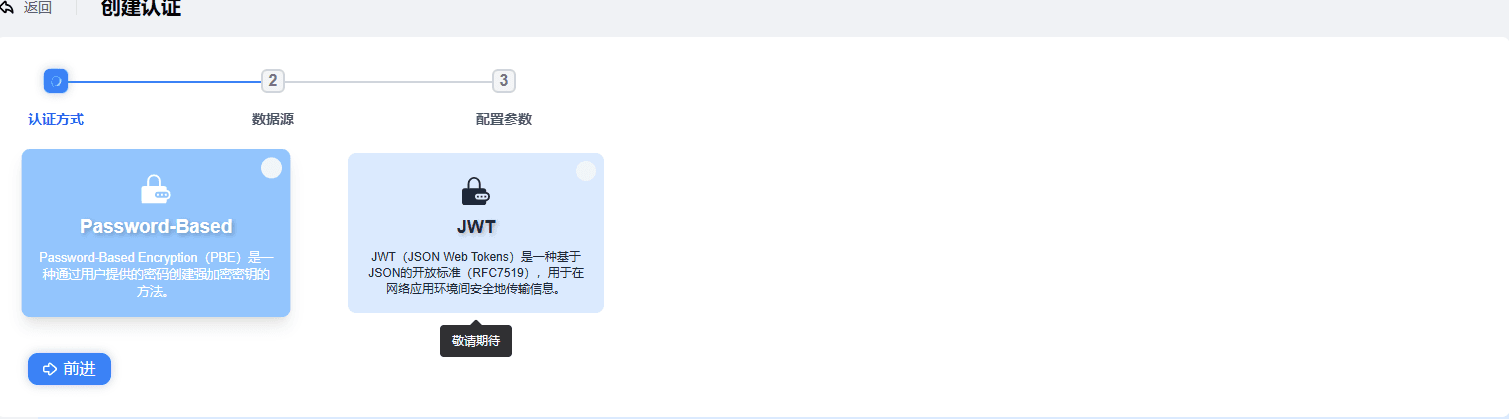
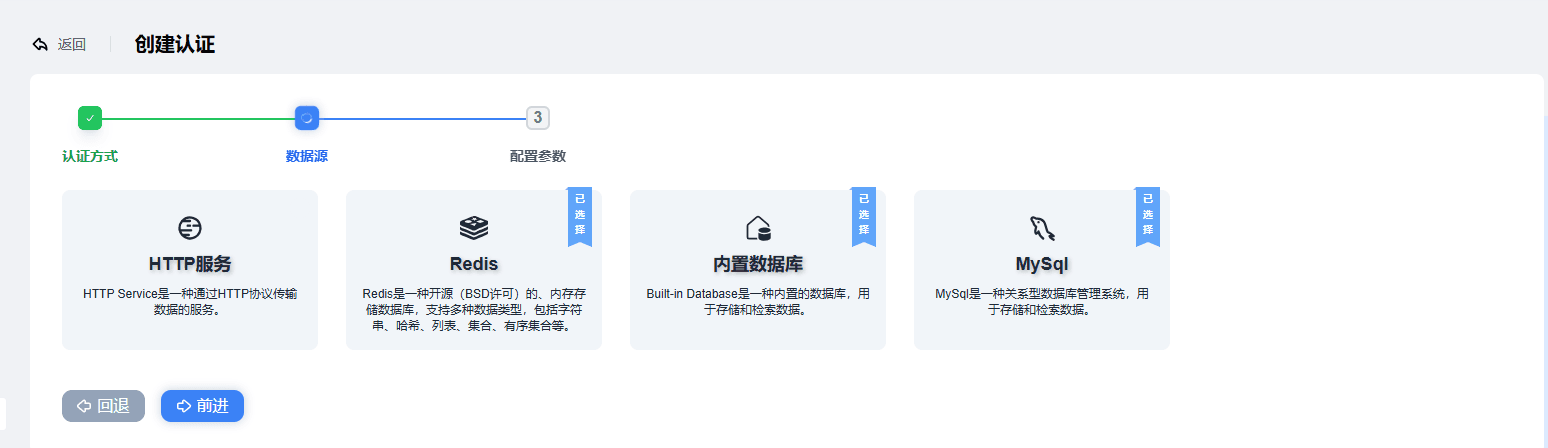
2. WEBHOOK Authentication
HTTP Parameter Configuration
Request URL: The request URL is set to
http://127.0.0.1:8080/webhook, which means a request is sent to the/webhookpath on the local server (IP address127.0.0.1, port8080).Request Method: Specifies using the
POSTor GET method to send the requestConnection timeout and request timeout
connect_timeoutis set to15, which means that when attempting to establish a connection, if the connection is not successful within 15 seconds, timeout handling is triggered.request_timeoutis also15, which means that starting from when the request is sent, if no complete response is received within 15 seconds, the request is considered timed out.
Connection pipelining:
enable_pipelining, the HTTP connection pipelining feature, allows multiple requests to be sent consecutively on the same connectionConnection pool size:
pool_sizeis8, meaning a connection pool of size 8 is created to manage and reuse HTTP connections, improving performance and resource utilization.Request headers (
headers)accept: application/jsonindicates that the client expects the server to return data in JSON format, making it easier to parse and process the response data.cache-control: no-cachetells the server not to use caching and to return the latest data every time, ensuring real-time data.connection: keep-aliverequires the server to keep the connection so that it can be reused for more requests, reducing the overhead of frequently establishing and closing connections.keep-alive: timeout=30, max=1000further refines the keep-alive parameters, setting the connection timeout to 30 seconds and limiting the maximum number of connections to 1000x-request-source: fsmqdefines the request source identifier asfsmq, which may be used by the server to distinguish requests from different sources and apply corresponding logic.
Request body (
body): The request body contains multiple fields using placeholders, such asclientid,password,username,ipaddress,keepalive,proto_ver,connected_at, etc. These placeholders mean that at runtime, they are replaced with the corresponding values according to the specific business scenario, passing the real data to the server.Parameter example:
json{ "clientid": "${clientid}", "password": "${password}", "username": "${username}", "ipaddress": "${ipaddress}", "keepalive": "${keepalive}", "proto_ver": "${proto_ver}" }
Full parameter example:
 ```json
"http_params": {
        "url": "http://127.0.0.1:8080/webhook",
        "method": "POST",
        "connect_timeout": 15,
        "enable_pipelining": 100,
        "pool_size": 8,
        "request_timeout": 15,
        "headers": {
            "accept": "application/json",
            "cache-control": "no-cache",
            "connection": "keep-alive",
            "keep-alive": "timeout=30, max=1000",
            "x-request-source": "fsmq"
        },
        "body": {
            "clientid": "${clientid}",
            "password": "${password}",
            "username": "${username}",
            "ipaddress":"${ipaddress}",
            "keepalive":"${keepalive}",
            "proto_ver":"${proto_ver}",
            "connected_at":"${connected_at}"
        }
    },
 ```
WEBHOOK Authentication Statistics
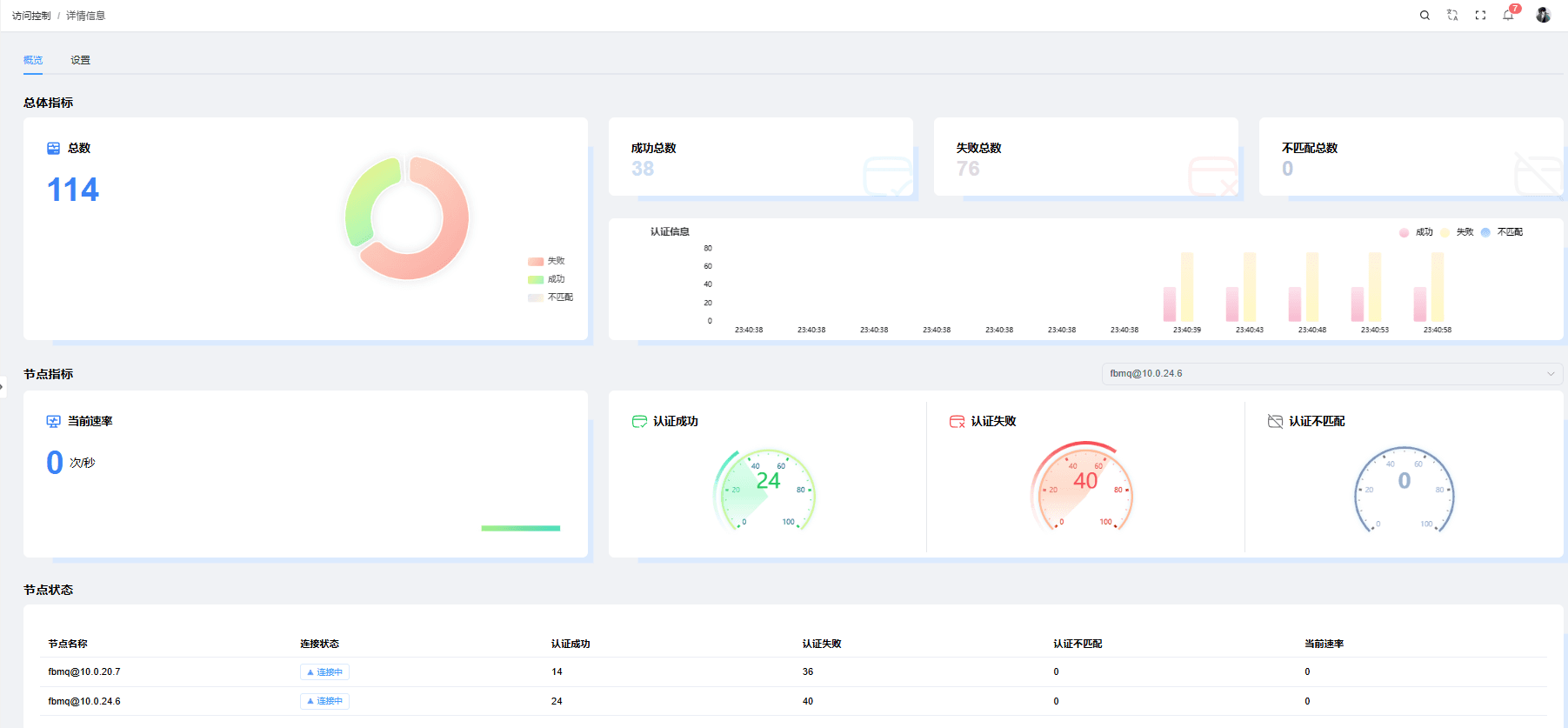
WEBHOOK Authentication Demo
Request method, request URL, request headers
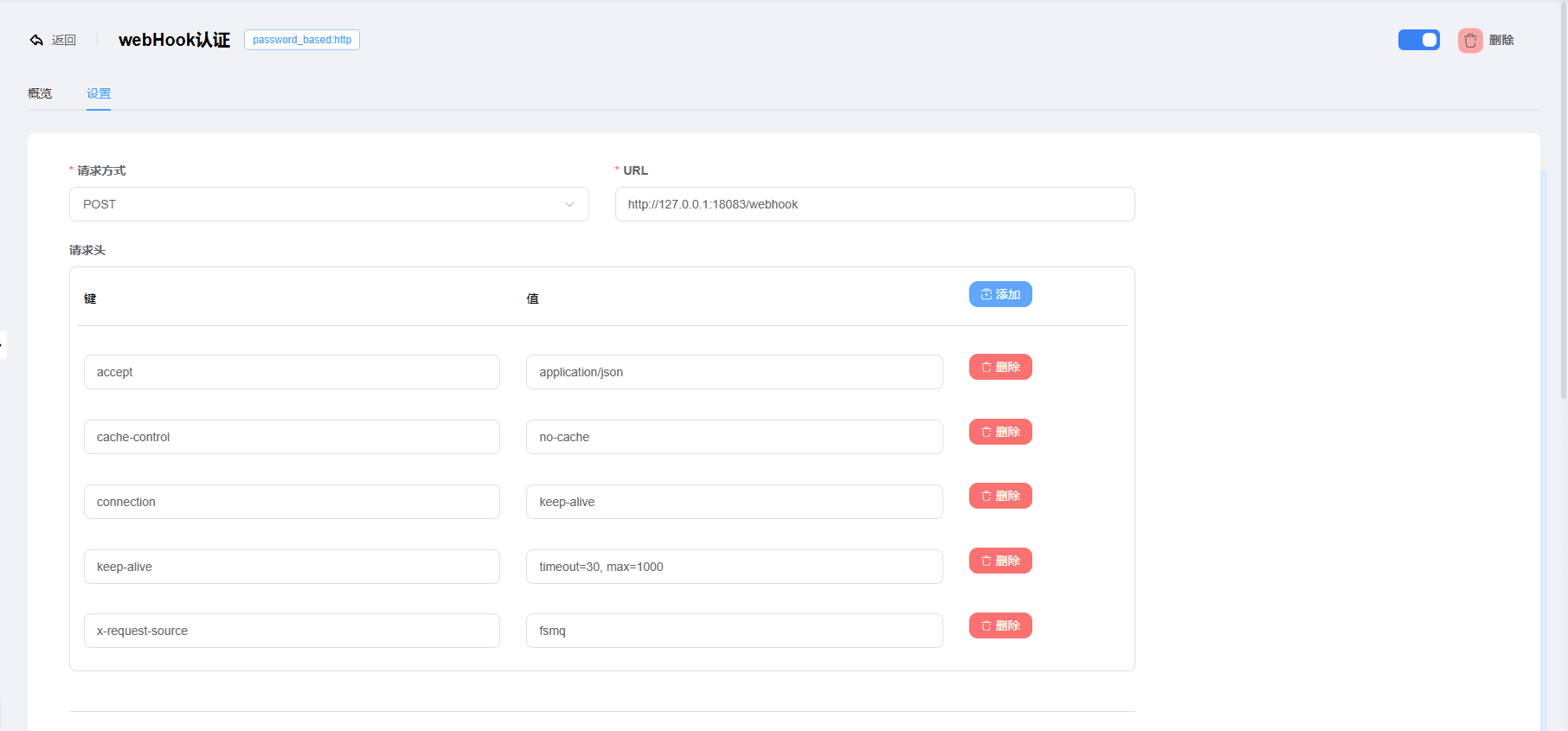
Add the request body, connection pool size, connection timeout, HTTP pipelining, request timeout
The request body can optionally pass authentication parameters:
clientid     Client ID
keepalive    Heartbeat time
proto_ver    Protocol version
connected_at Authentication time
username     Username
password     Password
ipaddress Client IP"clientid": "${clientid}" field name : mapped value
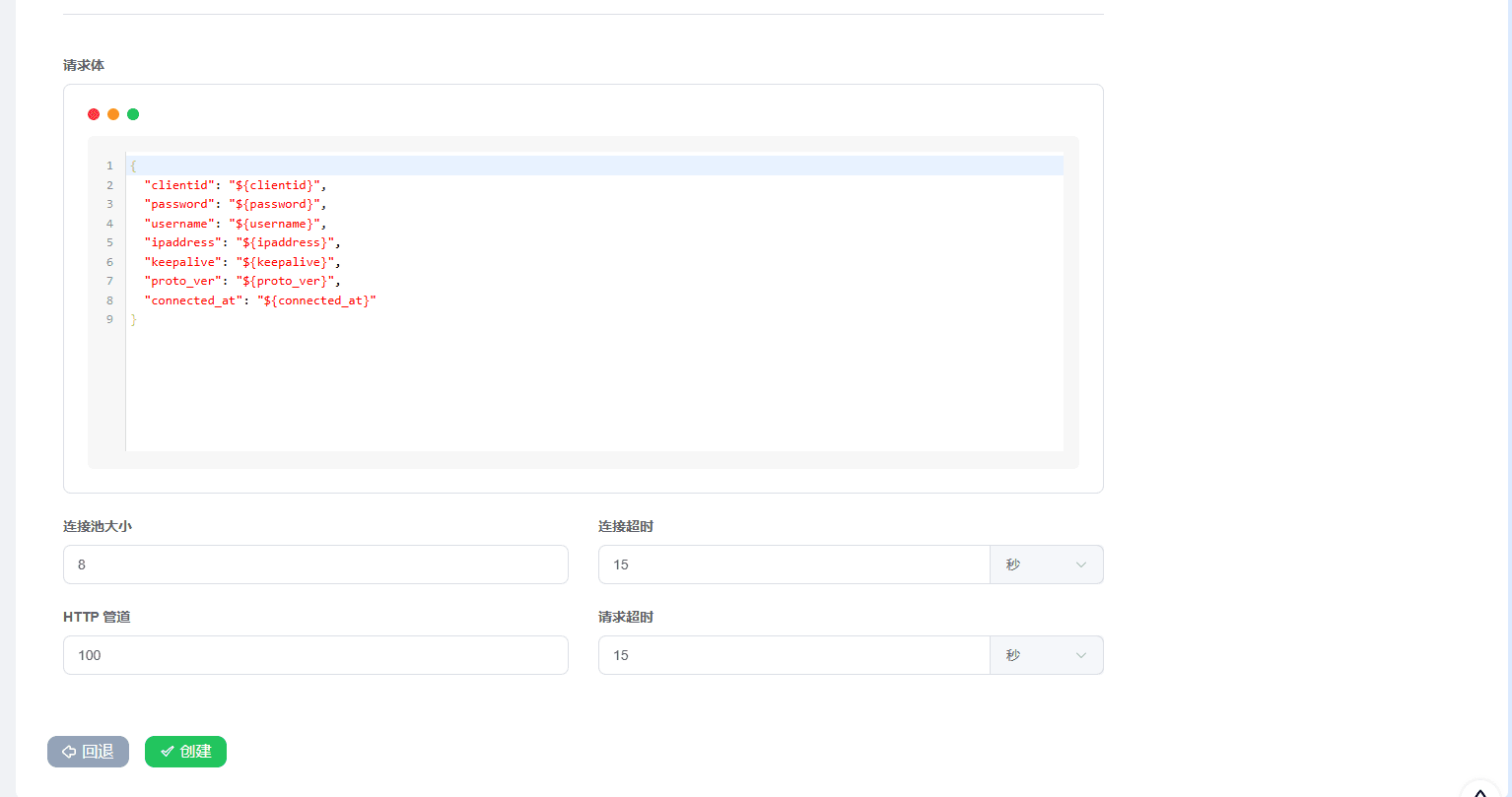
In the demo shown in the figures above, the URL used is http://127.0.0.1:18083/webhook to implement the authentication business logic. In actual business development, change the API endpoint according to your business side.
Authentication API example:
@PostMapping("/webhook")
private void webhookAuth(@RequestBody WebHookTestVo vo) {
    // Your authentication handling logic
}

// Entity class for receiving data
@Data
public class WebHookTestVo {

    private String username;
    private String password;
    private String clientid;
    /** Client source IP address **/
    private String ipaddress;
    /** Heartbeat keep-alive time requested by the client **/
    private Integer keepalive;
    /** Protocol version number **/
    private Integer proto_ver;
    /** Timestamp (seconds) **/
    private Long connected_at;
    /** Error reason **/
    private String reason;
}Example of the received data returned:
[{"username":"FastBee","password":"123","clientid":"test-webhook","ipaddress":"127.0.0.1:51317","keepalive":60,"proto_ver":4}]3. REDIS Authentication
REDIS Configuration Parameters
Deployment Mode:
- Single node
- Cluster mode (Cluster)
- Sentinel
Server Address:
- Single node: 127.0.0.1:6379 (example value)
- Cluster mode: 127.0.0.1:6379,127.0.0.2:6379,127.0.0.3:6379 (example value)
- Sentinel: 127.0.0.1:6379,127.0.0.2:6379,127.0.0.3:6379 (example value)
Connection Pool Size: Default value: 8
Salting Method:
- disable No salt
- prefix Prefix
- suffix Suffix
Encryption Method:
- plain
- md5
- sha
- sha256
- sha512
- bcrypt
REDIS Authentication Statistics:
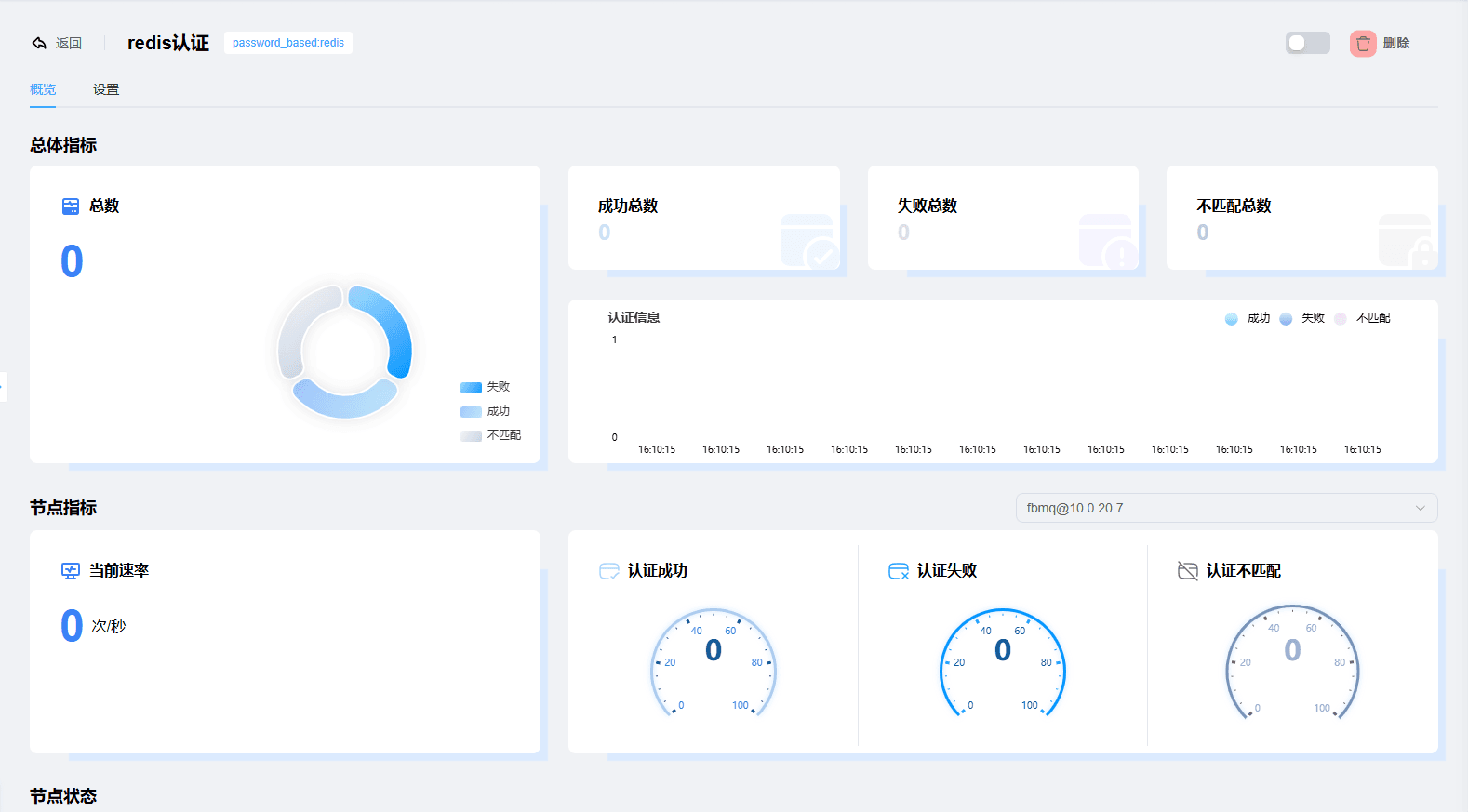
REDIS Single-node Deployment Authentication Demo
The Redis authentication parameters are configured as follows:
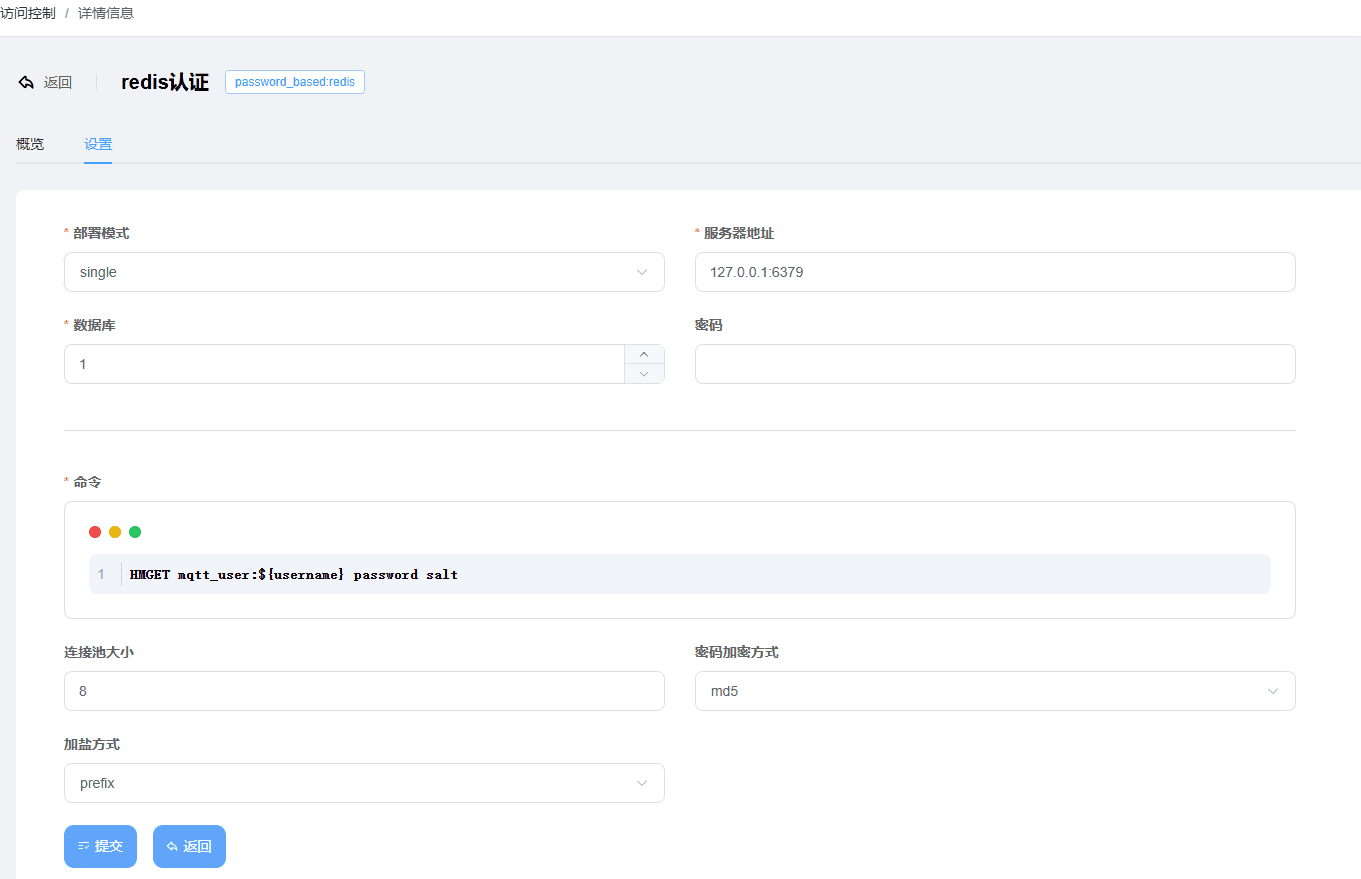
The command line is:
mqtt_user:${username}is the key of the hash table, where${username}is a placeholder that automatically matches the MQTTusername
password and salt are the field names used to get values from the hash table. password is the fixed password, and salt is the MD5 salt value
Salting Method: prefix salts at the prefix
Password Encryption Method: md5 uses MD5 encryption
HMGET mqtt_user:${username} password saltThe Redis record value is shown in the figure below:
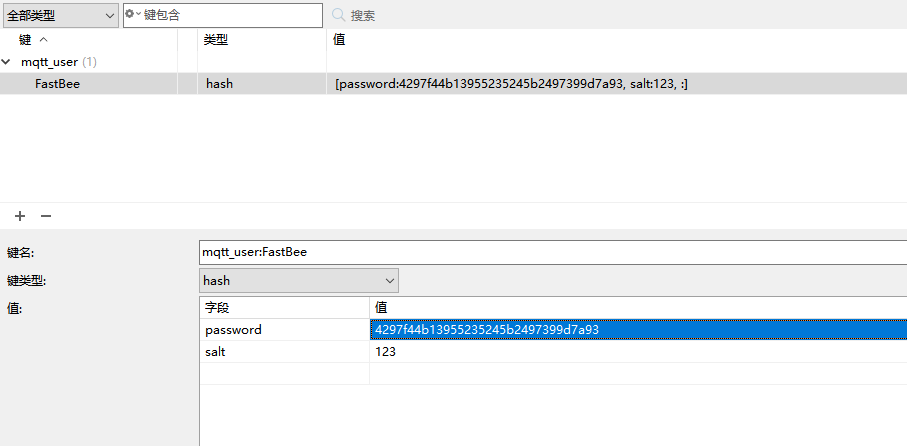
The figure below shows MQTTX simulating a connection to the MQTT service
username : FastBee ; password: 123
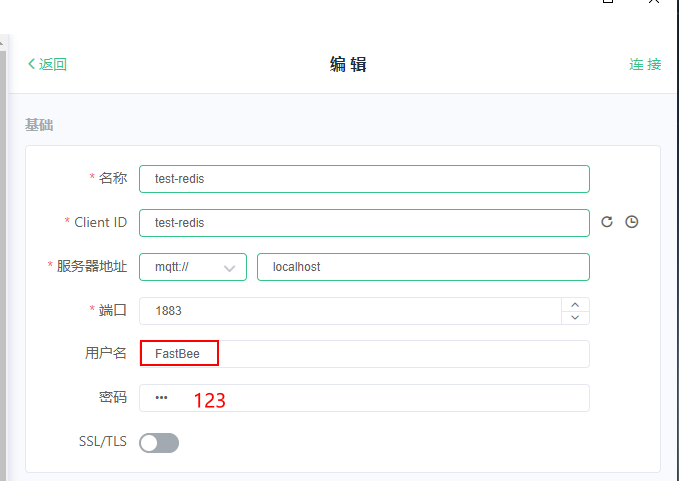
Therefore, the password is calculated as: the MD5 calculation value of 123123 (salt+password): 4297f44b13955235245b2497399d7a93
4. Built-in Database Authentication
Configuration Parameters
Salting Method:
- disable No salt
- prefix Prefix
- suffix Suffix
Encryption Method:
- plain
- md5
- sha
- sha256
- sha512
- bcrypt
Salt: Encryption salt
Account & Password: MQTT account and MQTT password
Built-in Database Authentication Statistics
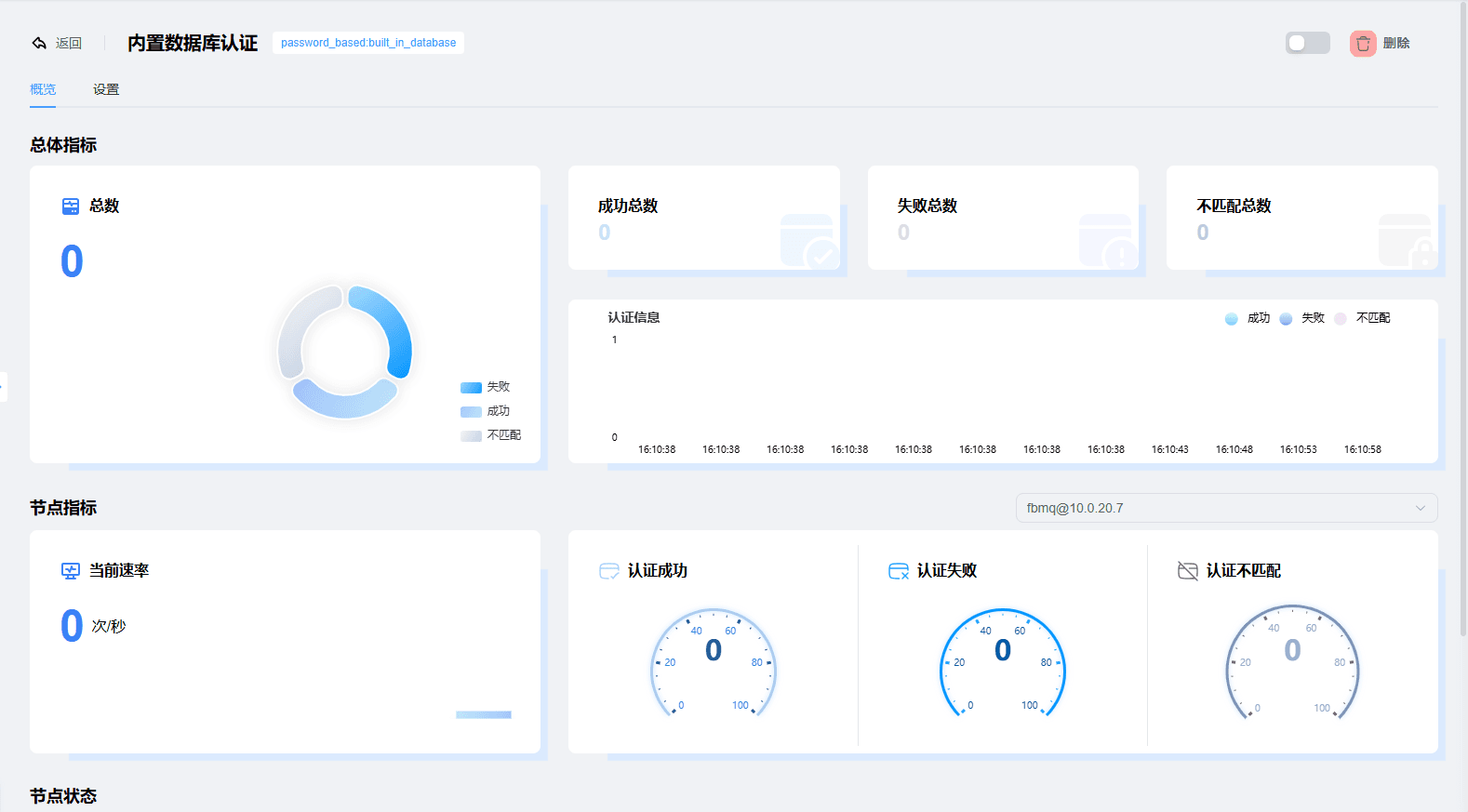
Built-in Database Authentication Demo
As shown in the figure below:
Password Encryption Method: md5 ; Salting Method: prefix, prepended ; Salt: the salt value ;
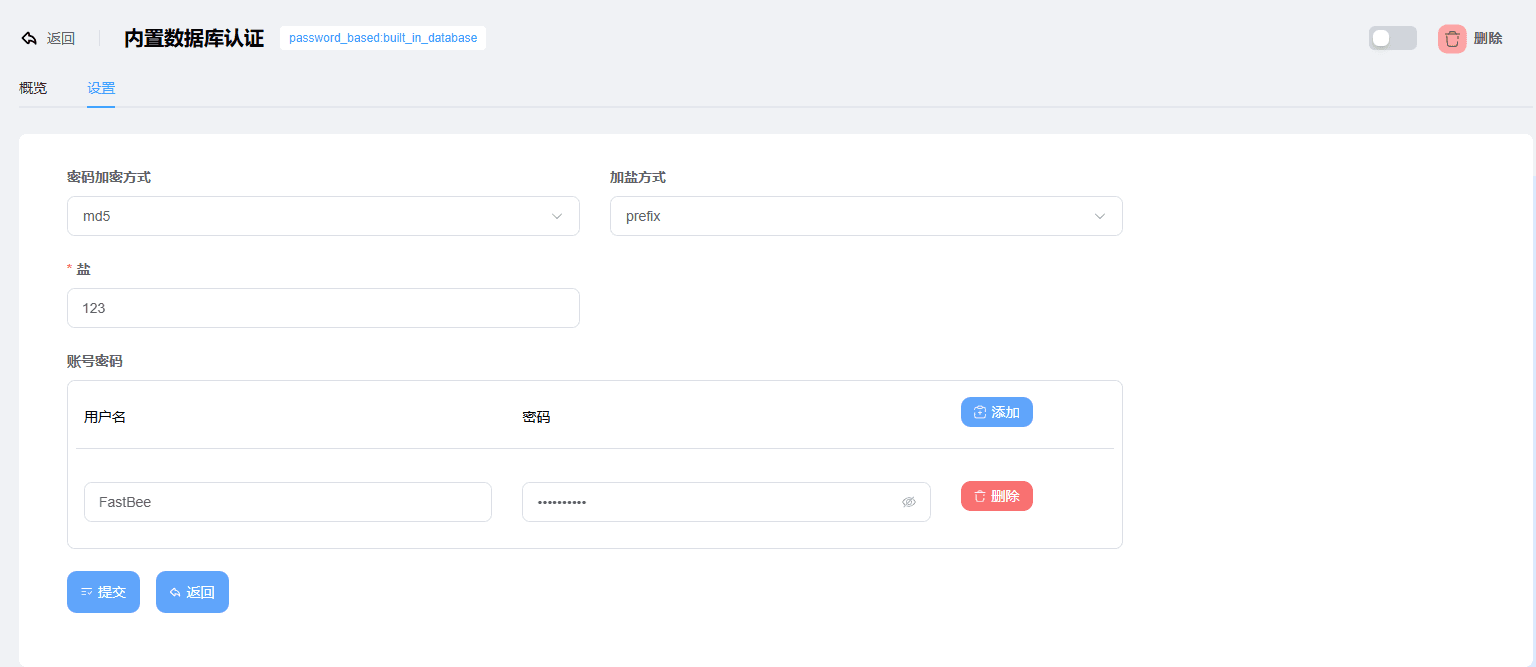
The MQTTX simulated connection is the same as the REDIS demo, with the same result, so the final result is not shown here.
5. MYSQL Authentication
MYSQL Configuration Parameters
Server Address:MySQL server address + port
Database:Database name
Username:MySQL username
Password:MySQL password
SQL:The SQL to query the password and salt
Connection Pool:MySQL connection pool size, default value 10
Query Timeout:MySQL query timeout, default value 25s
Password Encryption Method:Password encryption
Salting Method:Salting used when generating the password
MYSQL Authentication Statistics
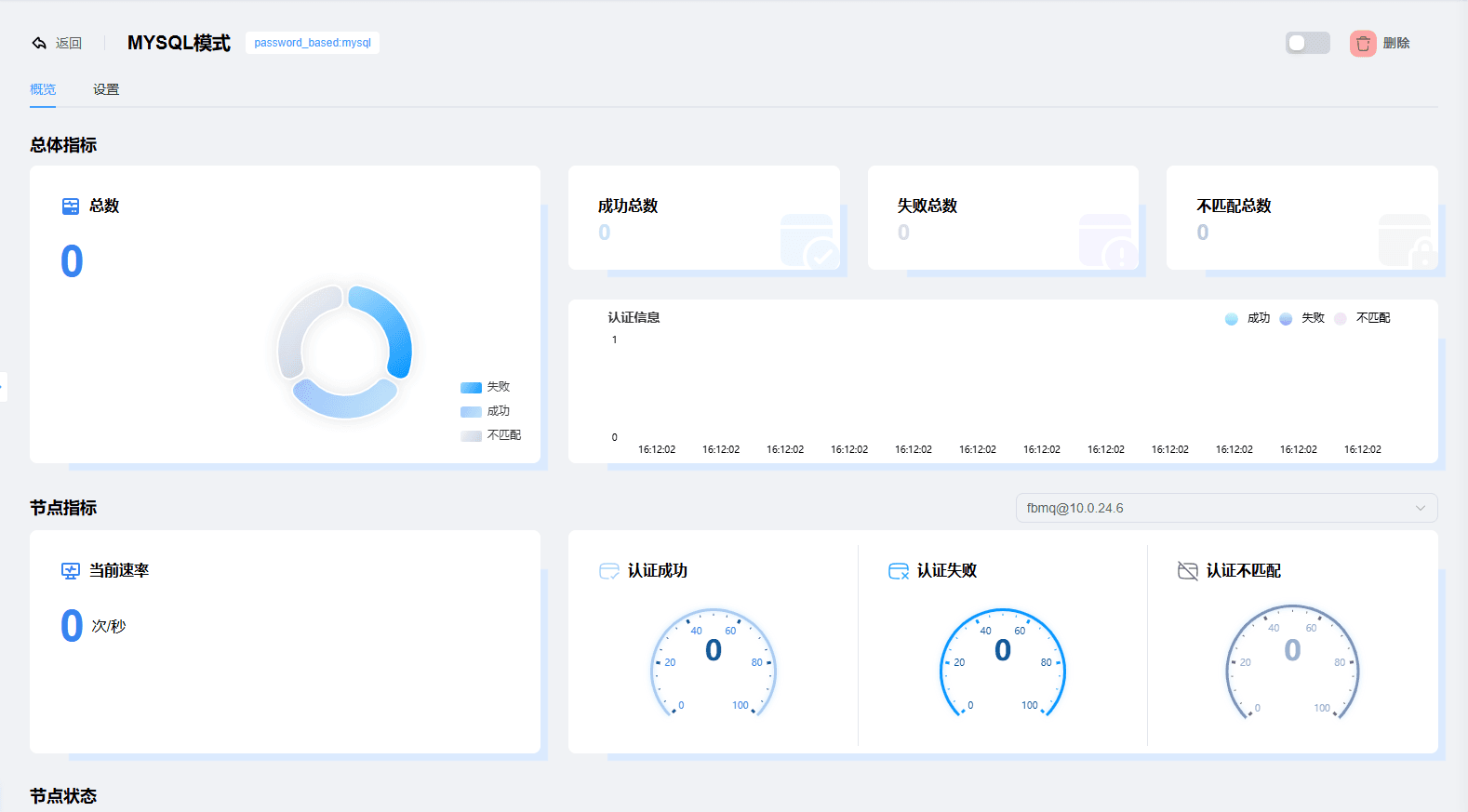
MYSQL Authentication Demo
The demo database is fastbee; change it according to your actual situation
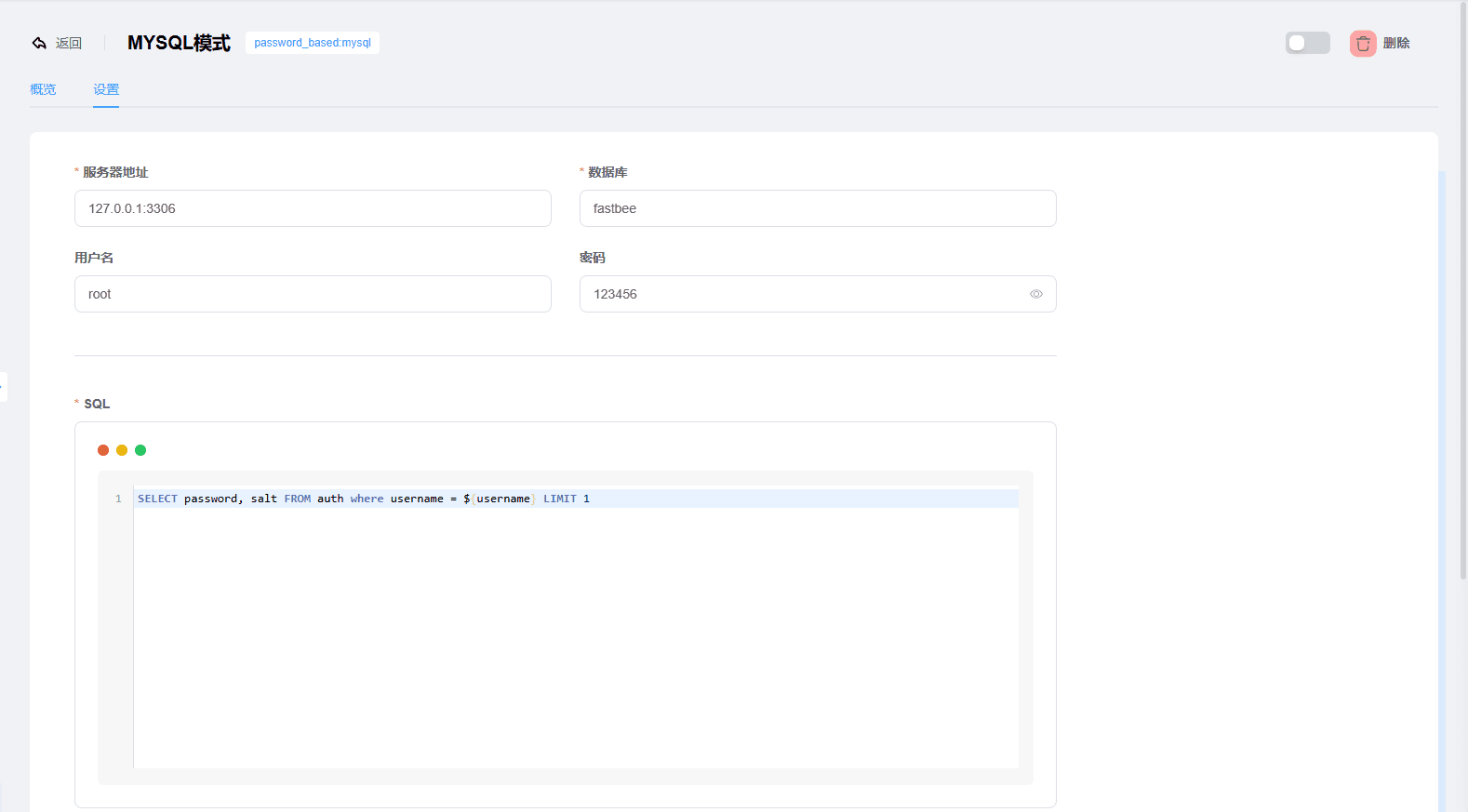

Create a new table as shown below:
CREATE TABLE `auth` (
  `username` varchar(255) NOT NULL,
  `password` varchar(255) DEFAULT NULL,
  `salt` varchar(255) DEFAULT NULL
) ENGINE=InnoDB DEFAULT CHARSET=utf8mb3;Insert a row of data for the demo:
INSERT INTO `fastbee`.`auth` (`username`, `password`, `salt`) VALUES ('FastBee', '4297f44b13955235245b2497399d7a93', '123');The SQL query is shown below: it gets password and salt
SELECT password, salt FROM auth where username = ${username} LIMIT 1The MQTTX simulated connection is the same as the REDIS demo, with the same result, so it is not demonstrated again here.
6. JWT Authentication
...Under development