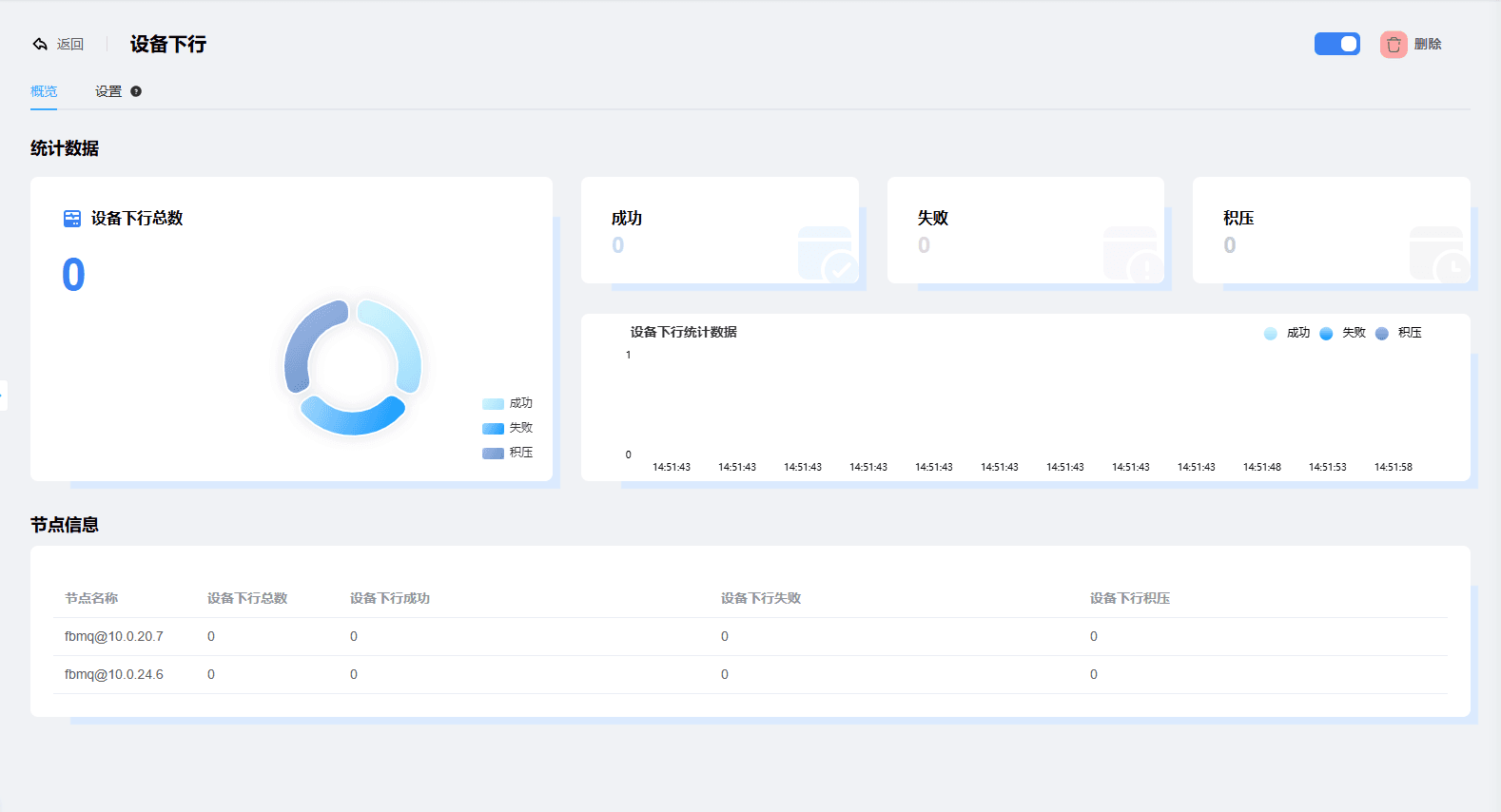
Device Downlink
1. Device Downlink Definition
Device downlink means sending messages to devices. All content that changes a device, such as commands, can be implemented through device downlink.
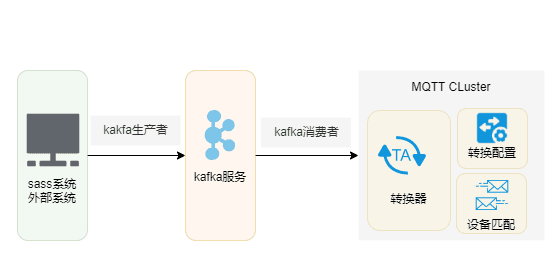
The figure below takes Kafka as an example: an external system issues a command to a device, and through the Kafka producer, the content to be delivered to the device is cached in the MQ queue.
In the MQTT service, the Kafka consumer consumes the messages in the MQ queue and sends them to the corresponding device.
Creating a Device Downlink
Enter the MQTT Dashboard, click Integration -> Transform Configuration, and click Create in the upper right corner of the page
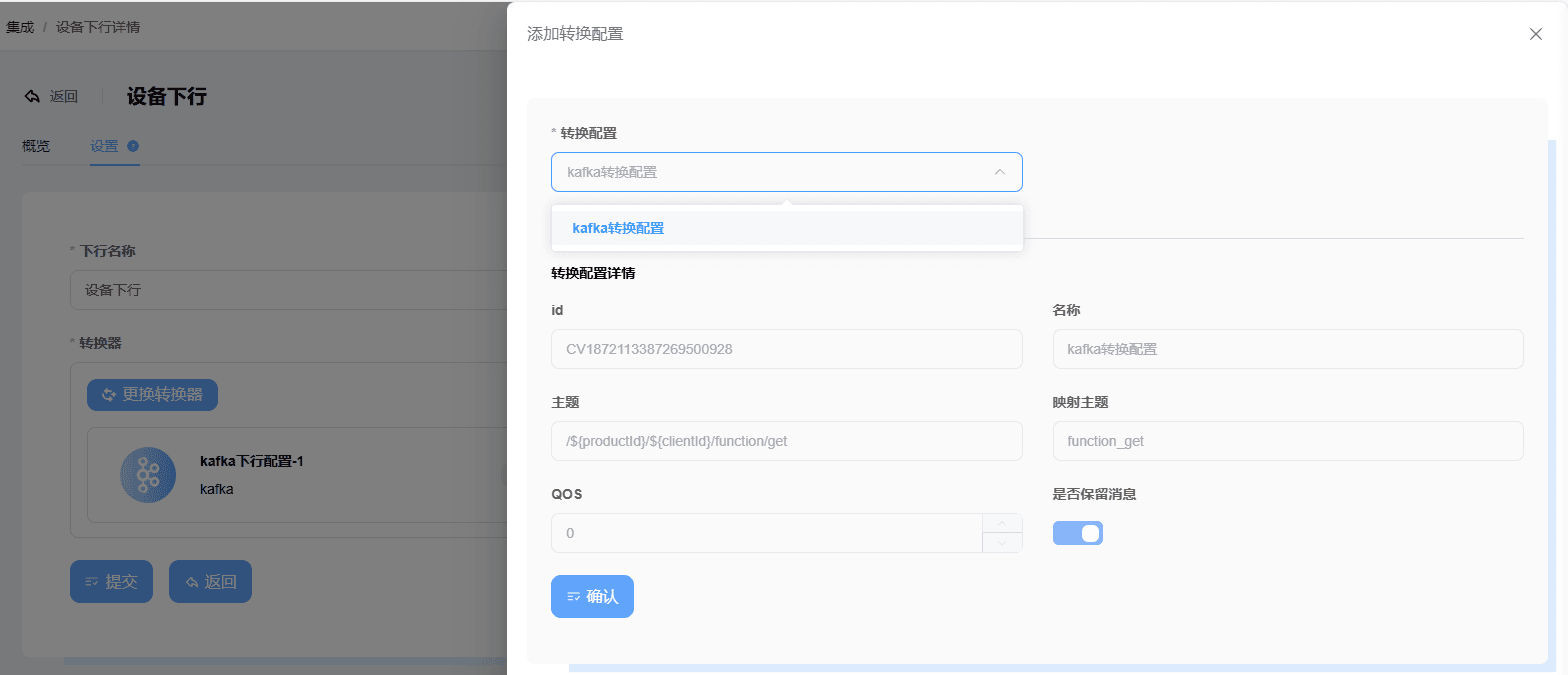
Configure the transform parameters
- Name: the transform configuration name
- Topic: this is the MQTT topic and supports field mapping. Here we fill in
/${productId}/${clientId}/function/getwhere $ is a placeholder - QoS: the message quality of the issued command
- Whether to retain the message: the MQTT retained message feature
- The Kafka topic is automatically generated based on the MQTT topic. According to step 2, the corresponding Kafka topic here is
function_get
Enter the MQTT Dashboard, click Integration -> Device Downlink, and click Create in the upper right corner of the page
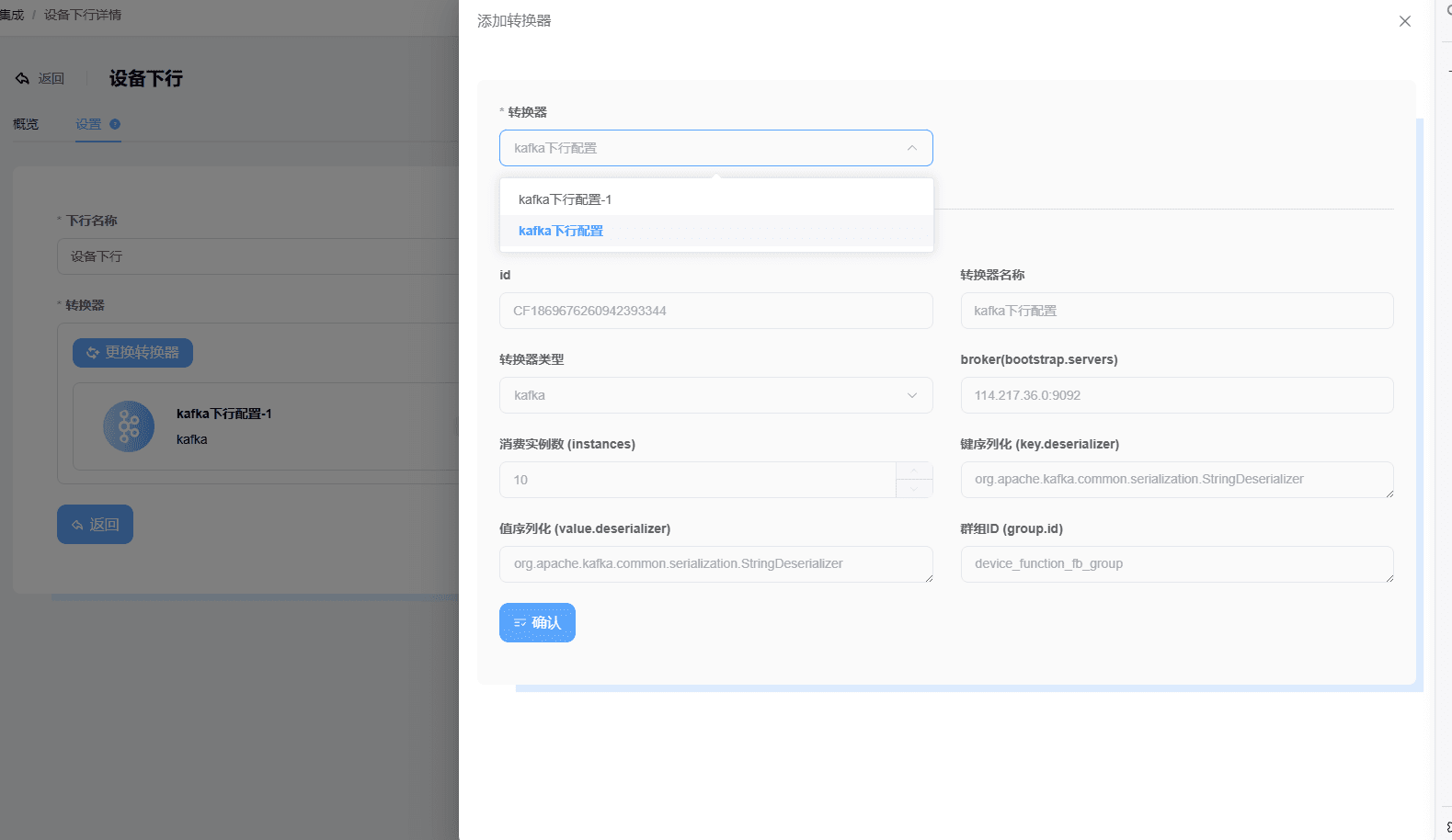
Select
KAFKA-Serviceand configure the parametersConverter: select the converter created above
Transform configuration: select the transform configuration created in step 2
Device downlink can be visually observed to view the delivery situation