

Delayed Messages
1. Delayed Messages
When a client publishes a message using the special topic prefix $delayed/{DelayInteval}, the delayed publishing feature is triggered, allowing messages to be published after a user-configured time interval.
The specific format of a delayed publishing topic is as follows:
$delayed/{DelayInterval}/{TopicName}
$delayed: Messages that use$delayas the topic prefix are all treated as messages that need to be published with a delay. The delay interval is determined by the content of the next topic level.{DelayInterval}: Specifies the time interval for delayed publishing of the MQTT message, in seconds. The maximum allowed interval is 4294967 seconds. If{DelayInterval}cannot be parsed as an integer, the message is discarded and the client receives no information.{TopicName}: The topic name of the MQTT message.
For example:
$delayed/15/property/post: The MQTT message is published to the topicproperty/postafter 15 seconds.$delayed/60/a/b: The MQTT message is published toa/bafter 1 minute.$delayed/3600/$SYS/topic: The MQTT message is published to$SYS/topicafter 1 hour.
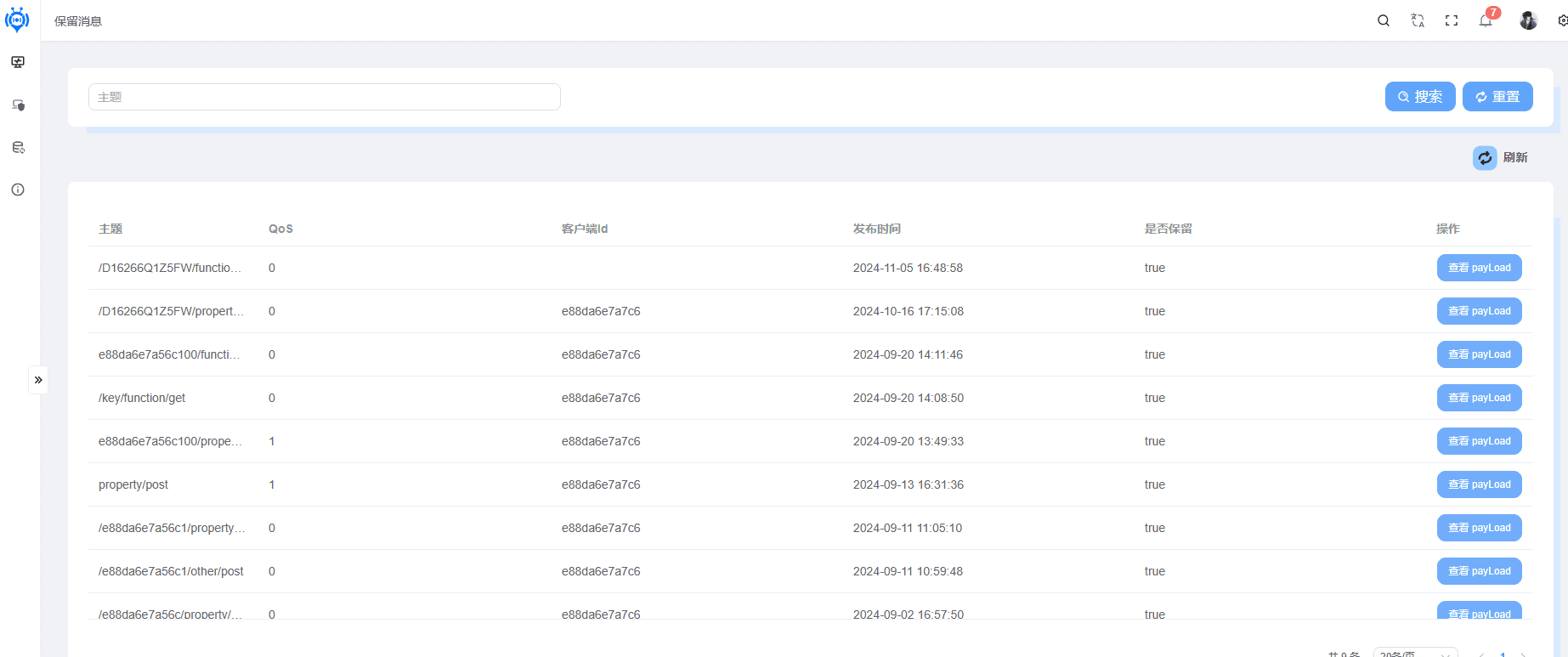
Below Is the Delayed Message List
Message Id
Topic
QoS (Quality of Service)
Node
Client Id
Publish Time
Retained
Operation
Remaining Delay Time
Delay Time
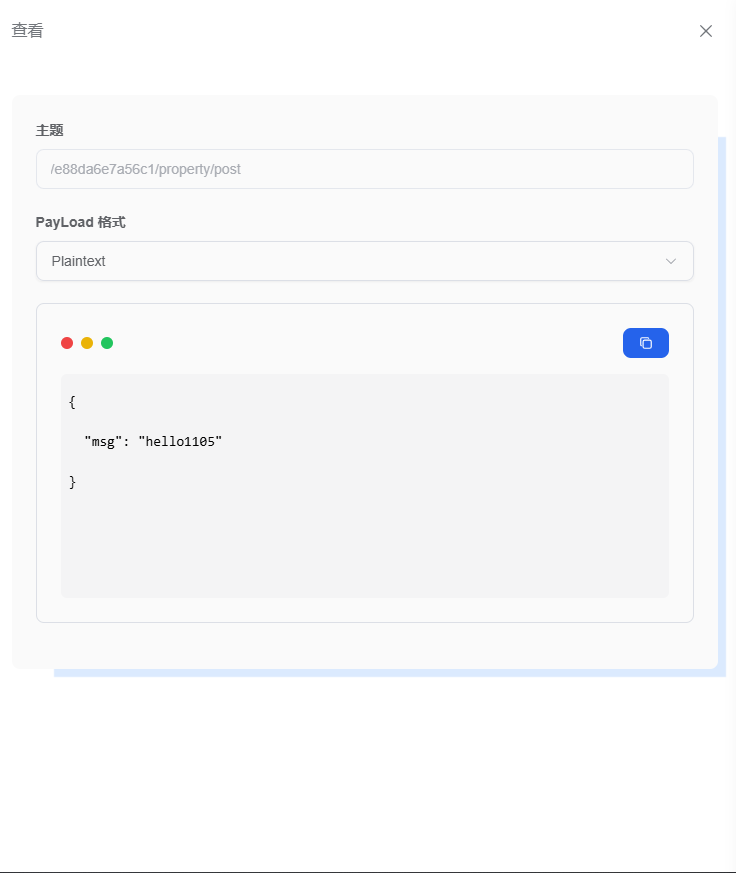
Retained Message Details
Supports plainText, Json, and Hex parsing
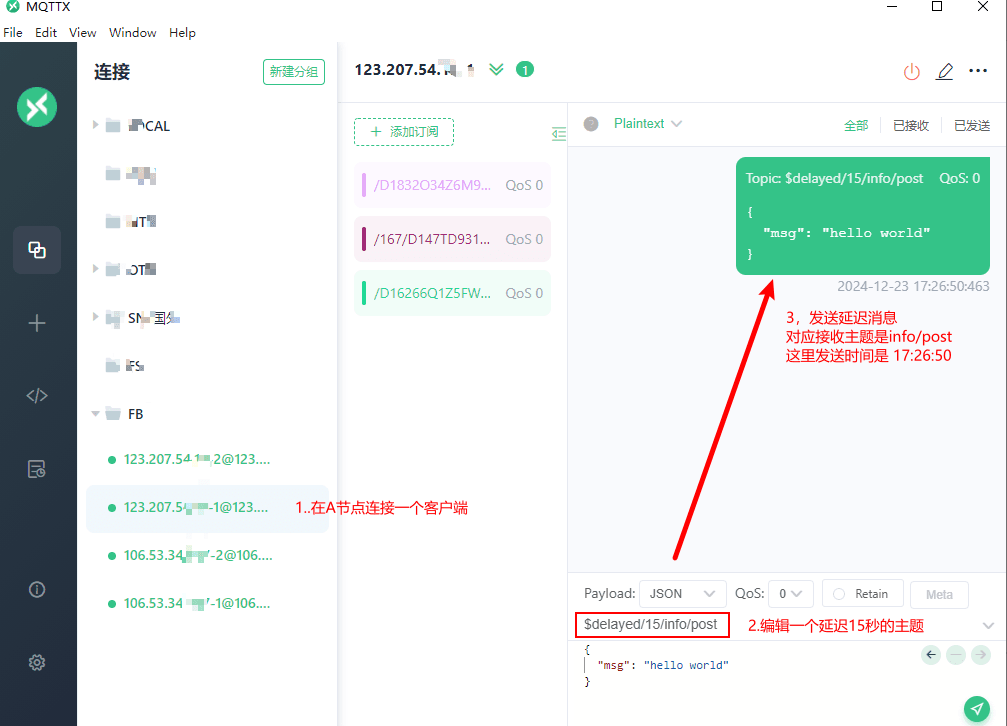
Using MQTTX to Simulate Delayed Publishing
Start an MQTTX client
Edit a delayed message topic; here the delay is 15 seconds: $delayed/15/info/post
Send the delayed message. Note: you can create another client first and then send the delayed message
Create a new client and subscribe to the topic /info/post
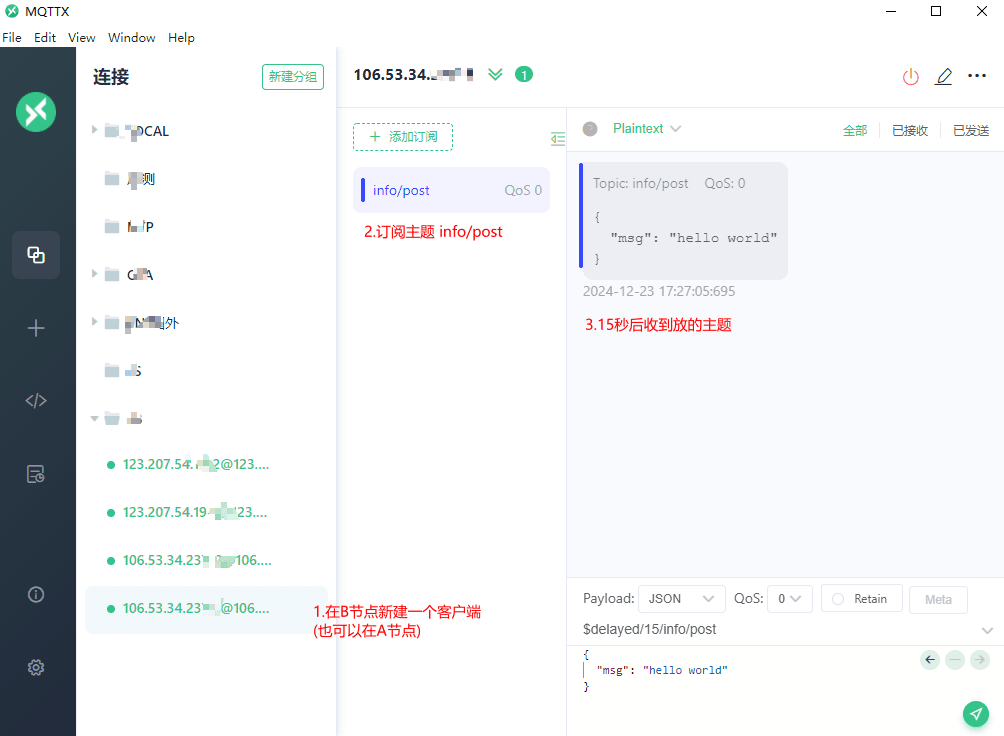
From the demo above, we can get the result: the client on node A sends the topic
$delayed/15/info/post, whose actual published topic isinfo/post, and the client on node B has subscribedto the topic
info/post. After waiting 15 seconds, the client on node B receives the message on the delayed topic.