Transformers
1. Transformer Definition
Transformers and connectors are similar features; the difference is that a transformer is the producer of message delivery, while a connector is the consumer of message delivery.
Supported transformer types
- KAFKA
- ROCKET-MQ
- RIBBIT-MQ
2. Creating a Transformer
Kafka Transformer
Enter the MQTT Dashboard, click Integration -> Transformers, and click Create in the upper-right corner of the page.
On the Create Transformer page, select Kafka Service, then click Next.
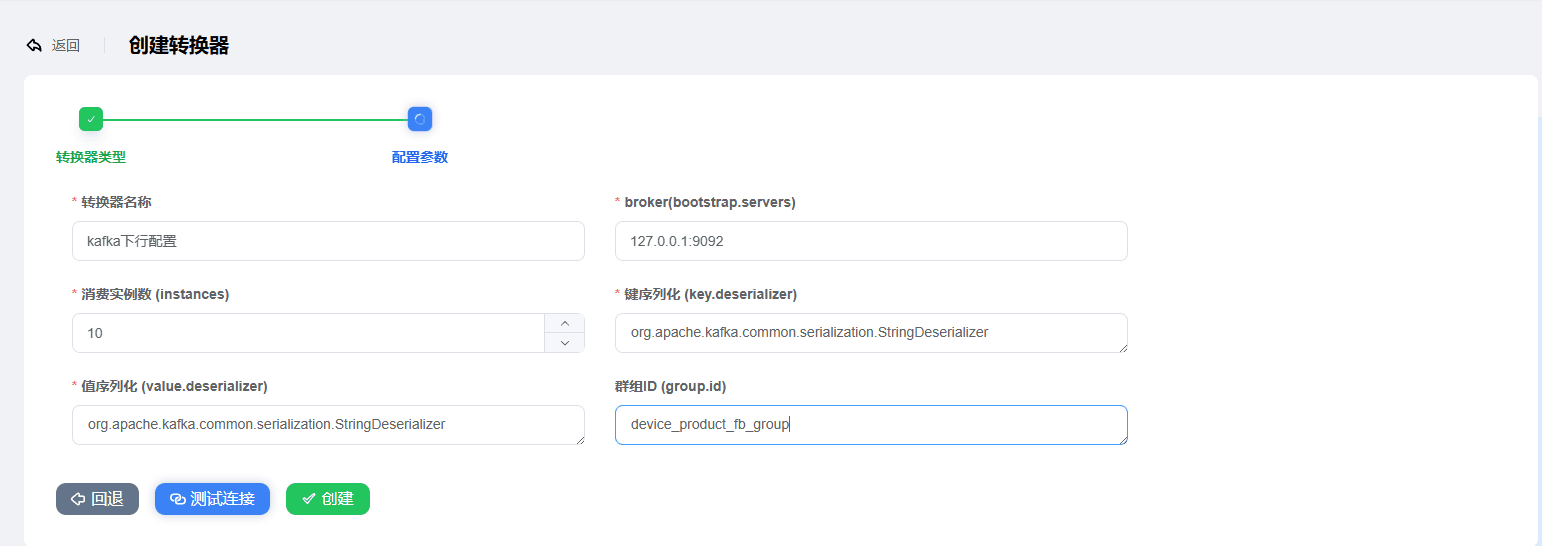
Configure the Kafka parameters:
Transformer name
broker: enter the Kafka server IP address, e.g.,
localhost:9092Number of consumer instances: the number of Kafka consumer instances; the default is 10 consumer instances
Leave the other parameters unchanged as much as possible
Test the connection to check whether the parameters are correct. Click
Create.

RabbitMQ Transformer
Enter the MQTT Dashboard, click Integration -> Transformers, and click Create in the upper-right corner of the page.
On the Create Transformer page, select RabbitMQ Service, then click Next.
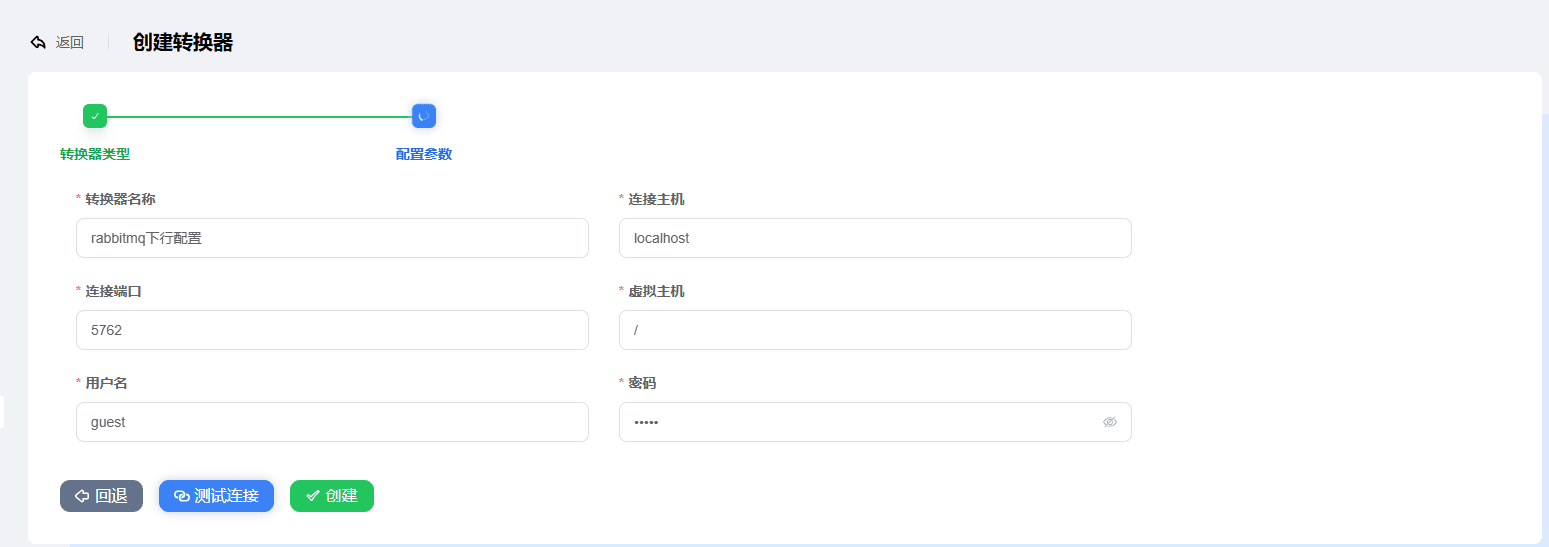
Configure the RabbitMQ parameters:
Transformer name
Connection host: enter the RabbitMQ server IP address, e.g.,
localhostConnection port: the RabbitMQ service port, default 5762
Virtual host: the RabbitMQ virtual host
Username & password: the account and password for the RabbitMQ connection
Test the connection to check whether the parameters are correct. Click
Create.
RocketMQ Transformer
Enter the MQTT Dashboard, click Integration -> Transformers, and click Create in the upper-right corner of the page.
On the Create Transformer page, select RocketMQ Service, then click Next.
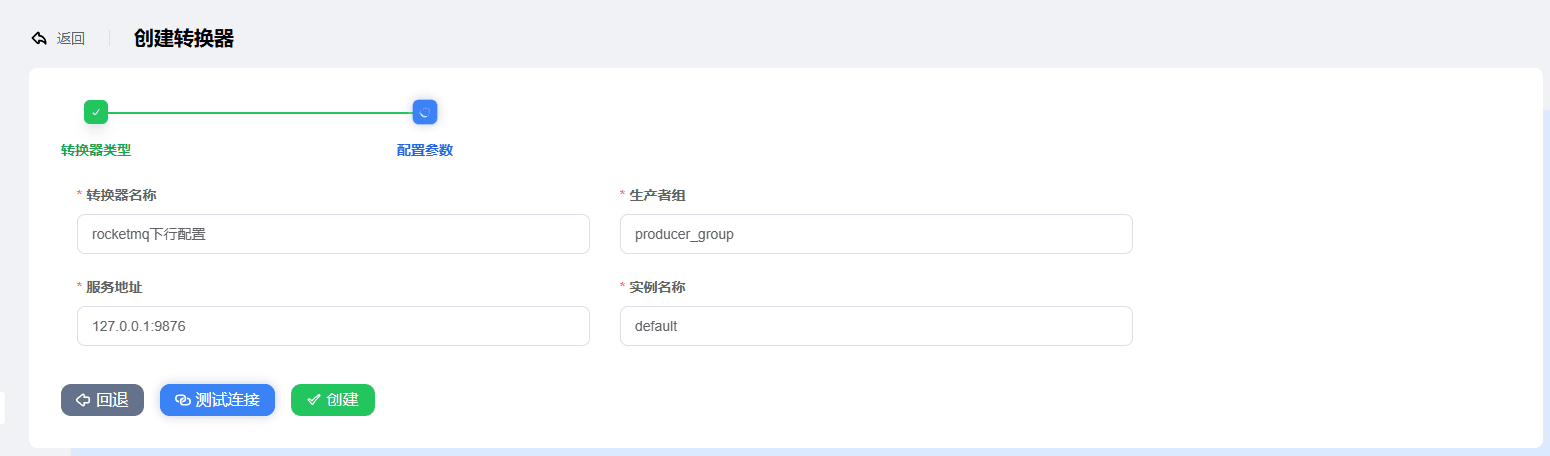
Configure the RocketMQ parameters:
Transformer name
Producer group: the queue group defined by RocketMQ
Service address: the RocketMQ service address, default 127.0.0.1:9876
Instance name: the RocketMQ instance name
Test the connection to check whether the parameters are correct. Click
Create.