Clients
1. Clients
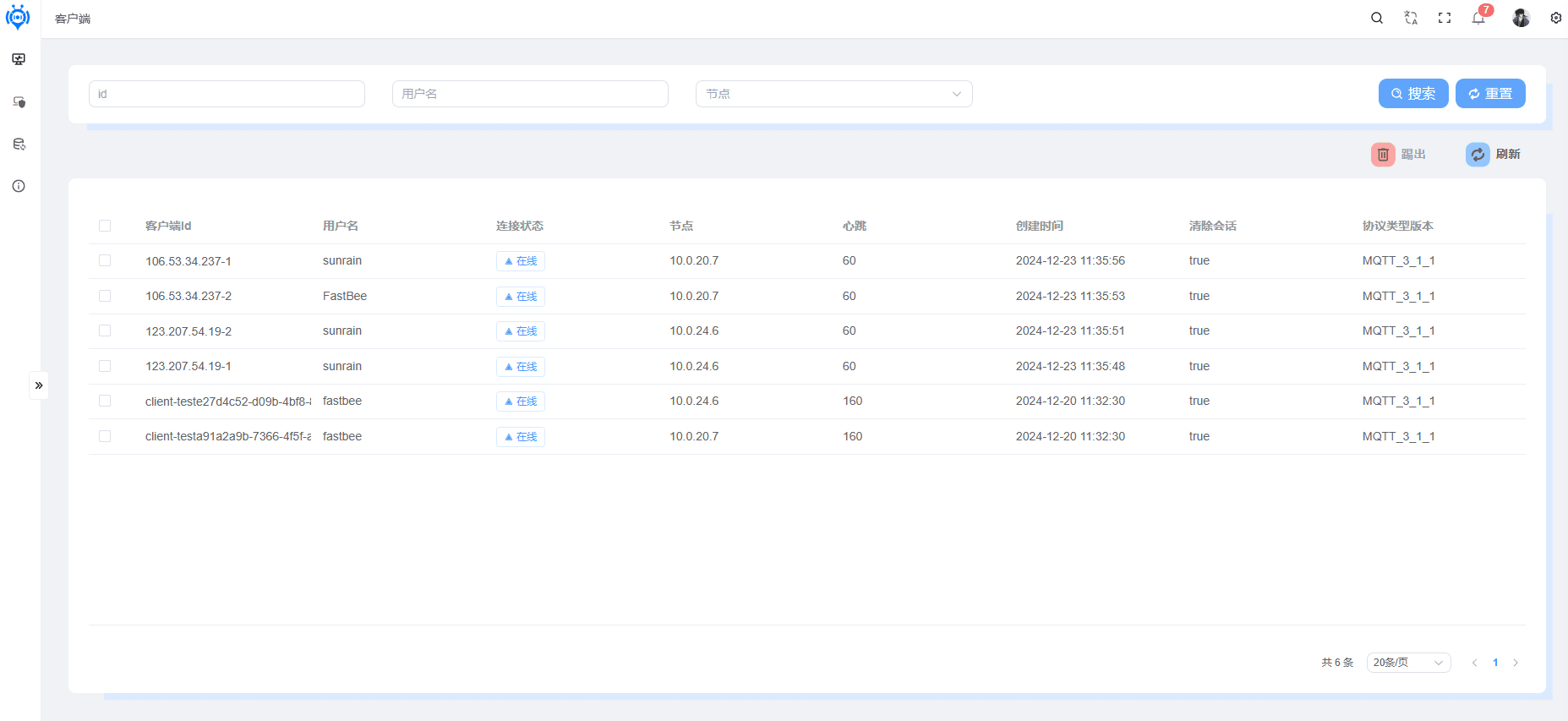
MQTT Client List
The table lists detailed information about multiple clients, including:
Client ID (clientId): The unique ID of the client
Username (username): The MQTT connection username
Connection status (green online / red offline): The online status of the device
Node (node): The node the device is connected to
Heartbeat (heartbeat): The heartbeat time of the device
Creation time (createTime): The connection time of the device
Clean session (cleanSession): Whether to clean the session; if the session is not cleaned, a record is kept in the client list
Protocol type version (protocolTypeVersion): The MQTT protocol version
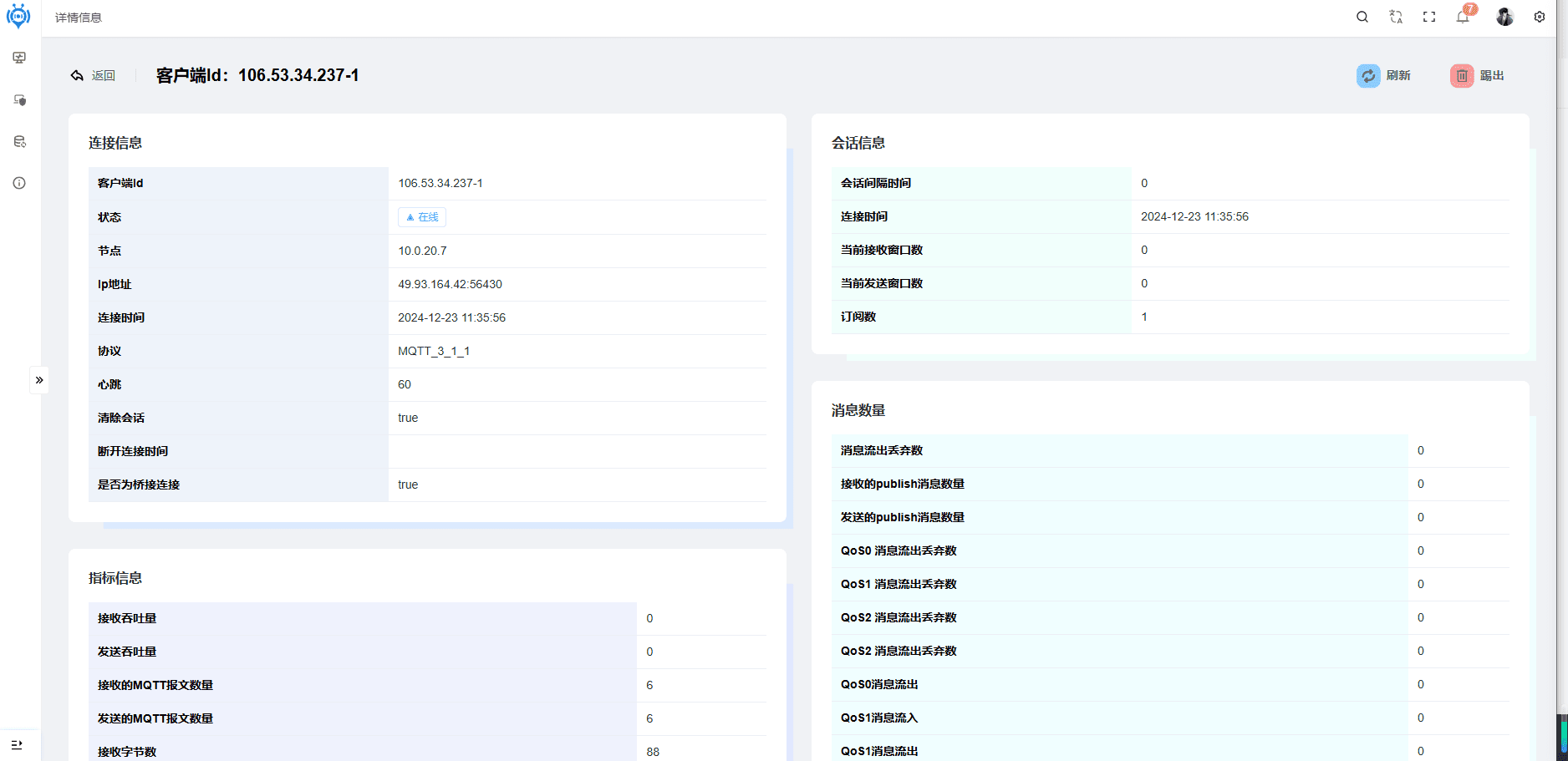
Single Client Details
| Category | Item | Details |
|---|---|---|
| Connection info | Client ID | clientId |
| Status | Online | |
| Node | 10.0.20.7 | |
| IP address | 49.93.164.42.56430 | |
| Connection time | 2024 - 12 - 23 11:35:56 | |
| Protocol | MQTT_3_1_1 | |
| Heartbeat | 60 | |
| Clean session | true | |
| Disconnection time | Not shown (possibly not disconnected) | |
| Whether a bridged connection | true | |
| Session info | Session interval | Not shown |
| Current receive window count | 0 | |
| Current send window count | 0 | |
| Subscription count | 1 | |
| Message counts | Inbound messages dropped | 0 |
| Received publish messages | Not shown | |
| Sent publish messages | Not shown | |
| QoS0 inbound messages dropped | 0 | |
| QoS1 inbound messages dropped | 0 | |
| QoS2 inbound messages dropped | 0 | |
| QoS0 messages inbound | 0 | |
| QoS1 messages inbound | 0 | |
| QoS2 messages inbound | 0 | |
| QoS0 outbound messages dropped | 0 | |
| QoS1 outbound messages dropped | 0 | |
| QoS2 outbound messages dropped | 0 | |
| QoS0 messages outbound | 0 | |
| QoS1 messages outbound | 0 | |
| QoS2 messages outbound | 0 | |
| Metrics | Receive throughput | 0 |
| Send throughput | 0 | |
| Received MQTT packets | 6 | |
| Sent MQTT packets | 6 | |
| Received bytes | 88 |
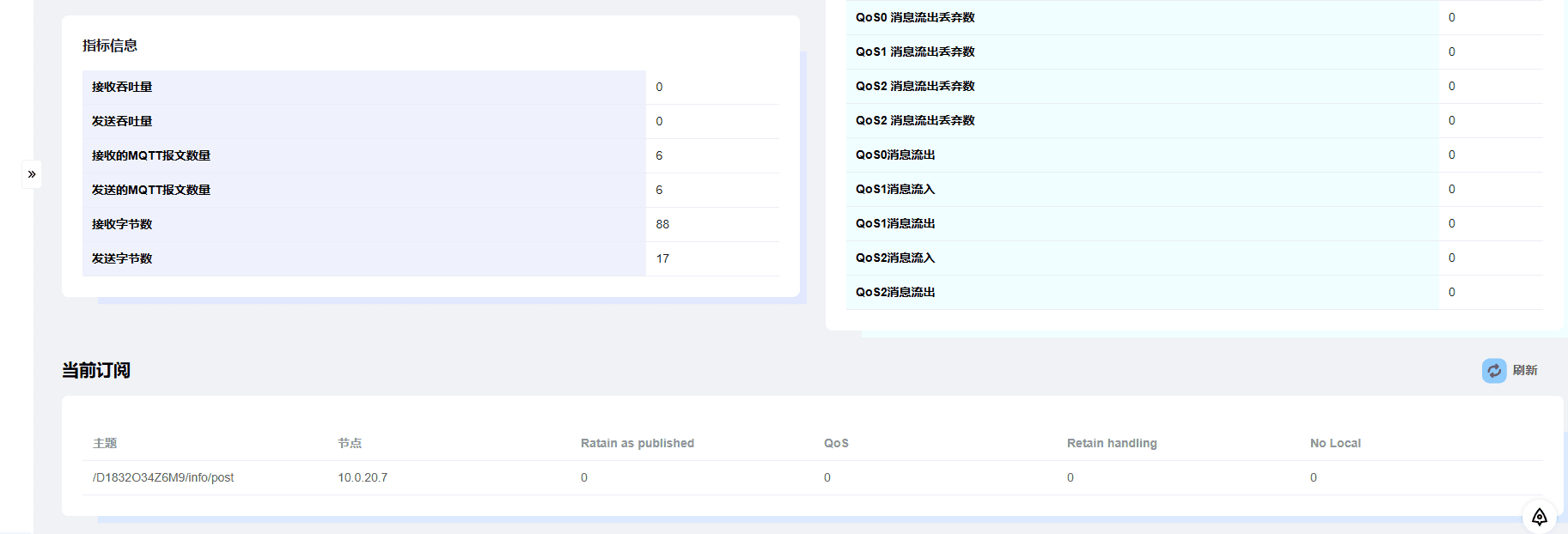
Subscription Details of a Single Client
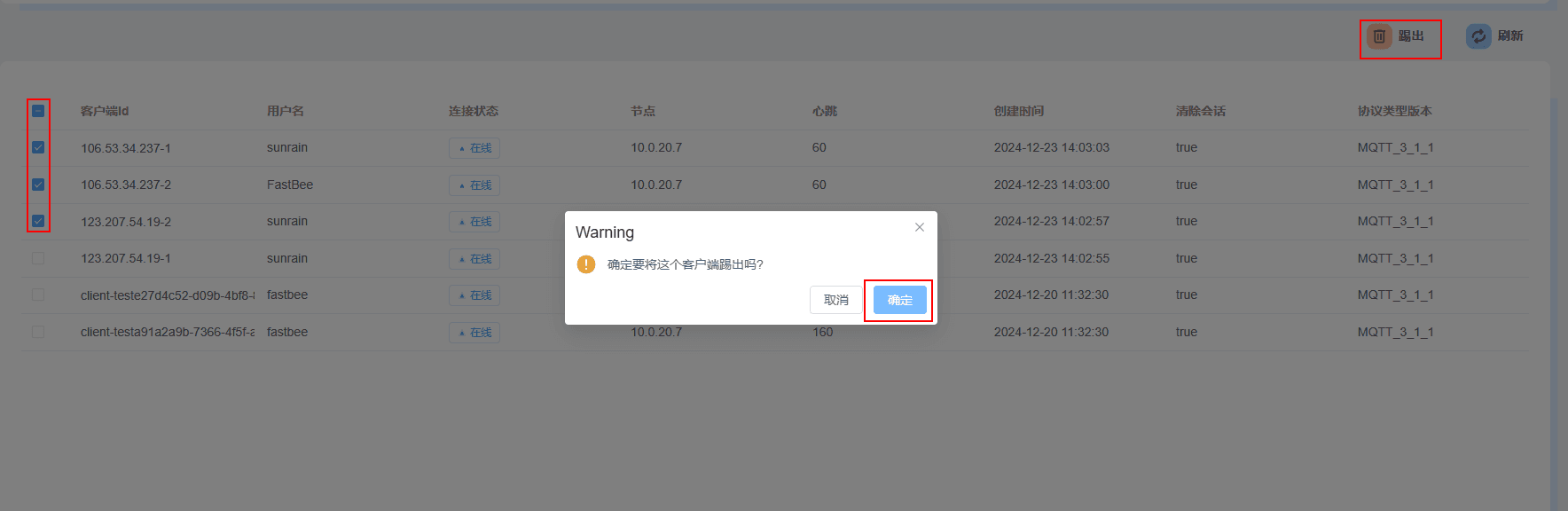
Kicking Out a Client
After kicking a client out of the MQTT service, if the client has no automatic reconnection mechanism, it will go offline
If the client has an automatic reconnection mechanism, it will automatically reconnect after being kicked out