

Product To Device Closed Loop
Page Guide
1. Overall Flow
2. Create A Product
Create a product first. The product determines the device type, protocol, networking mode, and thing-model template used by devices.
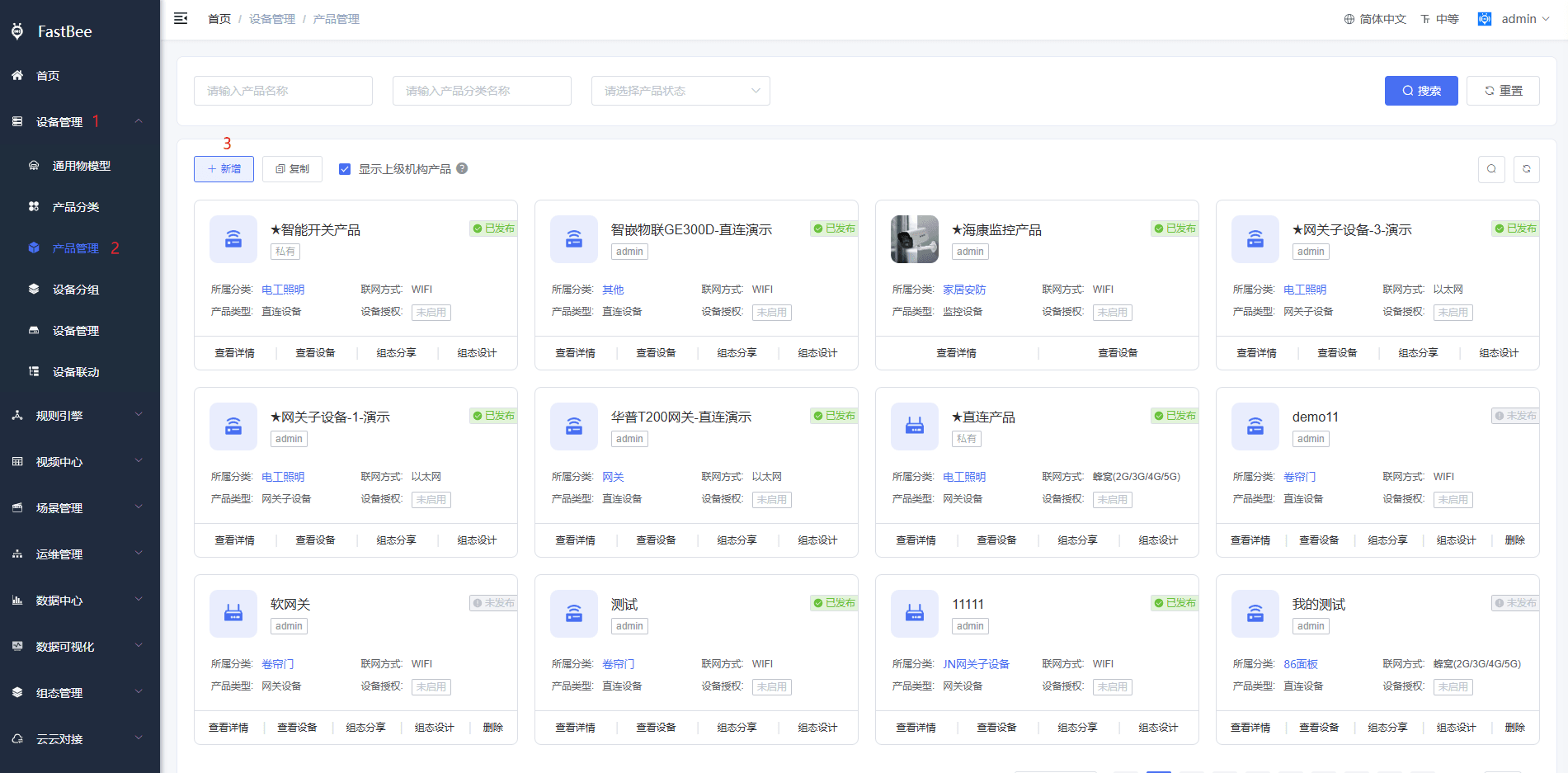
Recommended fields:
| Field | Recommendation |
|---|---|
| Product name | Use a business-readable name, such as Demo Temperature Sensor. |
| Device type | Choose direct device, gateway, sub-device, video device, or other types according to the scenario. |
| Protocol | Use MQTT for the first verification. |
| Data format | Keep the platform default format unless the project has a custom protocol. |
3. Define The Thing Model
Define properties, functions, and events before releasing the product.
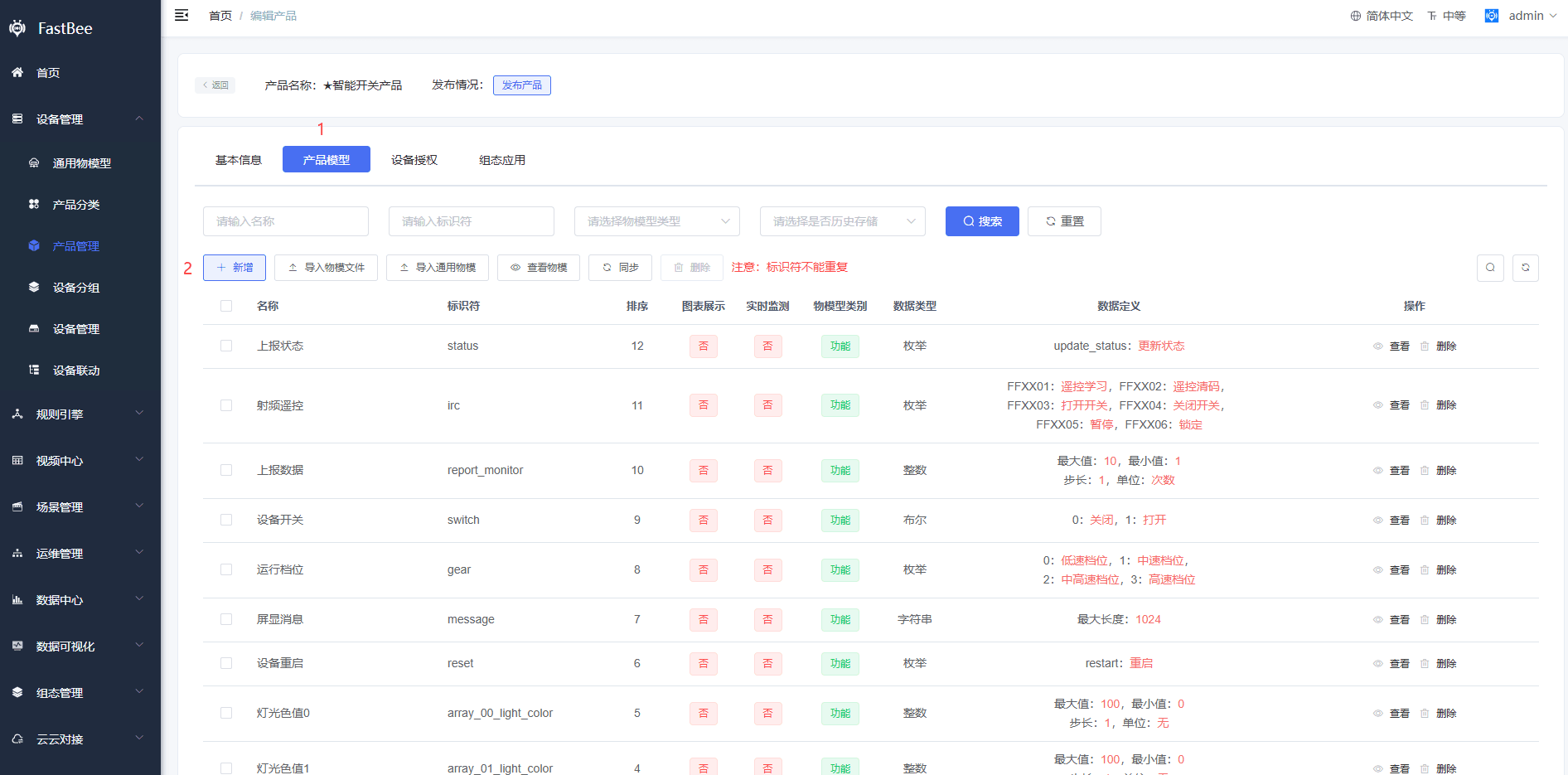
| Type | Purpose | Example |
|---|---|---|
| Property | Device status or telemetry | Temperature, humidity, switch status |
| Function | Platform command delivered to device | Turn on relay, set threshold |
| Event | Important device event | Alarm, fault, offline notice |
4. Create A Device
After the product is released, create a device and copy the MQTT credentials.
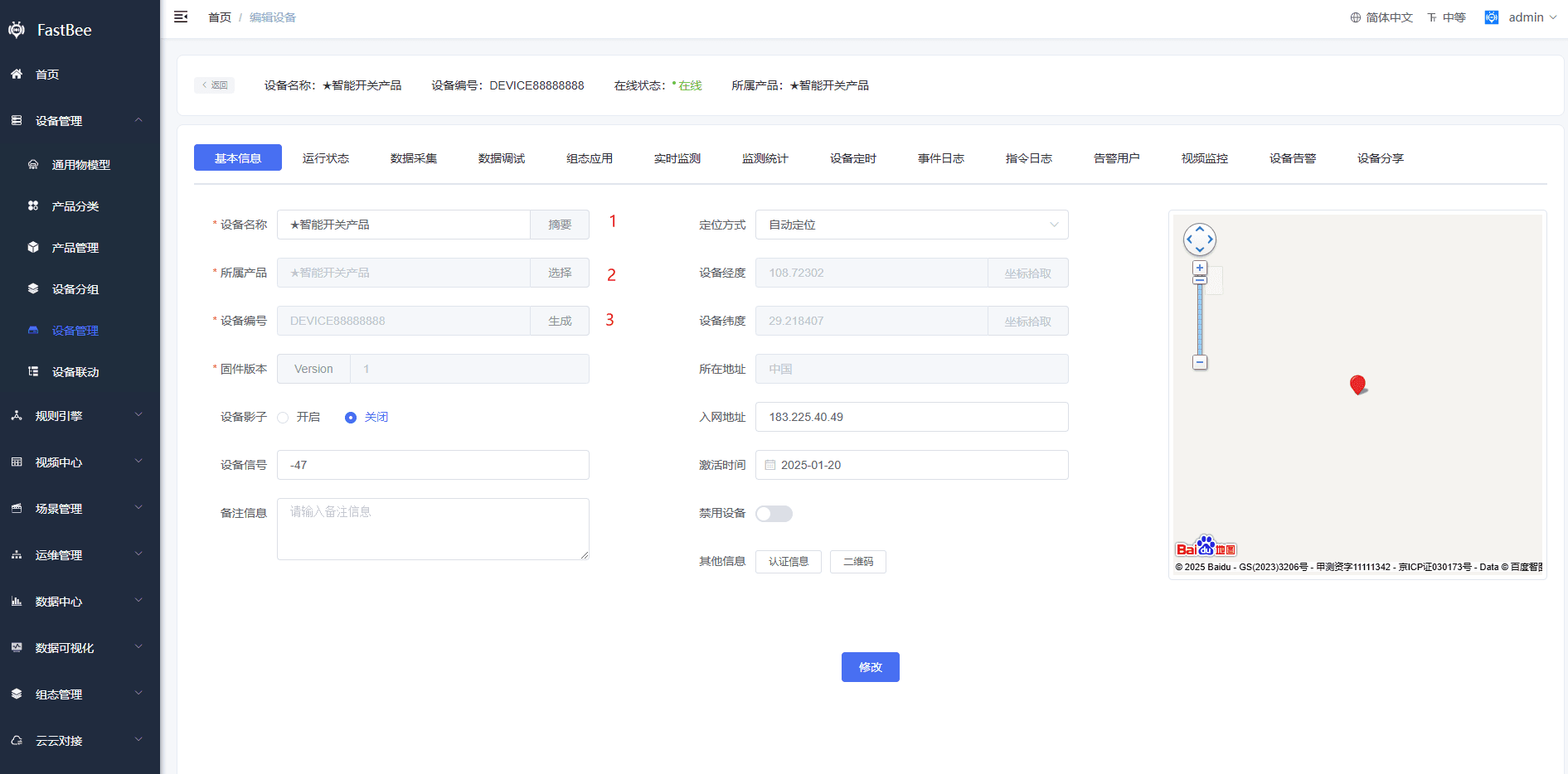
Pay attention to product ownership, device number, device secret, and status. Device credentials must match the MQTT access document exactly.
5. Verify With MQTTX
Use MQTTX to connect to the platform, report a property, and subscribe to command topics.
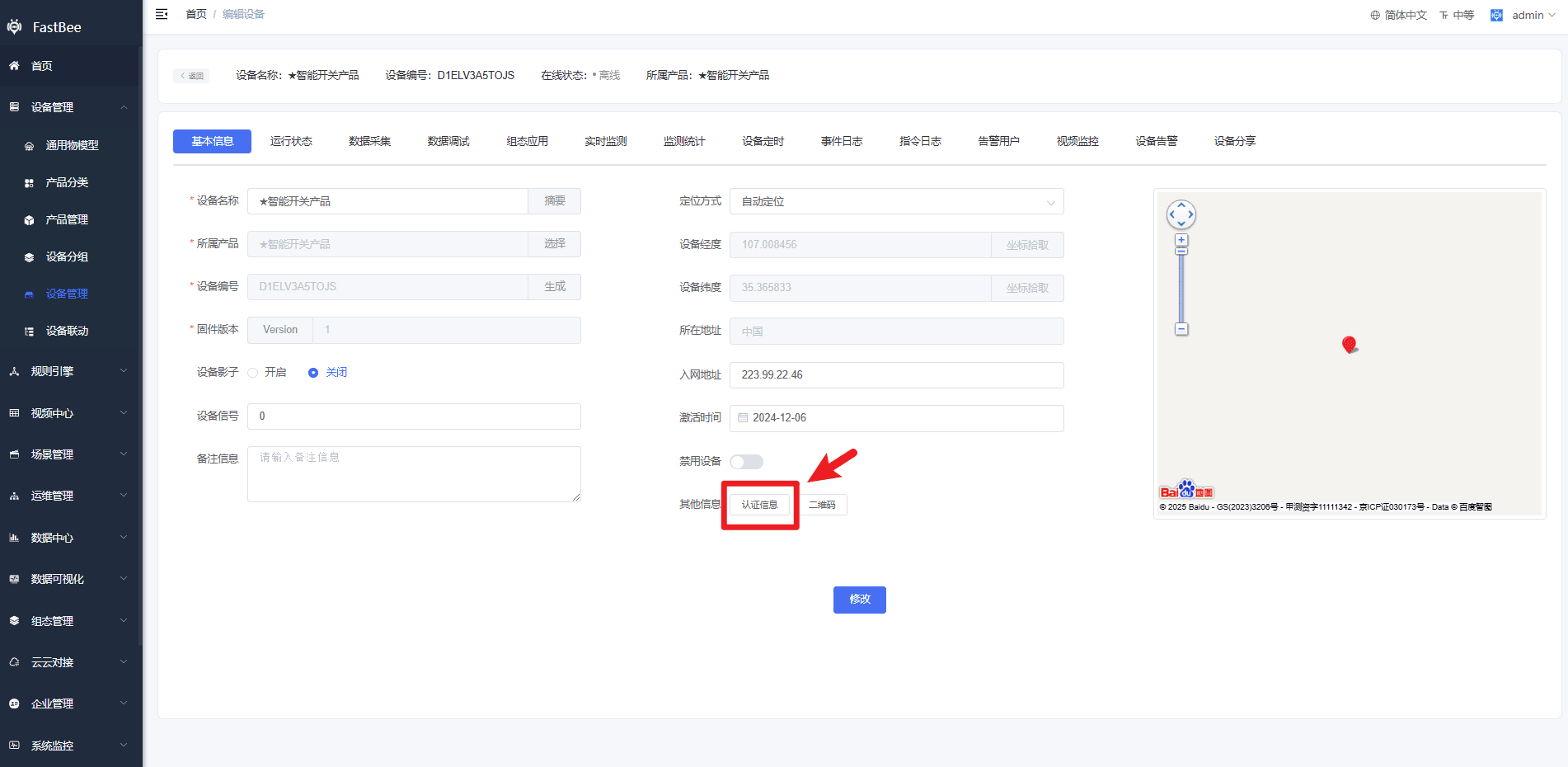
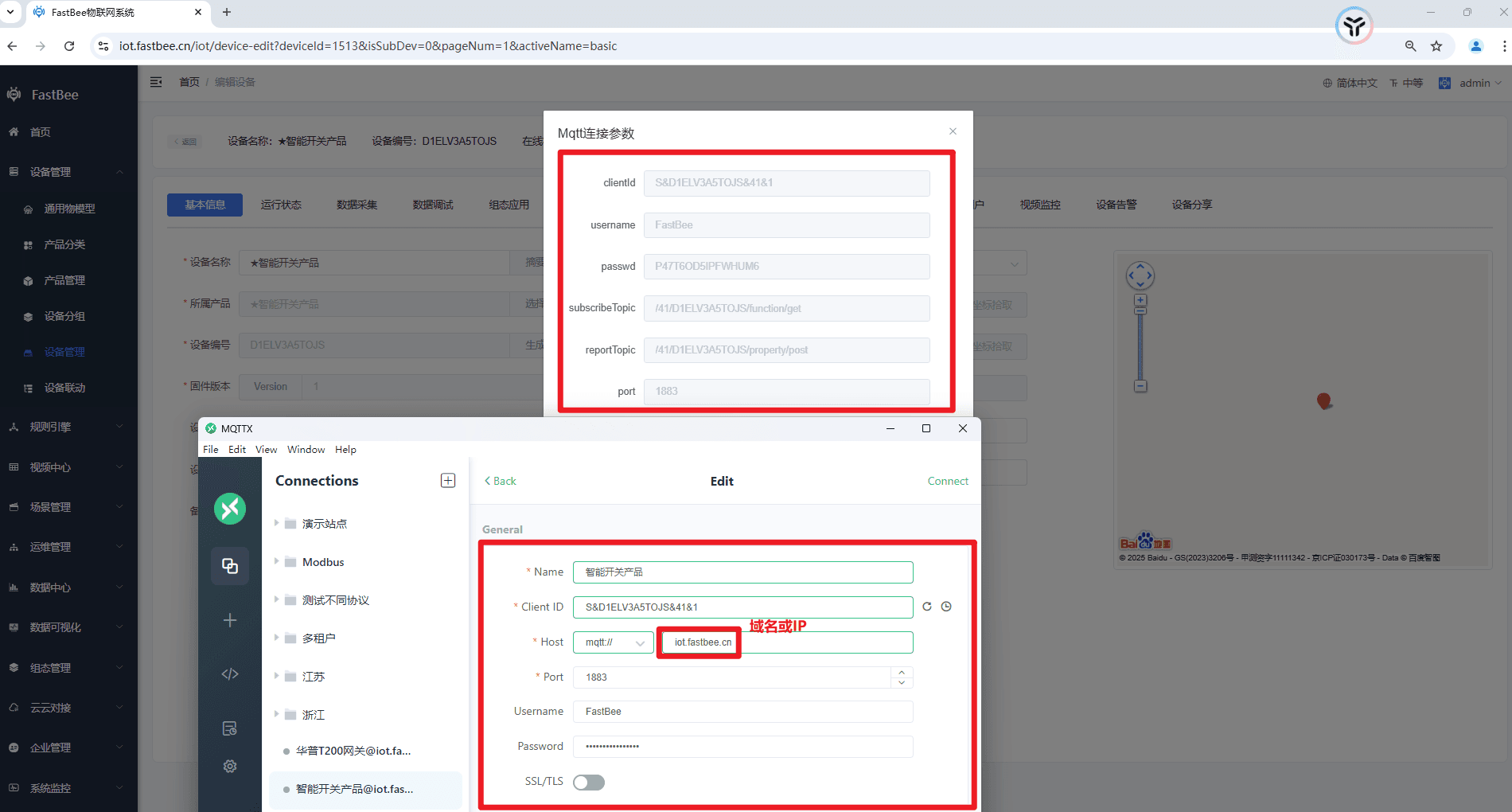
After reporting data, check the device running status, logs, and latest property values in the console.
6. FAQ
MQTTX connection fails
Check first:
- Whether the product has been released.
- Whether the device is disabled.
- Whether the Client ID follows the
S&deviceNumber&productId&userIdformat. - Whether the product ID was filled in with the product number; they are not the same field.
- Whether the username and password come from the same product.
- When device authorization is enabled for the product, whether the auth code is appended to the password.
- Whether port
1883on the server is open.
Device is online but data is not displayed
Check first:
- Whether the product ID and device number in the reporting topic are correct.
- Whether the JSON is in array format.
- Whether
idexactly matches the thing-model identifier. - Whether
valuematches the thing-model data type. - Whether the product has been re-released and whether the device has inherited the latest thing model.
MQTTX does not receive messages after platform delivery
Check first:
- Whether MQTTX has subscribed to
/{productId}/{deviceNum}/function/get. - Whether the device stays online.
- Whether the thing model selected at the delivery entry is a writable function or a deliverable property.
- Whether permission control on the browser page disables the button.
- Whether the client subscription exists in the EMQX console.
Behavior is inconsistent after enabling device shadow
Device shadow caches platform commands when the device is offline. For the first integration test, it is recommended to disable device shadow and enable it only after the online delivery path is stable.
7. Development Entry
| Type | Path Or Module | Description |
|---|---|---|
| Frontend product page | vue3/src/views/iot/product | Product, thing model, release, and application configuration entry. |
| Frontend device page | vue3/src/views/iot/device | Device list, detail, running status, and command delivery. |
| Frontend API | vue3/src/api/iot | Request wrappers for products, devices, thing models, and more. |
| Backend product API | springboot/fastbee-open-api | /iot/product, /iot/model, and related APIs. |
| Backend device API | springboot/fastbee-open-api | /iot/device, device logs, device users, and related APIs. |
| MQTT authentication | springboot/fastbee-open-api | /iot/tool/mqtt/auth, EMQX webhook authentication entry. |
| Protocol parsing | springboot/fastbee-protocol | Device message codec and protocol extension. |
| Data service | springboot/fastbee-iot-data | Device running data and time-series data processing. |