

Work Order Management
1. Work Order Management
1.1 Overview
The work order management module is a system that uses IoT technology to manage maintenance, repair, inspection, and other tasks for devices or assets in an automated, intelligent, and full-process manner. It is no longer a traditional "repair ticket" that passively responds to failures, but a proactive operations center that integrates real-time data, predictive analysis, and automated processes.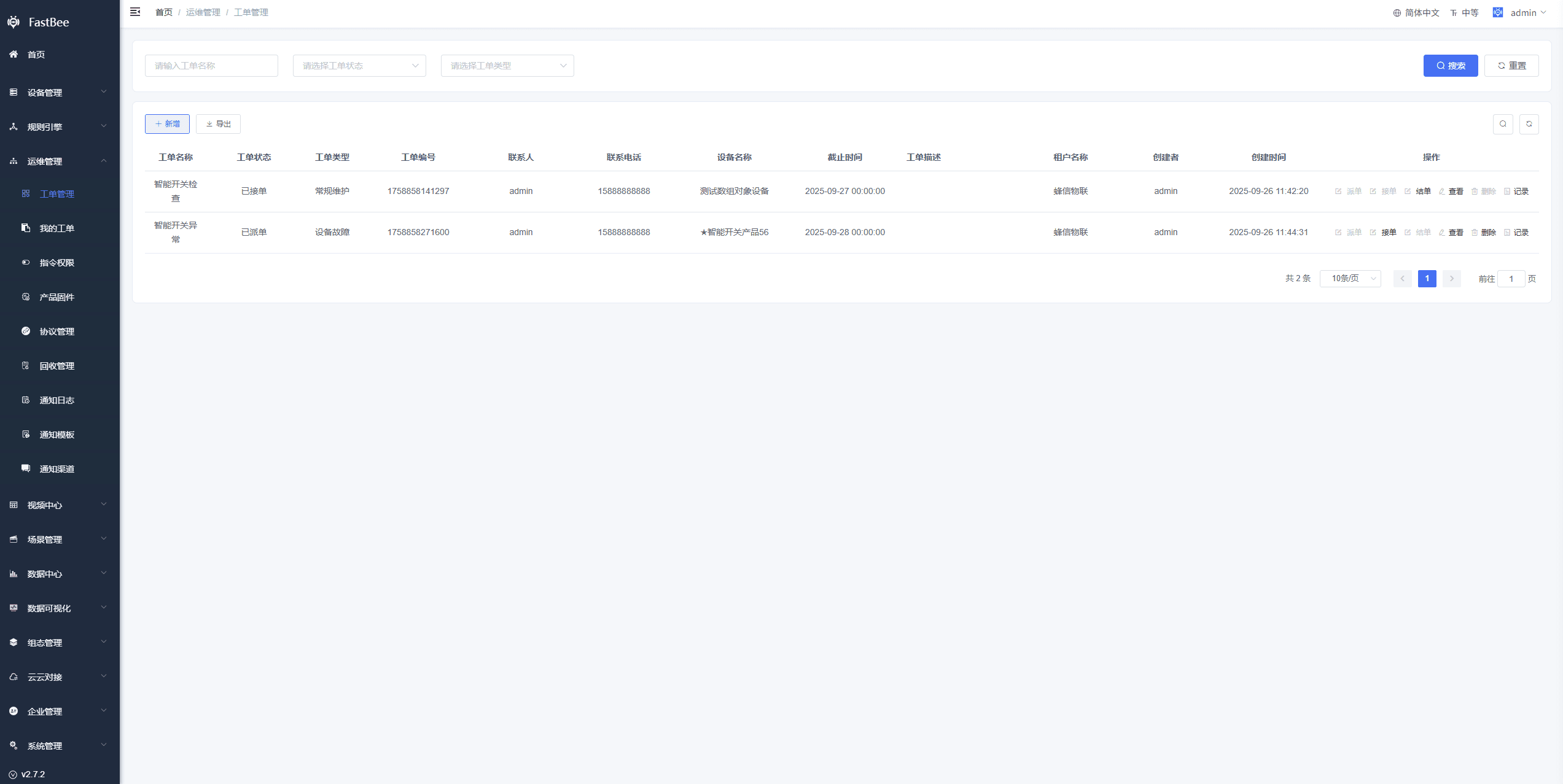
1.2 Work Order Types
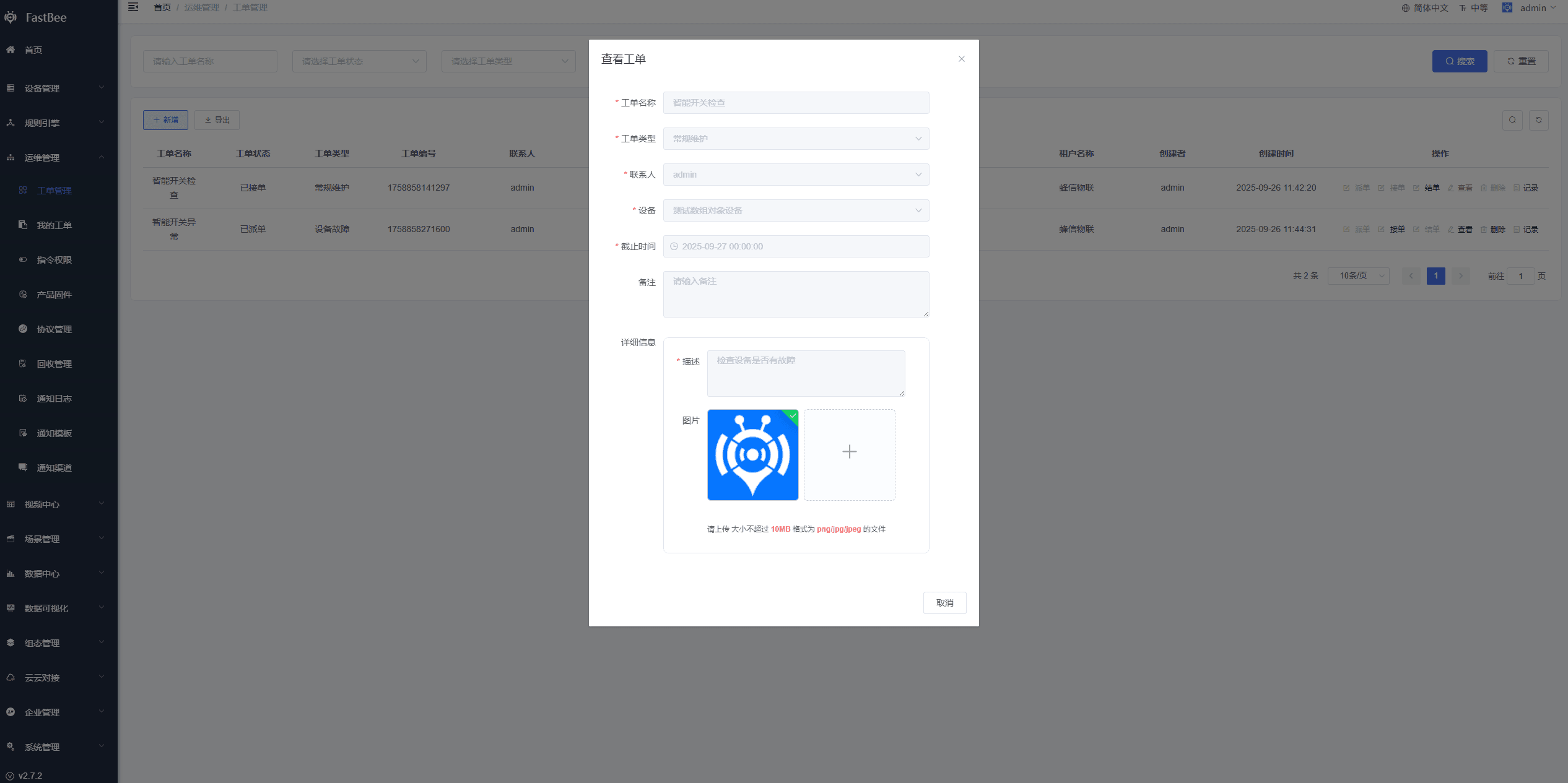
Routine Maintenance
This is a proactive maintenance strategy that requires regular, recurring servicing of devices; work orders are dispatched manually or periodically by the system.
提示
Note: this can be used together with the Device Maintenance feature. Configuring device maintenance lets the system automatically generate work orders within a specified cycle. Refer to the Device Maintenance documentation
Device Failure
Device failure refers to the phenomenon where a device loses functionality or its performance degrades due to various reasons during operation; work orders need to be created and dispatched manually.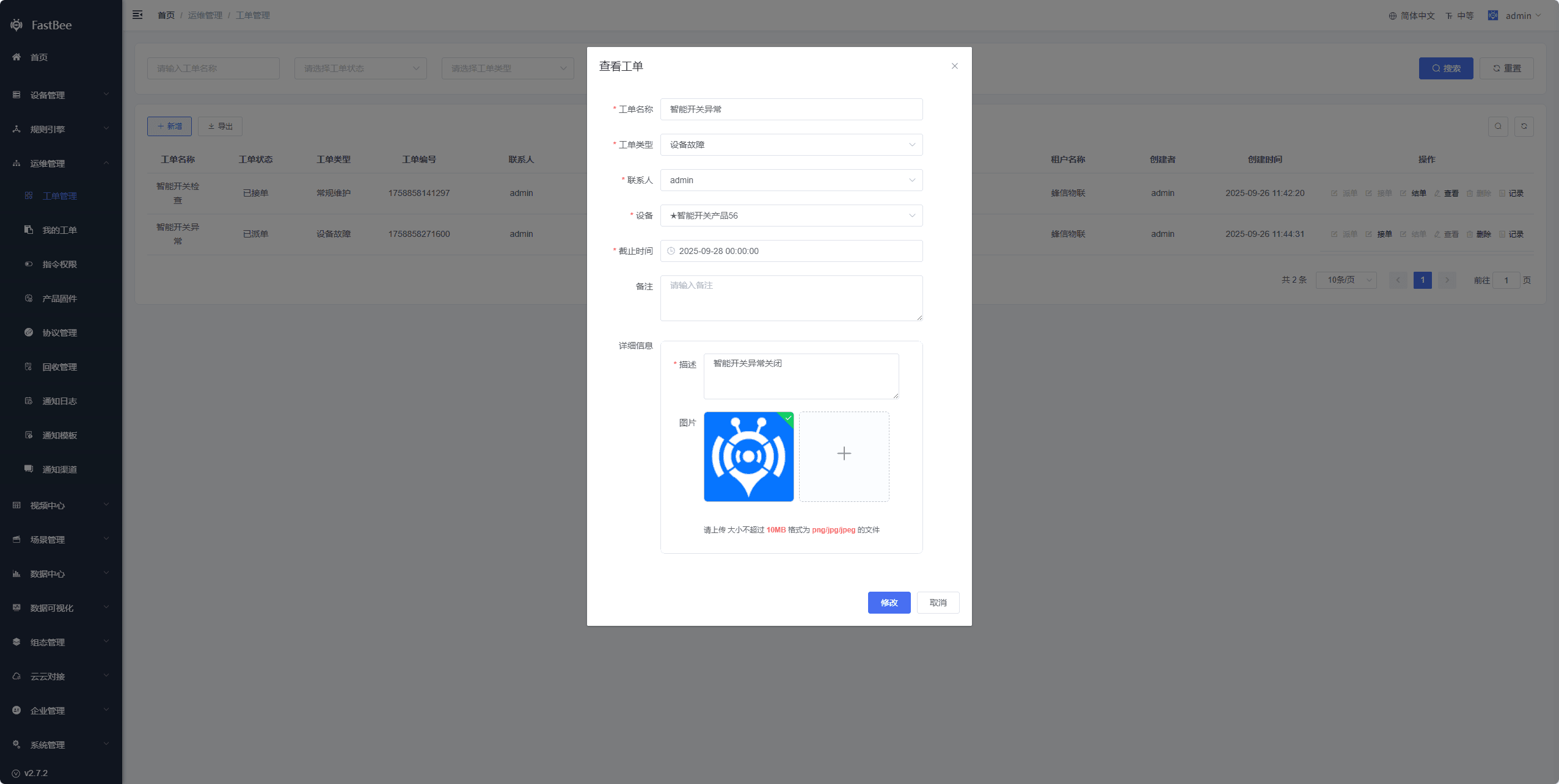
Device Installation
When devices need to be installed on site, work orders can be created and dispatched manually, and region and specific location information can be filled in.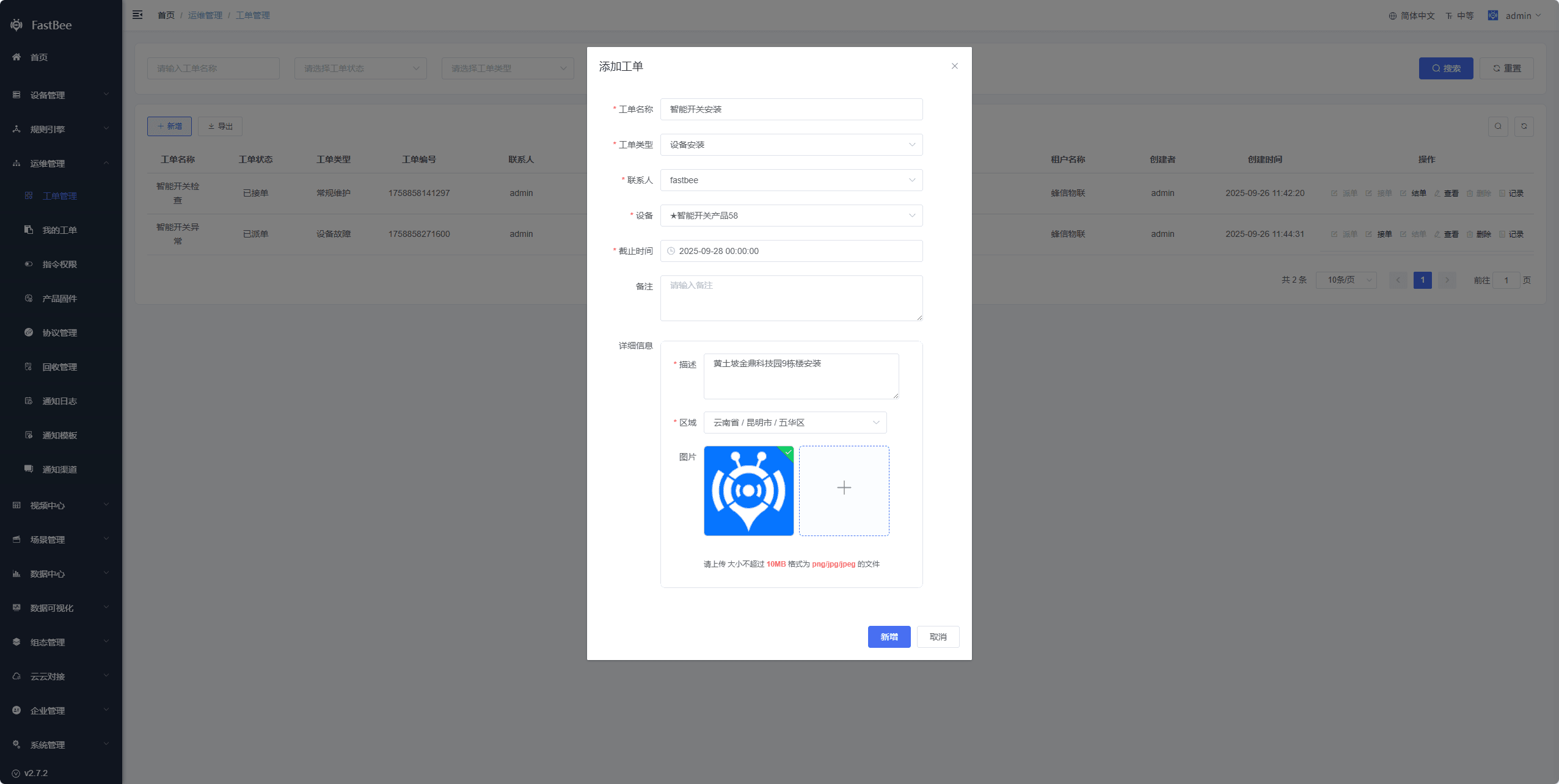
Device Alert
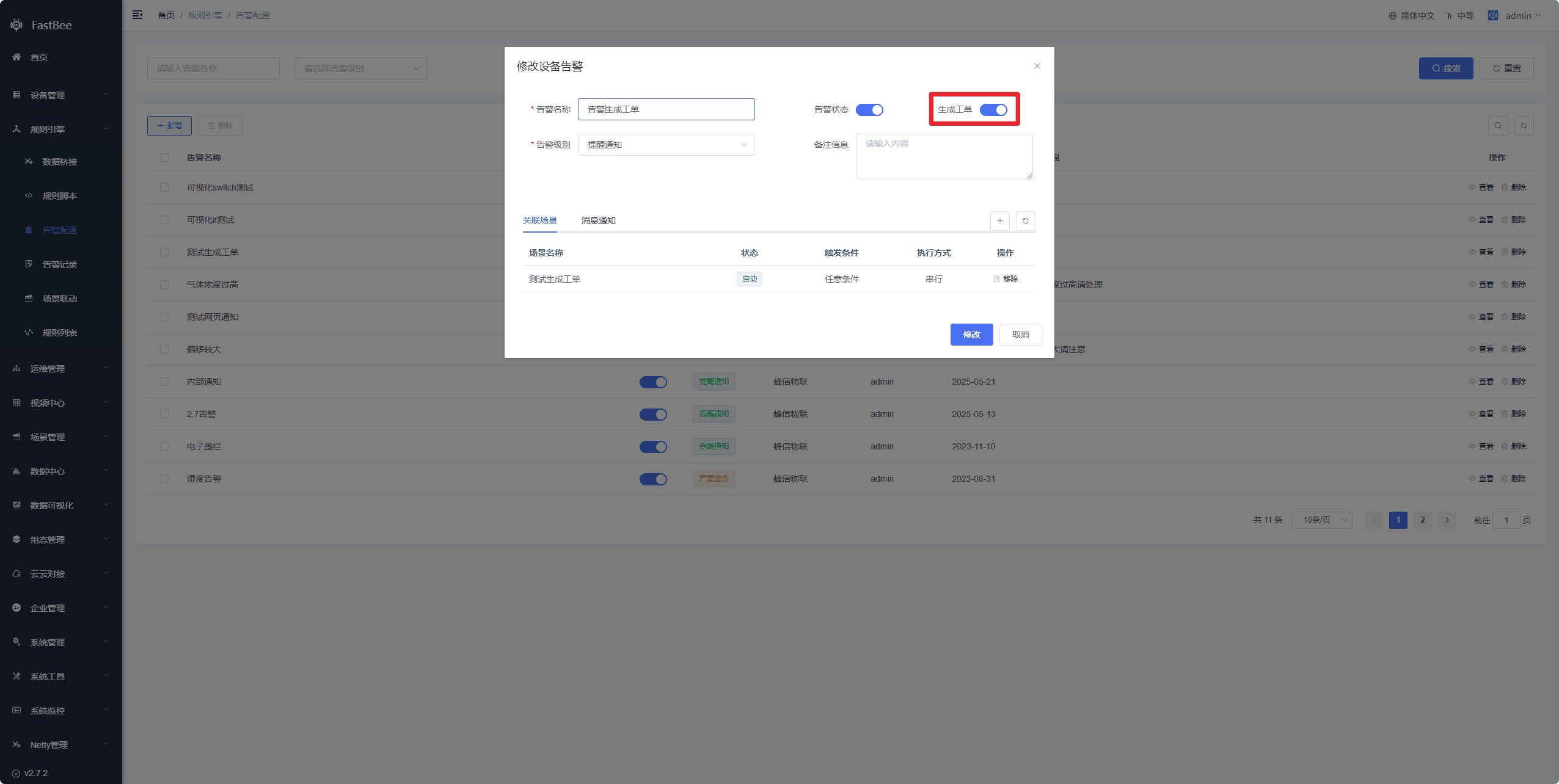
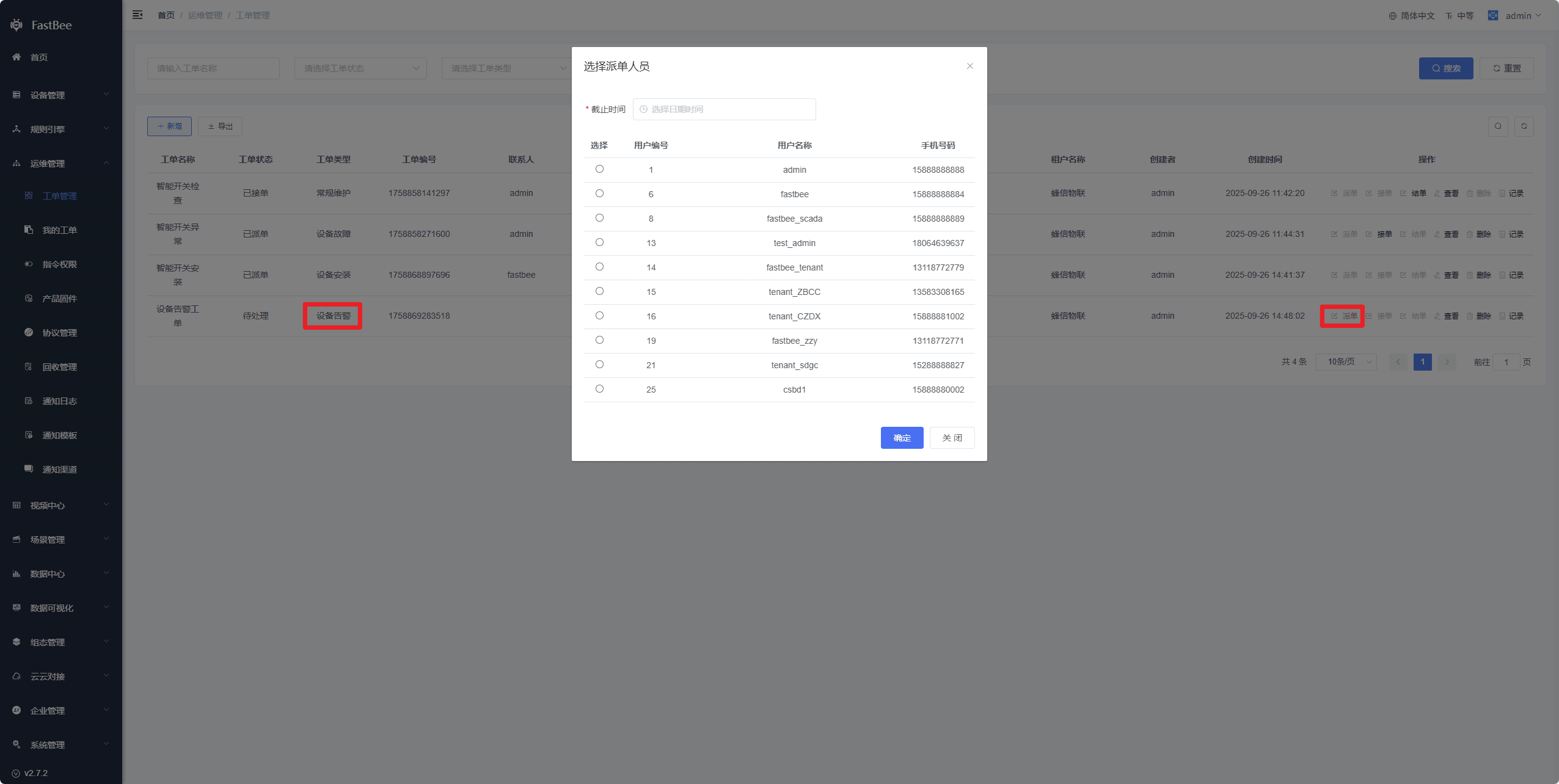
In some important alert scenarios, when an alert is triggered, the system automatically generates a work order at the same time. After seeing the work order, administrators can dispatch it to maintenance personnel for inspection and repair.
提示
Note: this can be used together with the Alert Configuration feature, where Generate Work Order is enabled. Refer to the Alert Configuration documentation
User Feedback
Mainly used by end users. After purchasing a device, end users who encounter problems during use can directly add feedback in the app or mini program under View Device - Problem Feedback.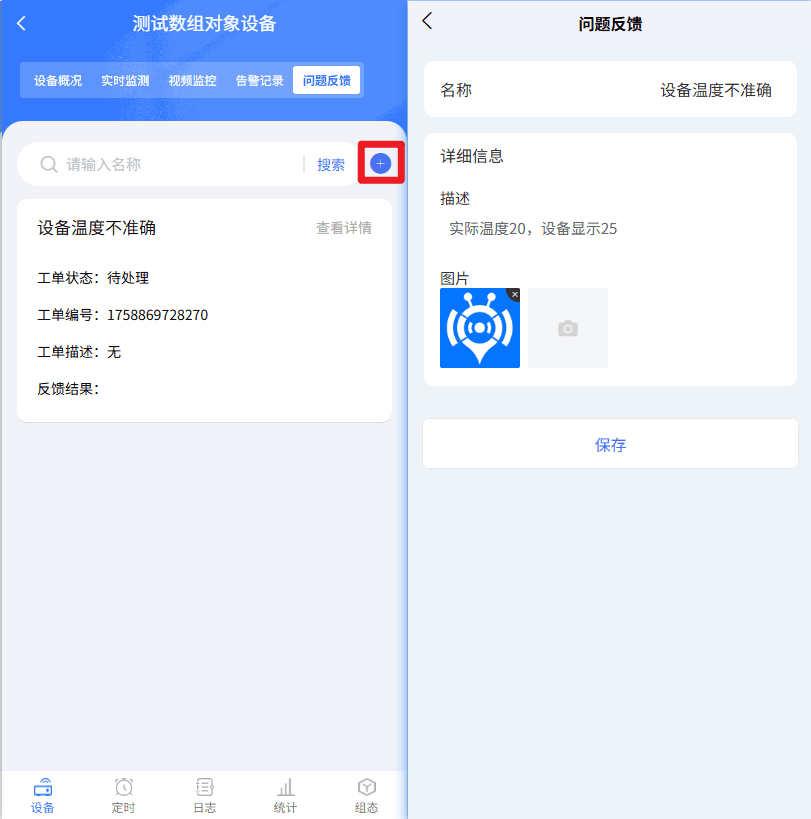
1.3 Detailed Process
- Routine Maintenance, Device Failure, and Device Installation work order types: first dispatch, then the work order contact accepts the order, and finally closes it. If it is not completed within the deadline, the system automatically closes it.
- Device Alert, User Feedback, and Routine Maintenance work order types: automatically generated by the system or added by end users. A work order is generated first, then the administrator dispatches it, then the work order contact accepts it, and finally closes it. If it is not completed within the deadline, the system automatically closes it.
1.4 Work Order Records
Every change to a work order is recorded; click the record button to query the details.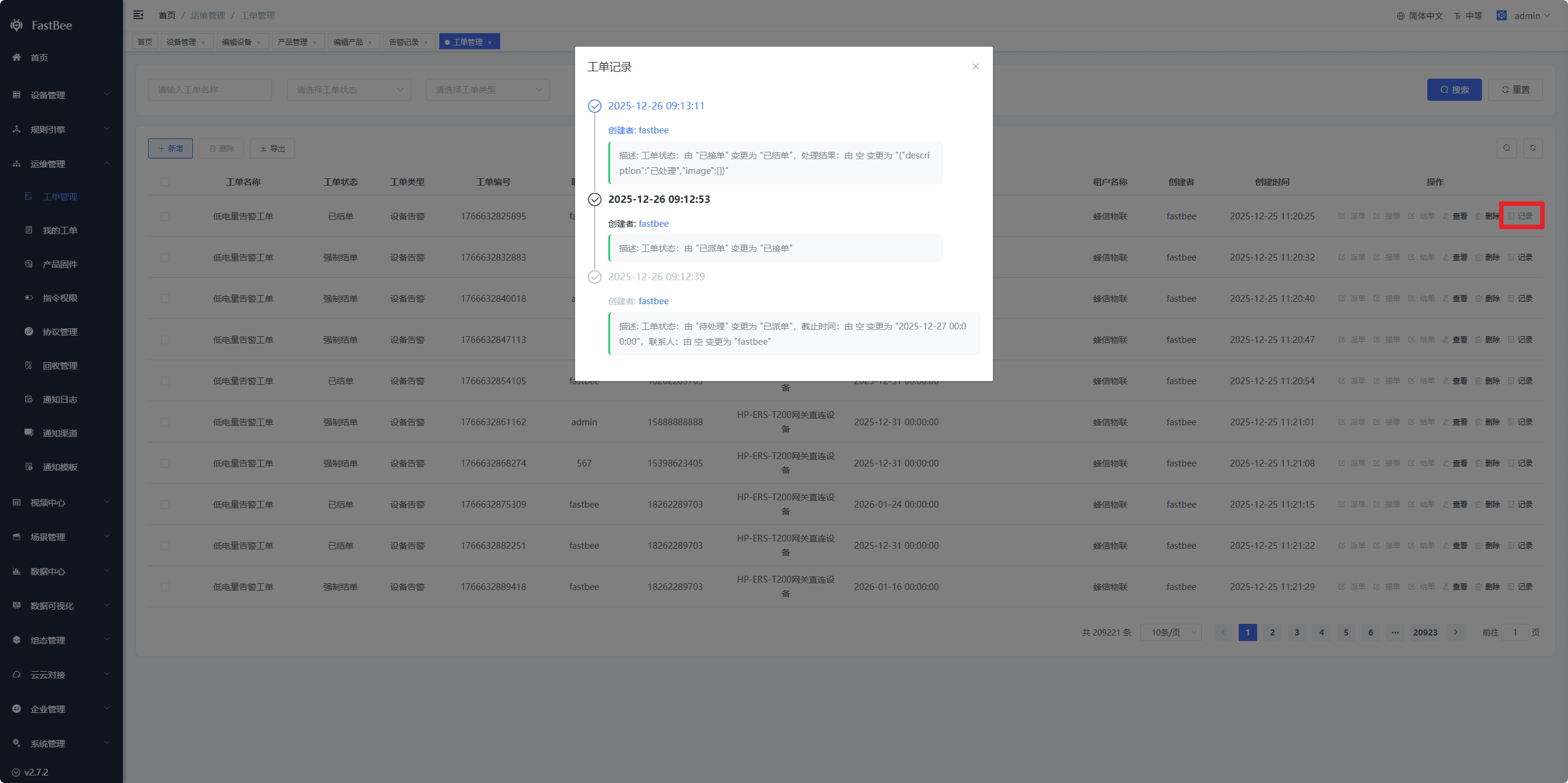
2. User Roles
Usage is divided between tenants and end users.
- End users: in the mini program or app, go to View Device - Problem Feedback to add or view the work orders they submitted. They can also click Problem Feedback on the My page to view work orders.
After user feedback is submitted, the device manufacturer (tenant) handles the work order in the admin console.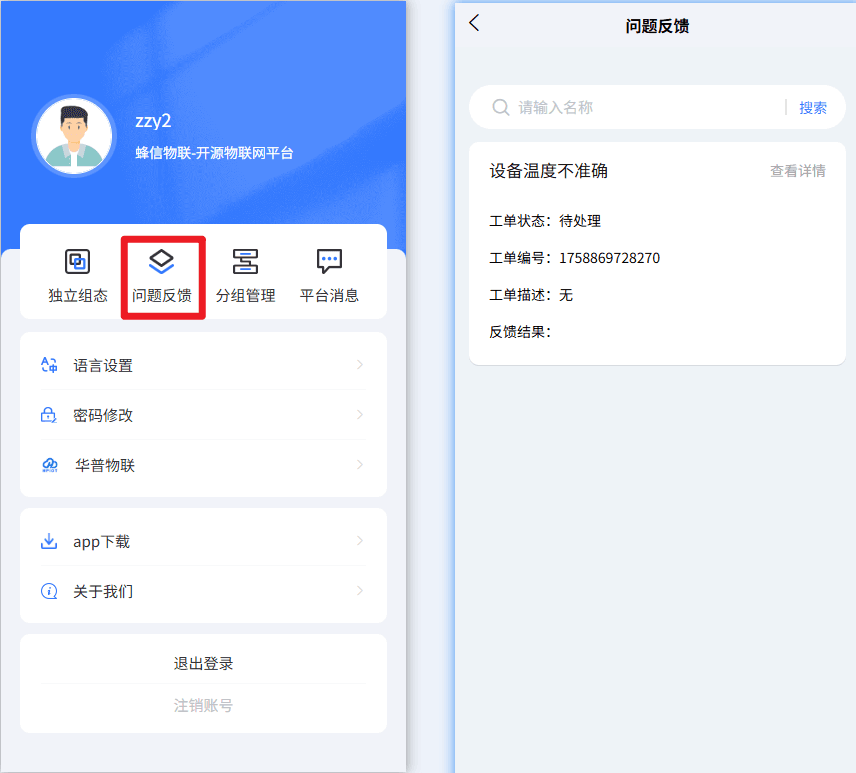
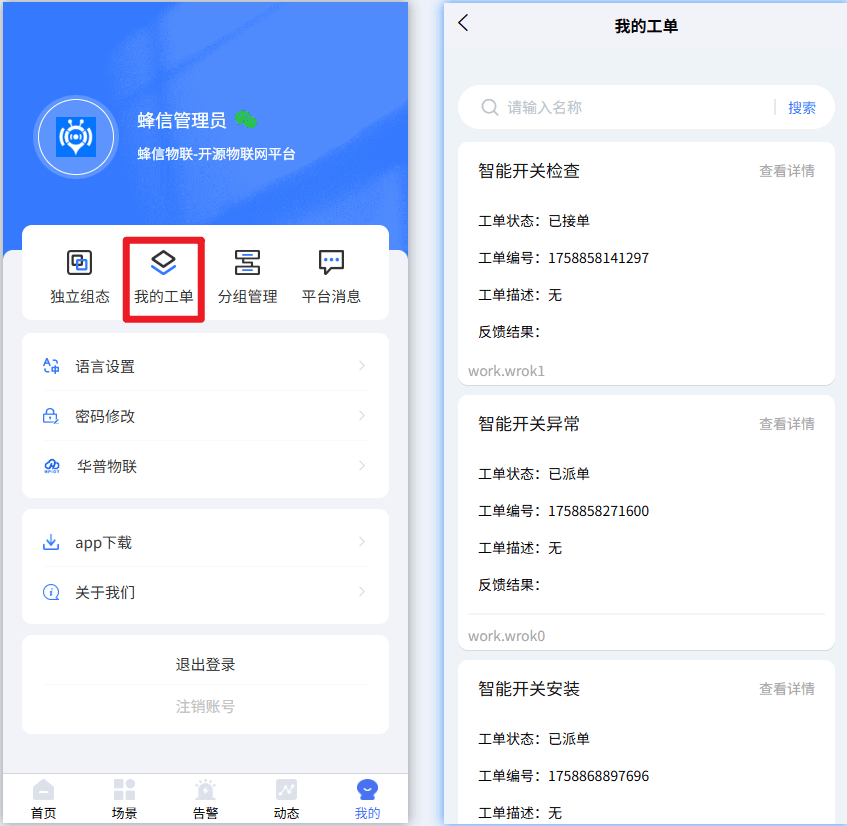
- Tenants: can manage work orders in the PC admin console under Work Order Management and My Work Orders; they can also view them in the mini program or app, with operations similar to those of end users.
3. Work Order Notifications
3.1 QQ Mail
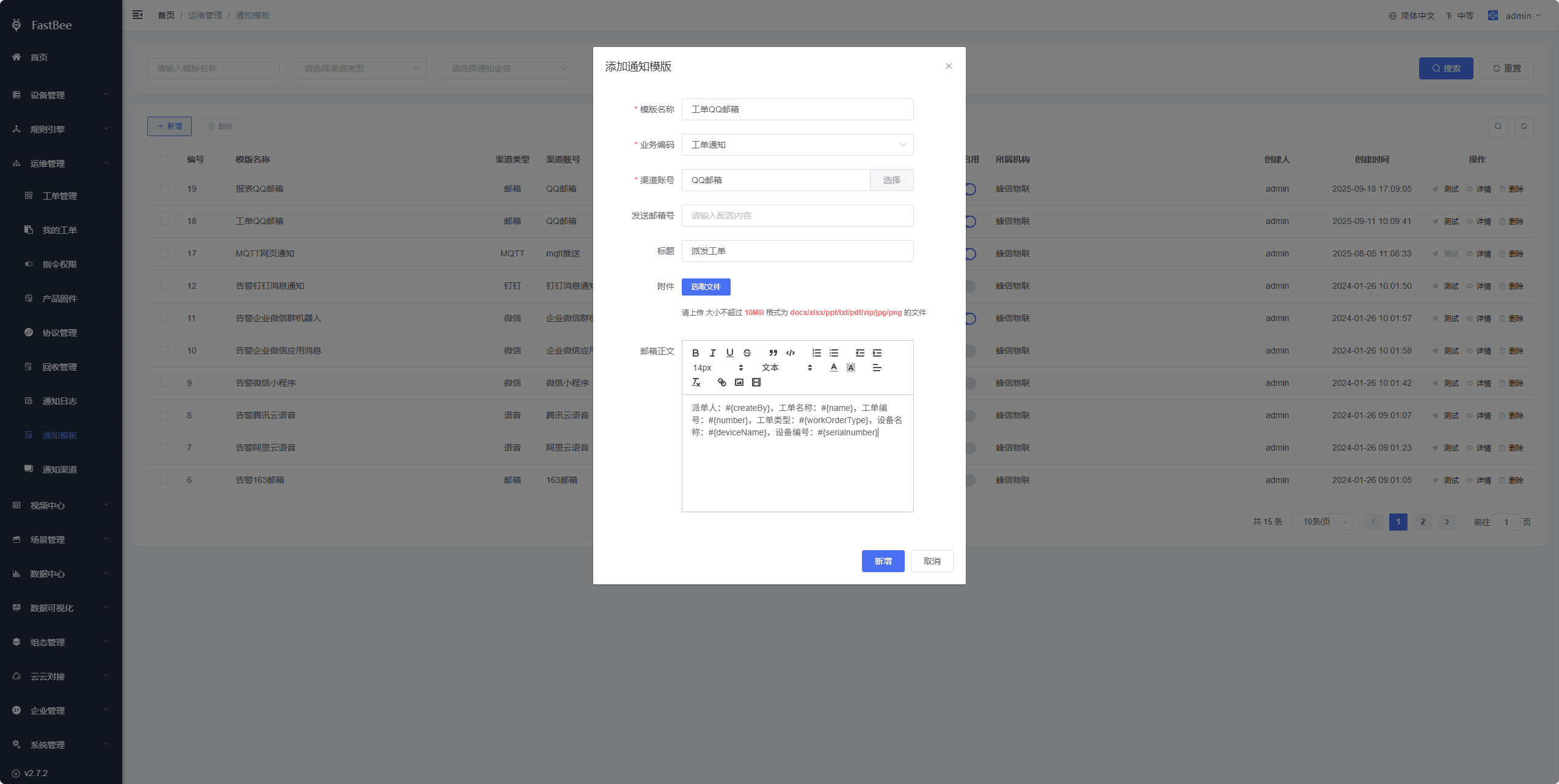
After a work order is dispatched, a notification is sent to the contact's QQ mailbox. After receiving the email, the contact clicks the link to enter the admin console and handle the work order.
提示
- The contact (user) information must have a QQ mailbox configured to receive notifications. Administrators can uniformly modify user mailboxes under Enterprise Management - User Management, or users can fill in the correct mailbox themselves in the Personal Center.
- The variables currently supported by the QQ Mail work order notification template are shown in the figure; you can adjust them yourself by referring to the Message Notification documentation.
4. Future Optimizations
Add other notification methods;
5. Result Verification
After the work order configuration is complete, it is recommended to accept against the following checklist:
| Acceptance Item | Expected Behavior |
|---|---|
| Manual creation | Routine Maintenance, Device Failure, and Device Installation work orders can be created manually |
| Automatic generation | Alerts and device maintenance can automatically generate work orders as configured |
| Dispatch | Administrators can dispatch work orders to designated contacts |
| Acceptance | Contacts can view and accept work orders in the console or on mobile |
| Closure | After handling is complete, the result can be filled in and the work order closed |
| Logs | Every status change has a work order record |
| Notifications | The contact's mailbox or subsequent notification channels can receive reminders |
6. FAQ
The contact does not receive notifications
Check whether an email address is configured for the contact user, whether the notification template is enabled, whether the message notification channel is available, and whether the email service is being blocked.
Alerts do not generate work orders
Check whether "Generate Work Order" is enabled in the alert configuration, whether the associated scene is triggered, and whether the alarm execution count limit is blocking repeat notifications.
Maintenance does not generate work orders
Check the device maintenance plan, advance dispatch lead time, scheduled task status, and server time.
Ordinary users cannot see work orders
Check the tenant, roles, data permissions, device assignment relationships, and whether the user is the work order contact.
7. Secondary Development Entry Points
| Type | Path or API | Description |
|---|---|---|
| Frontend page | vue3/src/views/iot/workOrder | Work order management page |
| Frontend page | vue3/src/views/iot/maintenance | Source of maintenance automatic dispatch |
| Backend API | /iot/workOrder | Work order CRUD and status transitions |
| Backend API | /iot/alert | Source of work orders generated by alerts |
| Notification module | springboot/fastbee-notify | Email, HTTP, and other notification capabilities |