

APP Version Management
Overview
The APP Version page provides APP package hosting and supports uploading WGT/APK files, making it easier to manage APP version releases.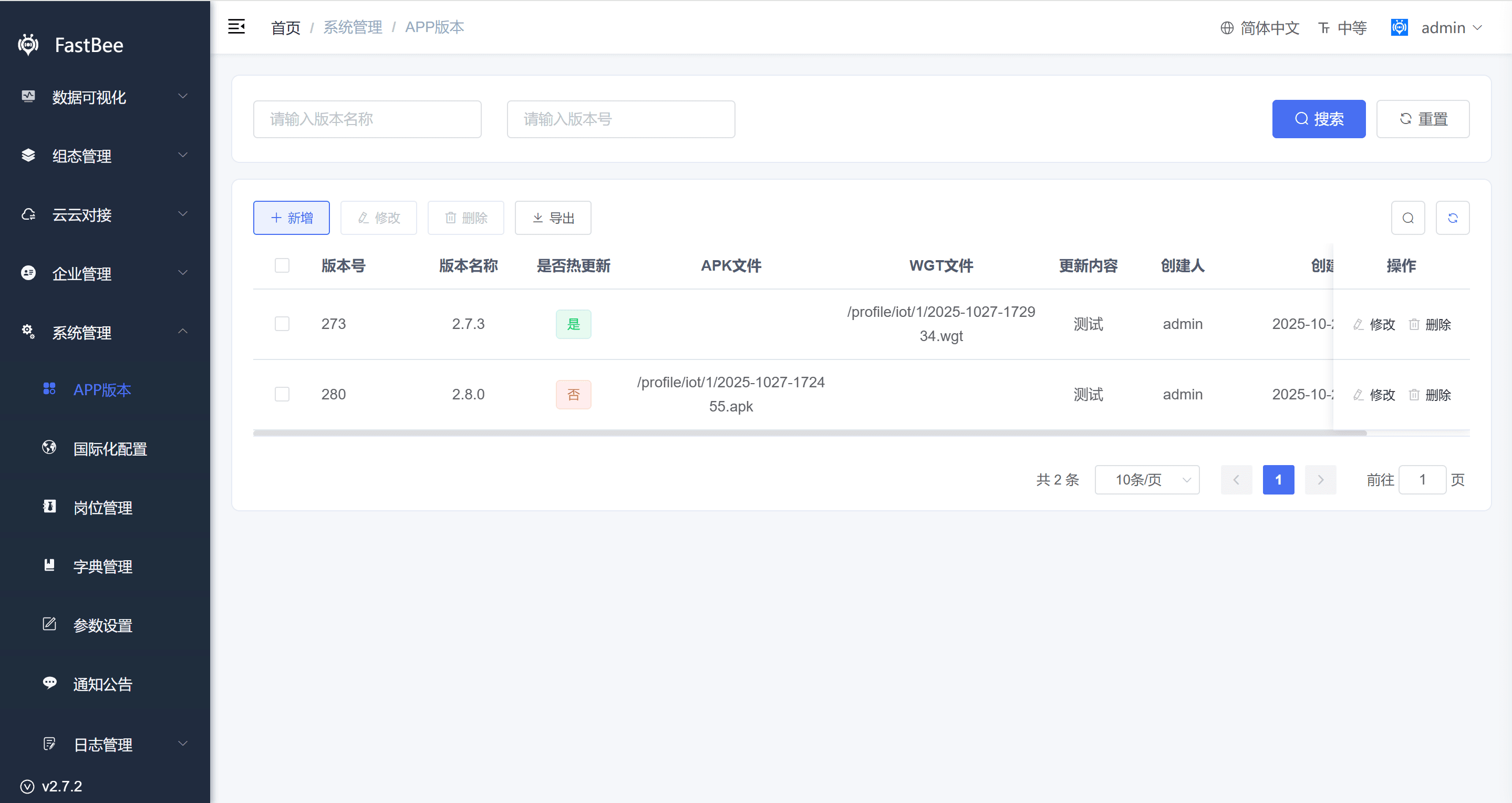
Operation Flow
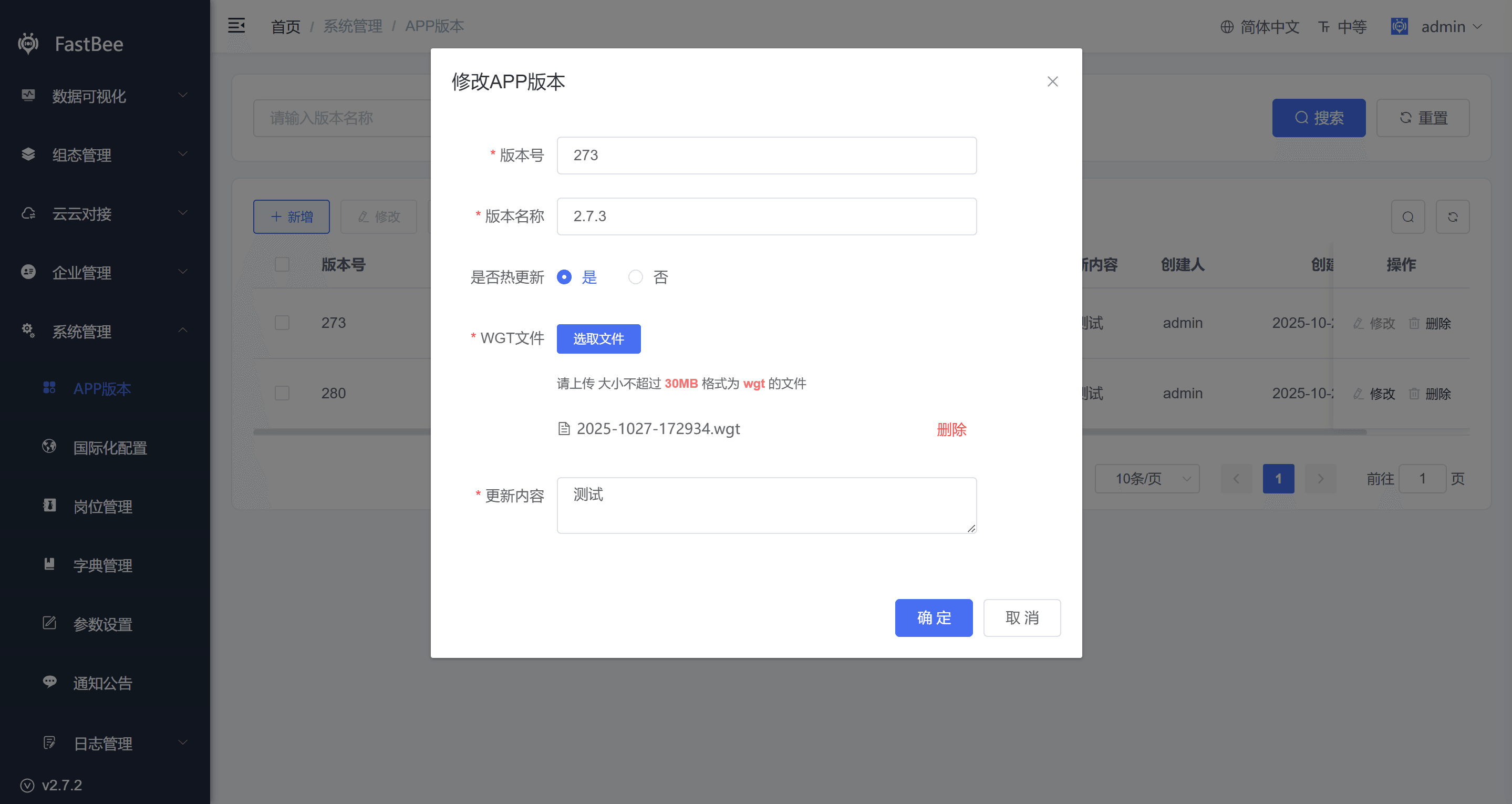
- Online upgrade (hot update) does not require users to re-download from a specific address such as an app store. Instead, the app detects updates online and downloads and installs a resource package directly, reducing user churn. It is mainly implemented with a WGT package.
- Click Add, set Hot Update to Yes, and fill in the related information as prompted.
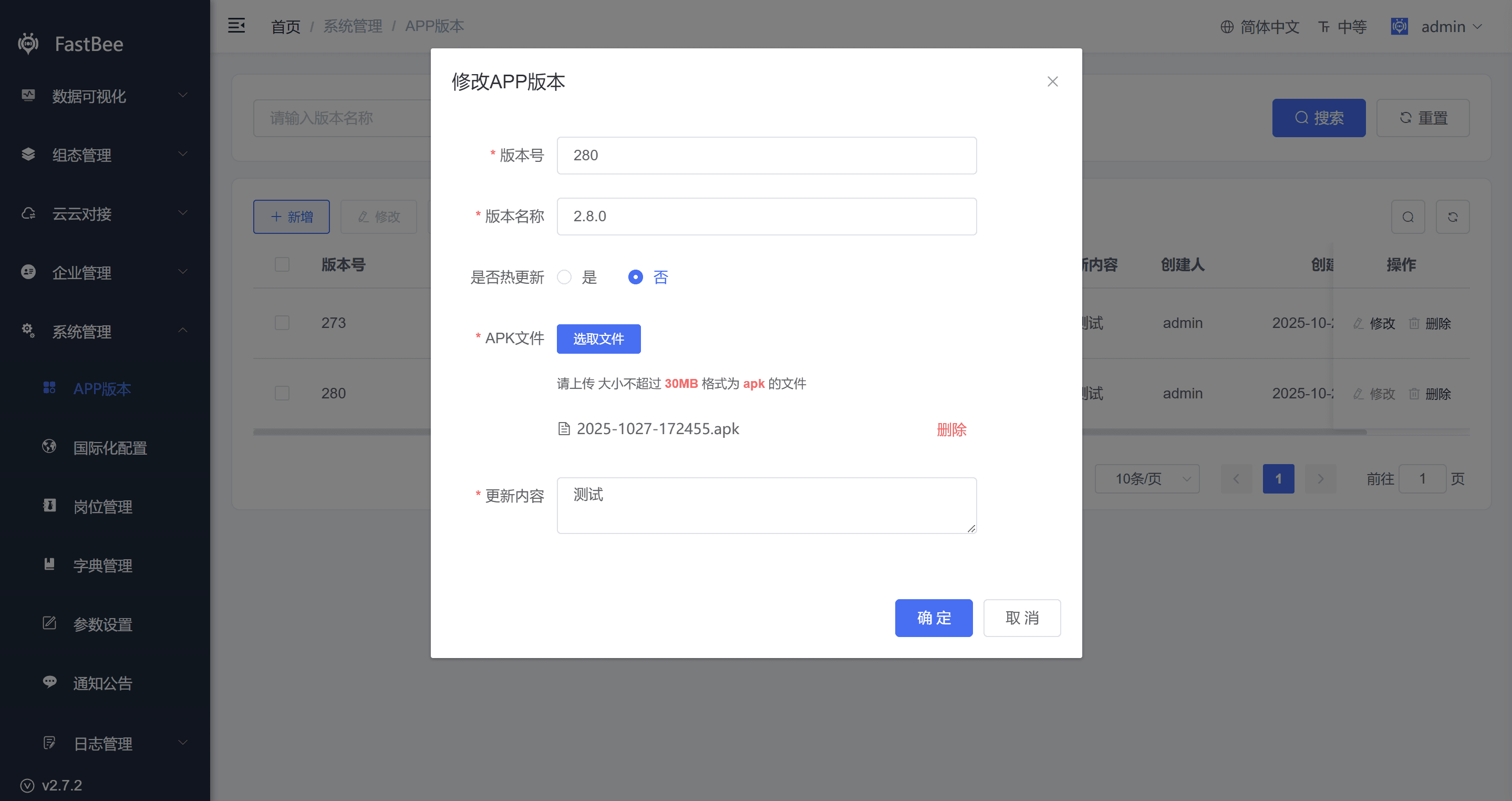
- Downloading from a specific address is usually for major-version updates, such as changing basic configuration like the logo, splash screen, or name, or adding APP hardware permissions such as push, camera, or sharing. In this case a WGT package cannot be used for the upgrade; you must package an APK or IPA and guide users to download and install it again from the specified address.
- Click Add, set Hot Update to No, and fill in the related information as prompted.
iOS signing is complex and later review is strict, so managing releases through the App Store is recommended.
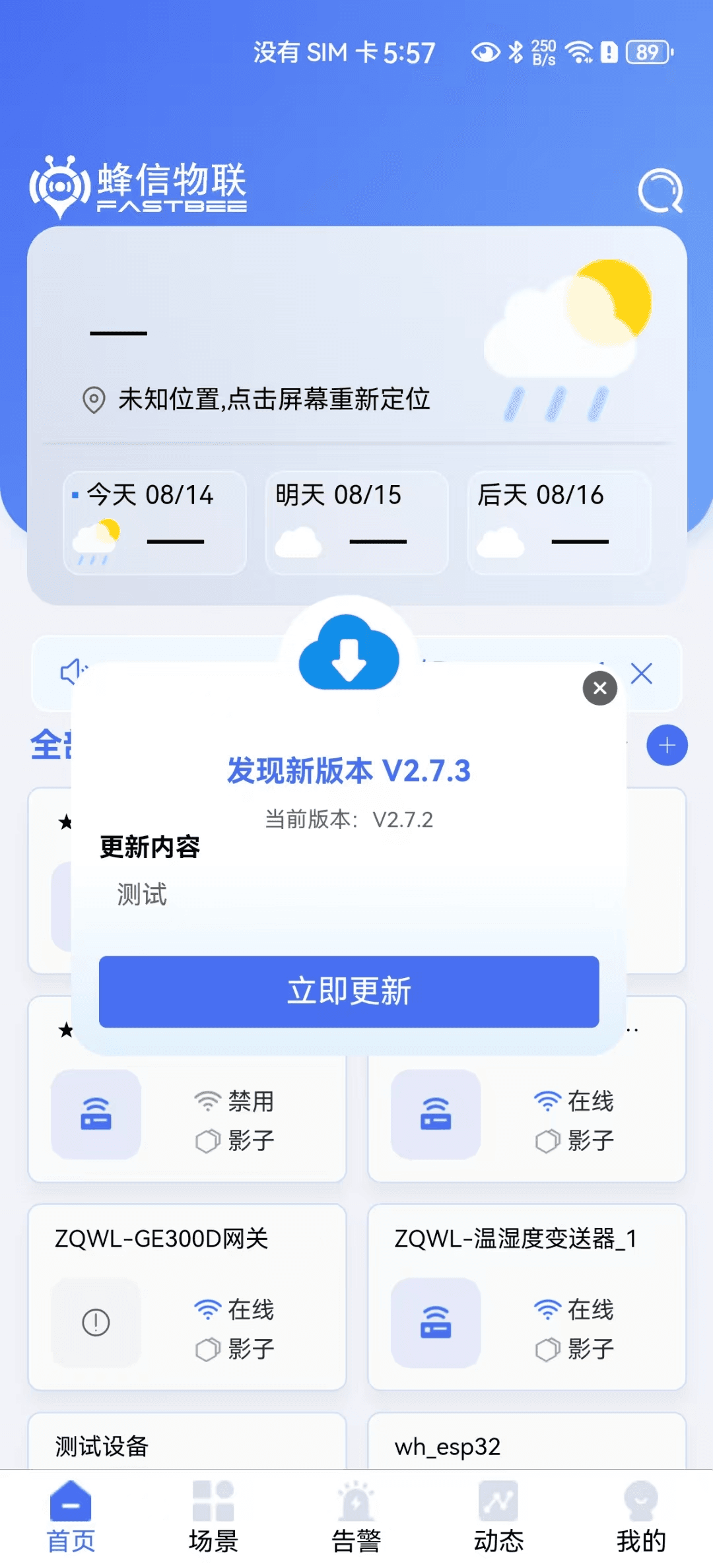
When the APP detects a WGT/APK with a version number greater than the current version, it downloads and updates automatically.
Field Descriptions
| Field | Description | Recommendation |
|---|---|---|
| Version name | The version number shown to users | Keep it consistent with the release notes |
| Version number | The numeric or semantic version the client compares for upgrades | Must be greater than the old version to trigger an upgrade |
| Hot update | Distinguishes WGT packages from full installation packages | Use hot update for minor fixes and an installation package for major versions |
| Installation package | WGT, APK, or a download address | Verify on a test device after uploading |
| Release notes | The change description shown to users | Briefly describe additions, optimizations, and fixes |
| Force update | Whether the update can be skipped | Only recommended for major security or compatibility issues |
Release Acceptance
- The test client's current version is lower than the target version.
- The App can detect the new version.
- The WGT hot update can be downloaded and installed, and takes effect after a restart.
- The APK update can redirect to the download or complete the installation.
- A clear prompt is shown when the update fails.
- The old version no longer incorrectly triggers repeated upgrades.
FAQ
The App does not detect the new version
Check whether the version number is greater than the client's current version, whether the App requests the correct environment, and whether the version status is enabled.
WGT installation fails
Check whether the WGT package is compatible with the current App base, and whether capabilities that require repackaging the APK were modified.
iOS cannot be hot updated
iOS review and signing restrictions are stricter. Manage releases through the App Store or an enterprise signing process.
Secondary Development Entry Points
| Type | Path or API | Description |
|---|---|---|
| Frontend page | App version pages under vue3/src/views/iot | App version management entry |
| Backend API | Version APIs under /iot | Version list, upload, and status control |
| File storage | OSS or local storage configuration | Storage of installation packages and WGT files |