

video
1. Features Supported by the GB (National Standard) Monitoring Platform
- GB/T28181 access registration & heartbeat
- Device information query
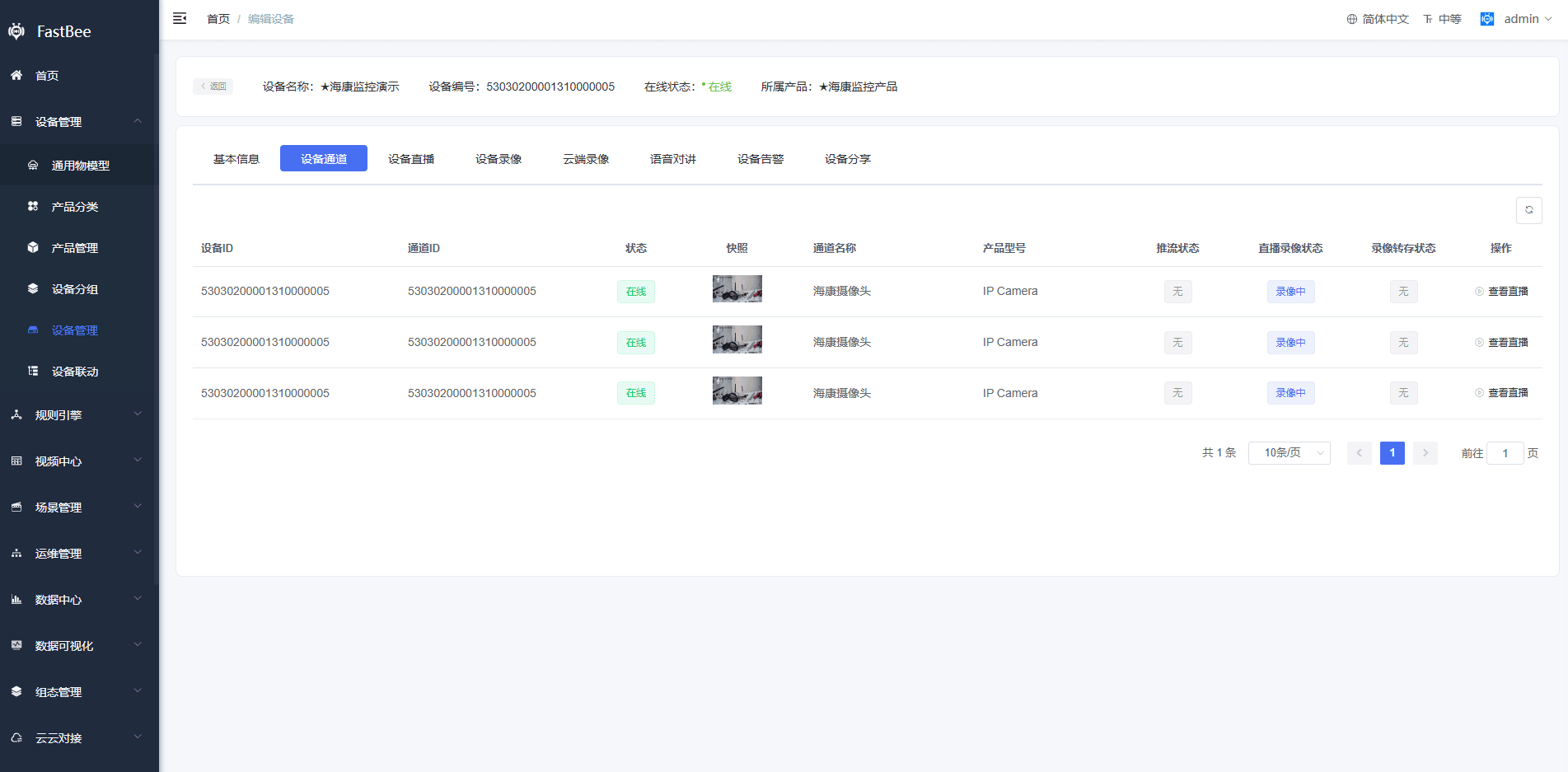
- Device channel query
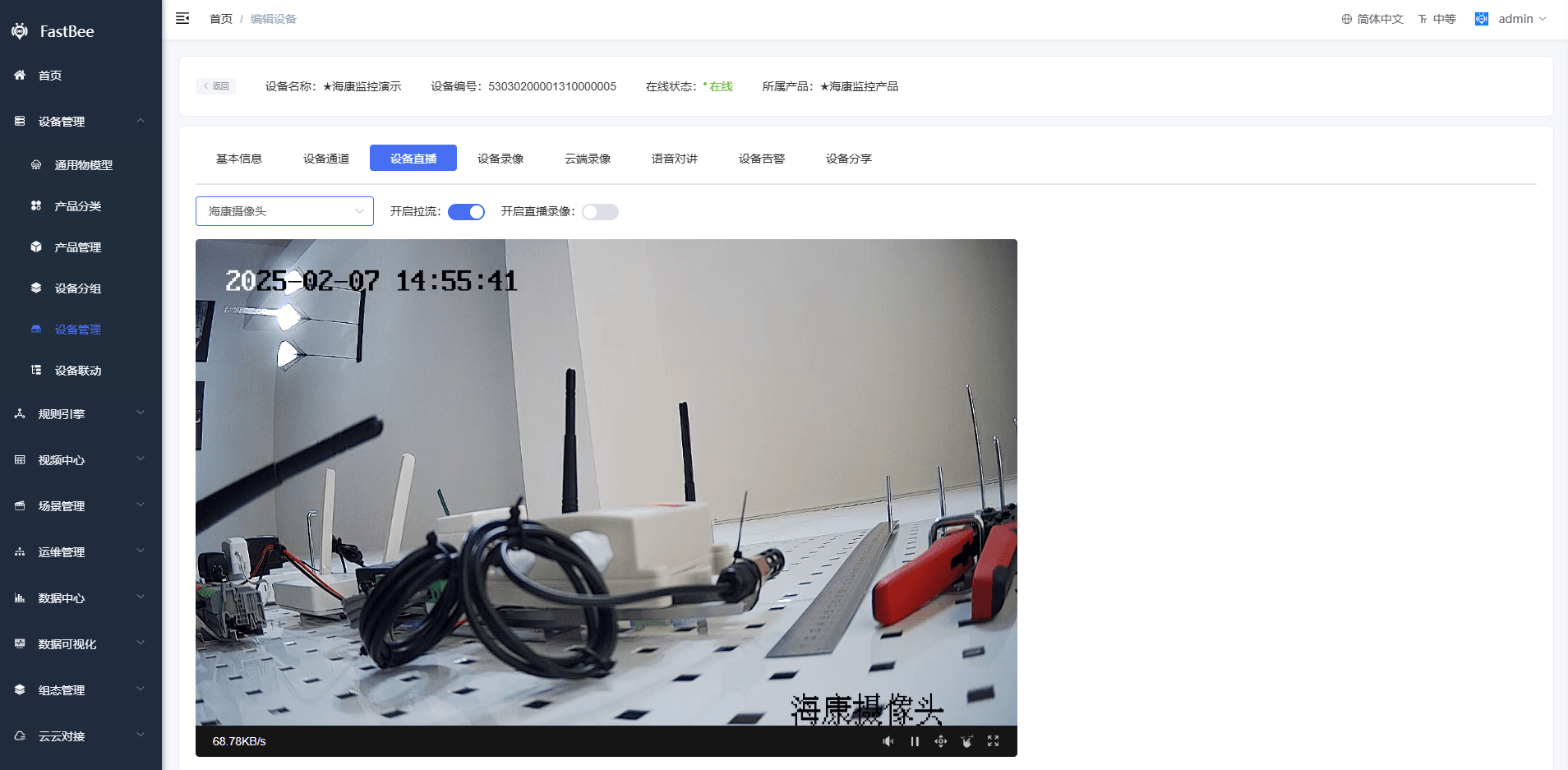
- Device live streaming
- Monitoring screenshot snapshots
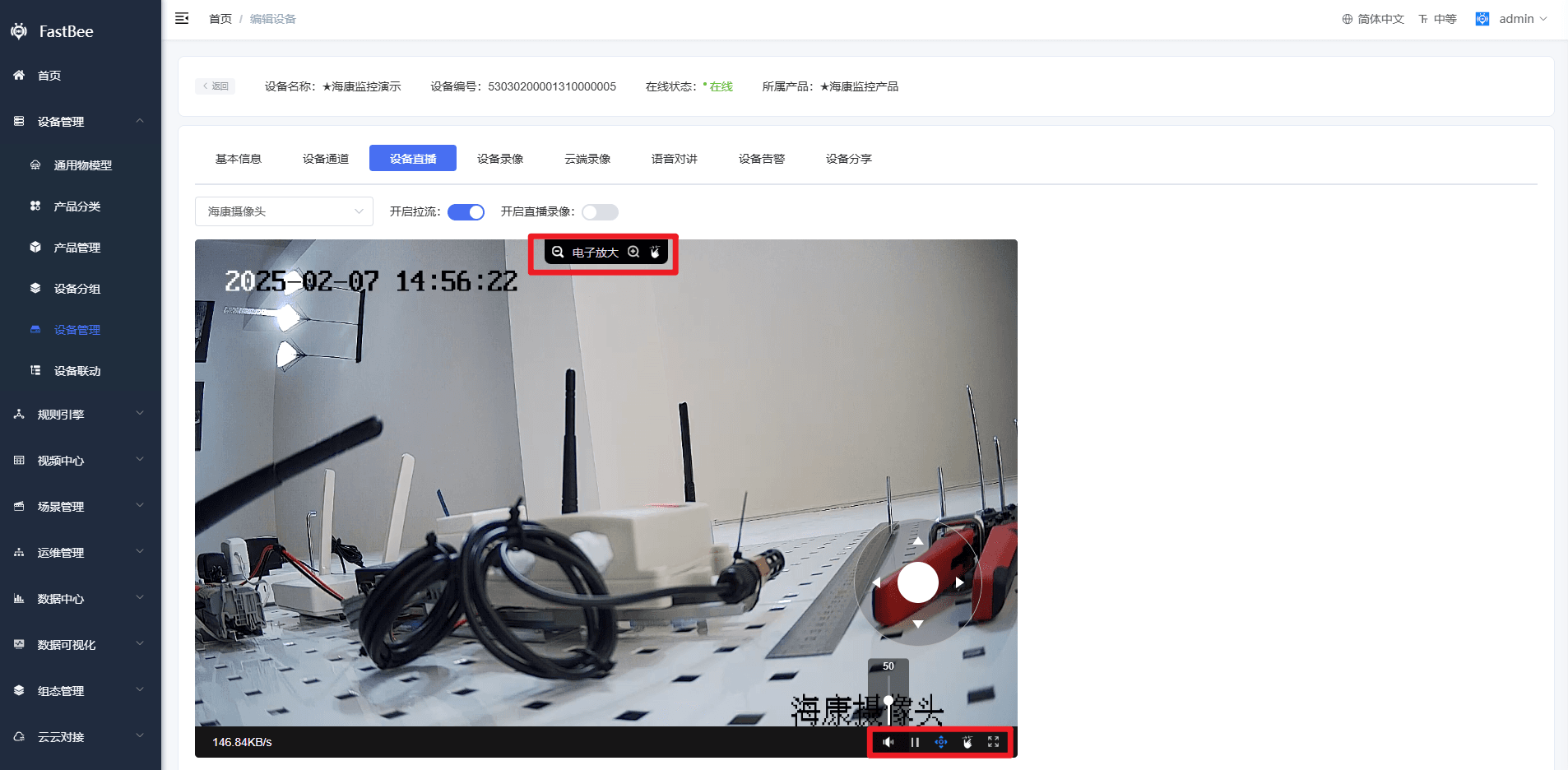
- PTZ control, electronic zoom, full screen, audio on/off
- Device recording on demand
- Cloud recording, OSS storage
- Split-screen display (four-way split, nine-way split)
- Supports direct output of stream addresses in multiple protocols: RTSP, RTMP, HTTP-FLV, Websocket-FLV, HLS
- Multiple streaming media server clusters
- GB alarm information reporting
2. Monitoring Device Details Feature Introduction
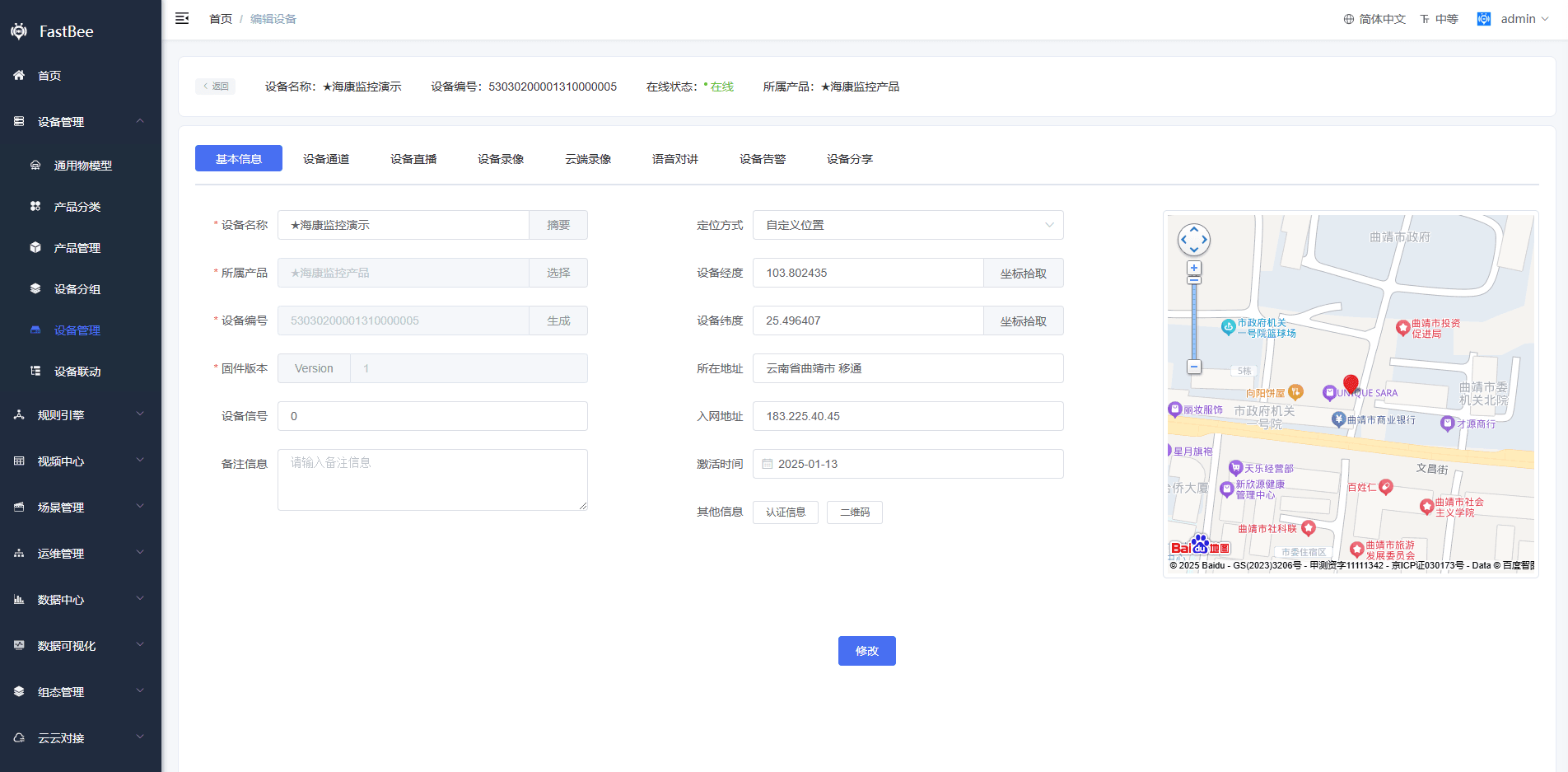
- Basic information
- Channel information viewing
- Device live streaming
- Device live streaming control (audio on/off, PTZ control, electronic zoom, full screen)
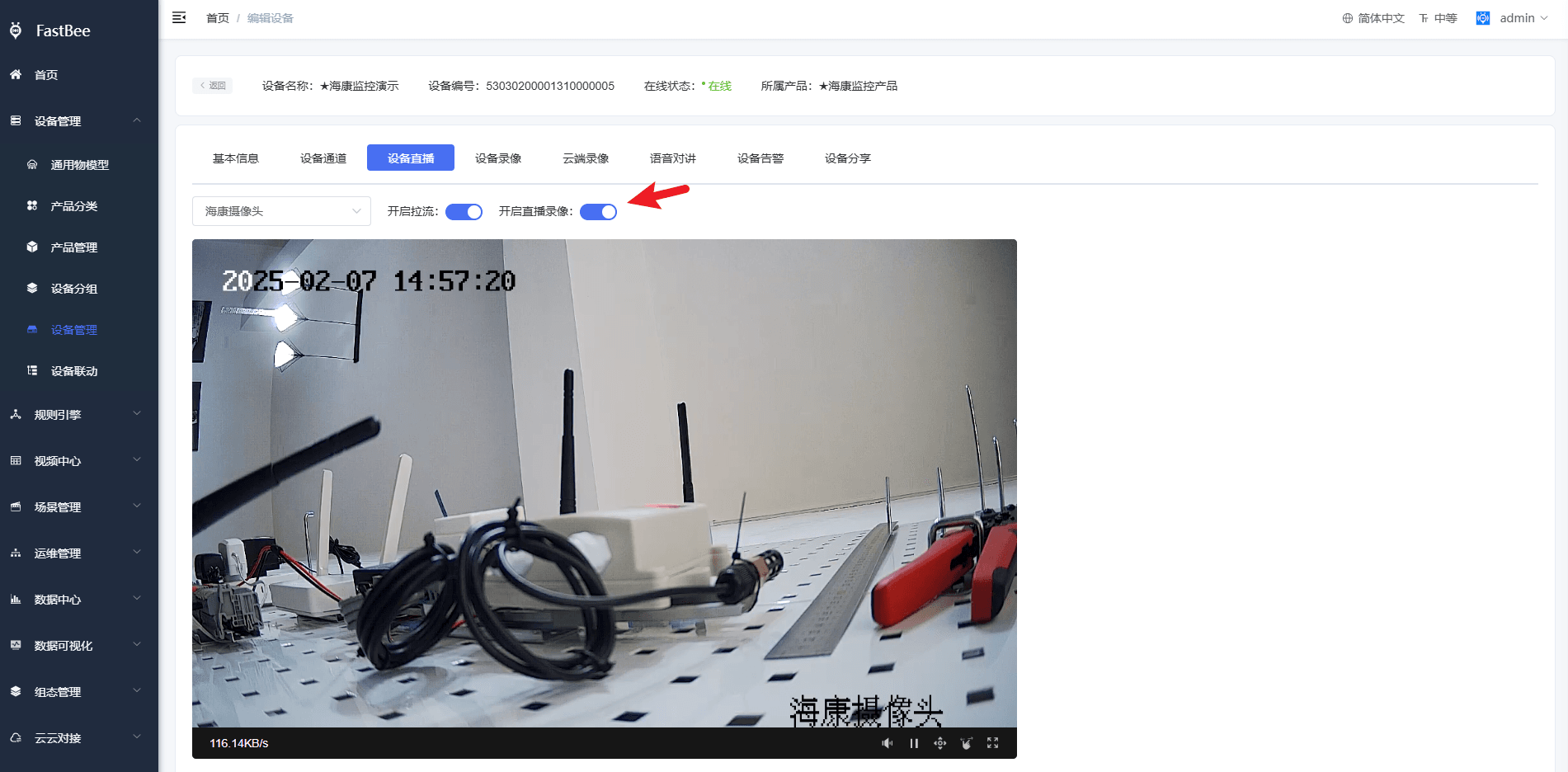
- Device live recording
警告
Note!!! Leaving the recording page does not close the stream; you need to re-enter the page to close it.
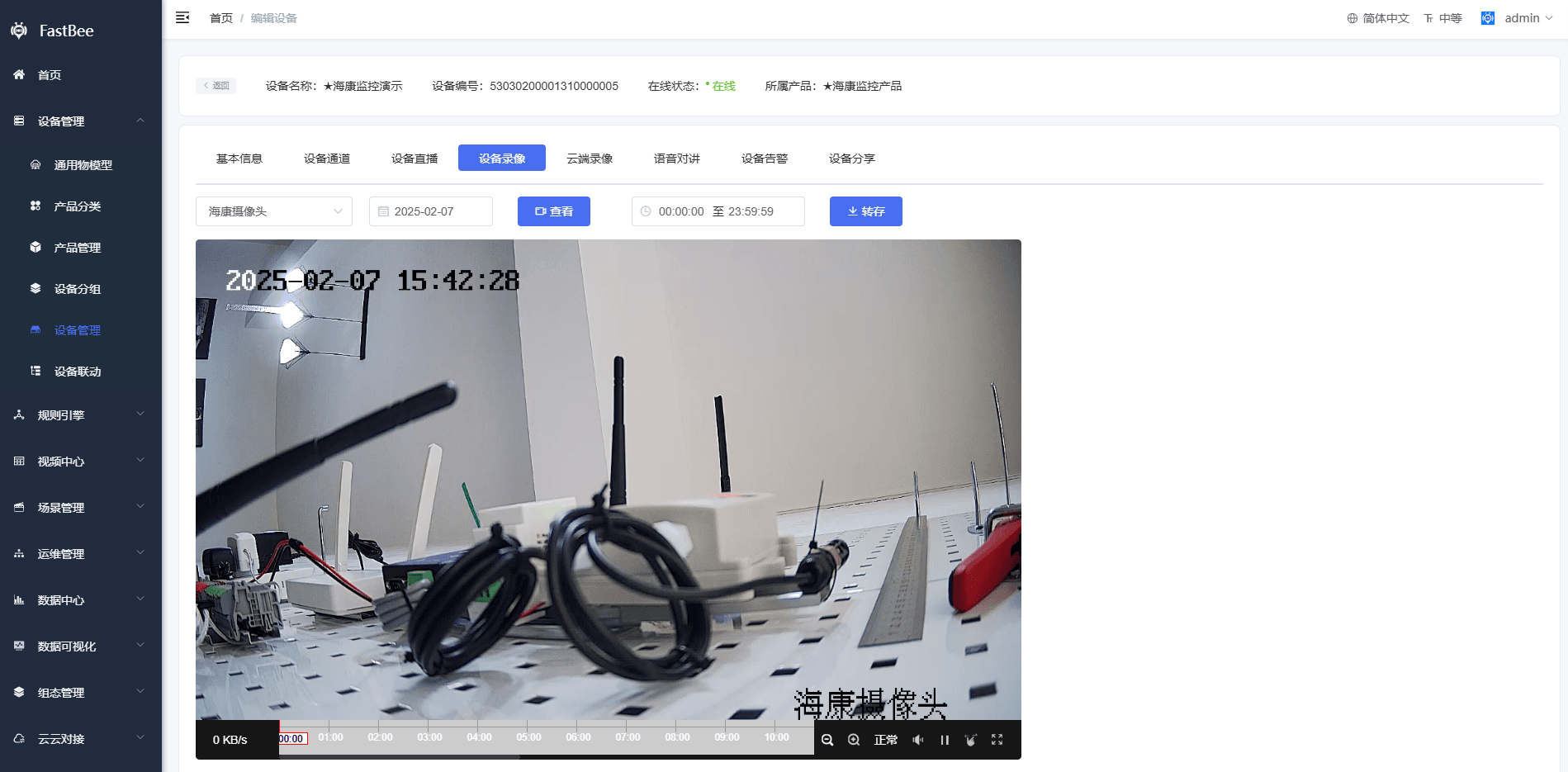
- Device recording playback (only supported by devices with local storage, such as IPCs with SD cards, NVRs, and DVRs)
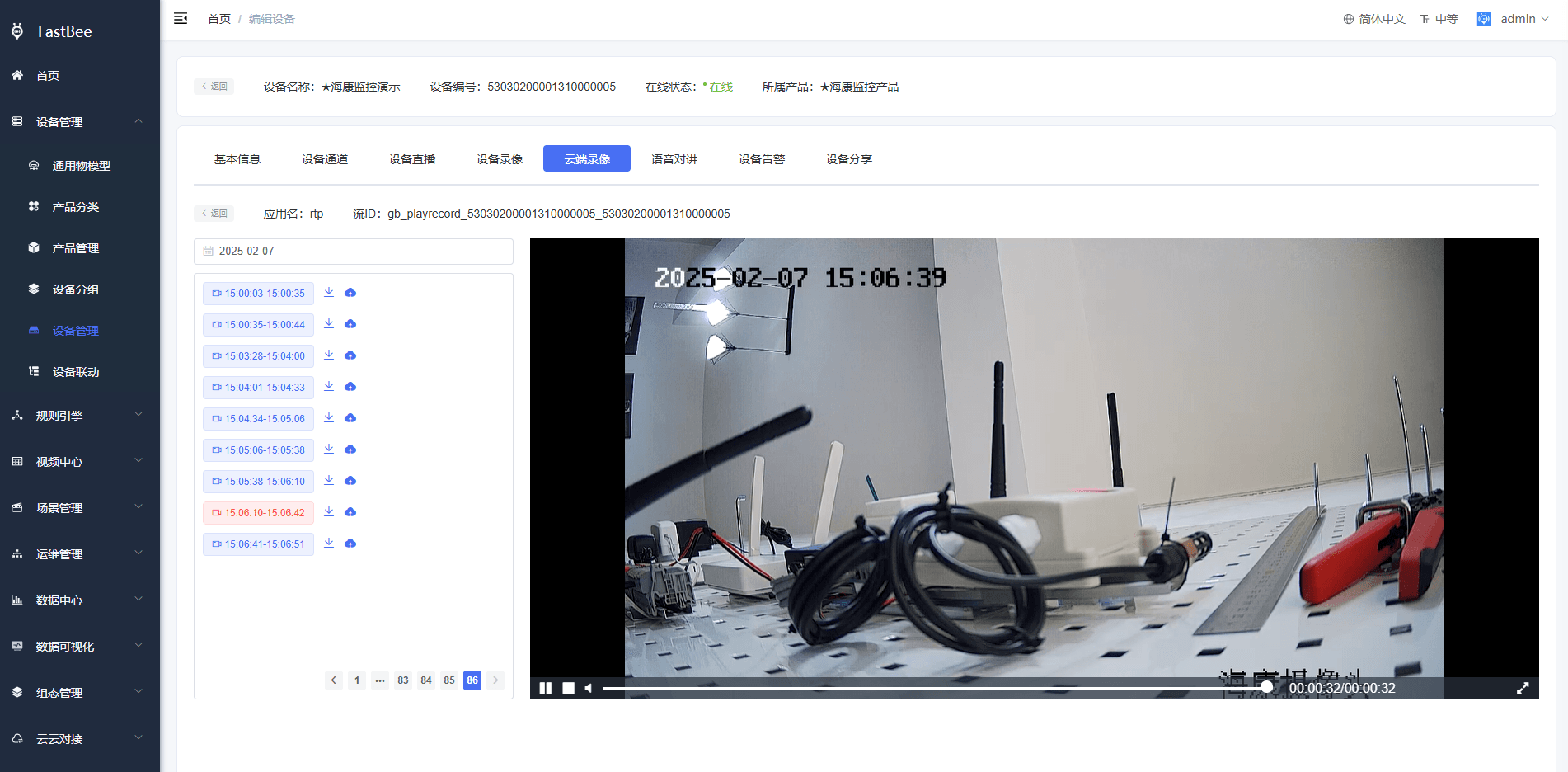
- Cloud recording
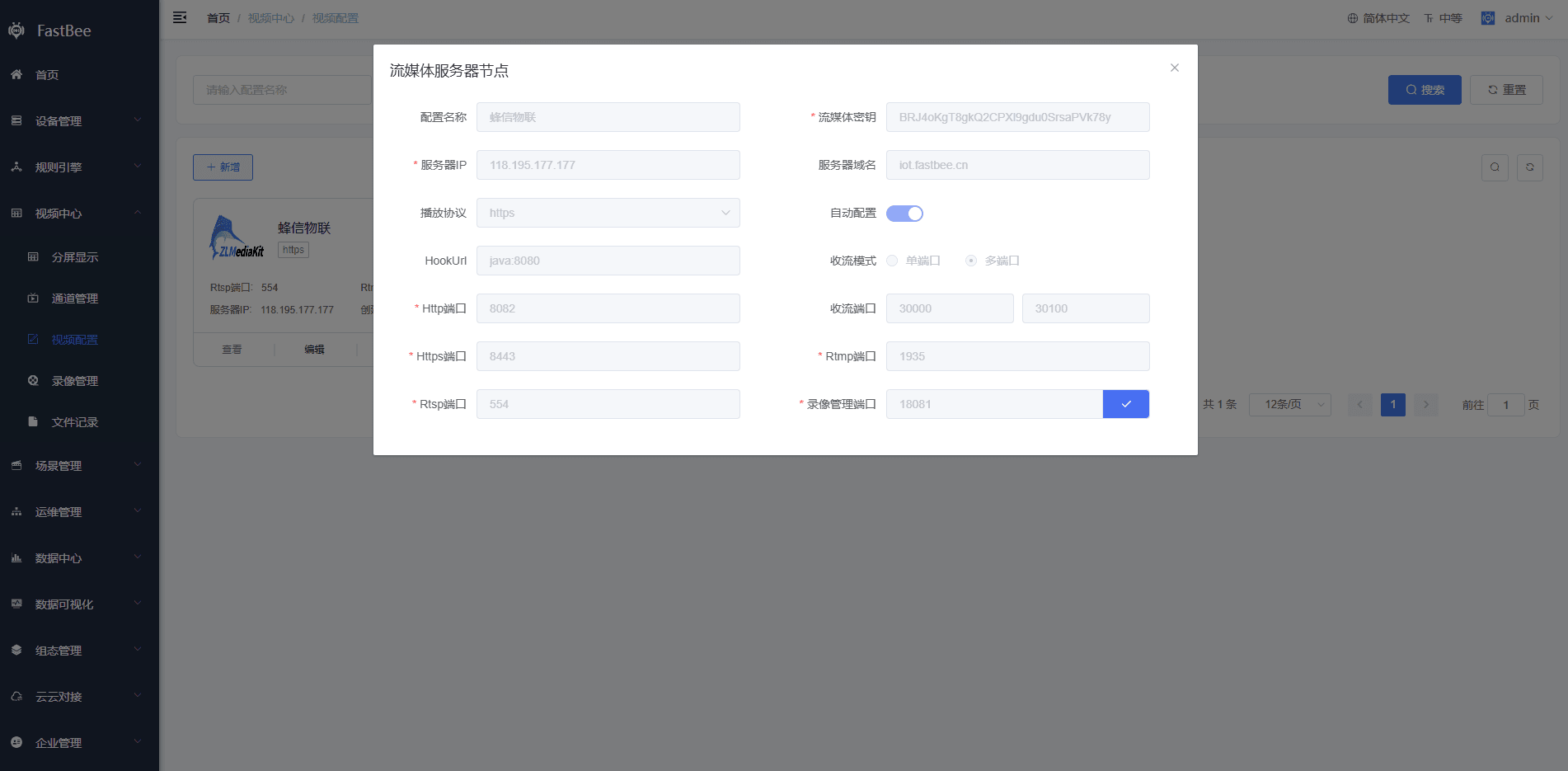
3. Streaming Media Server Configuration
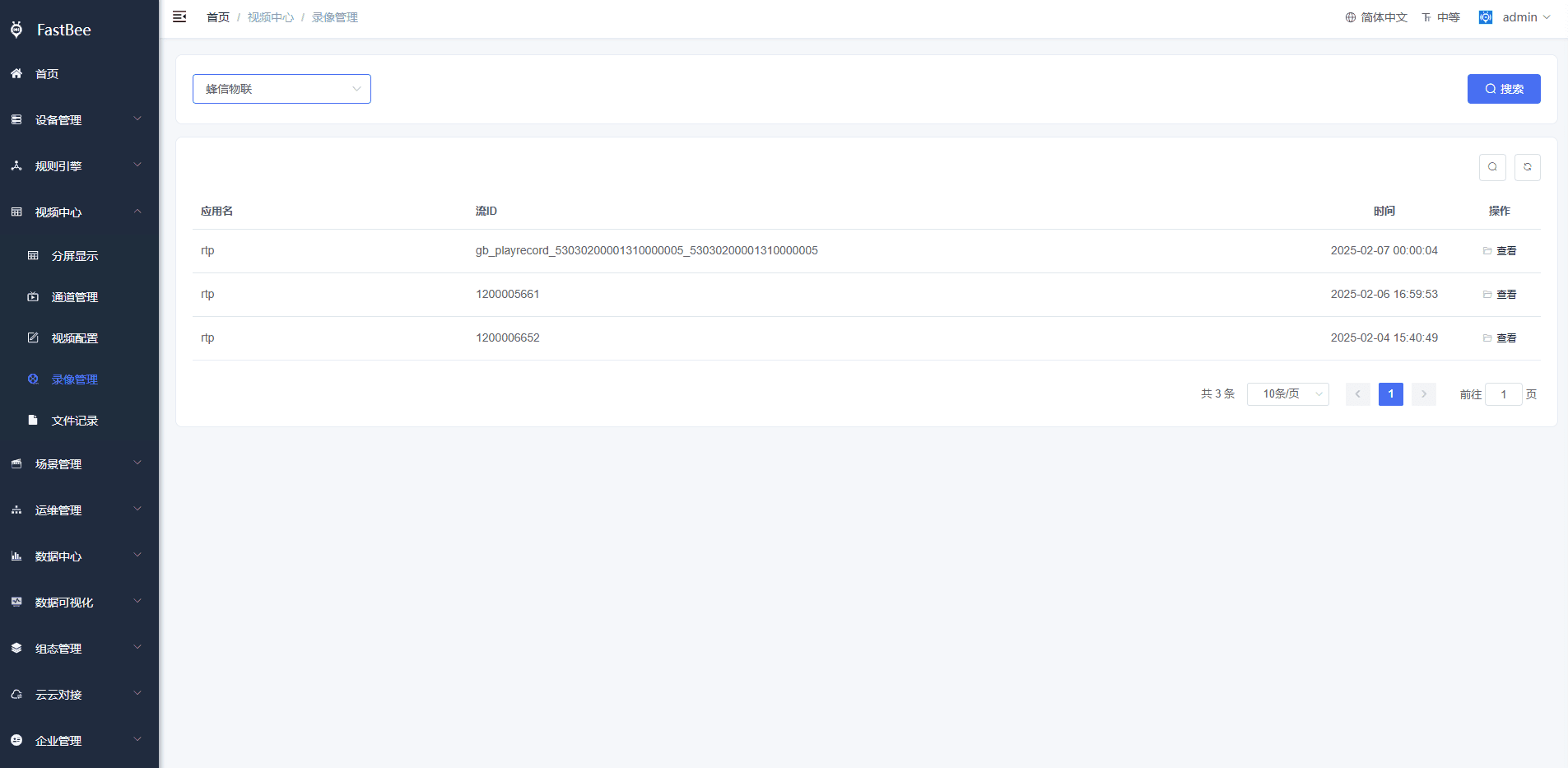
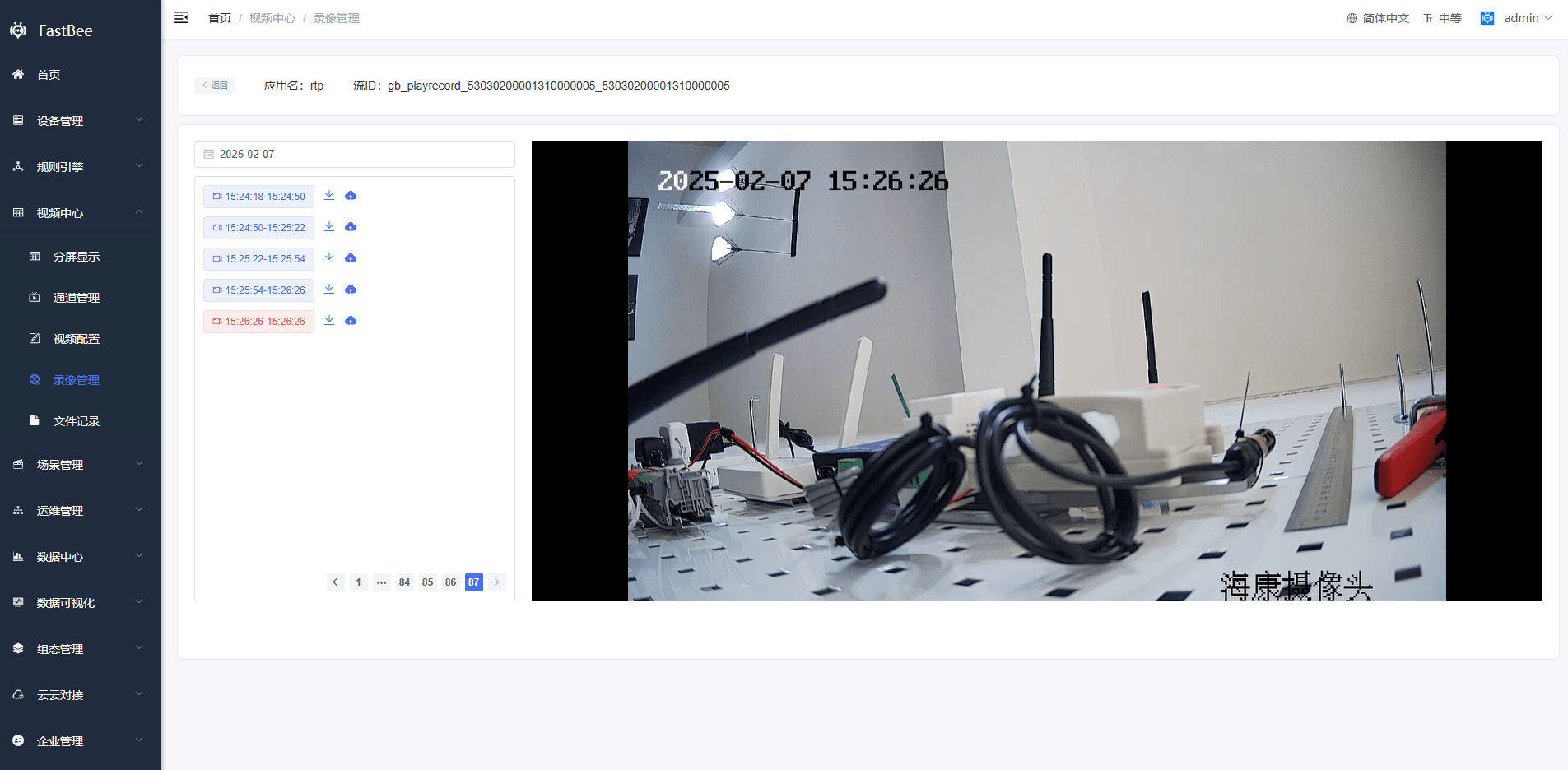
4. Recording Management
5. URL Stream Pulling
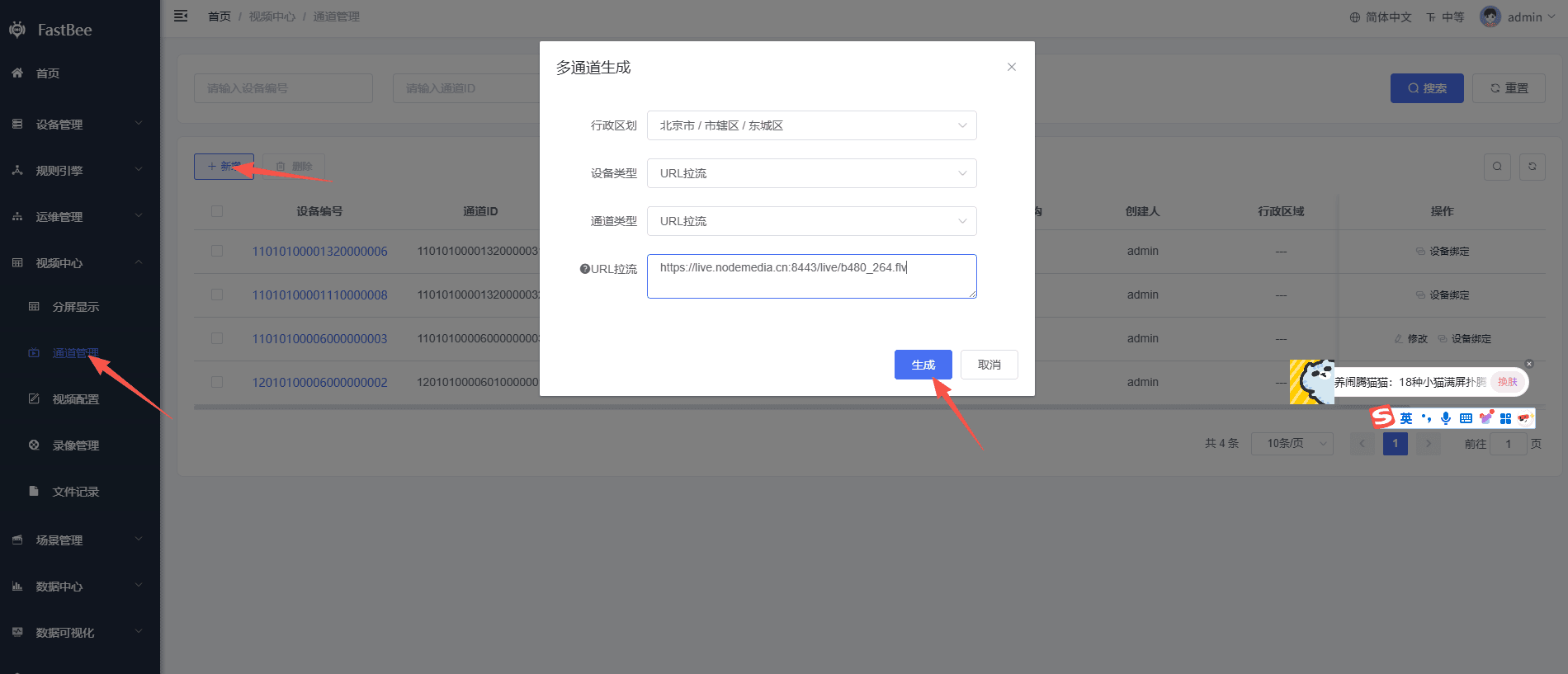
5.1 Create a stream-pulling channel: Video Center --> Channel Management --> Add
- Playback of addresses in http(ws)-flv, hls, webrtc, http(ws)-fmp4, http(ws)-h264/h265 and other formats
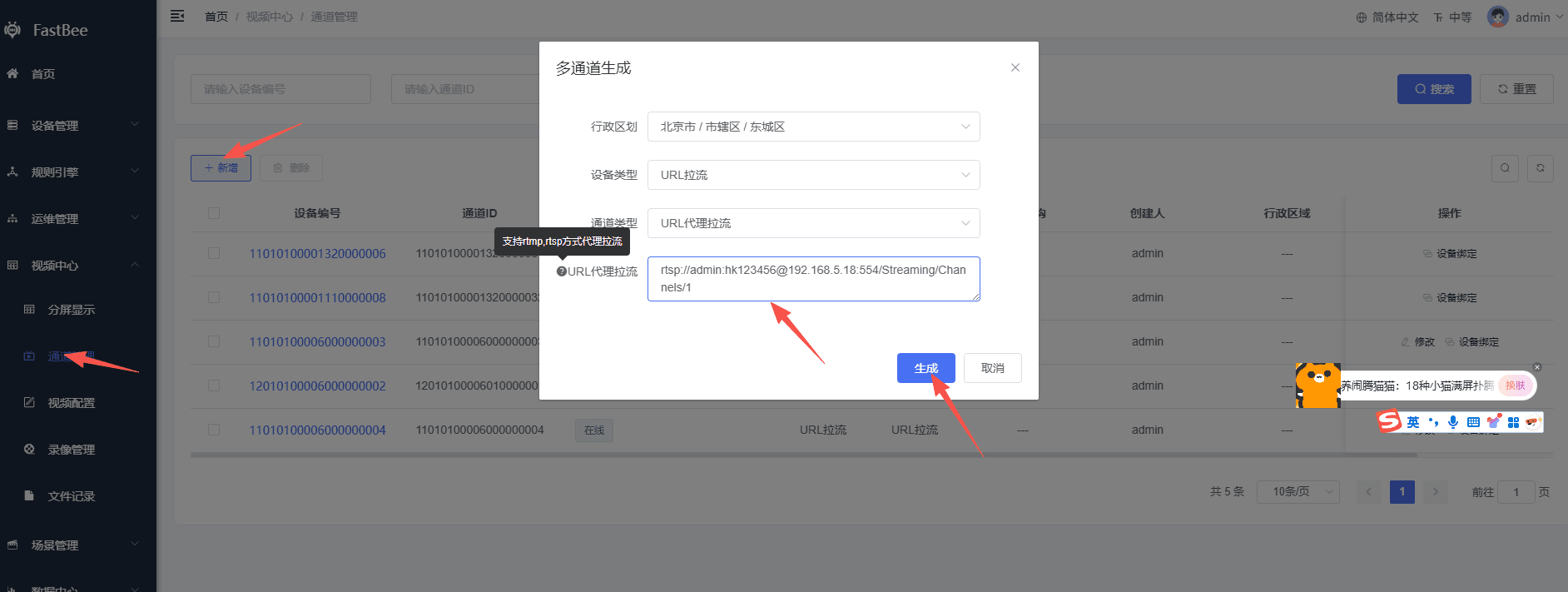
- Playback of rtmp and rtsp addresses
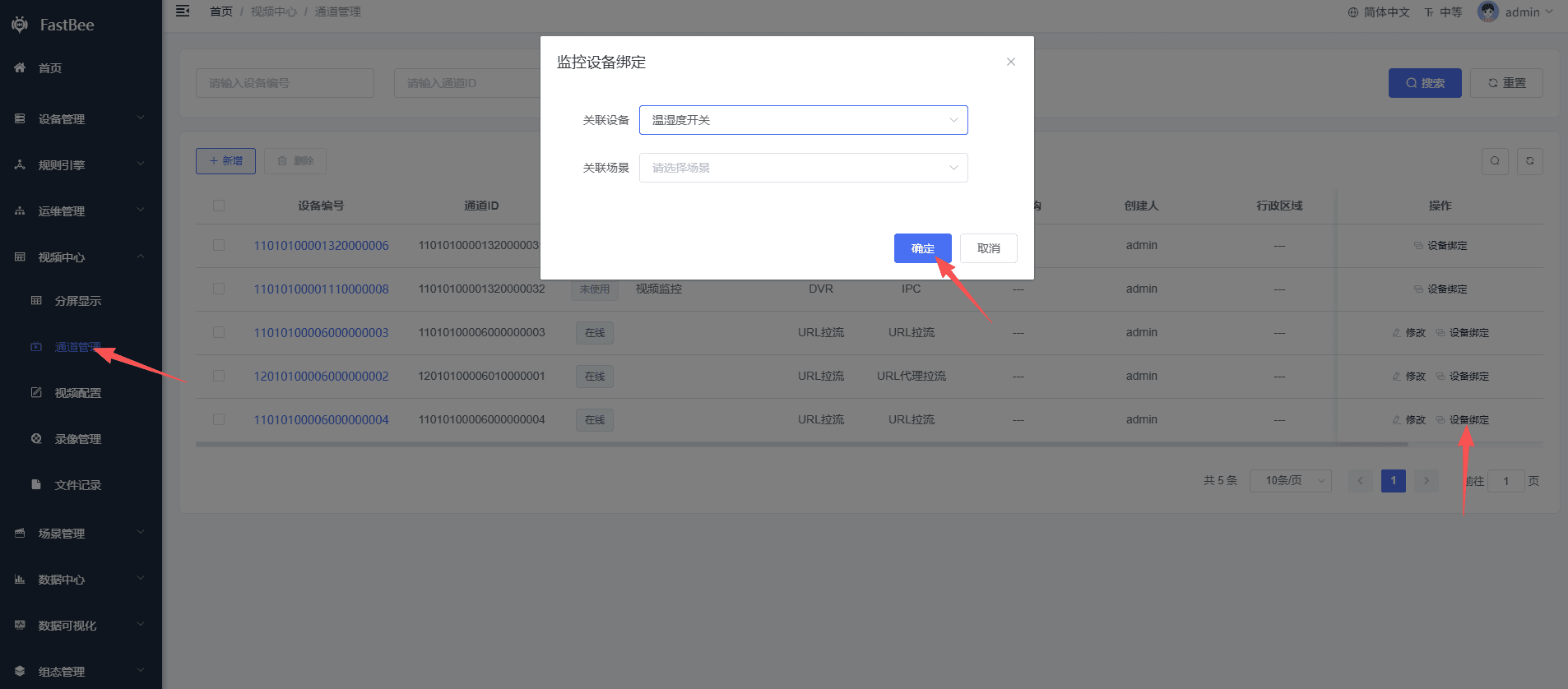
5.2 Bind a device or associate a scene: Video Center --> Channel Management --> Device Binding
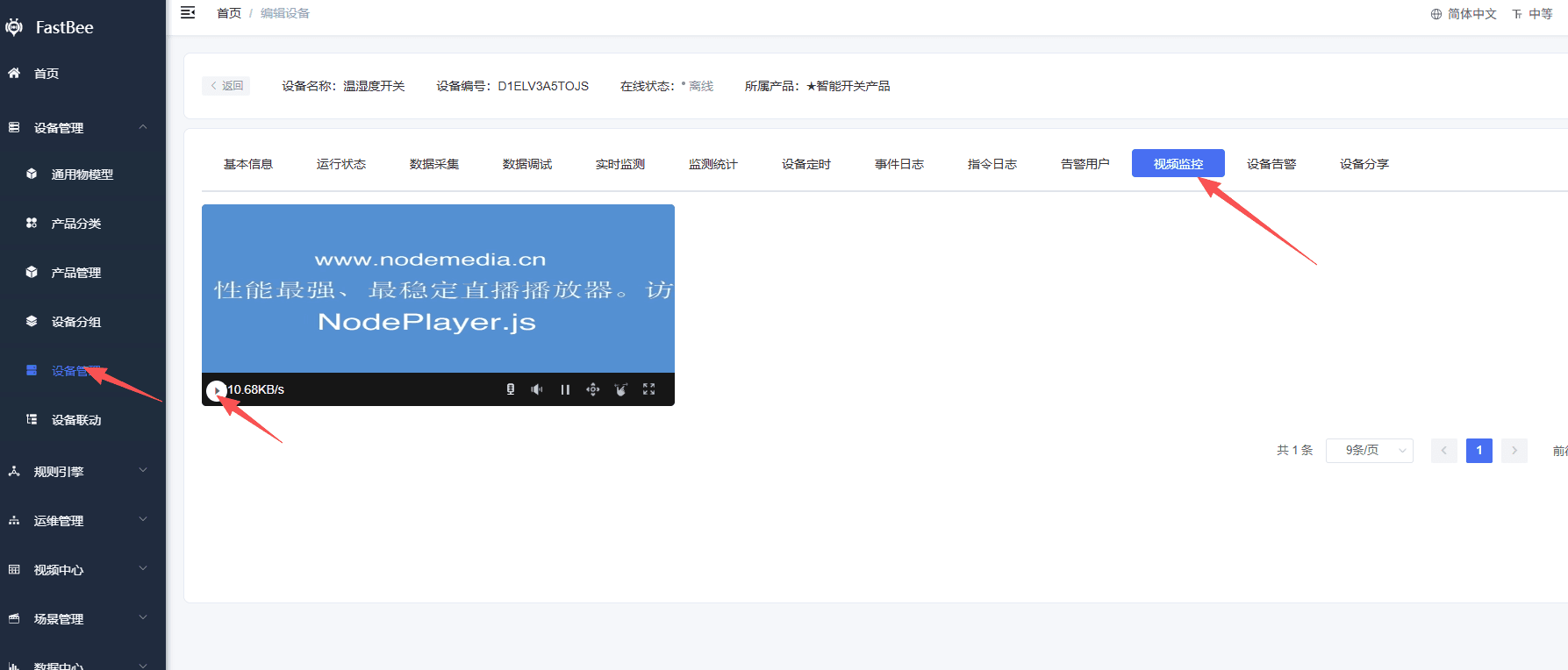
5.3 View the video stream: Device Management --> View Details --> Video Surveillance
6. Video Access Configuration Checklist
Video capabilities involve devices, SIP, streaming media, recording, frontend players, and network ports. It is recommended to configure them in the following order.
| Configuration Item | Description | Acceptance Method |
|---|---|---|
| Video product | Set the product device type to monitoring device and configure SIP/GB28181 related parameters | Product published, devices can be created |
| SIP service | Configure SIP ID, domain, port, password, and GB encoding | Camera or NVR can register |
| Streaming media service | Configure the ZLMediaKit or corresponding media service address | Live stream addresses can be generated |
| Video channels | Query or manually maintain device channels | Online channels visible in the channel list |
| Playback protocol | Choose FLV, HLS, WebRTC, etc. according to the browser and network | Page plays smoothly without stuttering |
| Recording service | Configure cloud recording, storage location, and Hook | Recording list can be queried |
| OSS storage | Cloud recording and screenshots require usable storage | Files can be accessed and downloaded |
| Port opening | SIP, RTP, HTTP-FLV, HLS, WebSocket and other ports are available | Accessible by external devices and browsers |
7. Go-live Acceptance
| Scenario | Acceptance Content |
|---|---|
| GB registration | Device registration, heartbeat, and device information query work normally |
| Channel synchronization | Camera or NVR channels can be synchronized to the platform |
| Live playback | Live streams can be opened on the web page, and the stream is released after the page is closed |
| PTZ control | Devices with PTZ support up/down/left/right, zoom, and stop |
| Recording playback | Local or cloud recordings can be queried and played by time |
| URL stream pulling | RTSP/RTMP/HLS/FLV and other URLs can be bound to devices or scenes |
| Split-screen playback | Performance is acceptable during four-way and nine-way split-screen playback |
| Mobile playback | Playback protocols are compatible with the App/mini program or mobile browsers |
8. FAQ
Device cannot register
Check the SIP server address, port, domain, GB encoding, device password, firewall, security group, and device network. The platform encoding filled in on the camera side must match the platform SIP configuration.
Channel list is empty
Check whether the device has registered successfully, whether the platform has sent a catalog query, whether the device supports channel query, and whether the NVR's subordinate channels are enabled.
Live stream shows a black screen or cannot play
Check whether ZLMediaKit has received the stream, whether the playback protocol is supported by the browser, whether the video encoding is compatible, and whether mixed HTTP/HTTPS usage is blocked by the browser.
Recordings cannot be found
Check the query time range, whether the device has local recordings, whether the cloud recording task is enabled, and whether the recording service and OSS are available.
URL stream pulling fails
Check whether the stream address is accessible from the server, whether the RTSP account and password are correct, whether the target camera limits the number of connections, and whether ZLM proxy stream pulling succeeded.
9. Secondary Development Entry Points
| Type | Path or API | Description |
|---|---|---|
| Frontend pages | vue3/src/views/iot/sip, vue3/src/views/iot/device | SIP, video details, and channel display |
| Playback API | /common/player | Live, stop, playback, proxy stream pulling |
| PTZ API | /common/ptz | PTZ control |
| Channel API | /iot/channel | Channel management and device binding |
| SIP service | springboot/fastbee-server/sip-server | GB28181 signaling |
| Recording service | springboot/fastbee-record | Recording, ZLM Hook, playback |
| Media common module | springboot/fastbee-common-media | Common media capabilities |
| Media integration | springboot/fastbee-media-api | Integration with external platforms such as Dahua ICC |