

Data Visualization
Page Guide
Data visualization is a low-code data analysis and dashboard service. It provides reusable visual components and secondary-development capabilities, helping developers turn complex data into charts and dashboards through graphical editing and interactive operations.
It is suitable for smart city, smart park, security monitoring, business operations, risk warning, and other large-screen visualization scenarios.
Product Features
- Rich visualization and industry components.
- Custom component integration.
- Built-in examples for quick dashboard creation.
- Multiple data-source support.
- Drag-and-drop editing without code.
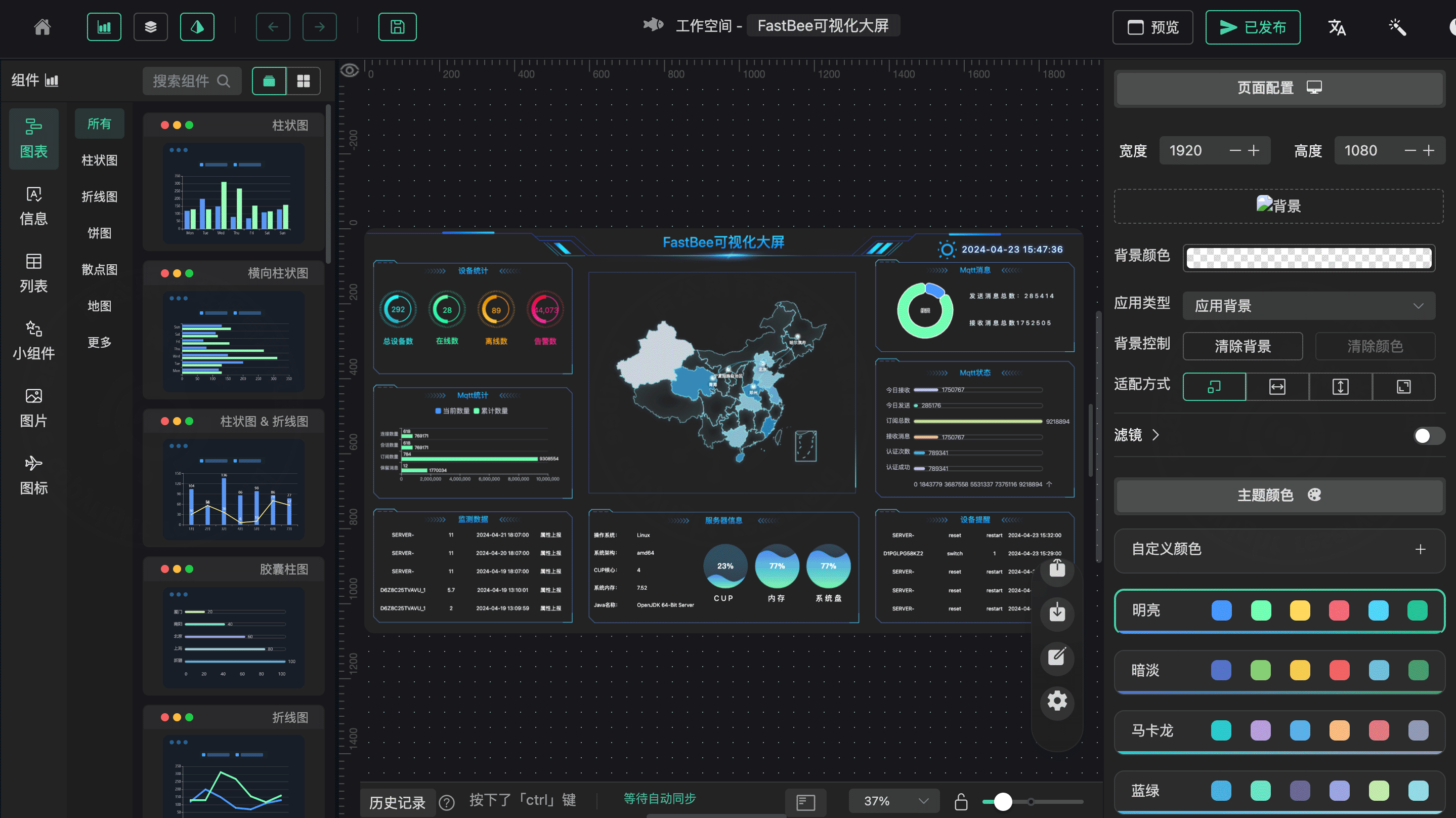
Technical Characteristics
fastbee-viewis an efficient low-code drag-and-drop visualization platform.- Charts and page elements are encapsulated as base components.
- Typical scenarios include exhibitions, business monitoring, risk warning, and operation dashboards.
- Technology stack: Vue3, TypeScript 4, Vite 2, Naive UI, ECharts 5, Axios, Pinia 2, and PlopJS.
- Basic workflow: create project -> rename project -> drag components -> save -> preview -> publish.
Run And Deploy
Configure backend API address in .env.development:
VITE_DEV_PATH = 'http://localhost:8080'Install dependencies. pnpm is recommended, and Node.js around 16.14.x is preferred.
npm install -g pnpm
pnpm installStart the development service:
pnpm devBuild the project:
pnpm run buildFor Nginx deployment, upload the built files to /var/data/nginx/view/ and add a location rule:
location ^~/view/ {
  alias /var/data/nginx/view/;
  index index.html;
  try_files $uri $uri/ /index.html last;
}Access address:
https://[domain]/view/You can also add an external-link menu in the system, for example:
https://iot.fastbee.cn/view/#/project/itemsAPI Reference
| API | Method | Description |
|---|---|---|
/goview/project/list | GET | Project list |
/goview/project | POST | Create project |
/goview/project/save/data | POST | Save project content |
/goview/project/ | PUT | Update basic information or publish status |
/goview/project/{ids} | DELETE | Delete project |
/goview/project/upload | POST | Upload file |
/goview/project/getData | GET | Get project data for preview |
Add Menu Entries
提示
The commercial edition contains both built-in large screens and the visualization platform. They can be accessed by adding external-link menus.
Fixed large-screen menu example:
Enterprise Management -> Menu Management -> Add
Parent menu: Data Visualization
Menu type: Menu
Menu icon: monitor
Menu name: Large Screen
External link: Yes
Route: https://iot.fastbee.cn/bigScreen
Status: Visible / NormalVisualization platform menu example:
Enterprise Management -> Menu Management -> Add
Parent menu: Data Visualization
Menu type: Menu
Menu icon: monitor
Menu name: Visualization Platform
External link: Yes
Route: https://iot.fastbee.cn/view
Status: Visible / NormalNotes
- Use Node.js
16.14.xor later. - If
npm installfails, usepnpm. - If
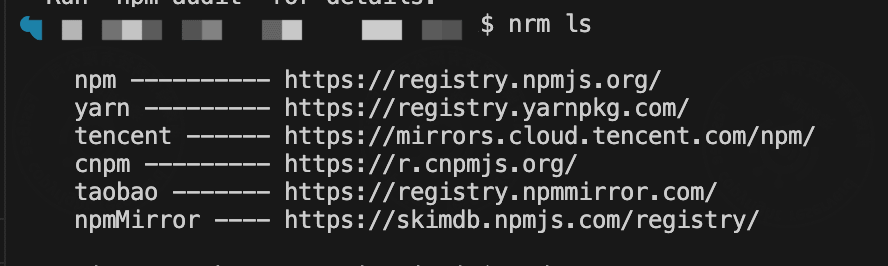
nrm lsreports anopenpackage error, install the compatible package version:
npm i nrm -g open@8.4.2 --save
nrm ls
- If Node.js memory is insufficient during build, increase the heap size:
export NODE_OPTIONS="--max-old-space-size=8192"Acceptance Checklist
| Item | Expected Result |
|---|---|
| Project list | Create, edit, delete, and publish states work correctly. |
| Data request | Dynamic APIs return data, with a default display on failure. |
| Component adaptation | The screen is not overlapped or distorted at the target resolution. |
| Publish address | The published URL is accessible and becomes inaccessible after unpublishing. |
| Menu integration | The system menu external link can open the screen. |
| Auto refresh | The refresh frequency meets business needs without overloading APIs. |
| Permission control | Unauthorized users cannot enter management and editing pages. |
| Build and deployment | The /view/ path and Nginx configuration are correct. |
FAQ
Screen is blank after publishing
Check the Nginx location configuration, deployment directory, frontend resource paths, the browser console for resource 404 errors, and API addresses.
Dynamic requests blocked by CORS
Check the frontend proxy, backend CORS settings, Nginx forwarding, and whether the HTTP/HTTPS protocols are consistent.
Data format mismatch
Check the data structure required by the component, and use filters to convert API responses into the array, object, or key-value format the component needs.
Page lag
Reduce the refresh frequency, reduce simultaneously playing videos and high-frequency charts, compress images, and avoid stacking too many components on a single page.
Development Entry
| Type | Path Or API | Description |
|---|---|---|
| Visualization page | vue3/src/views/visualBigScreen | Screen management, preferences, and project entry. |
| Fixed screen | vue3/src/views/fixedBigScreen | Fixed screen components and pages. |
| Drag editor | vue3/src/views/dragEditor | Component drag-and-drop and editing capabilities. |
| Project API | /goview/project | Project list, create, save, and publish. |
| Project data | /goview/projectData | Data execution and project data. |
| Upload API | /goview/project/upload | Image and asset upload. |