

Multi-tenant management
Page Guide
1. Organization management
1.1 Overview
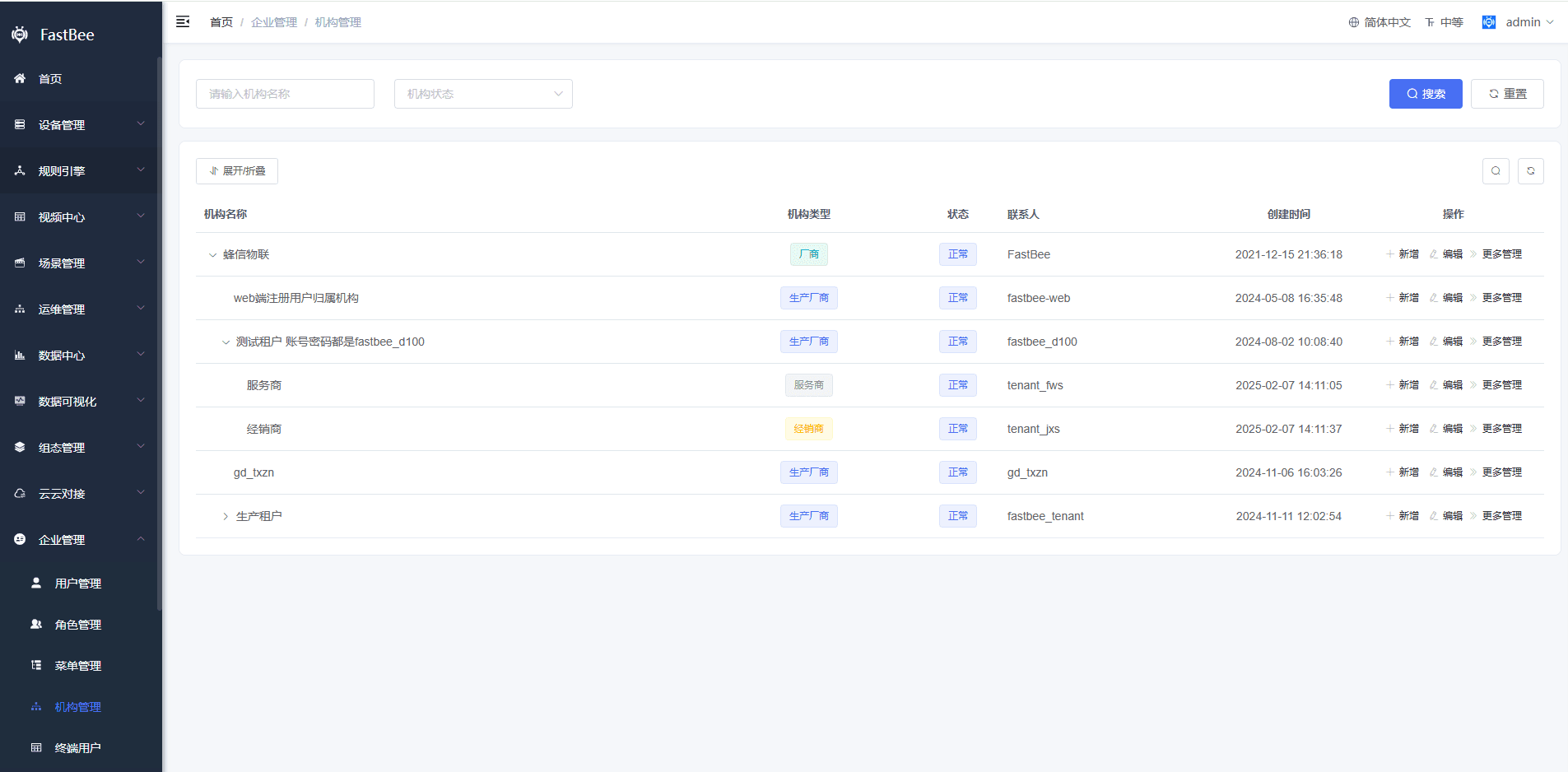
FastBee implements multi-tenancy based on organizations. Organizations can have parent-child relationships. A parent organization can manage data from its child organizations. Each organization is a tenant, and each tenant is represented by an organization.
1.2 Technical implementation
Tenant isolation is implemented by adding tenant_id or user_id fields to business tables.
1.3 Process
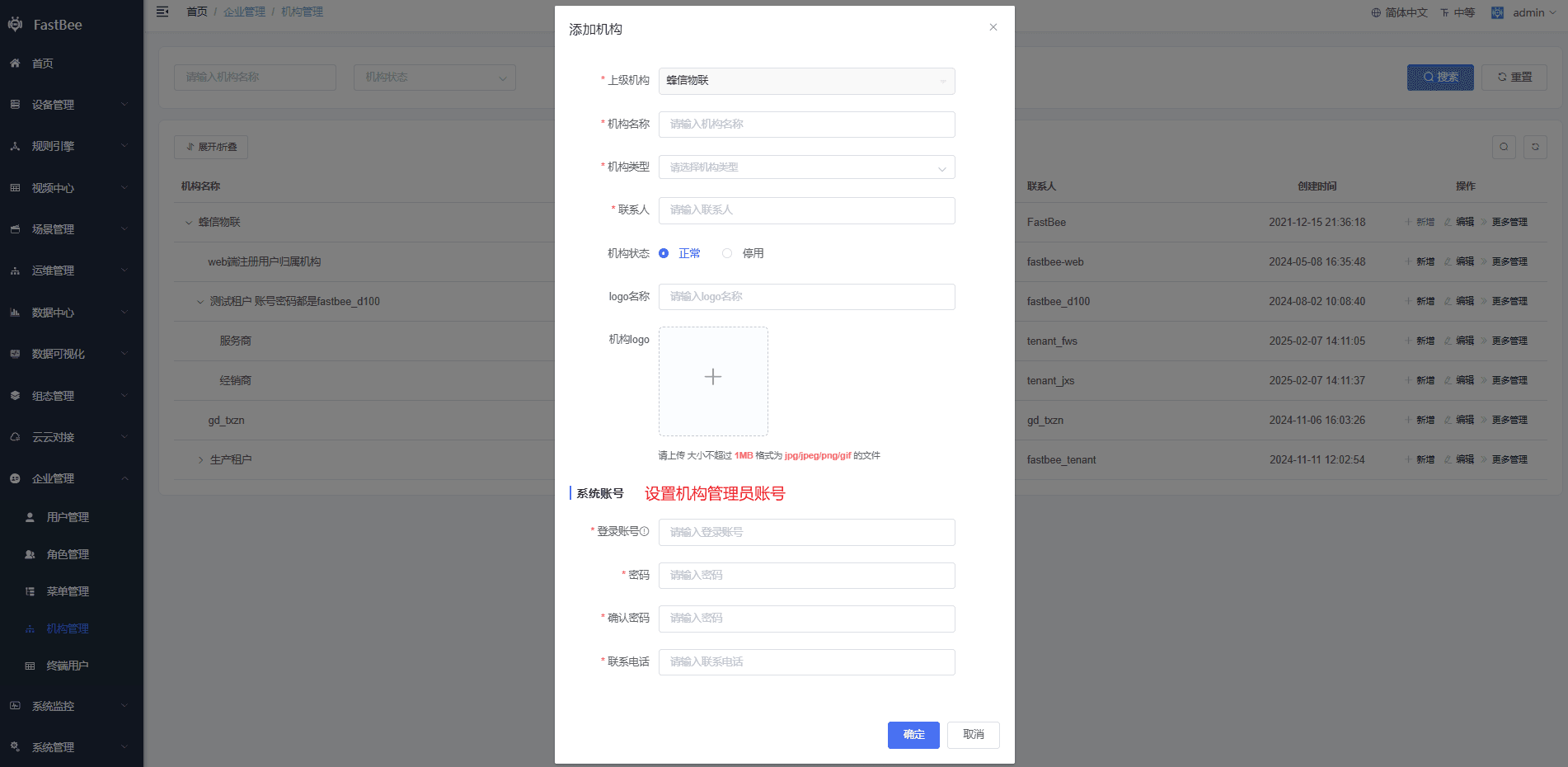
The top-level organization is bound to the system administrator. Child organizations can be added under it. The system account configured for an organization becomes the administrator of that organization.
提示
- The first organization, FastBee IoT, is bound to the super administrator
admin. Itsdept_idmust be100. It is used for system-level business configuration that serves end users, such as third-party login and SMS login. - The organization for web-registered users must have
dept_id = 101. It must contain a regular-user role namedgeneral. Users registered from the web are bound to this organization by default, and their organization can be adjusted later. If web account registration is not used, this organization can be ignored. In the new multi-tenant web version, account registration is normally not enabled; this organization exists mainly to demonstrate the registration feature.
2. Role management
2.1 Overview
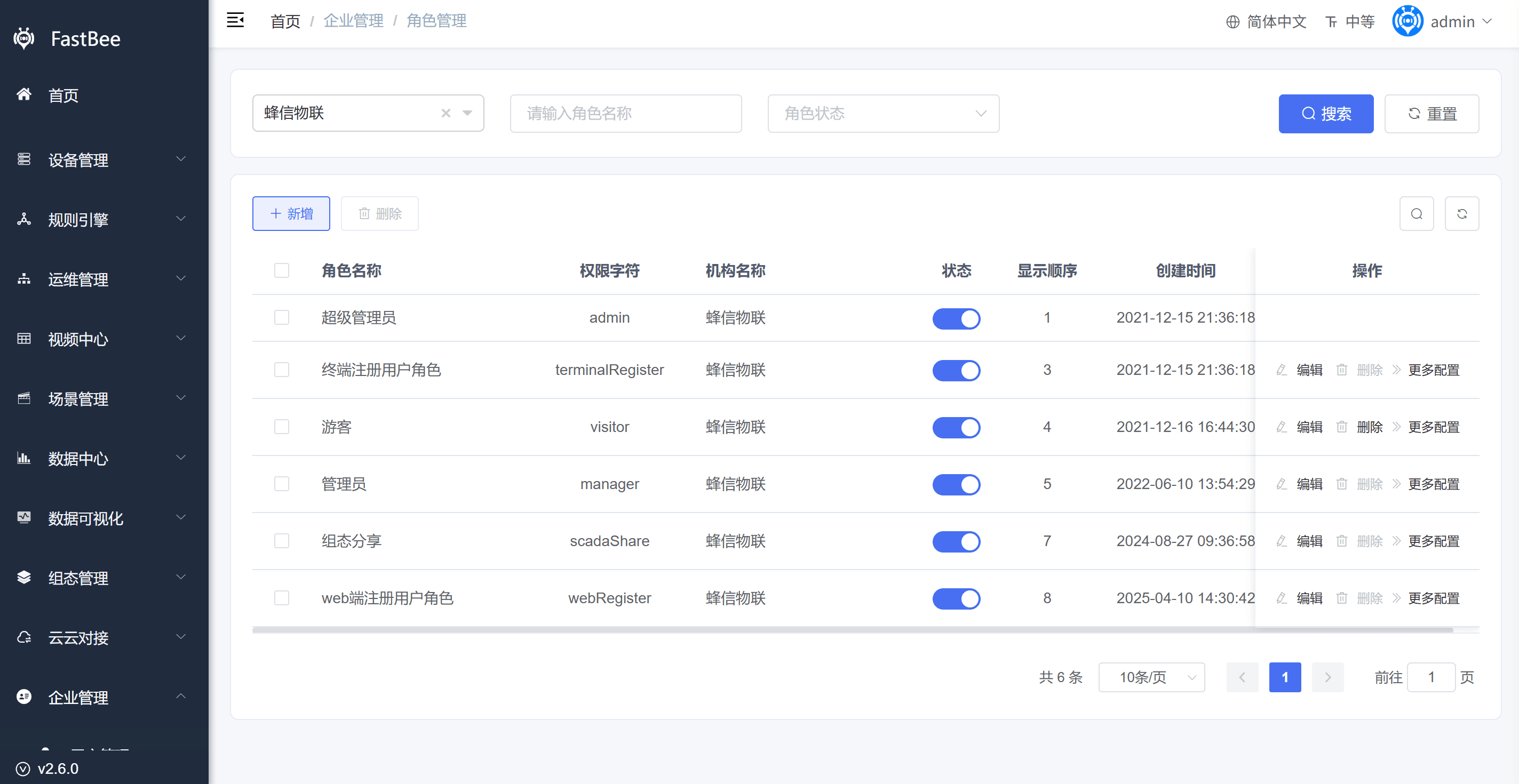
Multiple roles can be configured inside an organization. A parent organization can also manage roles of its child organizations.
2.2 Implementation
When an organization is created, an administrator role is created by default. The permission range of this role follows the administrator role permission range of the current operator's organization. The administrator role is bound to the system account configured for the organization.
2.3 Process
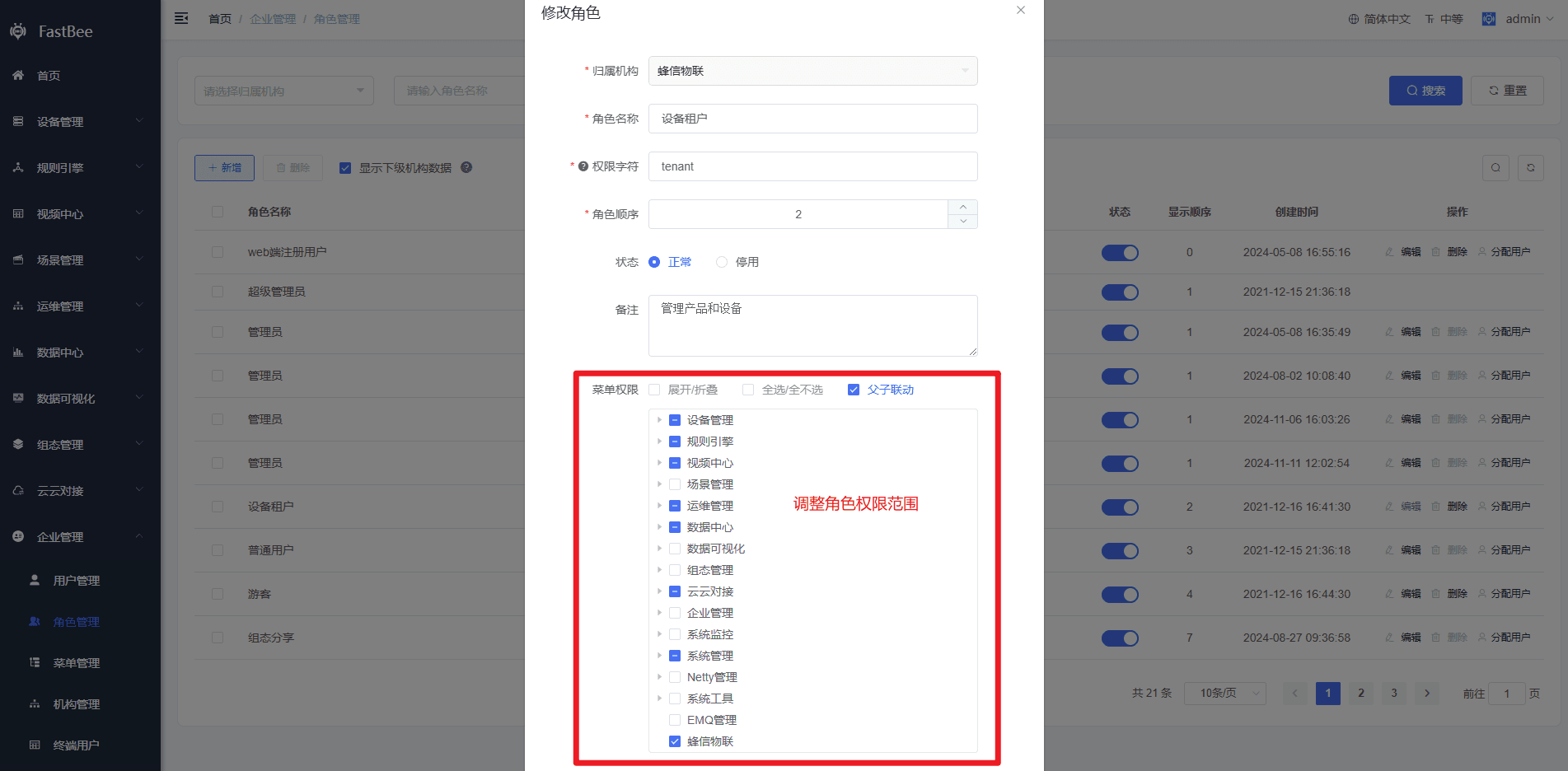
An administrator inside an organization cannot modify the permissions of their own administrator role, but can modify other roles in the same organization.
A parent organization can modify role permissions of child organizations:
- For a child organization's administrator role, the editable permission range follows the administrator role of the operator's organization.
- For non-administrator roles in a child organization, the editable permission range follows the administrator role of the same organization.
提示
Each organization can have only one administrator role. Its permission key is manager. This role cannot be deleted, so configure the permission range carefully.
3. User management
3.1 Overview
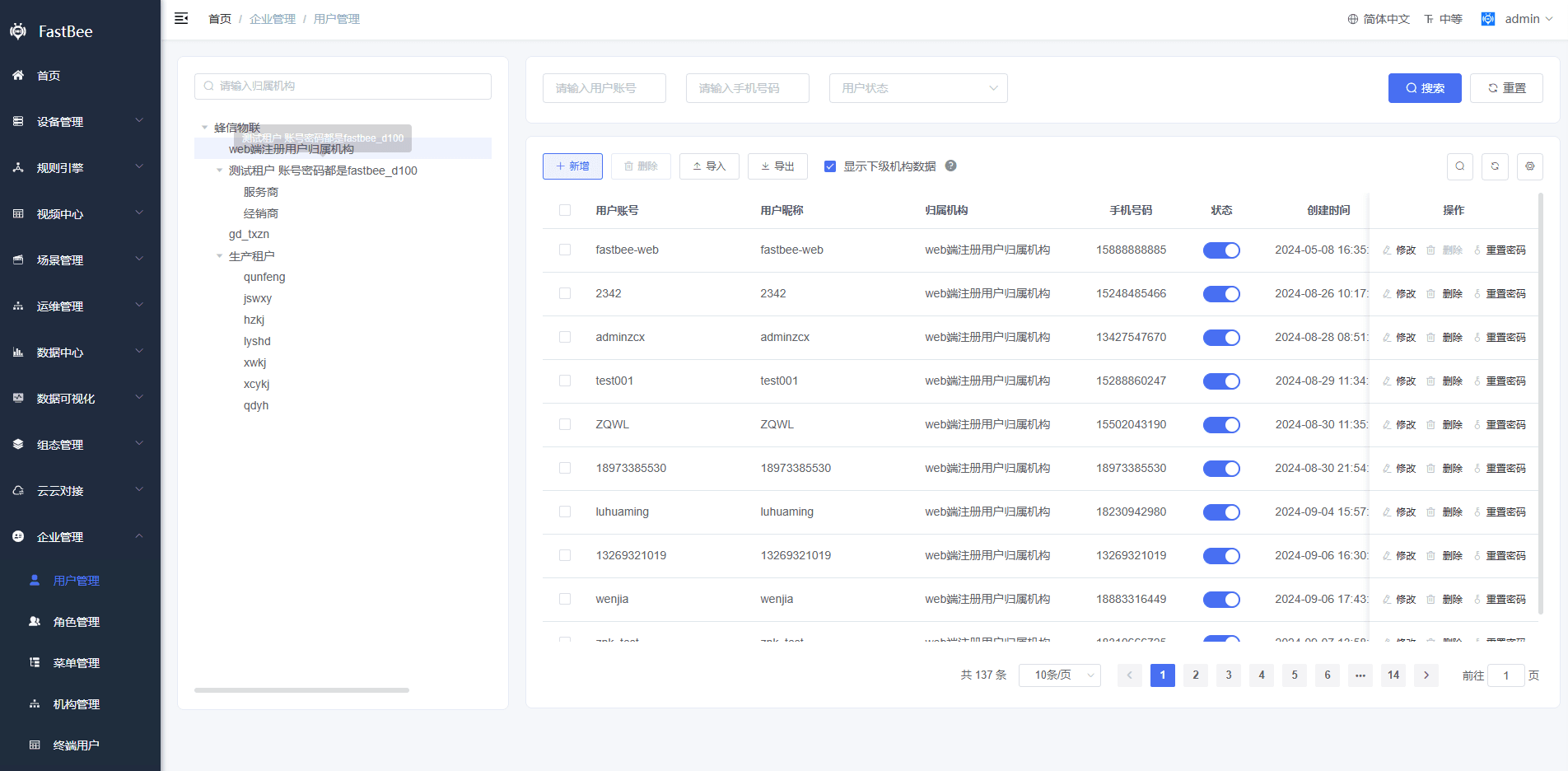
An organization can manage its own users and users from child organizations.
3.2 Process
When creating a user, select the organization first. The available roles are the roles under that organization.
提示
- New users registered from the web are bound to the web-registered user organization. Their role is the
generalrole under that organization. - New users registered from the Mini Program or mobile app are not bound to any organization. They are end users, and their role is the
generalrole under the super administrator organization. - End users can log in only to the Mini Program and mobile app. Tenant users can log in to all platforms.
4. Device management
4.1 Overview
An organization can manage its own devices and devices from child organizations.
4.2 Process
When adding a device, the product source includes products from the current organization and parent organizations. The new device is bound to the organization administrator account.
4.3 New capabilities
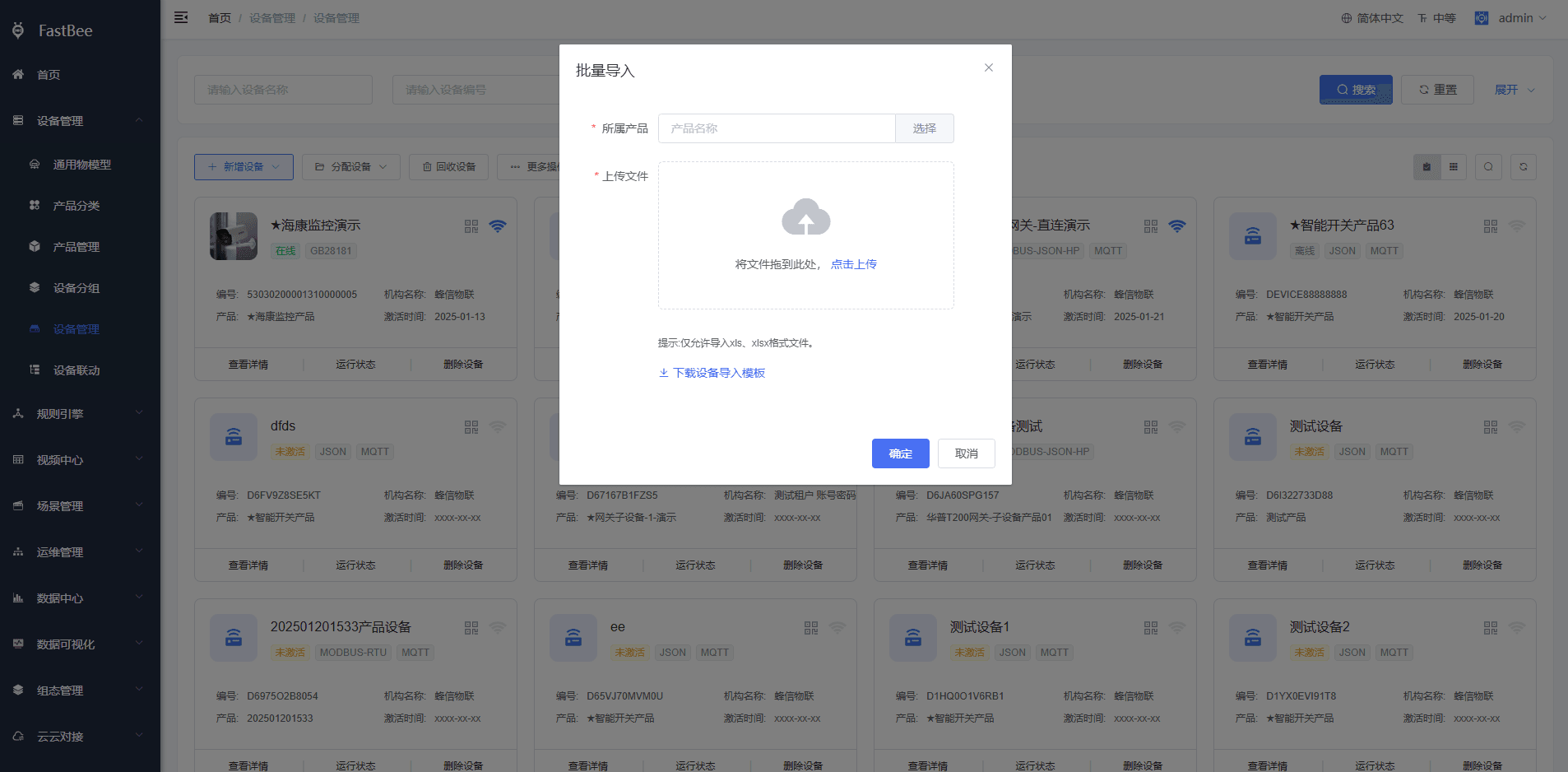
Add devices
Devices can be imported in batches or added manually.
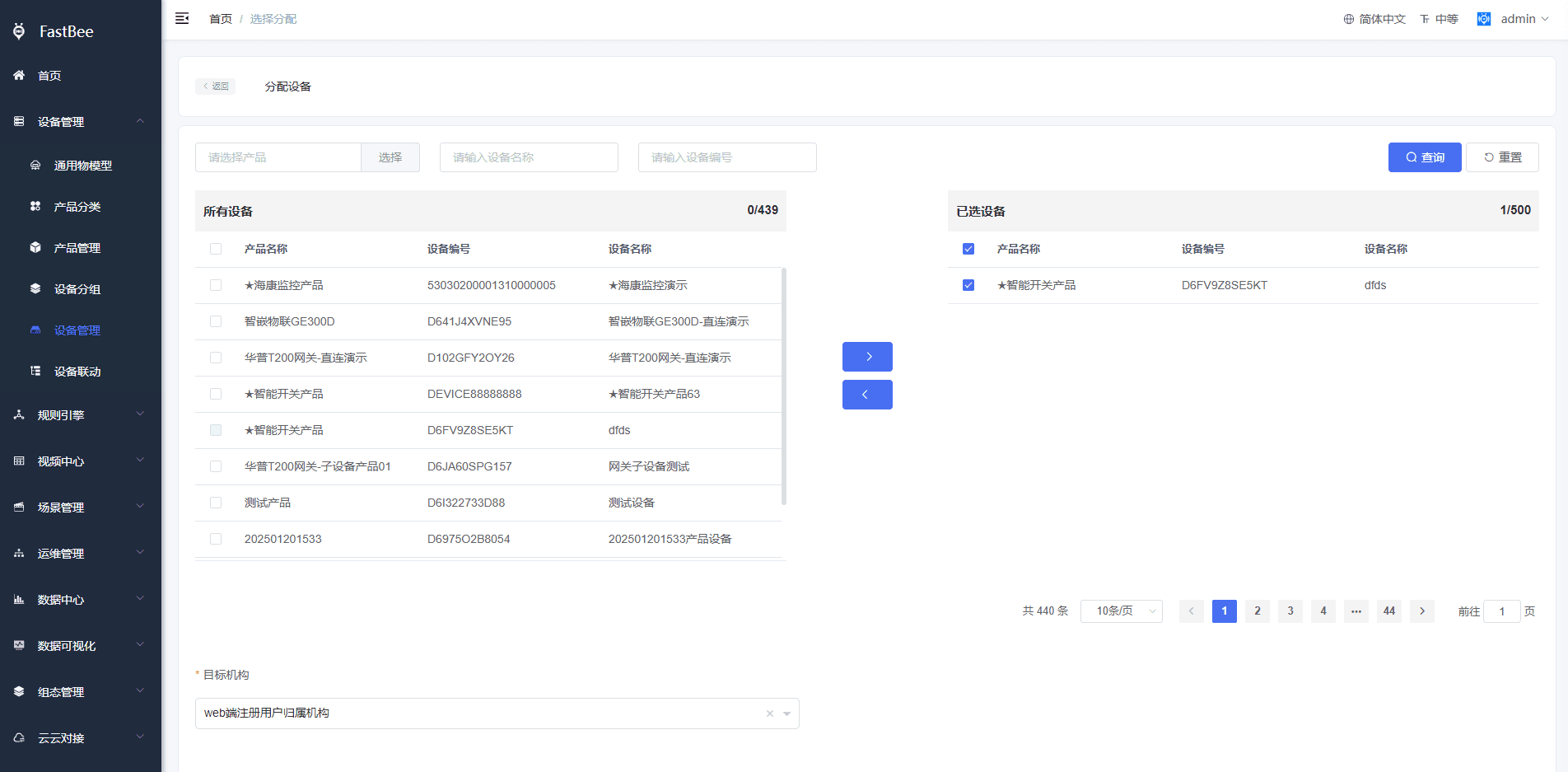
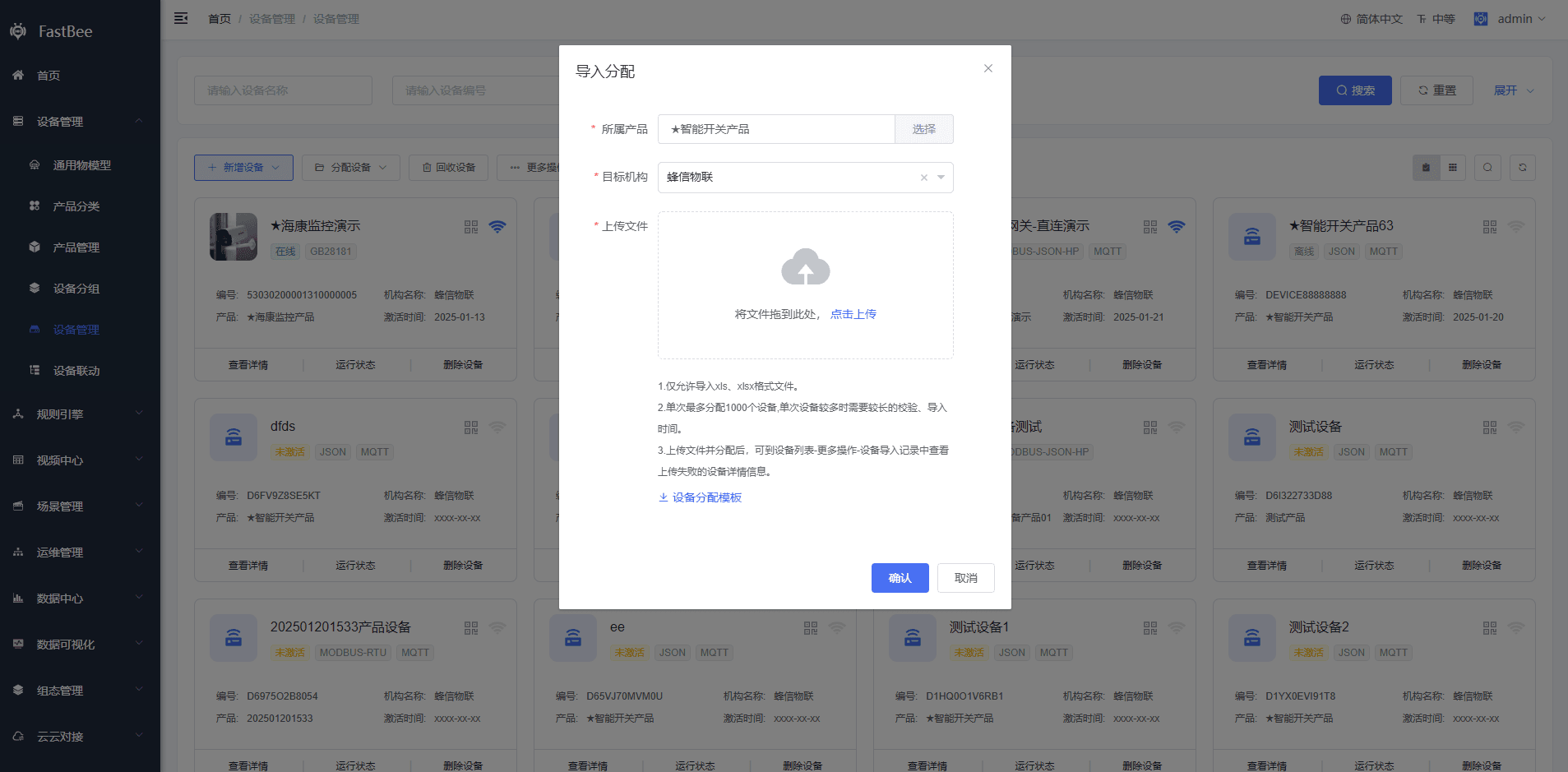
Allocate devices
Devices inside an organization can be allocated to another organization. Devices can also be imported in batches and allocated to an organization.
Recycle devices
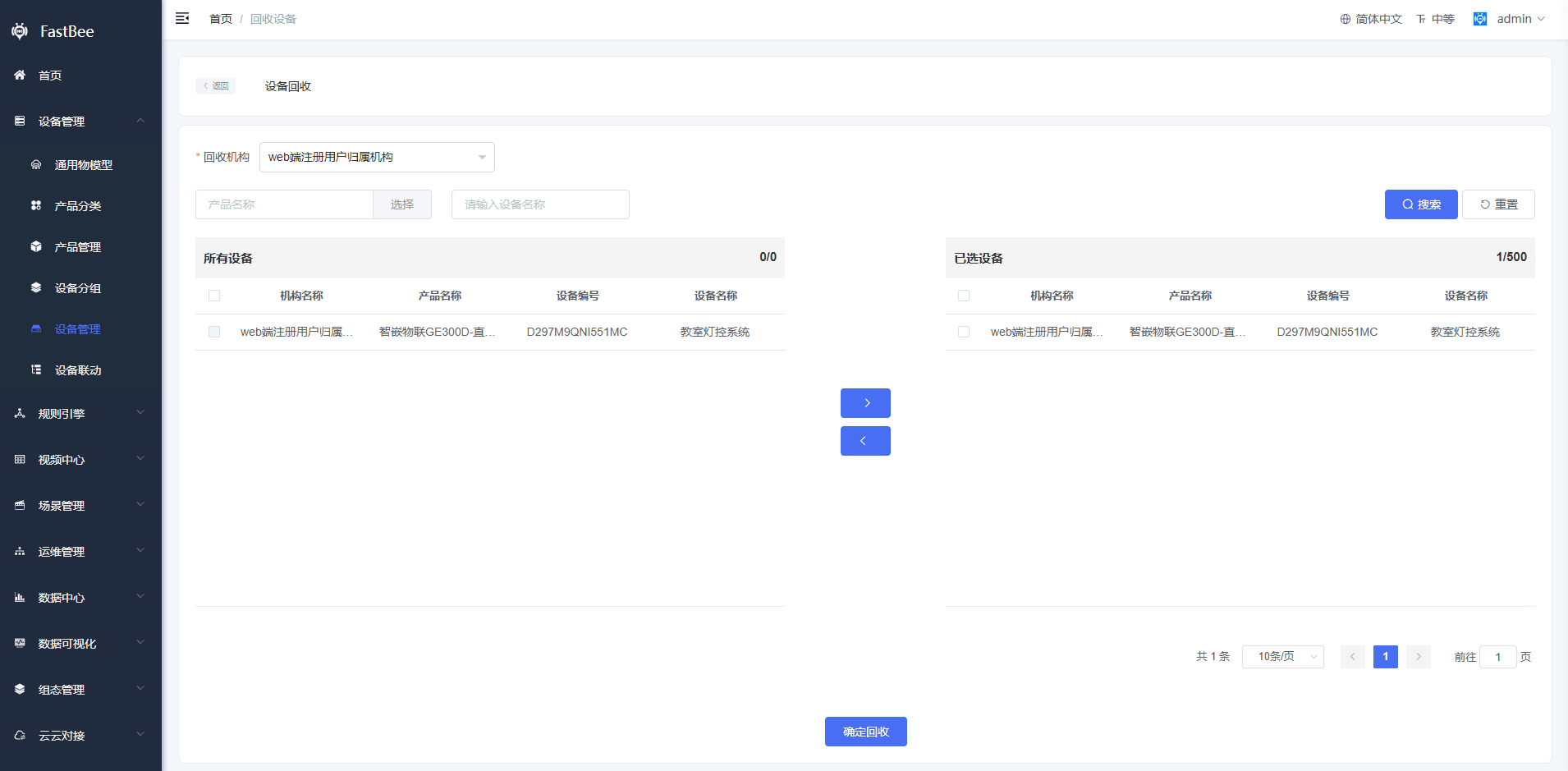
Devices allocated to another organization can be recycled back to the current organization.
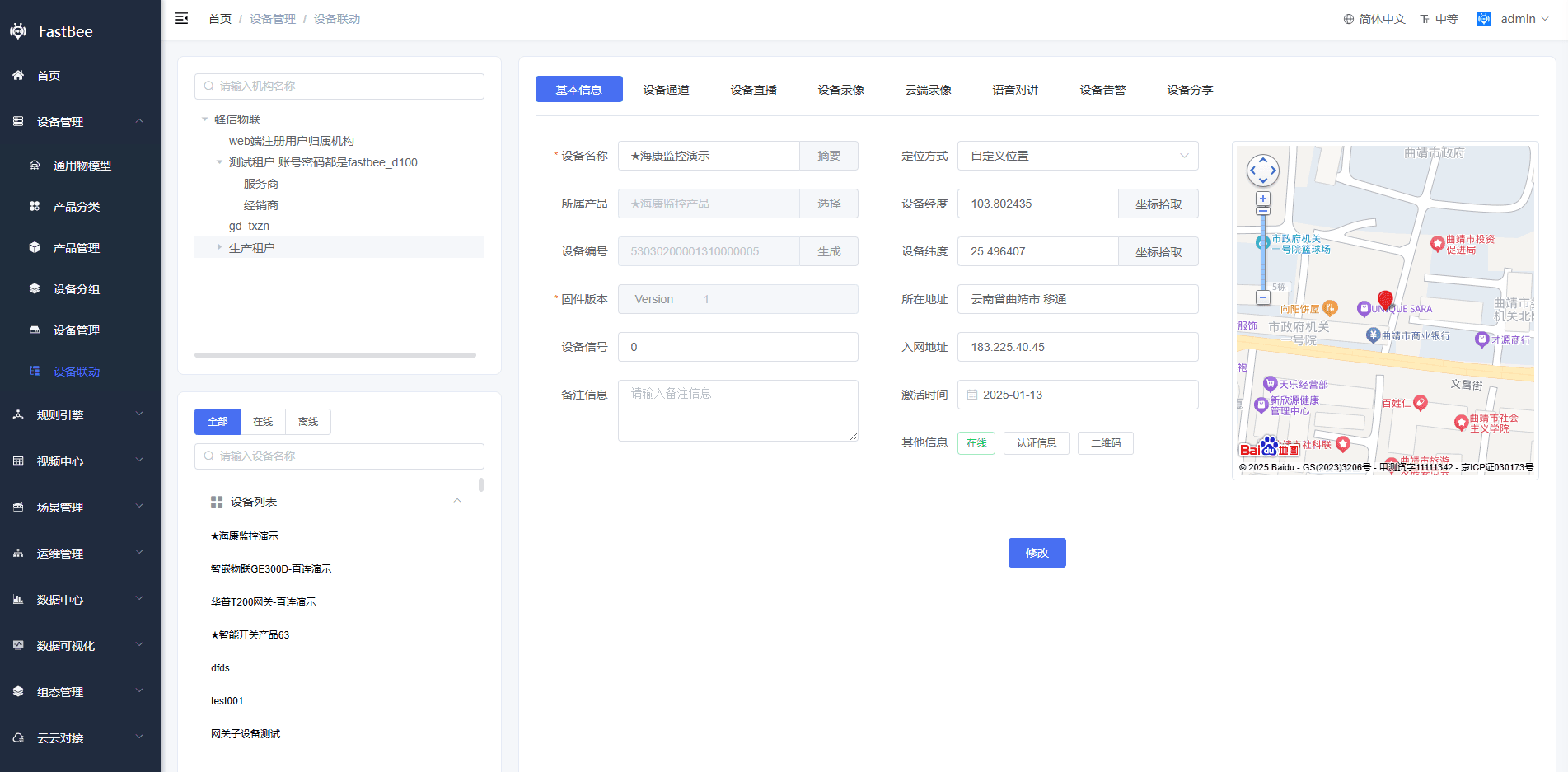
Device linkage
The organization hierarchy makes it easier to view device status across organizations.
4.4 Feature changes
End users
End users are managed independently. Assign permissions carefully.
Device ownership
The device table iot_device uses tenant_id to distinguish tenants. Devices created inside an organization belong to that organization and are bound to the organization administrator.
Device binding
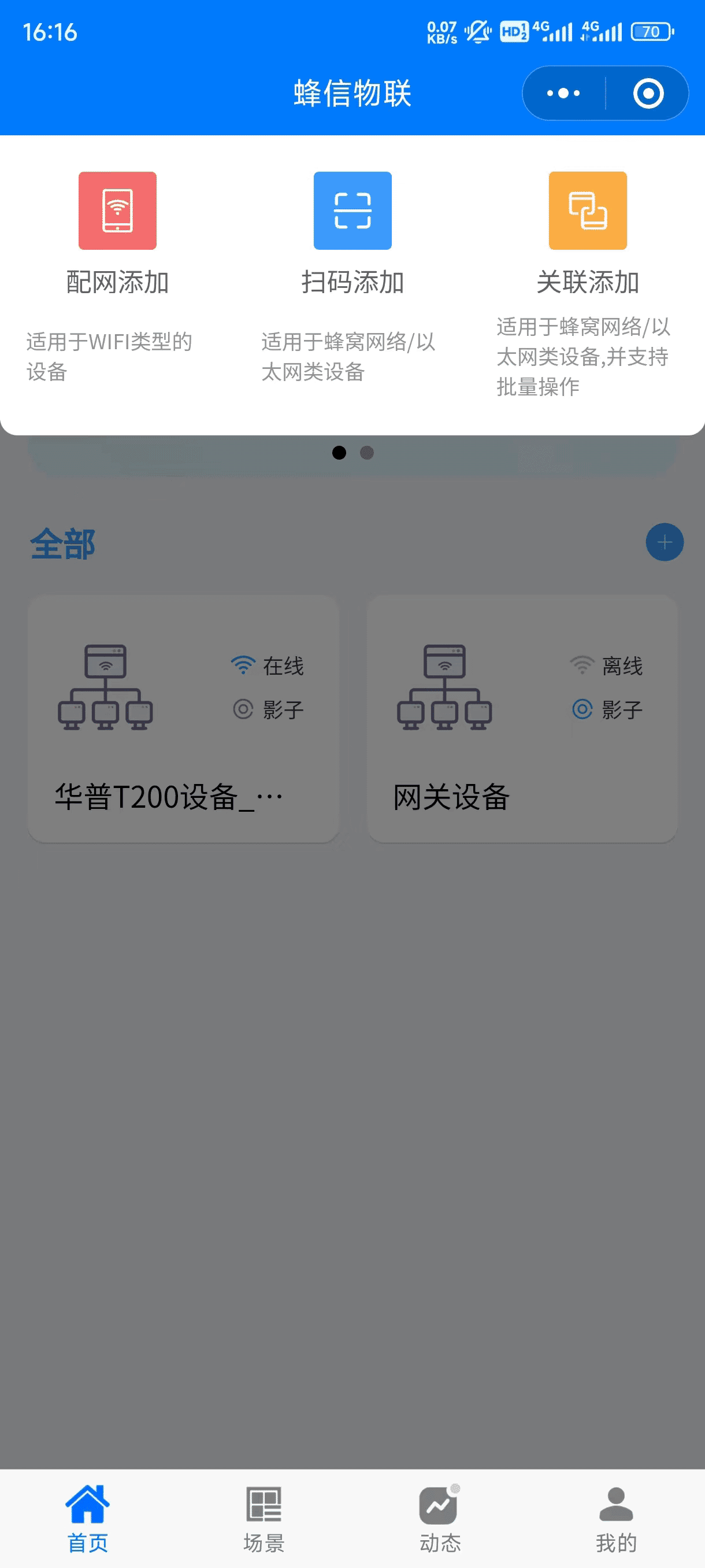
The device-user table is iot_device_user. End users can add devices from the Mini Program or app through provisioning, QR-code scanning, or association.
Device sharing
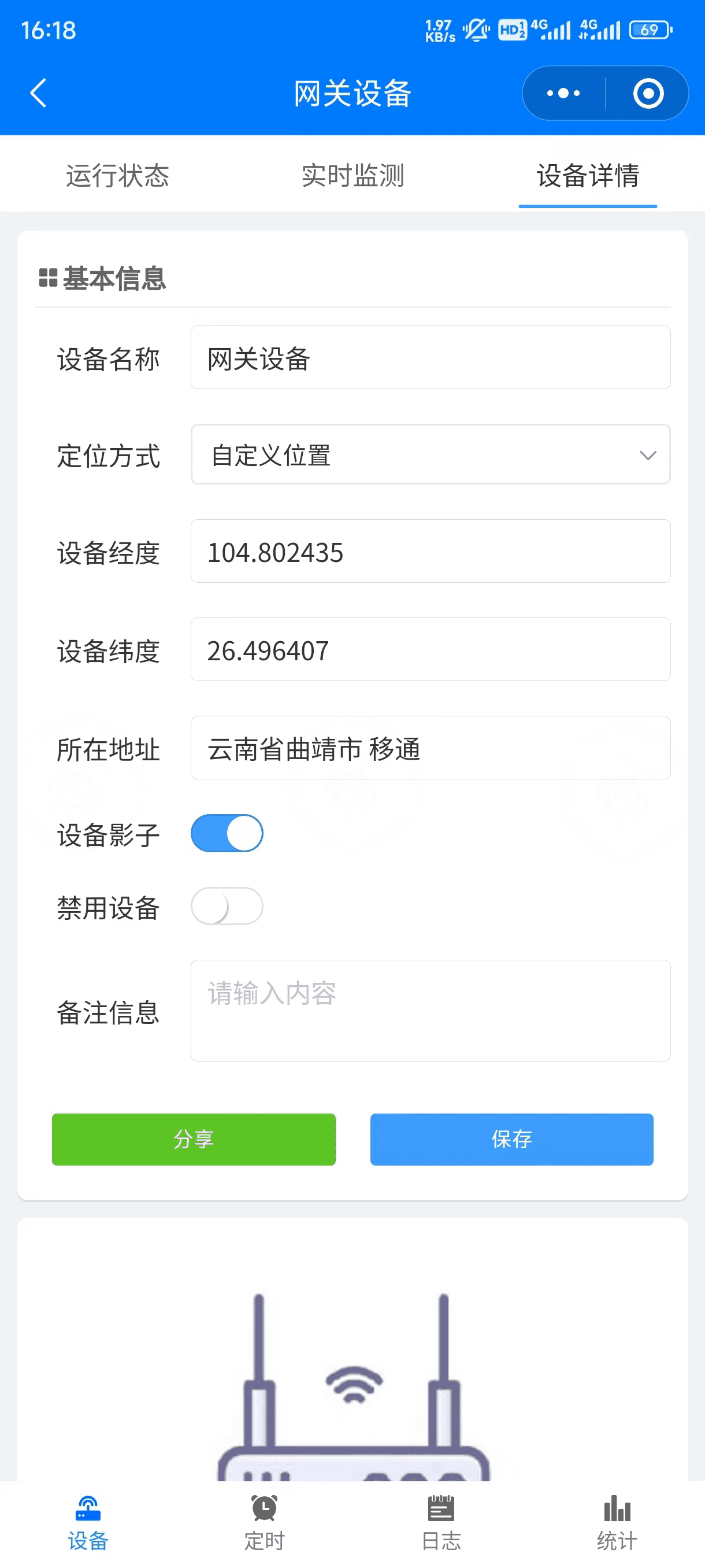
The device sharing table is iot_device_share. Tenant users no longer use device sharing. End users can share bound devices with other end users.
Device alarms
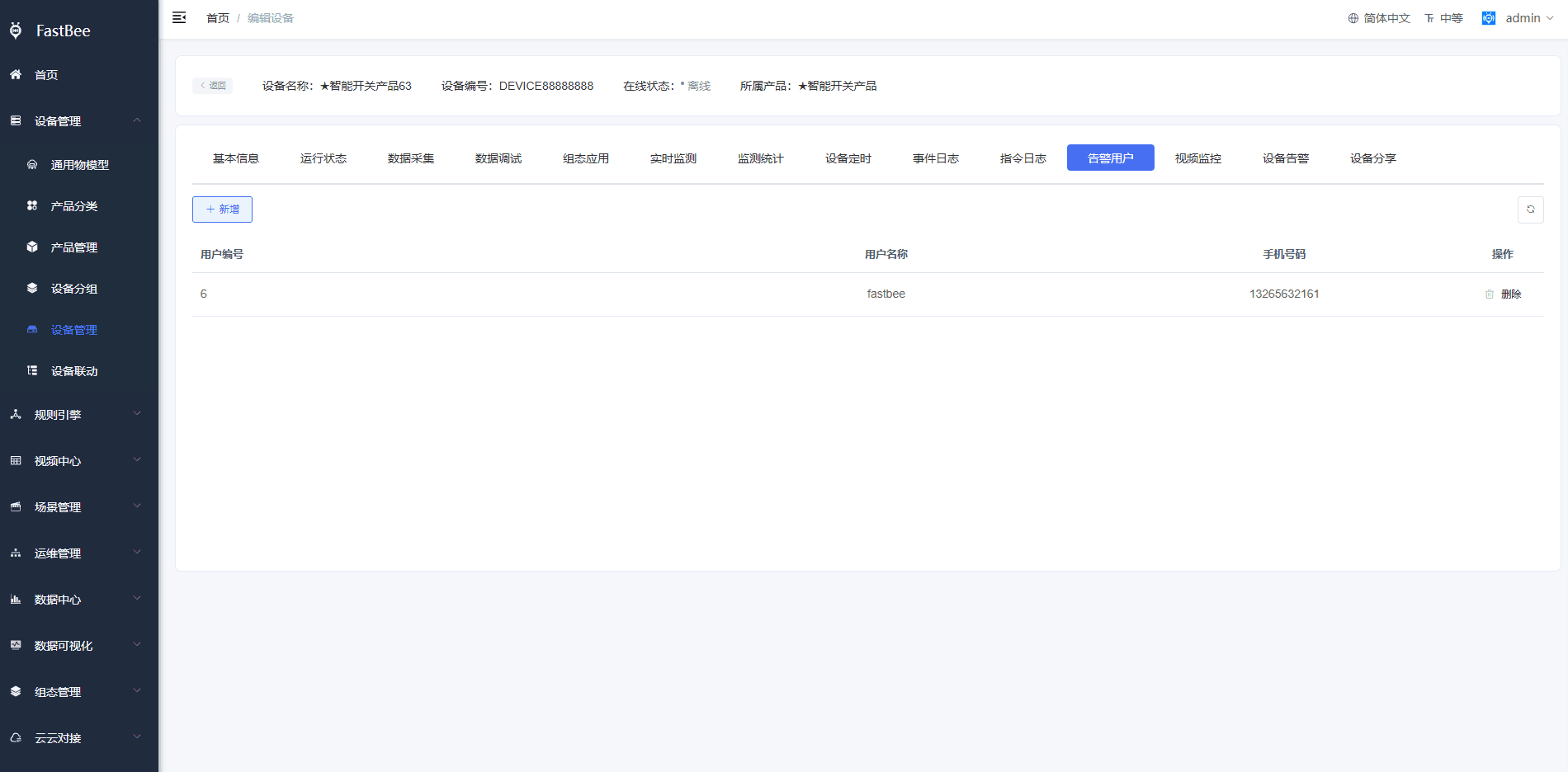
The alarm notification user table is iot_device_alert_user. A new alarm-user tab is added to the device detail page. When a tenant device has scene automation and alarms configured, notification users can be added on the alarm-user page.
Device alarm notification accounts come from:
- Send accounts configured in the notification template.
- Users configured on the alarm-user page.
5. Other modules
| Module | Tenant isolation rule |
|---|---|
| Common thing models, protocol management, device simulation, system management, system monitoring, system tools, Netty management, EMQ management, and configuration gallery management | Shared by the whole system. Permissions can be assigned through roles. Assign carefully. |
| Product categories | Tenant isolated. Parent organization data can be viewed but not modified. |
| Product management | Tenant isolated. Parent organization products can be viewed and used but not modified. |
| Device groups | Tenant isolated and end-user isolated. |
| Product firmware | Tenant isolated. Parent organization data can be viewed. |
| Notification channels, templates, and logs | Tenant isolated. Each organization configures its own notification resources. Tenant users in the Mini Program use templates from their owning organization. End-user SMS login, third-party login, and Mini Program alarm subscription use the top-level organization configuration. |
| Rule engine | Tenant isolated. Scenes and alarm records created by end users belong to the end users themselves. |
| Cloud-to-cloud integration, video center, and data visualization | Tenant isolated. |
| Configuration management | Tenant isolated except for gallery management. |
6. Future development
The multi-tenant version will continue to be optimized and improved.