

System Administration Overview
Page Guide
1. Initialization Order
2. Organization And Department
Organizations are the foundation of tenant management and data isolation. In a formal project, finish organization planning before importing devices and users.
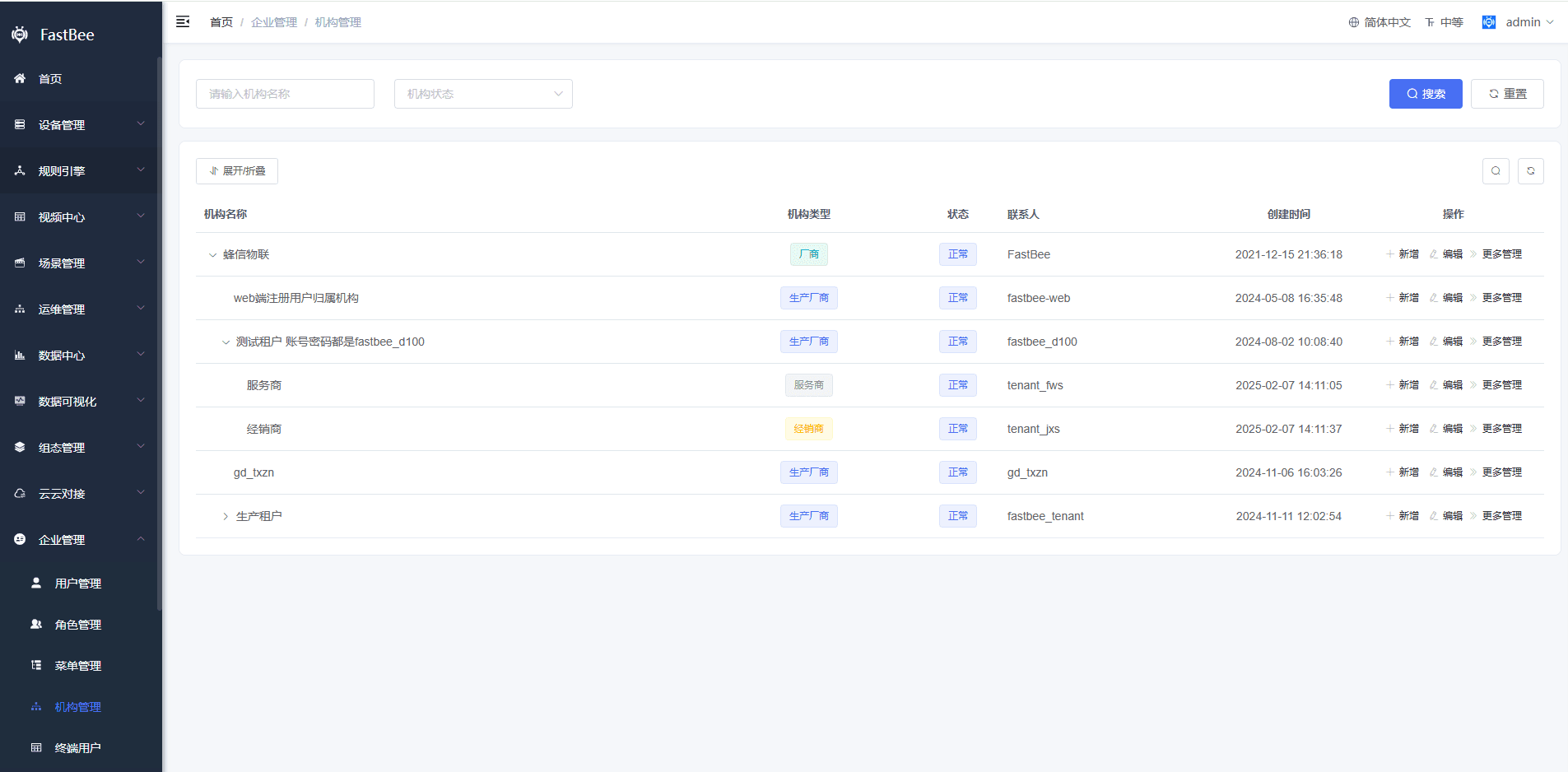
| Field | Description | Notes |
|---|---|---|
| Organization name | Enterprise, project, customer, or department name. | Use a business-readable name. |
| Parent organization | Builds hierarchical data management. | Parent roles may view child data depending on permission. |
| Administrator | Administrator of the current organization. | Each organization should have a clear owner. |
| Invitation code | Used when Web registration binds to an organization. | Use together with role permission. |
| Status | Enabled or disabled. | Disabling affects child users. |
3. Roles And Data Scope
Roles decide which menus, buttons, and data a user can access.
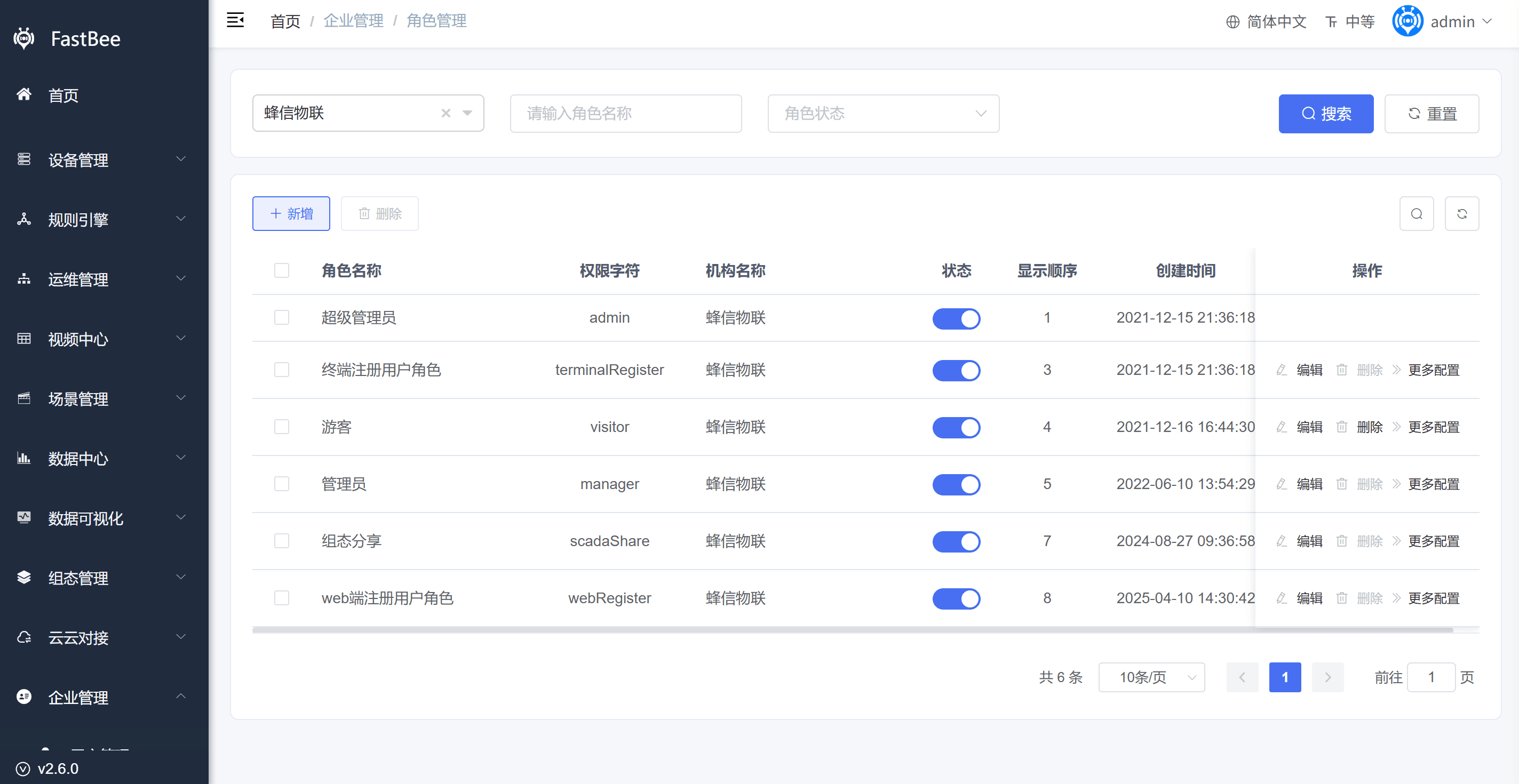
| Data Scope | Scenario |
|---|---|
| All data | Super administrator or platform operations. |
| Current organization and below | Regional administrator or group administrator. |
| Current organization | Single tenant administrator. |
| Own data only | Ordinary business user. |
| Custom data | Special projects or cross-organization collaboration. |
警告
Device, product, scene, work order, report, and other modules may all be affected by data scope. When a page has no data, check role data scope as well as APIs.
4. User Management
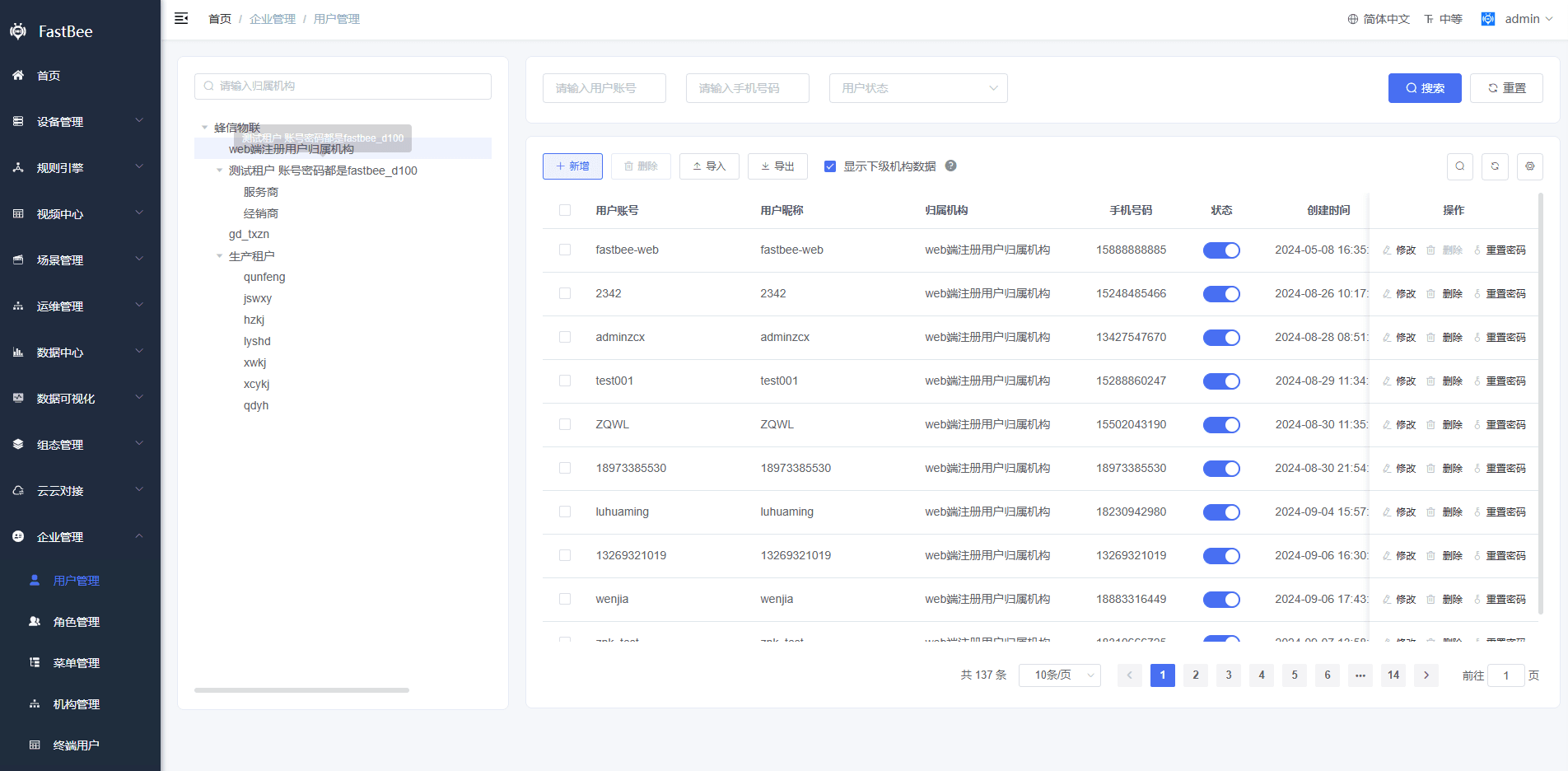
When creating users, confirm organization, role, contact information, status, and password policy. Terminal users are usually used by App or mini-program device binding, while tenant users are used for Web console management.
5. Menu And Button Permission
| Type | Purpose | Example |
|---|---|---|
| Directory | Left menu grouping. | Device Management. |
| Menu | Accessible page. | Product Management, Device Management. |
| Button | Page-level operation permission. | Add, delete, export, command delivery. |
| External link | Link to an external system or dashboard. | Visual dashboard or online demo. |
After modifying menus, re-authorize roles and ask users to log in again for verification.
6. Dictionaries And Parameters
| Type | Example | Notes |
|---|---|---|
| Dictionary type | Alert level, card platform, notification business code. | Changes may affect frontend display and backend enum mapping. |
| Dictionary data | Enabled/disabled, level, platform type. | Keep keys stable for historical data. |
| System parameter | Login setting, business switch, third-party key. | Confirm whether restart or cache clearing is required. |
| Translation config | Menu, dictionary, and thing-model translations. | Maintain together for multilingual scenarios. |
7. Acceptance Checklist
| Item | Expected Result |
|---|---|
| Organization | Parent-child relationship is correct. |
| Role | Menu, button, and data scope match expectations. |
| User | Different users see different menus and data. |
| Data isolation | Unauthorized parent or sibling data is hidden. |
| Command permission | Only authorized users can deliver device commands. |
| Audit | Login logs and operation logs are traceable. |
8. FAQ
User cannot see menus
Check whether the role is assigned menus, whether the menu status is normal, whether the route address is correct, and whether the user has logged in again.
User can see the page but cannot click buttons
Check button permission identifiers, role authorization, frontend permission directives, and backend permission annotations.
User cannot see devices or products
Check the organization, role data scope, device assignment, product private status, and whether showing parent organization products is enabled.
End users and tenant users are confused
End users are typically used for the App and mini program, while tenant users are used for the web console. Do not grant console administration permissions directly to end users.
9. Development Entry
| Type | Path Or API | Description |
|---|---|---|
| Frontend page | vue3/src/views/system/user | User management. |
| Frontend page | vue3/src/views/system/role | Role management. |
| Frontend page | vue3/src/views/system/menu | Menu permissions. |
| Frontend page | vue3/src/views/system/dept | Organizations and departments. |
| Frontend page | vue3/src/views/system/dict, config | Dictionaries and parameters. |
| Backend API | /system/user, /system/role, /system/menu, /system/dept | System administration APIs. |
| SQL tables | sys_user, sys_role, sys_menu, sys_dept, sys_dict_* | Core system administration tables. |