

Message notifications
1. Notification module
1.1 Overview
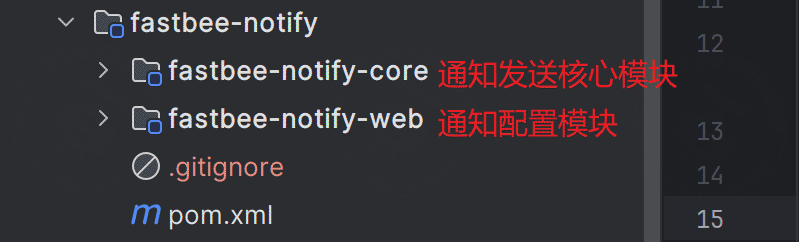
Message notification is an independent module. It contains three menus: notification channels, notification templates, and notification logs. Templates are associated with business codes, so they can be flexibly connected to other business modules.
1.2 Technical implementation
SMS and email delivery use the third-party open-source library SMS4J. Other channels are integrated according to their official API documentation.
1.3 Platform application processes
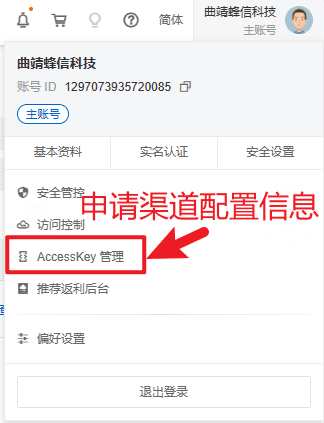
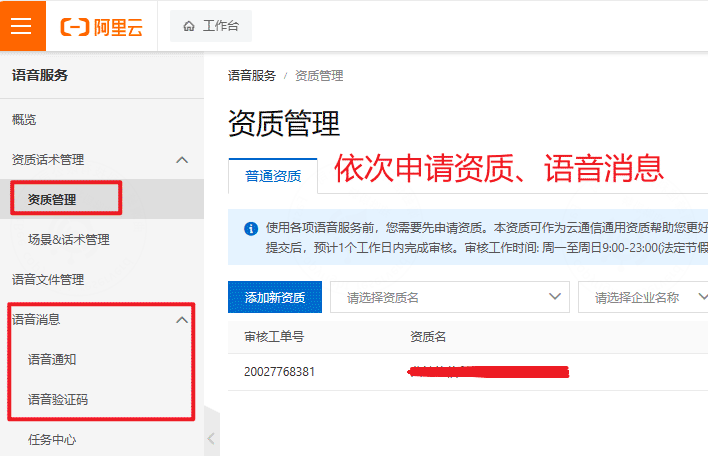
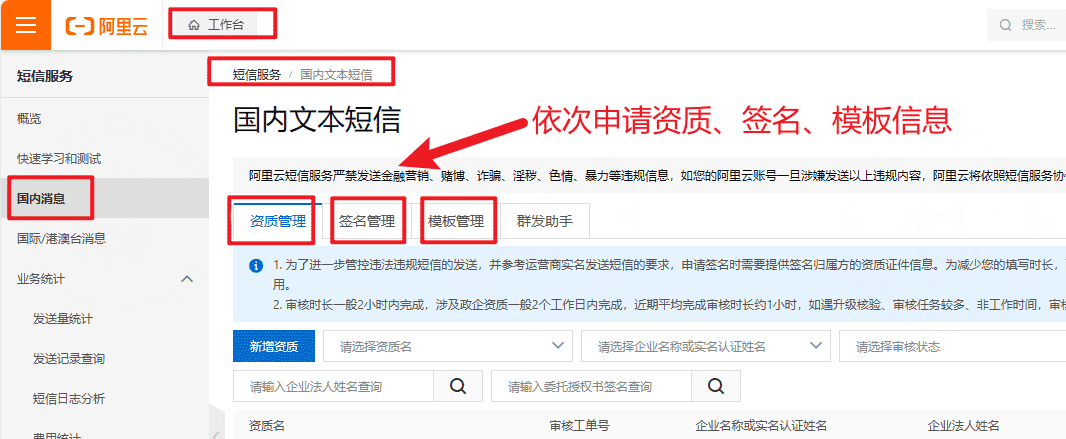
a. Alibaba Cloud SMS and voice
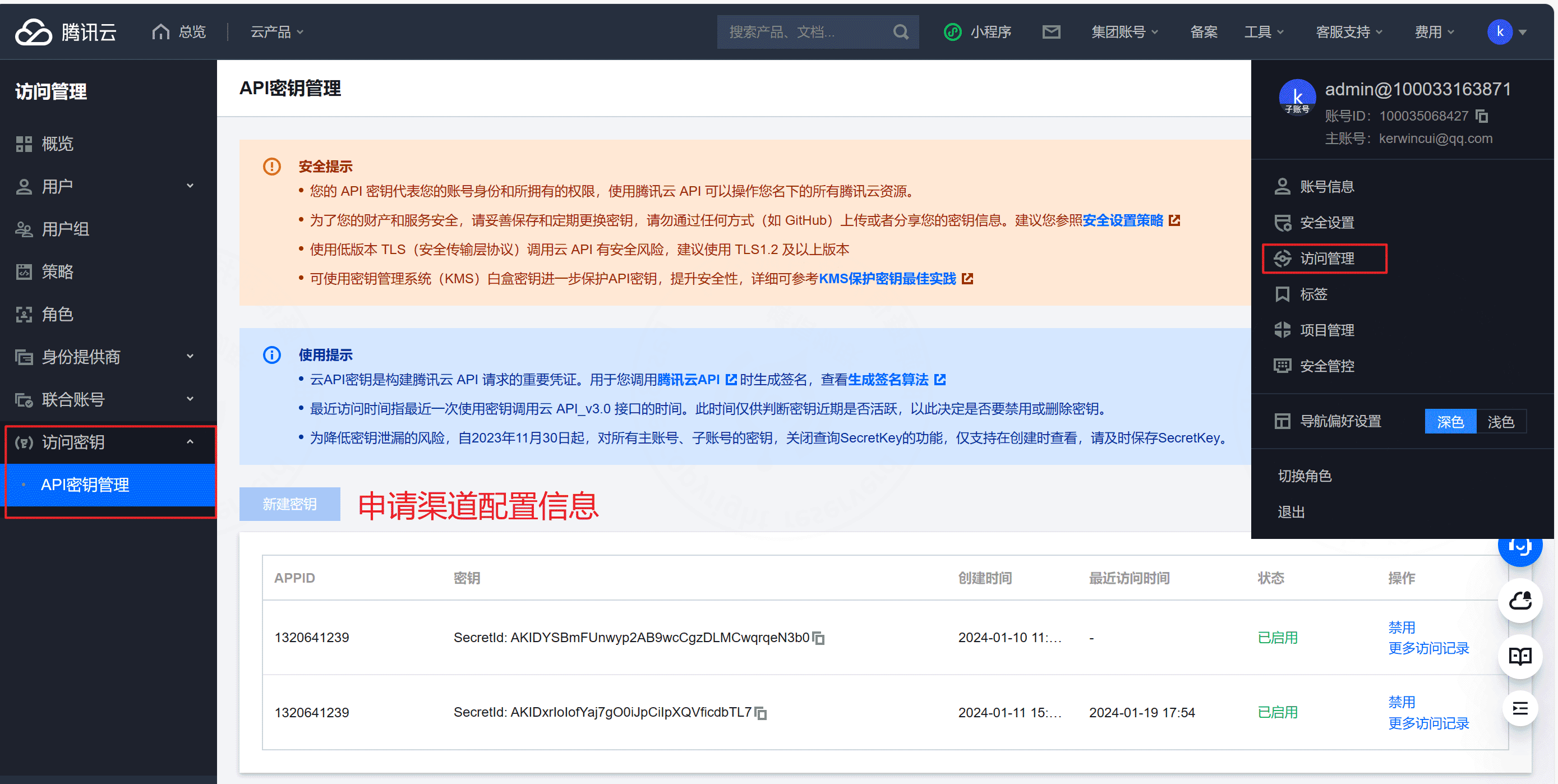
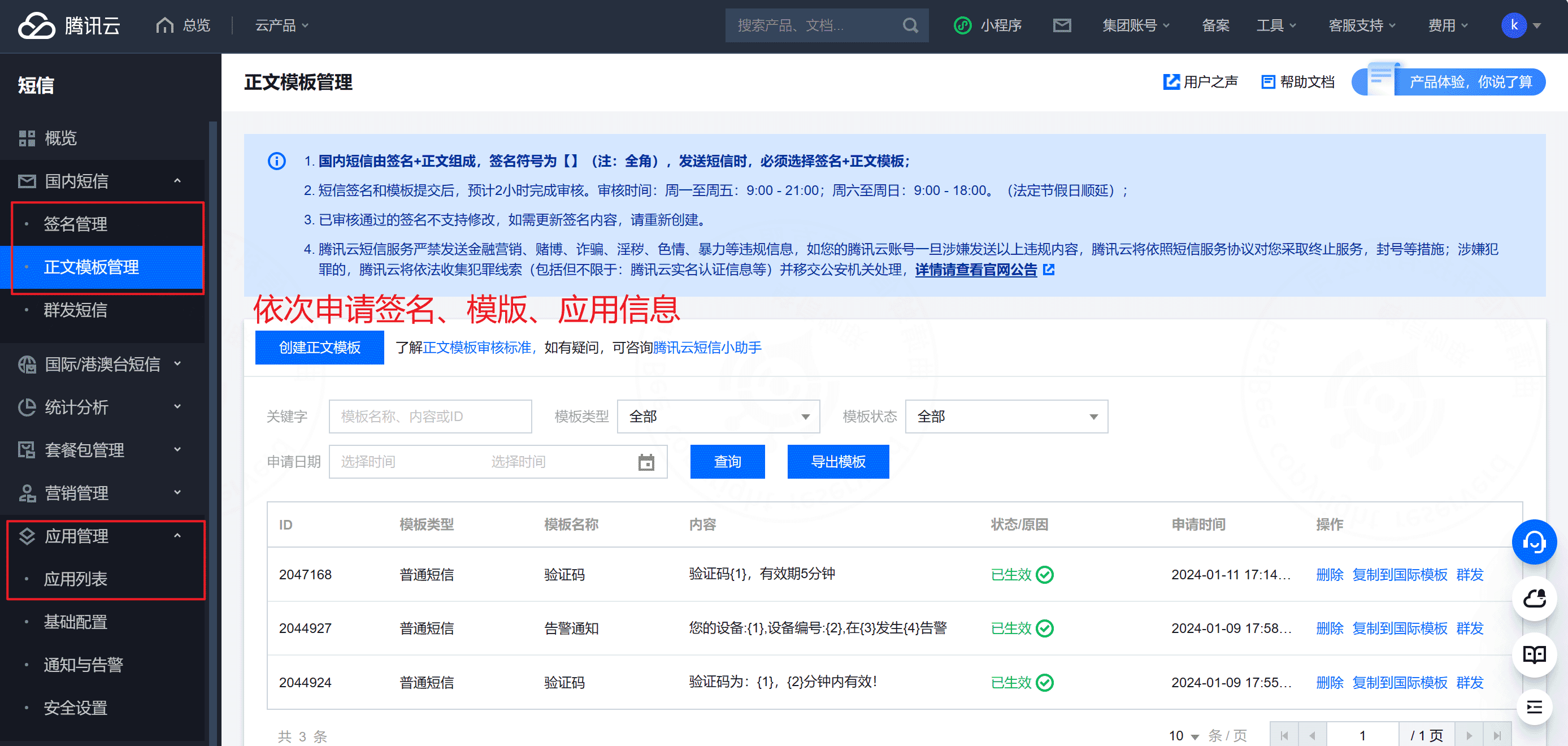
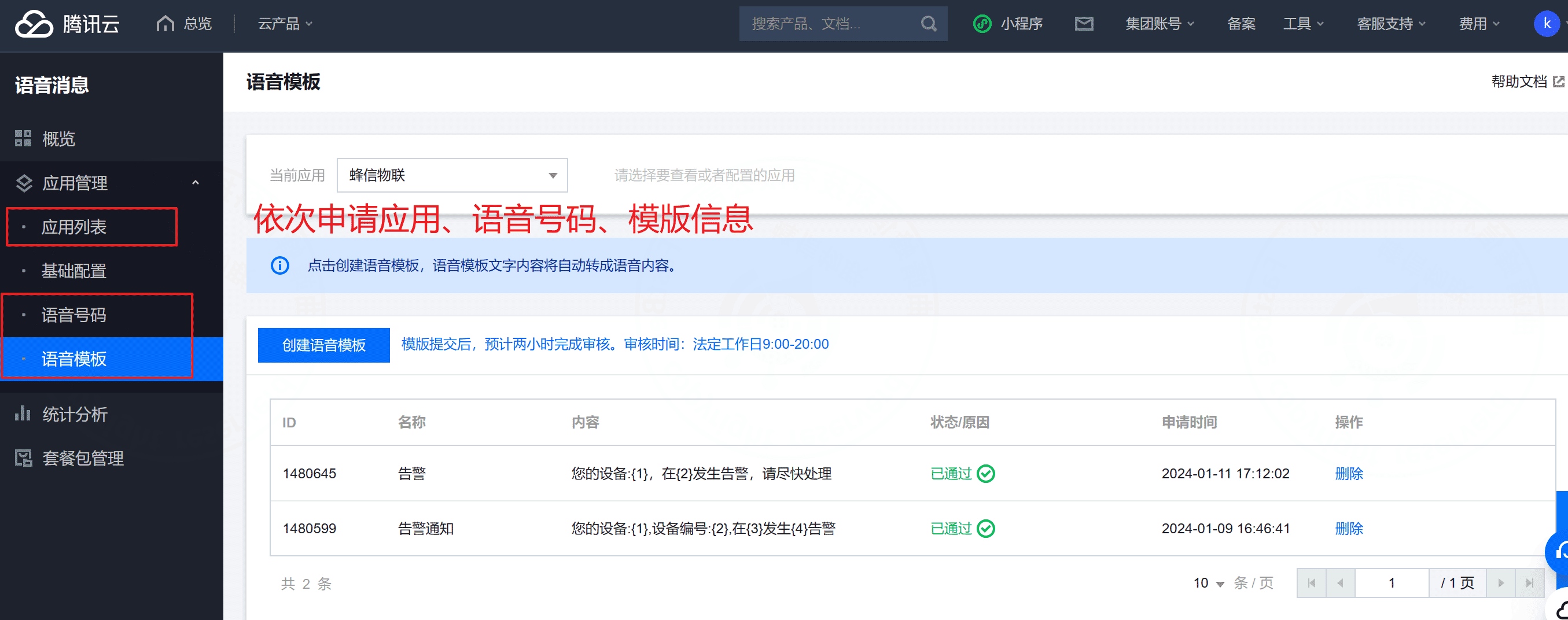
b. Tencent Cloud SMS and voice
c. WeChat Mini Program subscription template
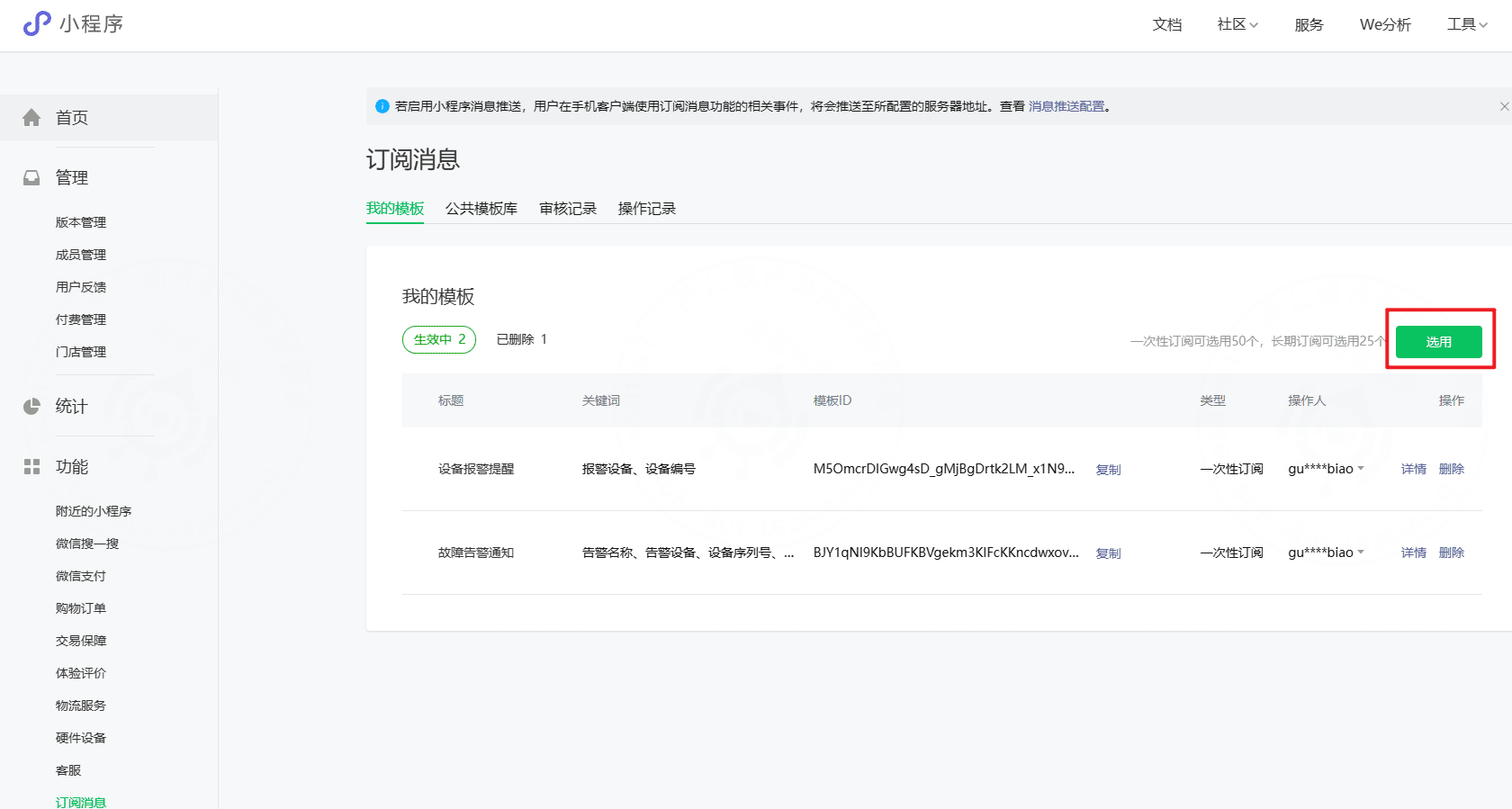
Apply for a WeChat Mini Program first through the third-party login process, then log in to the WeChat public platform and apply for subscription messages.
警告
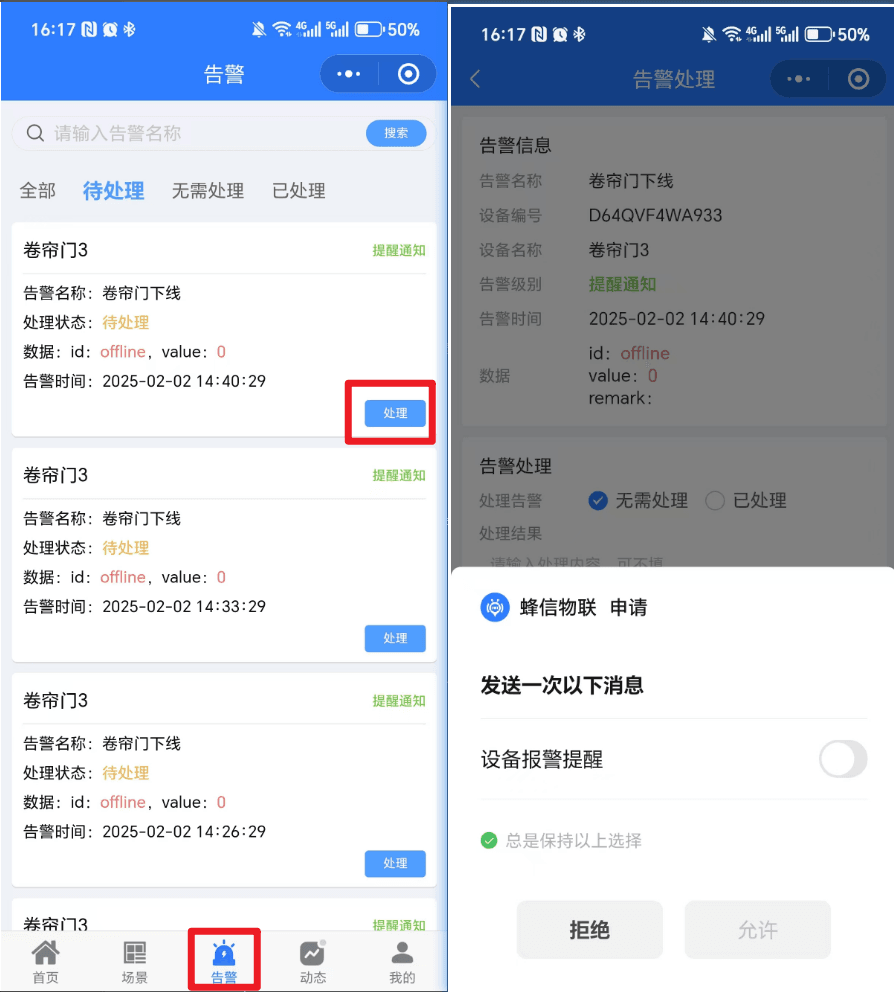
WeChat Mini Program notifications require a configured and enabled template. Users must enter the Mini Program alarm handling page, tap the handling entry, and subscribe to the message. The subscription location can be adjusted according to your product flow.
d. WeCom application messages and group bot
警告
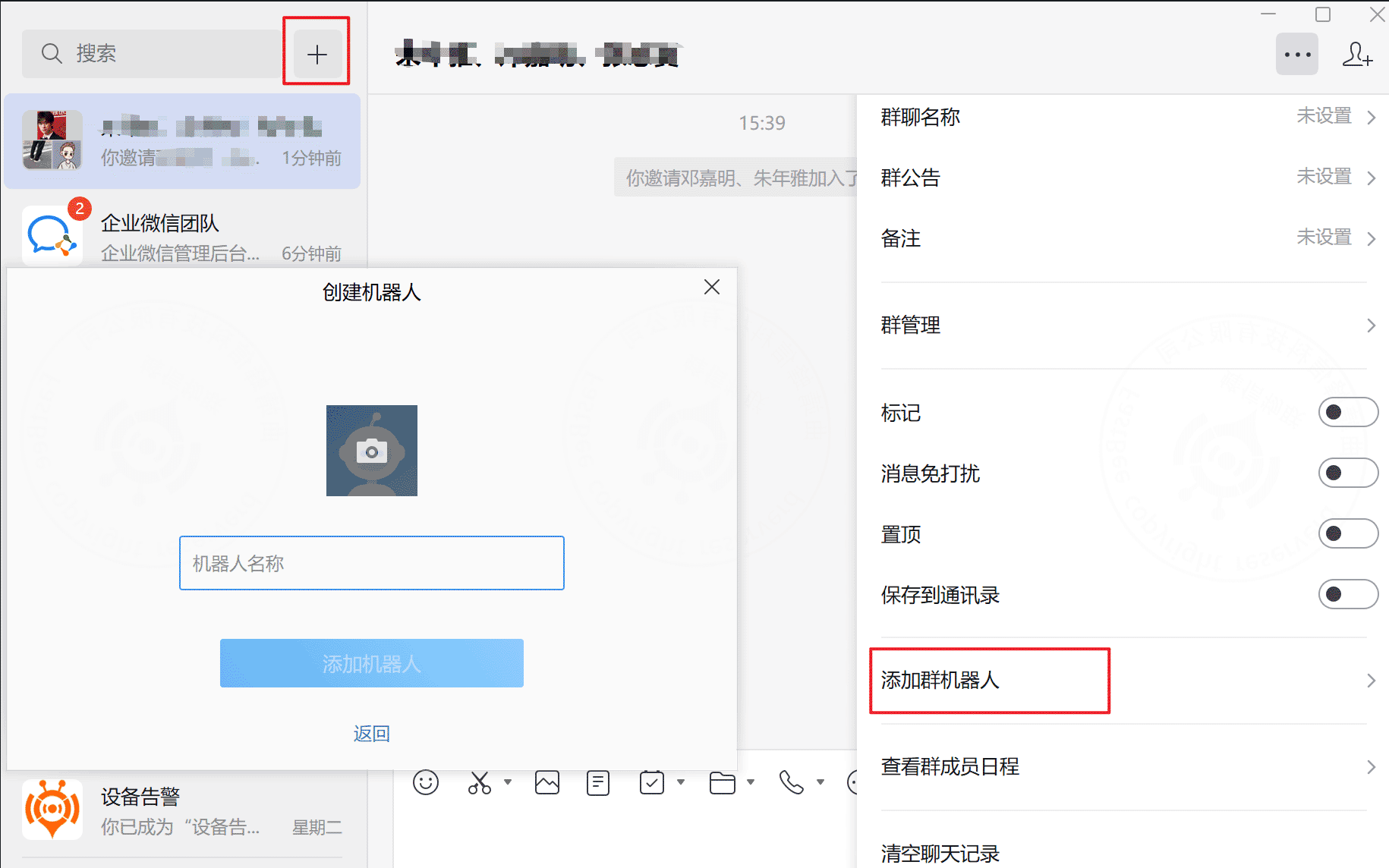
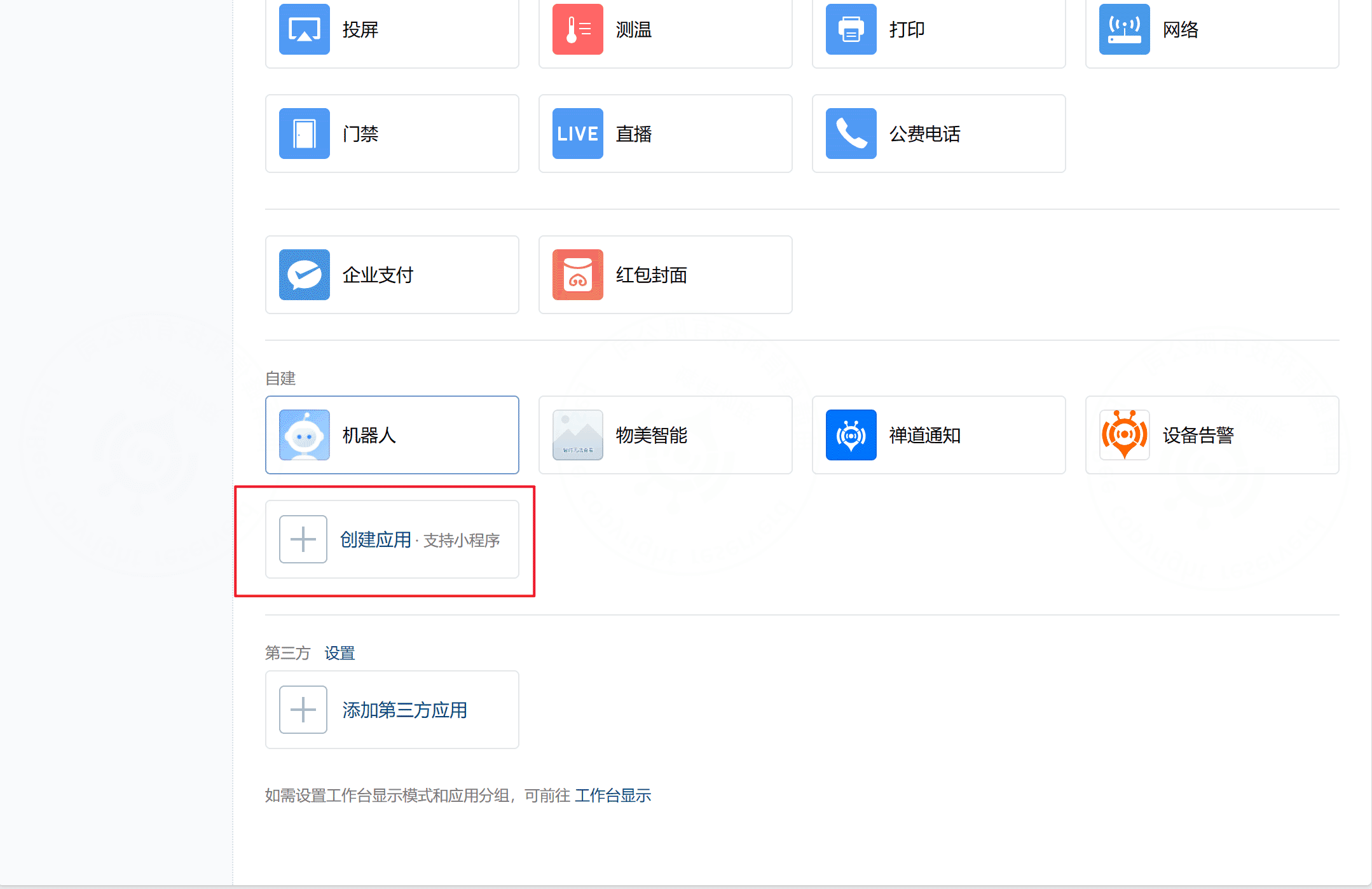
Currently this has only been tested for internal enterprise applications. Third-party application scenarios have not been verified.
警告
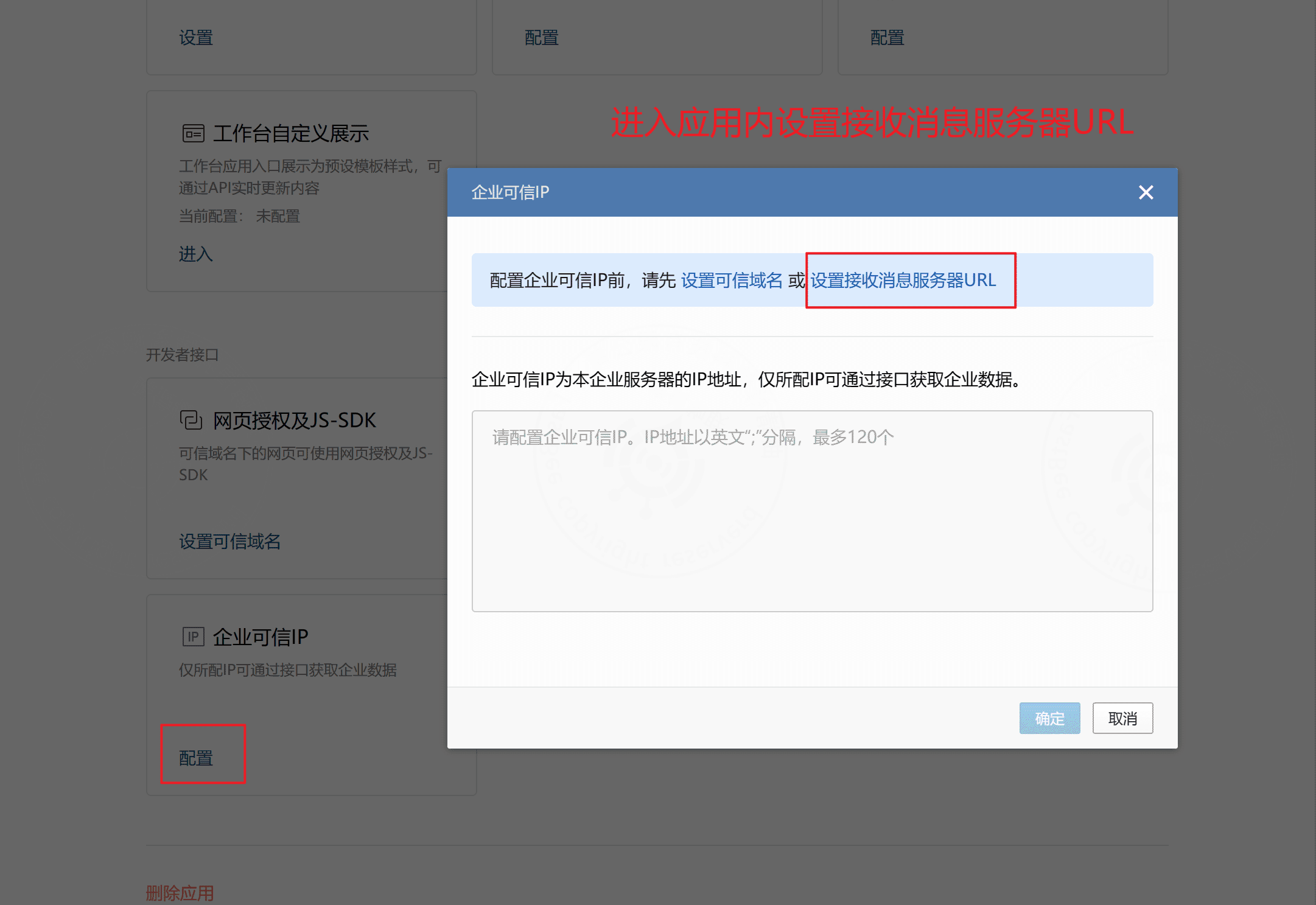
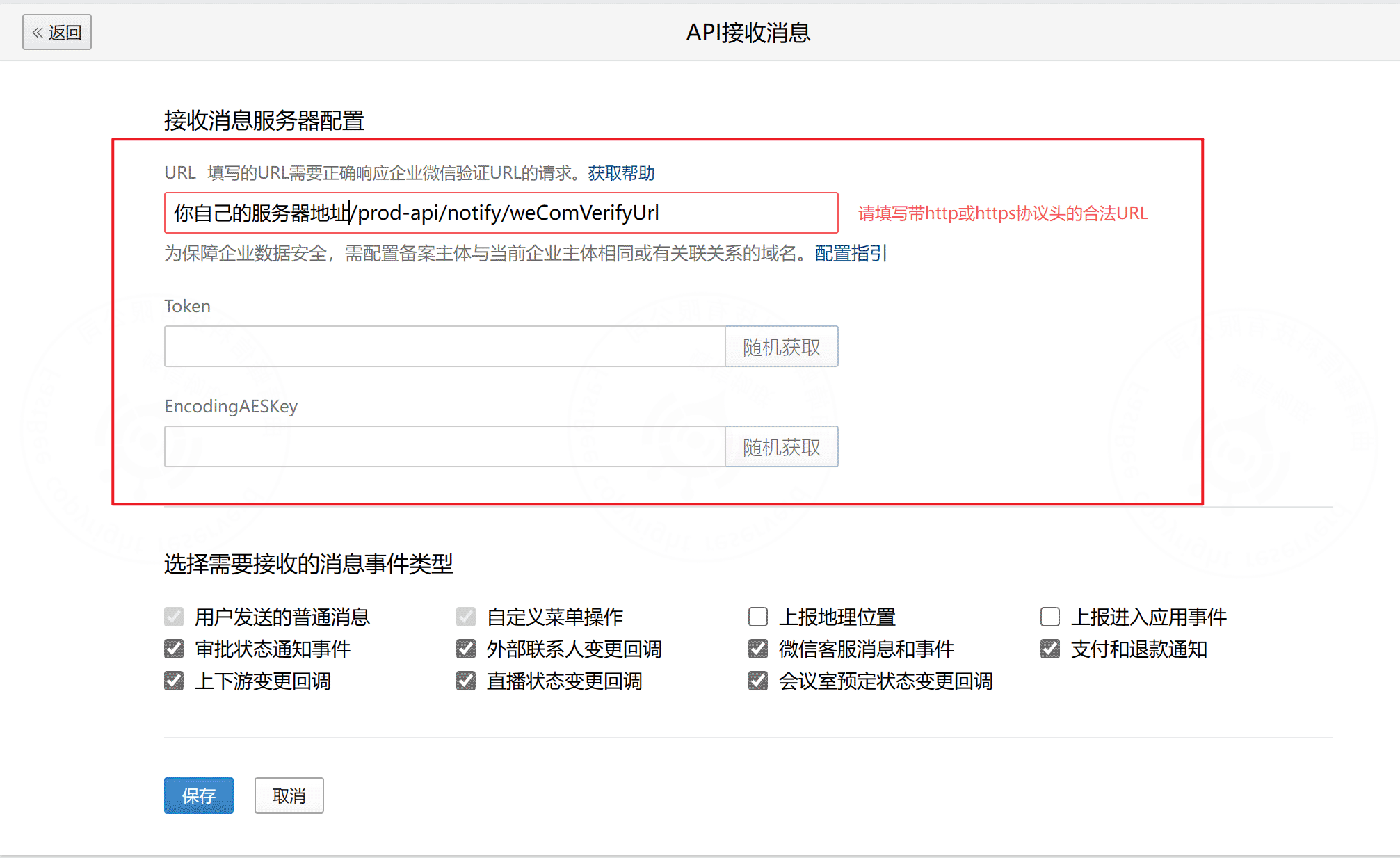
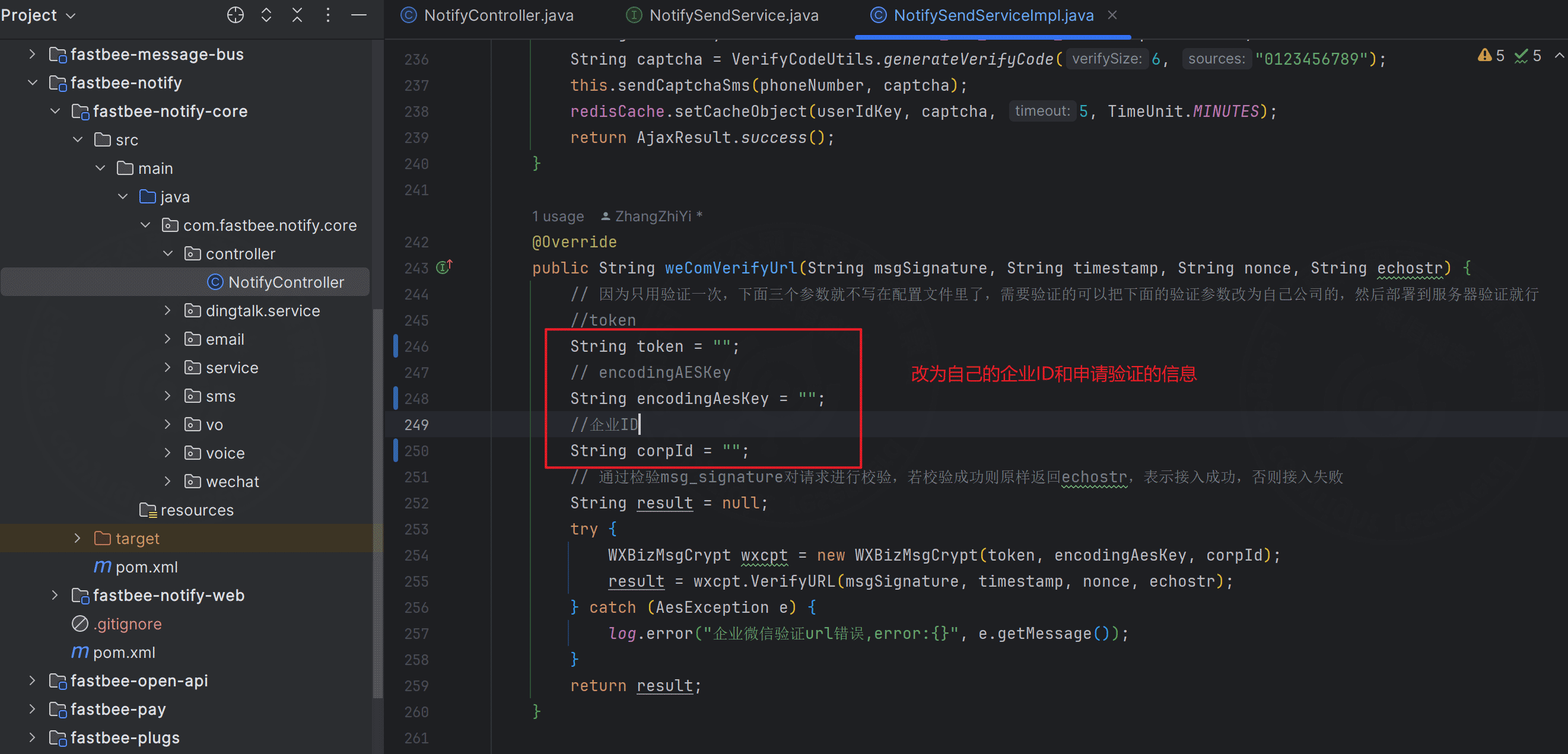
WeCom application messages can be sent only after URL verification succeeds. Replace the information in the verification code with your own values, deploy the project, complete verification, then configure trusted domains and trusted IP addresses.
e. WeChat Official Account notifications
Prerequisites:
- The system already supports WeChat account binding.
- The WeChat Official Account, WeChat web application, Mini Program, and mobile application are bound to the same WeChat Open Platform account.
- Different application clients interact through
unionId.
警告
- Apply for the Official Account on the WeChat Open Platform, then bind it in the WeChat public platform.
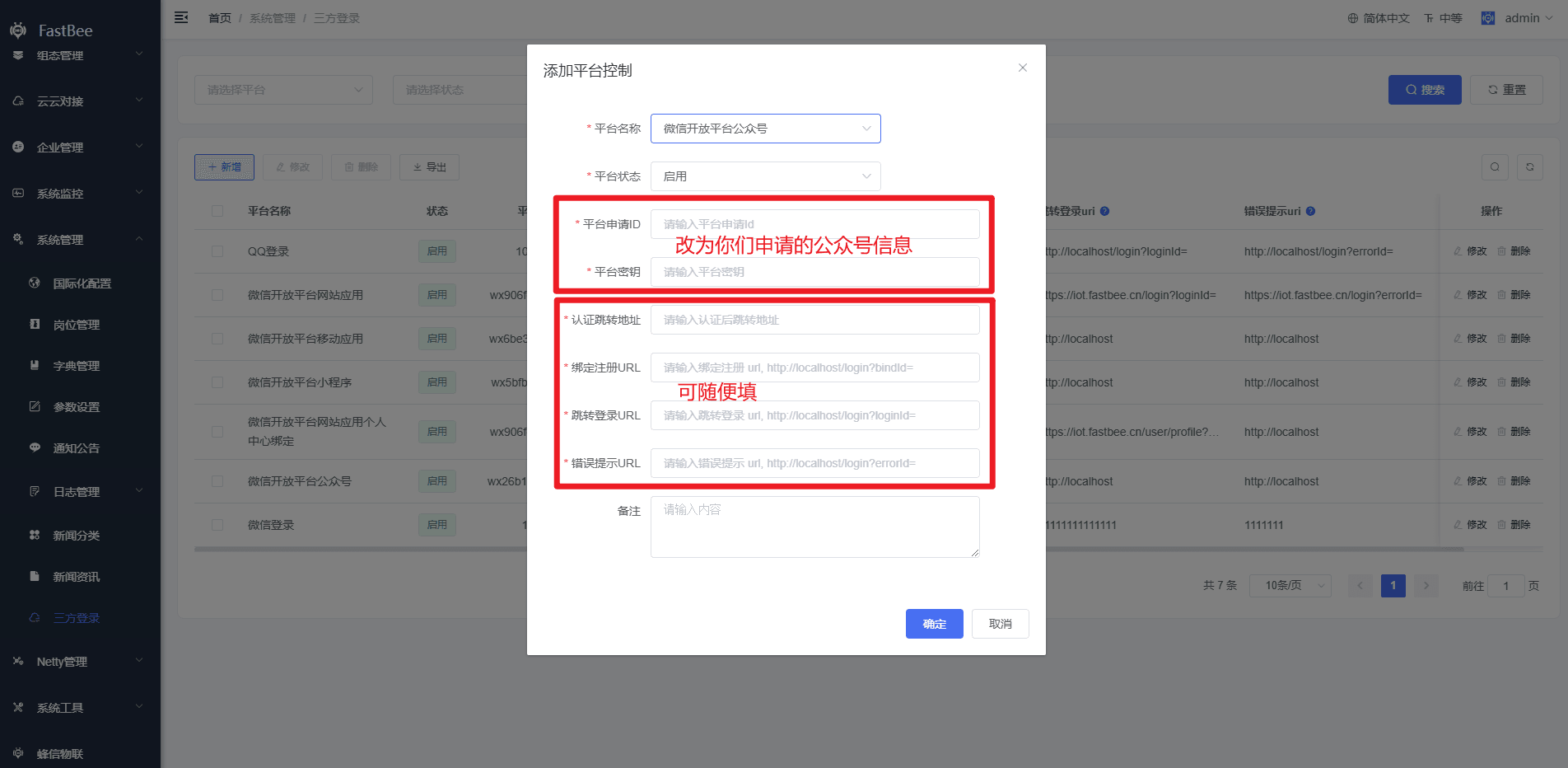
- Configure the Official Account information in the system third-party login settings.
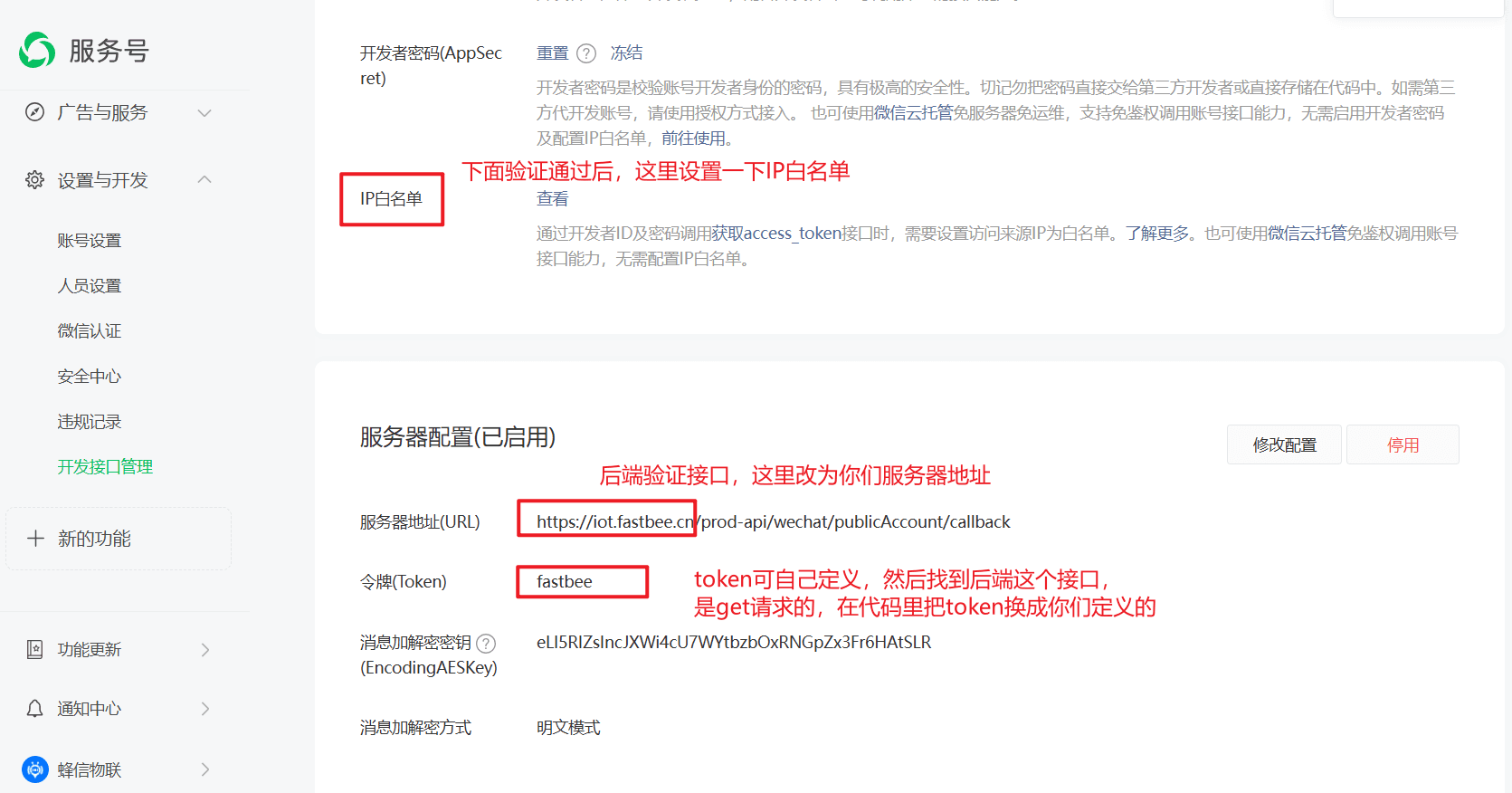
- Verify the URL. After verification succeeds, configure the IP whitelist.
- After the feature goes online, existing followers may need to follow the Official Account again.
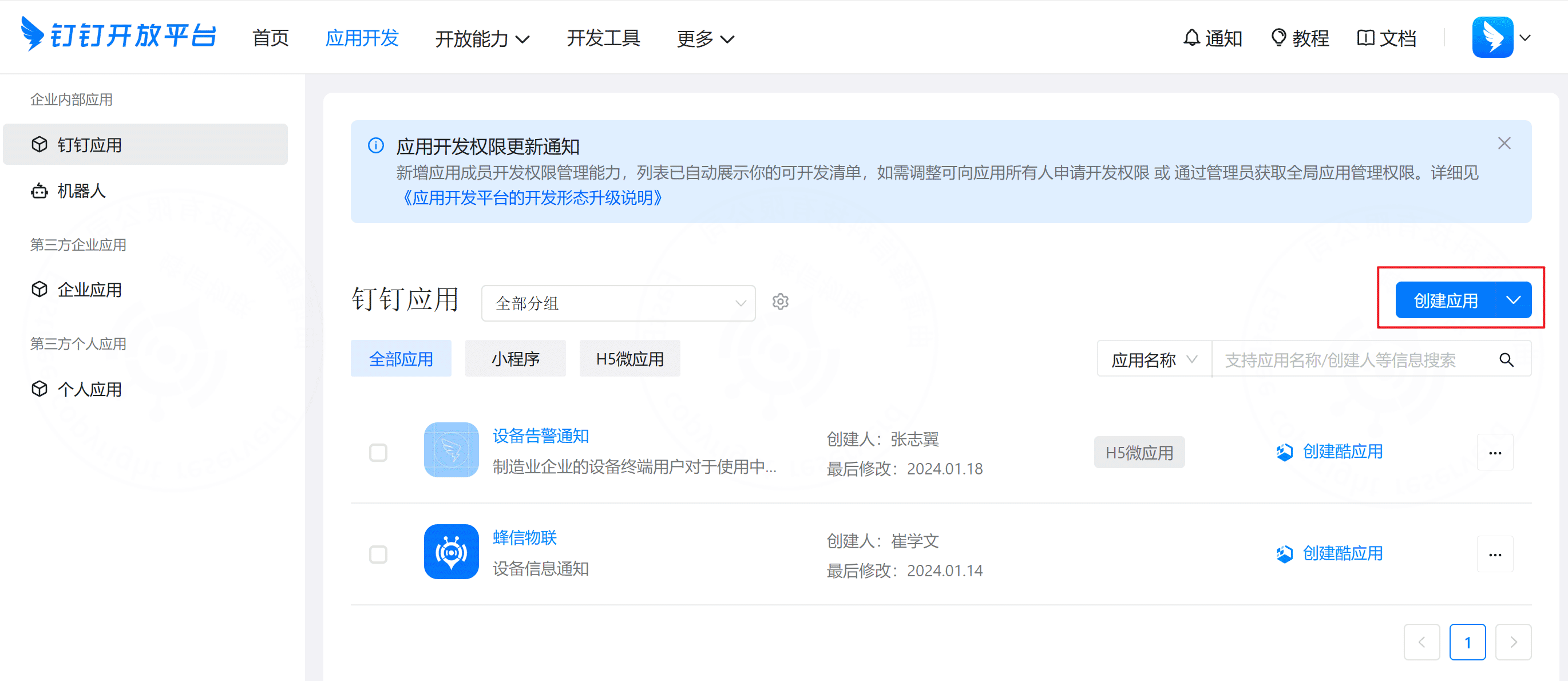
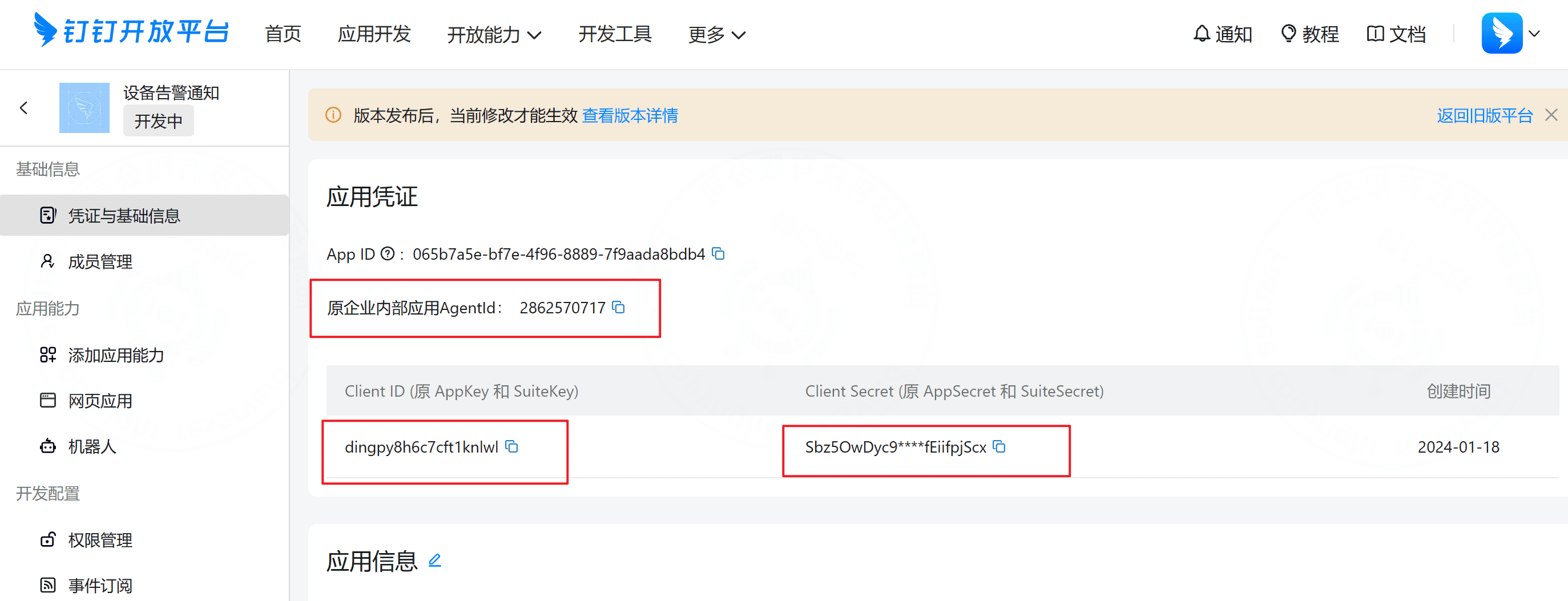
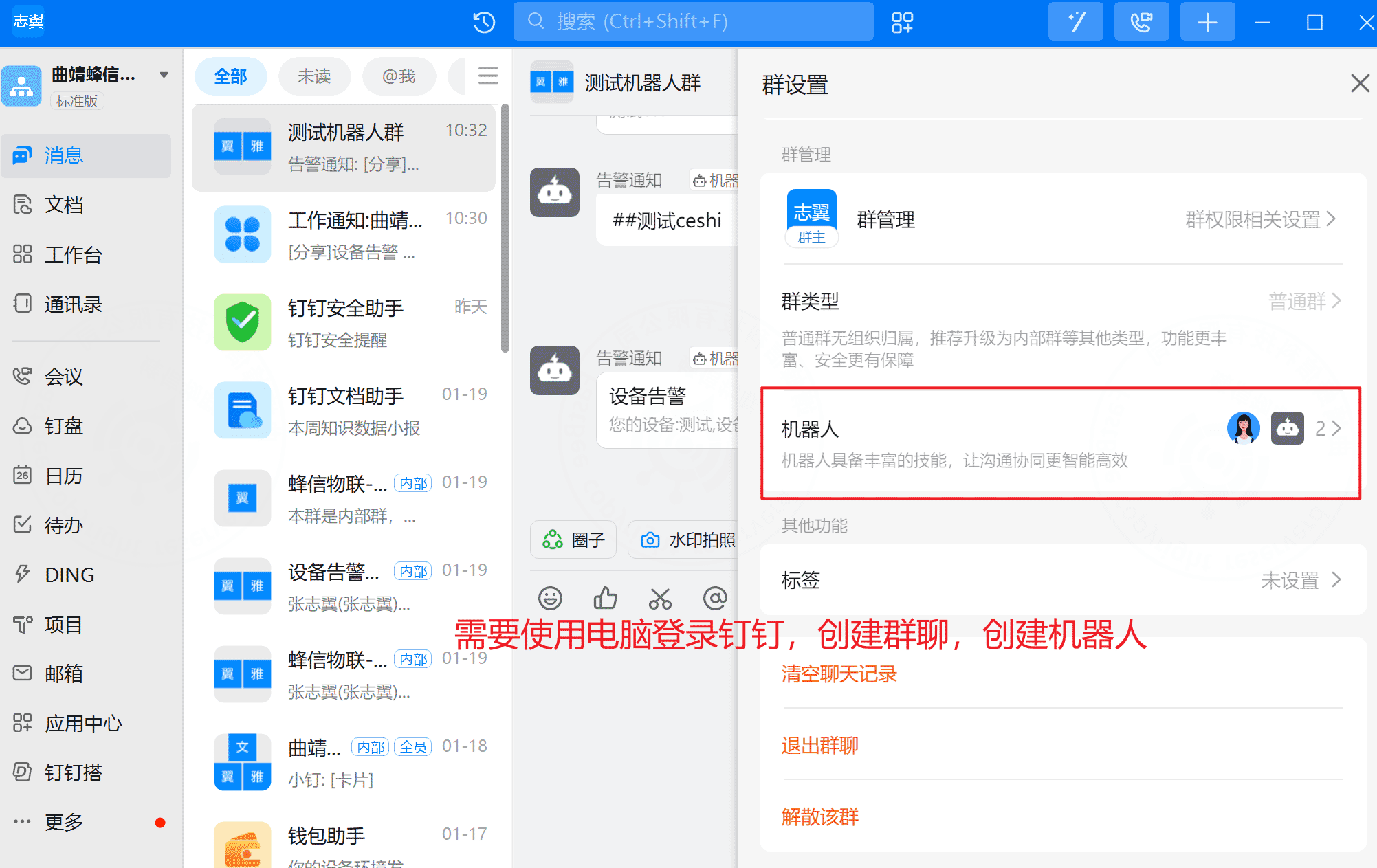
f. DingTalk notifications and group bot
警告
Currently this has only been tested for internal enterprise applications. Third-party application scenarios have not been verified.
警告
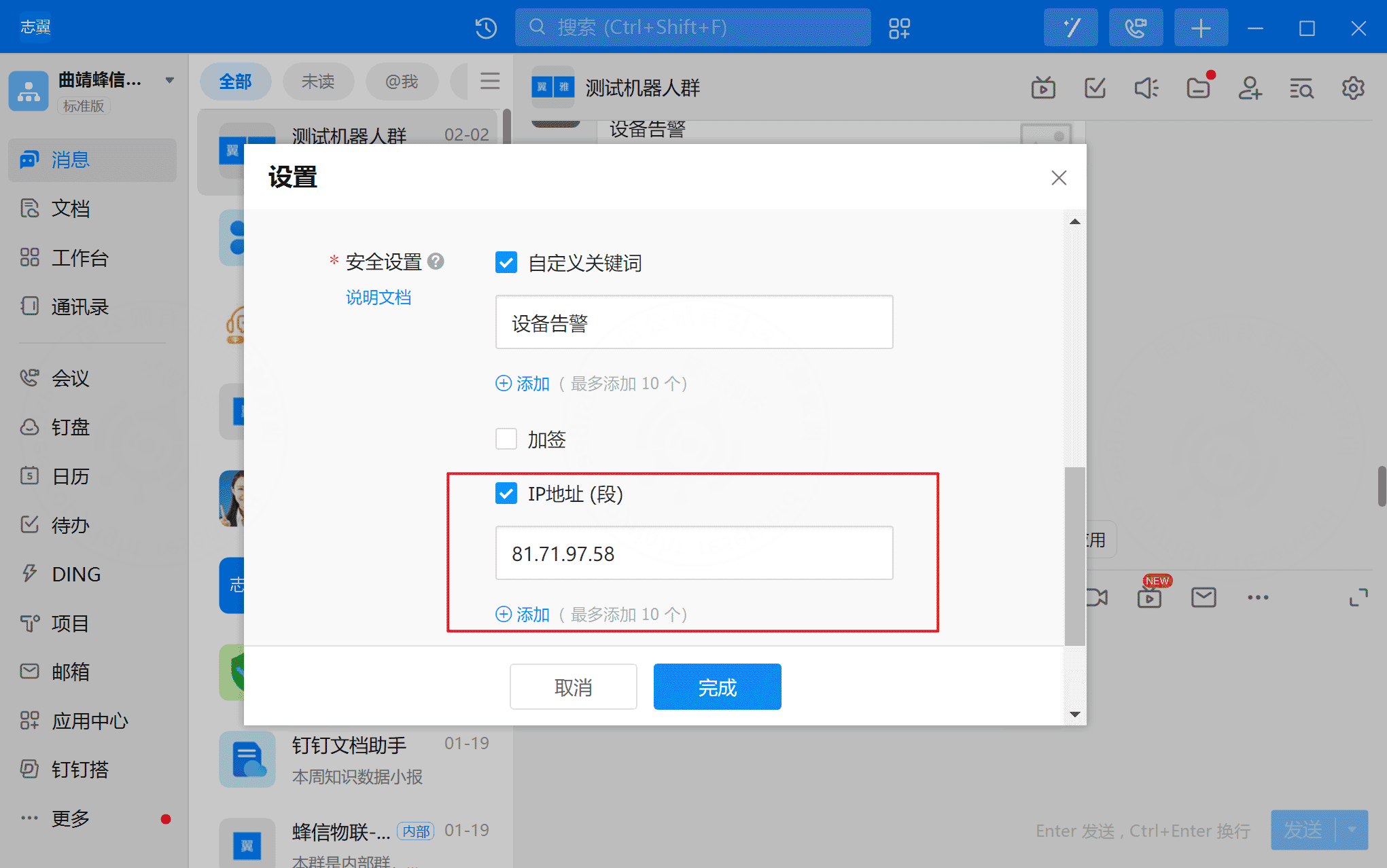
Configure the allowed IP range in the bot security settings. In most cases, this should be the backend server deployment address.
2. Notification channels
2.1 Overview
Notification channel configuration stores the connection parameters for third-party channel providers. One channel can be associated with multiple notification templates.
2.2 Definition
Channels and providers come from dictionary data. Provider values must strictly follow the existing dictionary type format.
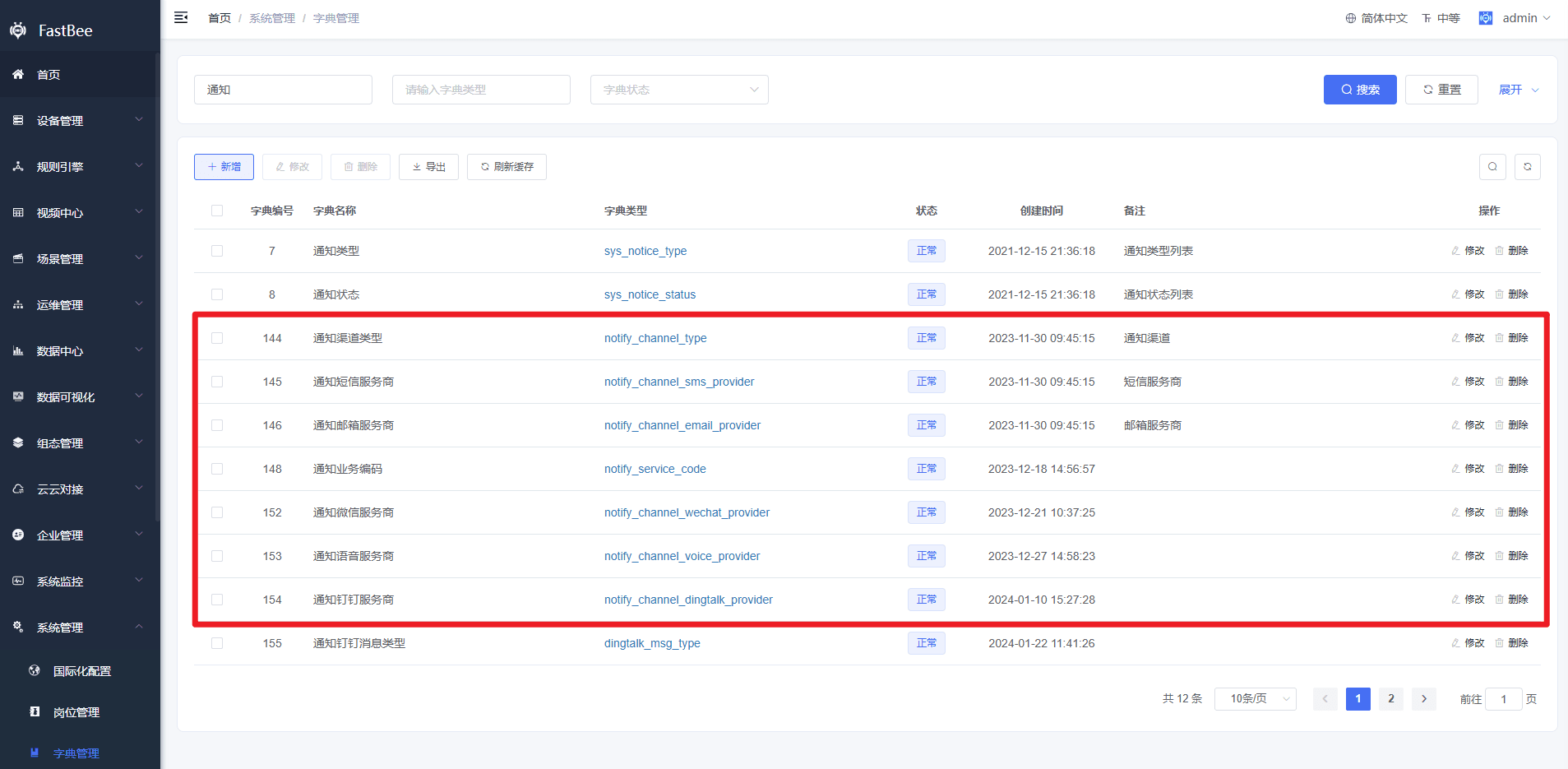
2.3 Provider differences
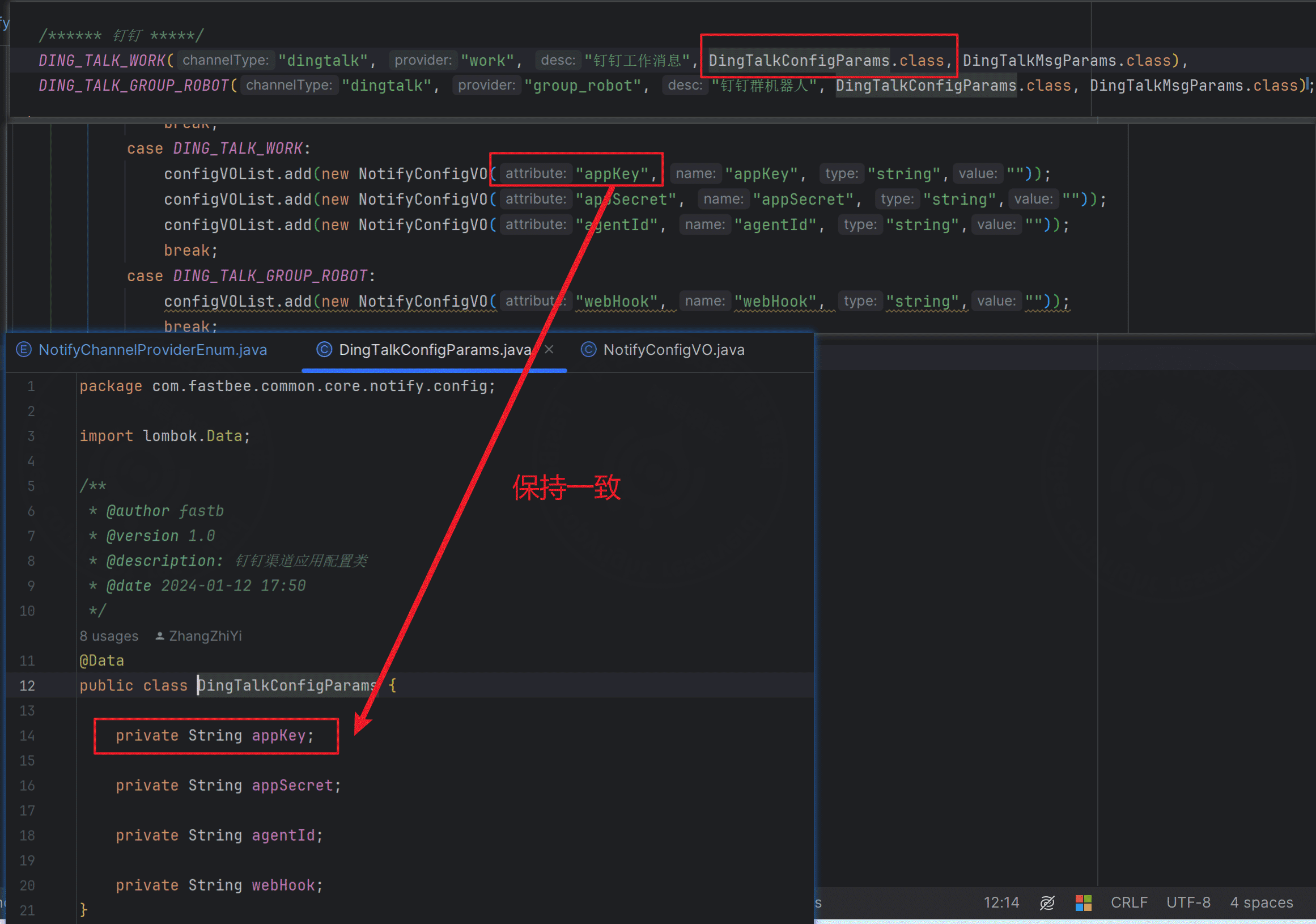
Different channel providers use different configuration parameters. You can check and adjust the enum class NotifyChannelProviderEnum. Configuration parameter content comes from:
com.fastbee.common.enums.NotifyChannelProviderEnum#getConfigContent警告
Make sure each attribute parameter name is exactly the same as the property name in the corresponding channel configuration class.
3. Notification templates
3.1 Overview
Notification templates define template parameters. A template belongs to a notification channel, so select an already configured channel account when creating a template. Also select the corresponding business code, then enable the template in the list.
3.2 Provider differences
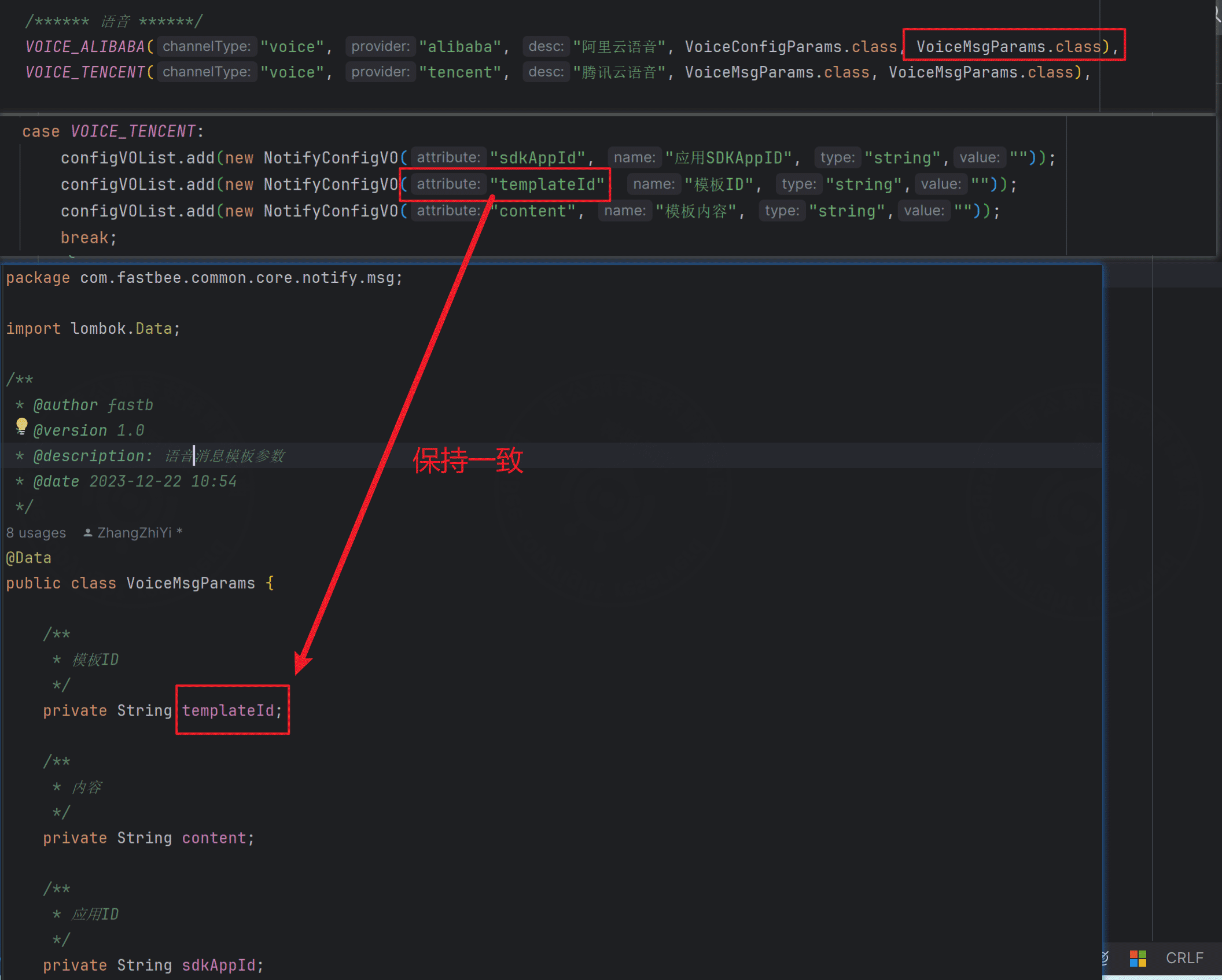
Different channel templates use different parameters. You can check and adjust the enum class NotifyChannelProviderEnum. Message parameter content comes from:
com.fastbee.common.enums.NotifyChannelProviderEnum#getMsgParams警告
Make sure each attribute parameter name is exactly the same as the property name in the corresponding channel configuration class.
3.3 Send accounts
All template send accounts are stored in the sendAccount field. Multiple accounts are separated by commas.
3.4 Content variables
All template body content is stored in the content field. Currently, variables are supported only in the content field.
Variable syntax:
| Channel | Variable syntax |
|---|---|
| WeChat Mini Program | |
| Tencent Cloud SMS and voice | {} |
#{} | |
| Other channels | ${} |
警告
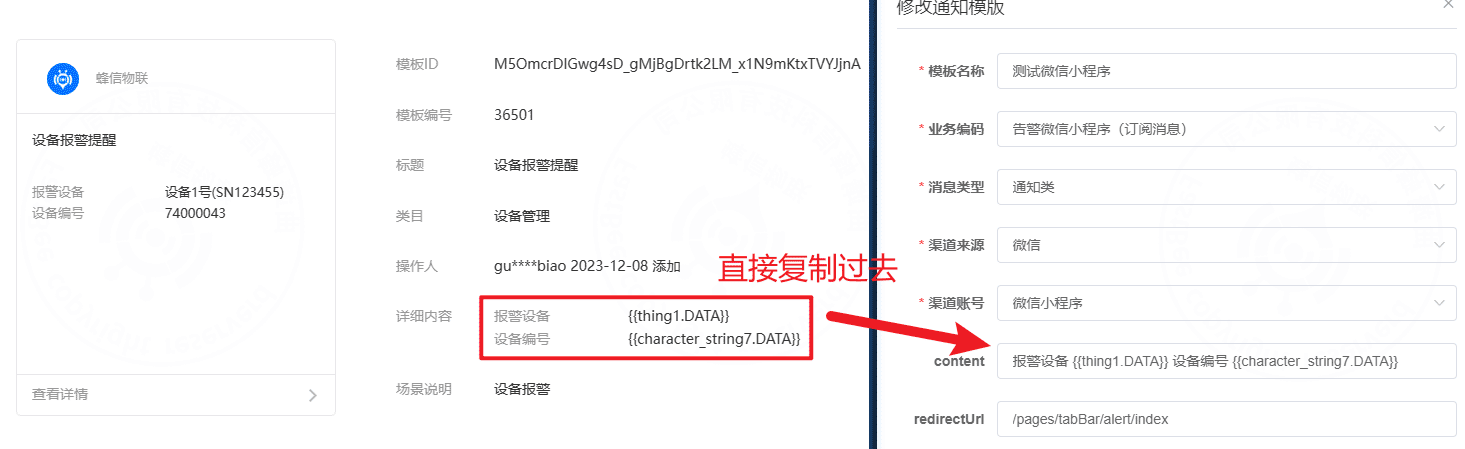
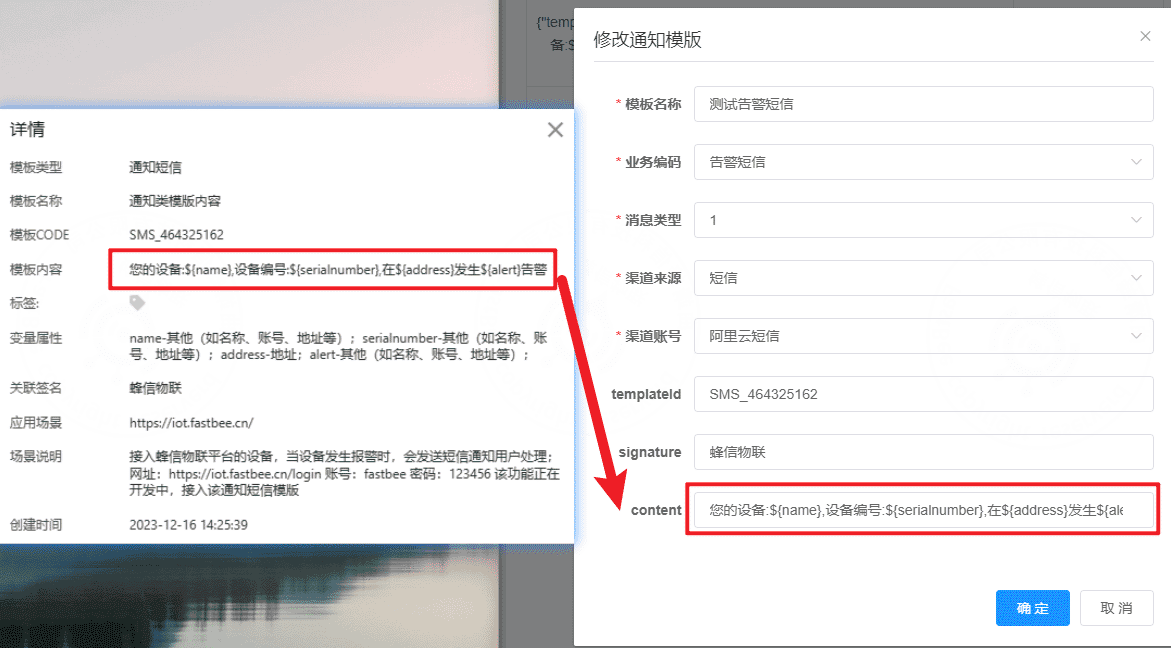
Copy the third-party approved template content exactly as it is. This helps record complete notification log content.
WeChat Mini Program subscription template content:
SMS and voice template content:
4. Notification logs
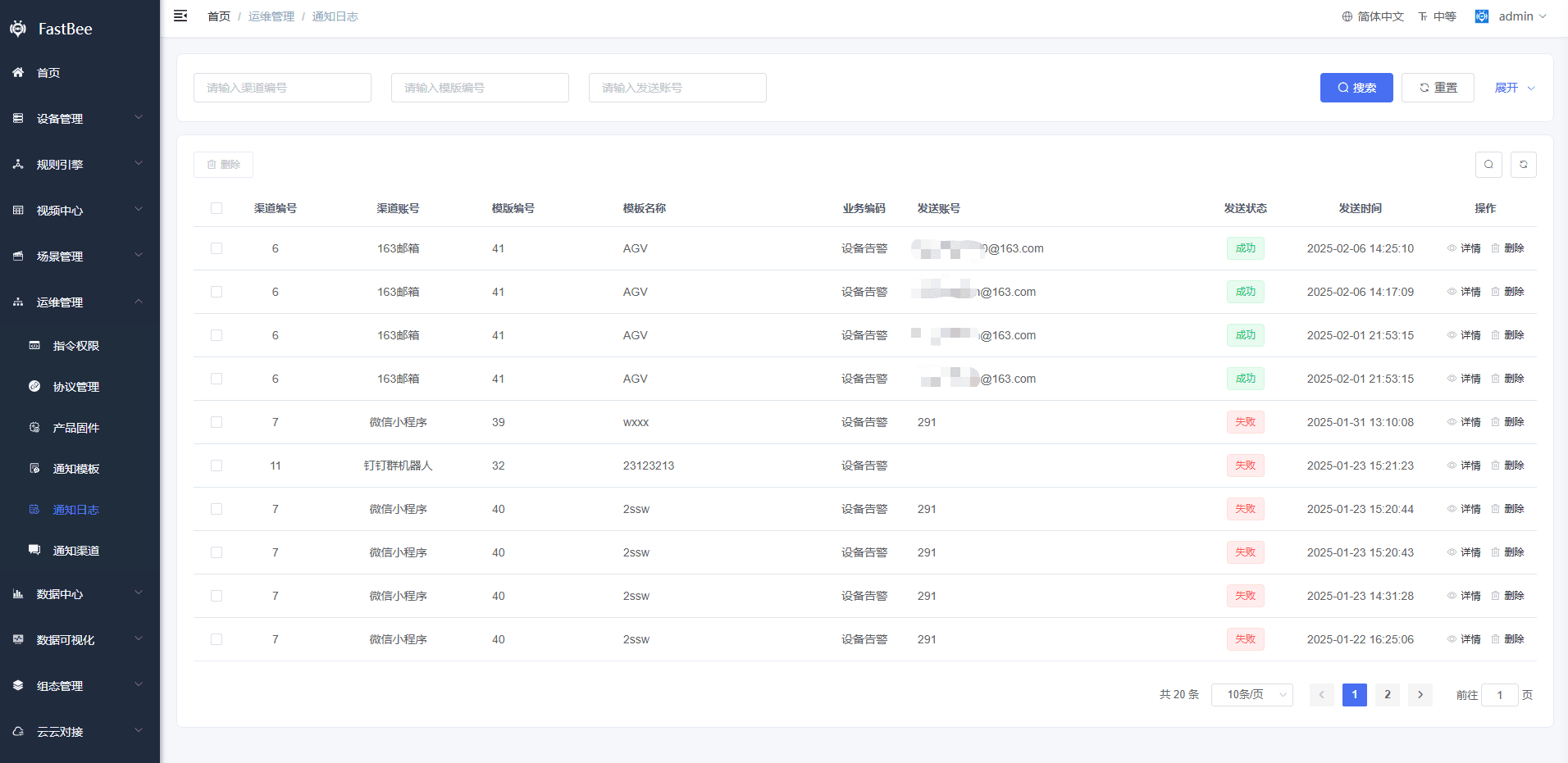
Notification logs record all template delivery logs, including delivered content, send account, and provider response.
5. Business integration
5.1 Uniqueness rule
Only one template can be enabled for the same business scenario:
- SMS, voice, and email: unique by business code + channel.
- WeChat and DingTalk: unique by business code + channel + provider.
5.2 Integration
Device alarm notifications and SMS login verification codes have already been integrated.
To add a new business scenario, add the business code in dictionary data and in the notification business enum class:
NotifyServiceCodeEnum
5.3 Test delivery
After a template is configured, click the test button to check whether it can be sent successfully.
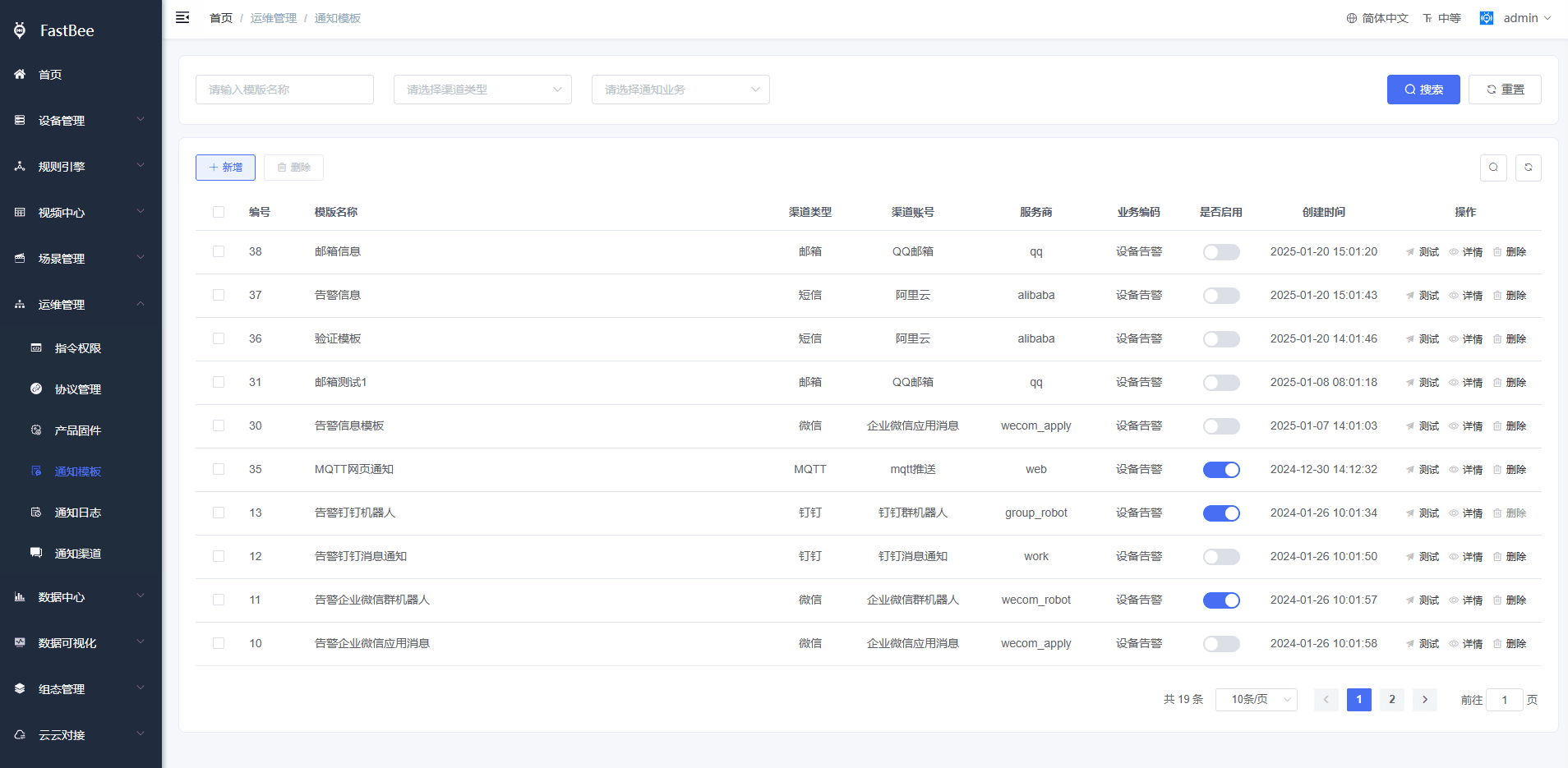
5.4 Sending service class
The sending service class adapts different channel providers.
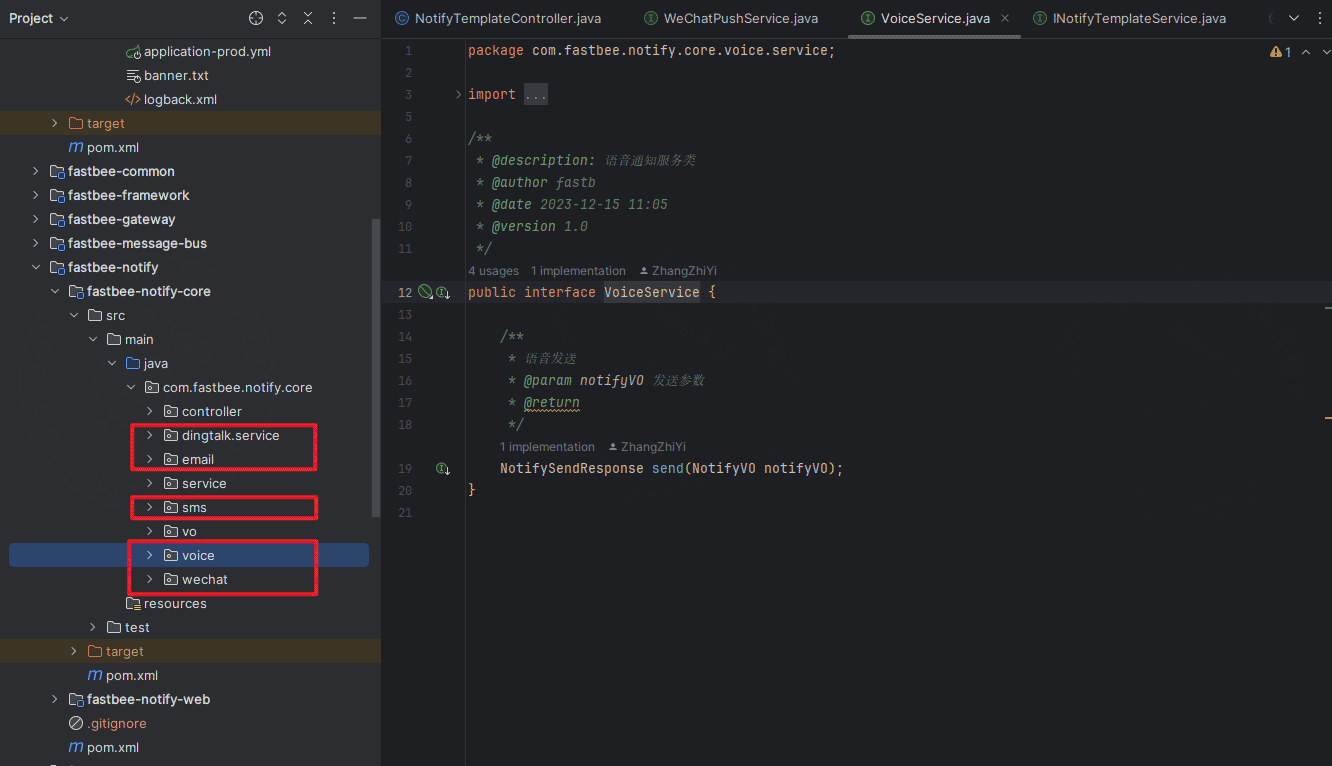
5.5 Business notification class
The business notification class connects business logic to notification delivery. New business scenarios can be added here.
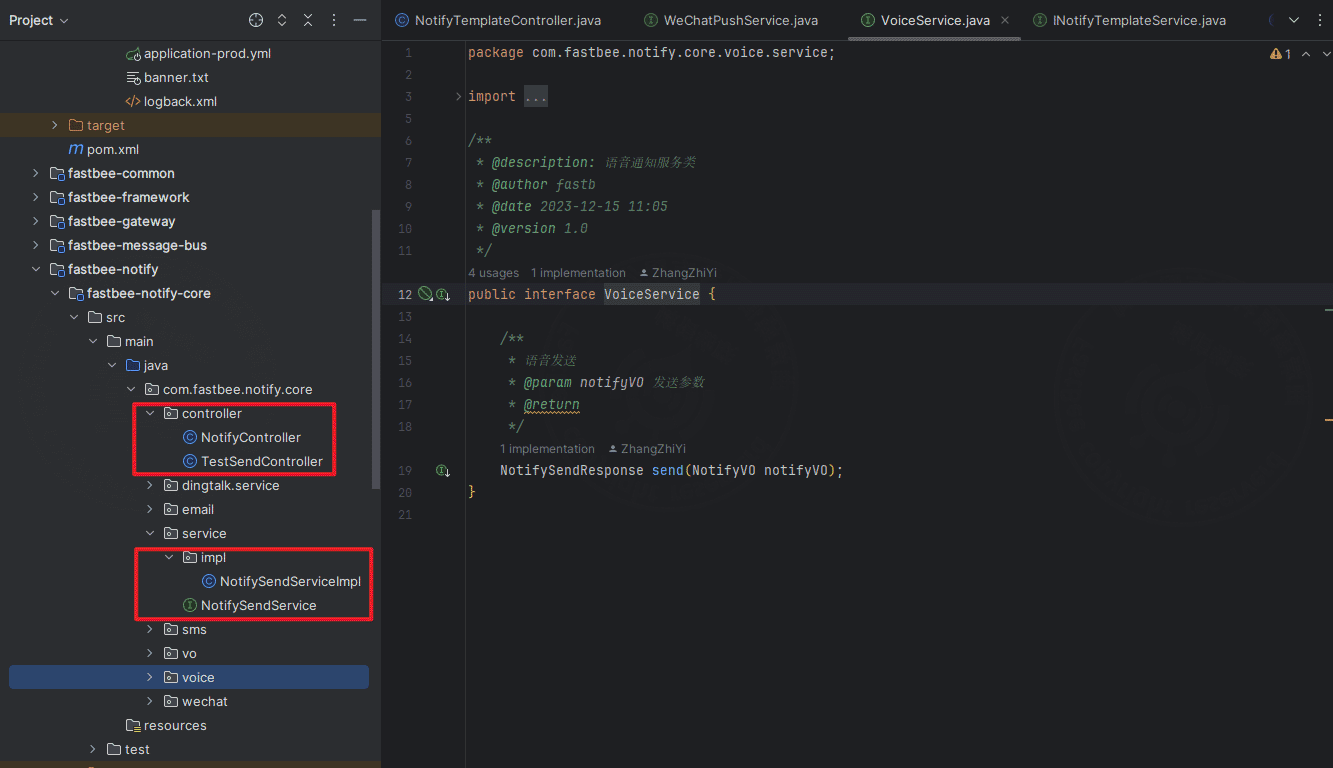
提示
- A unified send method is available:
com.fastbee.notify.core.service.NotifySendService#notifySend. - A unified enabled-template query method is available:
com.fastbee.notify.core.service.NotifySendService#selectOnlyEnable. - To add business notification logic, assemble the content variables and send accounts, then call the unified send method. Refer to the request object
com.fastbee.notify.vo.NotifyVO.
警告
- When integrating another business scenario, make sure the template is enabled. Otherwise, delivery fails.
- For device alarm templates, SMS, voice, and WeChat Mini Program notifications notify the device owner, shared users, and accounts configured in the template. Other channels require send accounts to be configured in the template.
- Multiple accounts are supported. WeChat Mini Program uses system user IDs. WeCom application messages use member account names from the corporate address book. DingTalk work notifications use employee UserIDs from the corporate address book. Use English commas to separate multiple accounts.
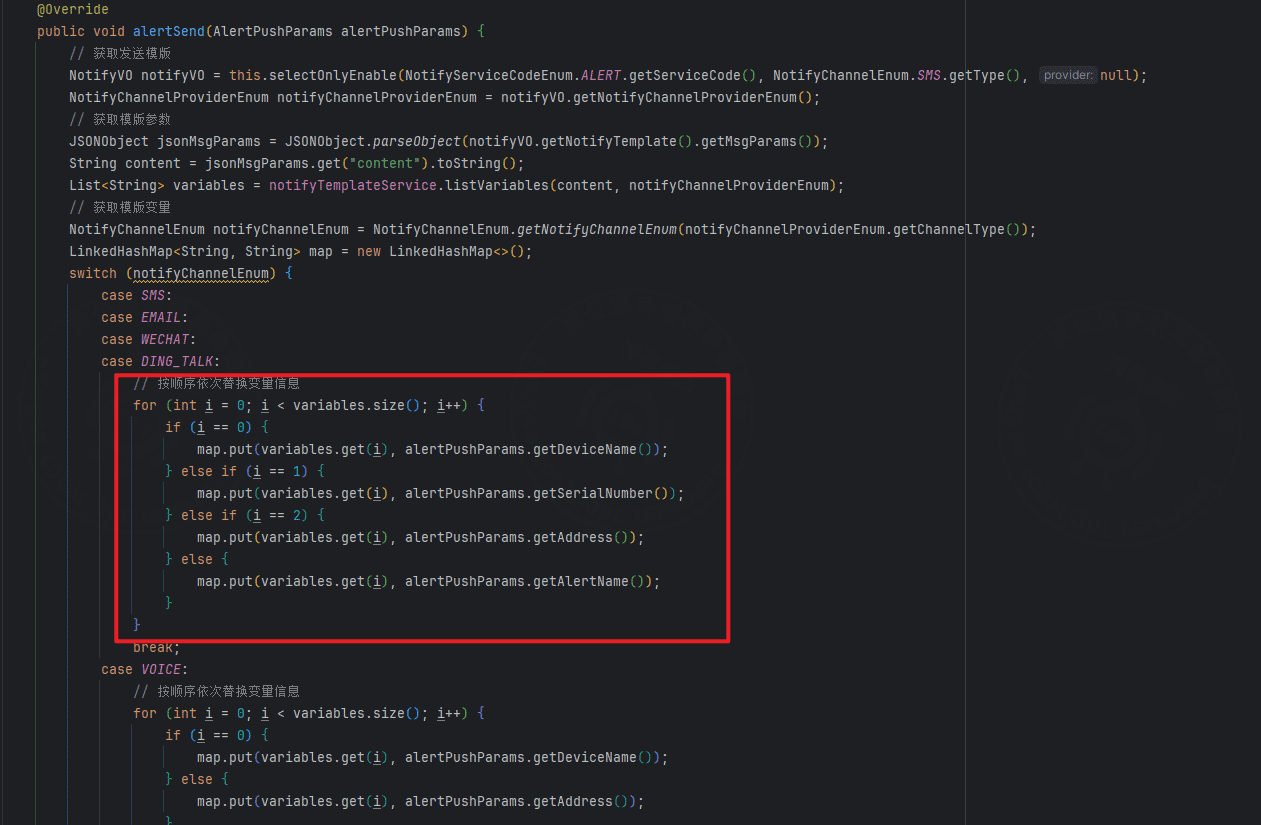
- If the template content contains variables, replace them with real parameters before sending. Existing integrated services replace template variables by order. When applying for a third-party template, keep the variable order consistent with the demo-site template. If you need to change variables, adjust the following code.
6. Future updates
Planned improvements:
- Add notification configuration for more channel providers.
- Add more notification business scenarios.
- Consider integrating MQ for notification delivery.
7. Notification Configuration Acceptance
After notification configuration is complete, it is recommended to verify in the order of channel, template, business, and delivery logs.
| Item | Expected Result |
|---|---|
| Notification channel | The channel is enabled, and account, secret, and callback address are configured correctly. |
| Notification template | The template is enabled, and variable symbols match provider requirements. |
| Business code | The binding between business codes and templates is correct. |
| Send account | Email addresses, phone numbers, user IDs, and corporate address book accounts are filled in correctly. |
| Test delivery | Channels that support testing can deliver successfully. |
| Business trigger | Alarms, work orders, verification codes, and other business events can trigger notifications. |
| Notification log | Delivered content, provider responses, and failure reasons are traceable. |
8. FAQ
Test delivery fails
Check the channel account, secret, provider template ID, signature, IP whitelist, network, and provider quota.
Business triggered but no notification
Check whether the template is enabled, whether the business code matches, whether the unique-enabled-template rule is satisfied, and whether the send account is empty.
Template variables not replaced
Check whether variable symbols match the channel, whether the variable order matches the provider template, and whether the business code passes the corresponding parameters.
Some users do not receive notifications
Check device alarm users, user email addresses or phone numbers, WeChat subscription status, and whether WeCom/DingTalk member accounts are correct.
HTTP push fails
Check the target address, request method, authentication headers, timeout, target service logs, and platform notification logs.
9. Development Entry
| Type | Path Or API | Description |
|---|---|---|
| Frontend page | vue3/src/views/notify/channel | Notification channel configuration. |
| Frontend page | vue3/src/views/notify/template | Notification template configuration. |
| Frontend page | vue3/src/views/notify/log | Notification logs. |
| Backend API | /notify/channel | Channel management. |
| Backend API | /notify/template | Template management. |
| Backend API | /notify/log | Notification logs. |
| Core service | springboot/fastbee-notify | Notification delivery, template variables, and channel adaptation. |
| Unified delivery | NotifySendService#notifySend | Unified delivery entry called by business modules. |