

Mobile App Release
1. Package as a Native App
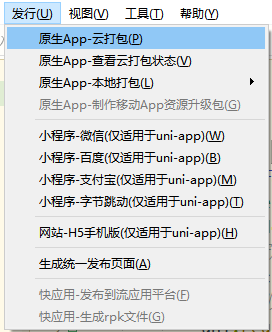
In the HBuilderX toolbar, click Release and select Native App - Cloud Packaging, as shown below:
The following interface appears; click Package to proceed.
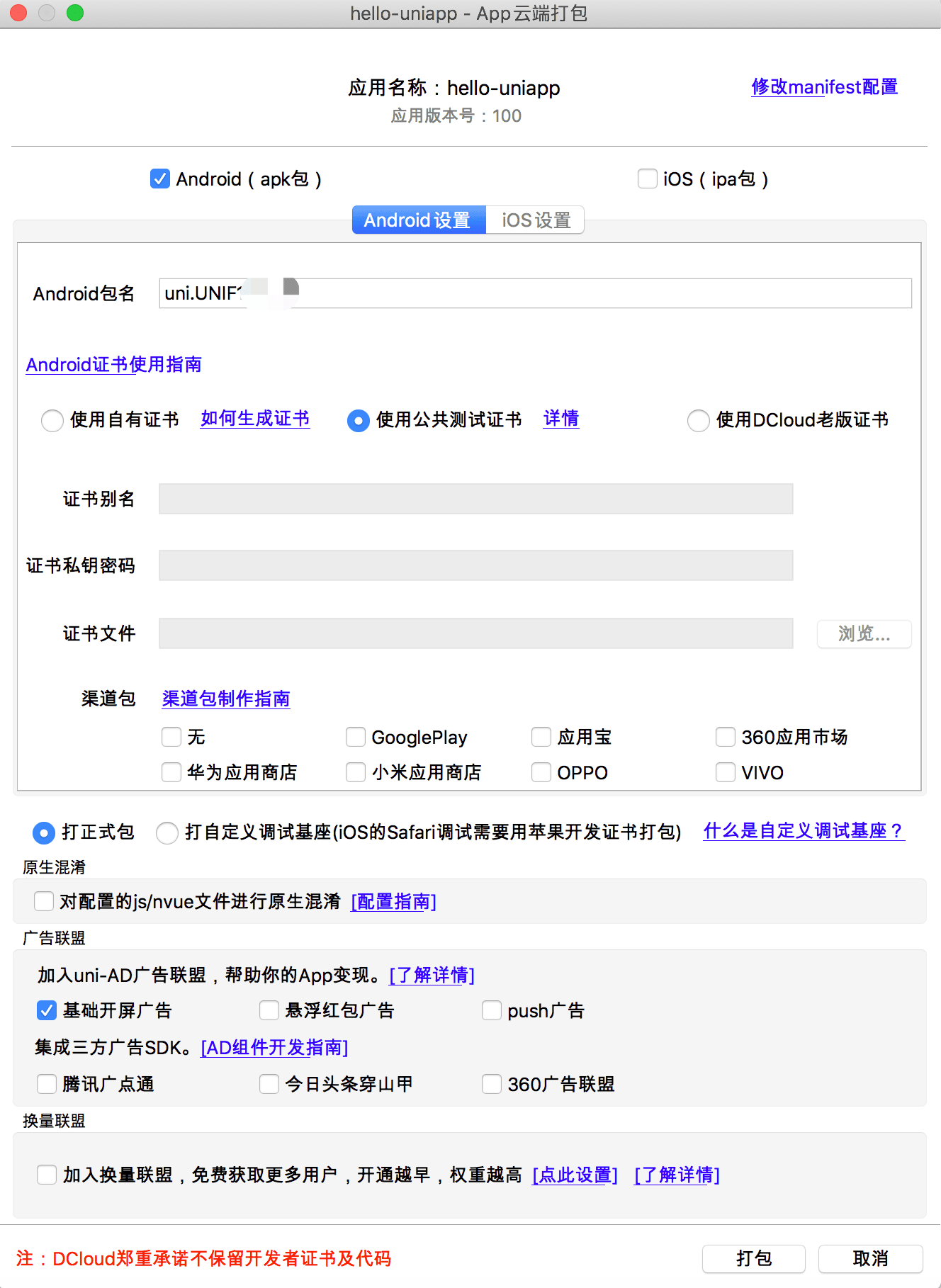
- Cloud packaging supports secure packaging, which protects user privacy — code and certificates are not uploaded, and secure packaging is achieved through differential package production. For details, see: https://ask.dcloud.net.cn/article/37979
- Cloud packaging also supports CLI mode. Through HBuilderX's CLI (not the uni-app CLI), you can invoke command-line packaging, which is convenient for continuous integration. For details, see: https://hx.dcloud.net.cn/cli/pack
- Although secure packaging already meets most needs, if you still want to do offline packaging yourself using Xcode or Android Studio, find the local packaging menu in the HBuilderX Release menu to generate offline packaging resources, and then follow the offline packaging documentation: https://nativesupport.dcloud.net.cn/AppDocs/README.
- When packaging an app, note that if third-party SDKs are involved, you need to apply for them and configure them in manifest.json; otherwise, the related features will not work.
- Packaging an iOS app requires applying for a certificate from Apple.
2. Release as a Web Website
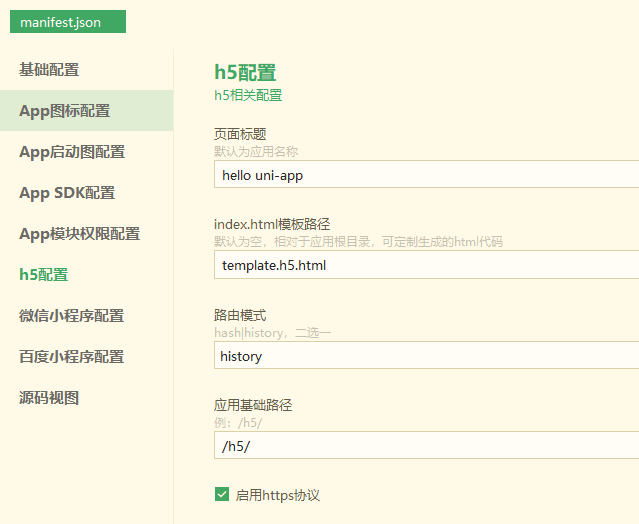
- In the visual interface of manifest.json, configure as follows (if releasing to the website root directory, the application base path can be left unconfigured). In this case, the released website path is www.xxx.com/h5, for example: https://hellouniapp.dcloud.net.cn.
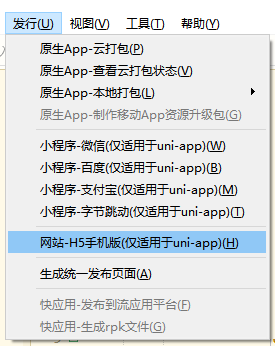
- In the HBuilderX toolbar, click Release and select Website - H5 Mobile Version, as shown below. Click to generate the H5-related resource files, which are saved in the unpackage directory.
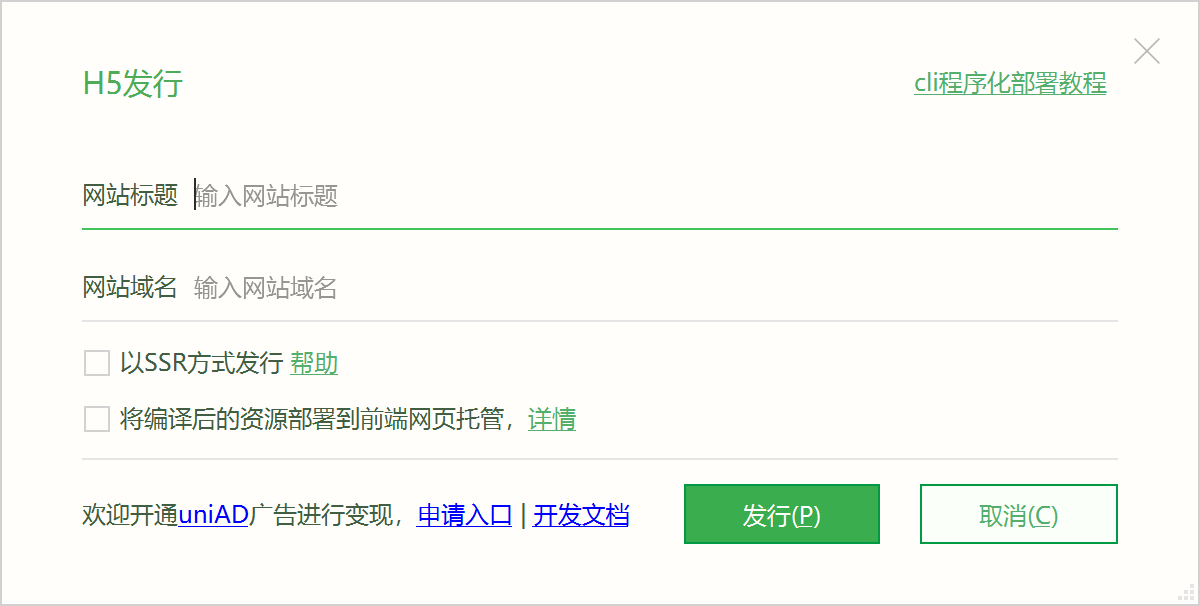
Note
- Releasing in history mode requires backend configuration support; for details, see: backend configuration for history mode
- After packaging, it is recommended to use a front-end web hosting service: one-click upload, built-in CDN acceleration, no need to purchase a virtual machine, and no need to install nginx, etc.
- If you deploy on a traditional server, it is recommended to enable gzip compression on the server side. Refer to this online share: https://juejin.im/post/5af003286fb9a07aac24611b
3. Release as a WeChat Mini Program:
- Apply for a WeChat Mini Program AppID; refer to: WeChat tutorial.
- In the HBuilderX top menu, click "Release" => "Mini Program - WeChat" in sequence, enter the mini program name and AppID, and click Release.
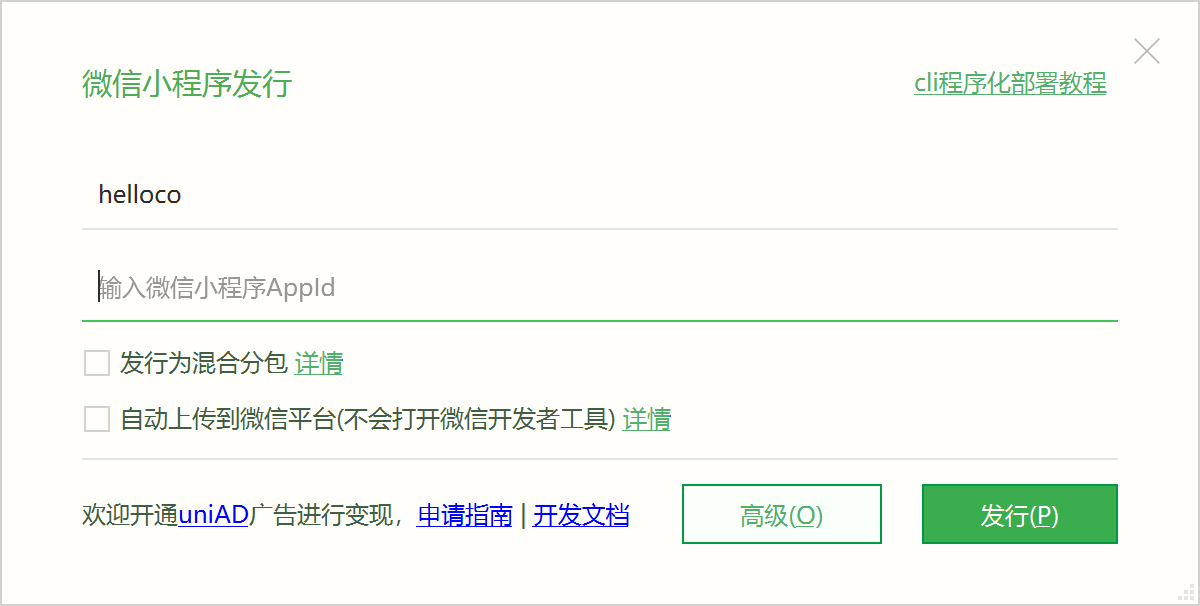
For manual release, after clicking the Release button, the WeChat Mini Program project code is generated in the project directory unpackage/dist/build/mp-weixin. In the WeChat Mini Program Developer Tool, import the generated WeChat Mini Program project, and after testing that the project code runs correctly, click the "Upload" button. Then follow the standard mini program process of "Submit for Review" => "Release" step by step; for details, see: the official WeChat tutorial.
If you checked automatic upload to the WeChat platform on the release interface, there is no need to open the WeChat tool for manual operations; it will be uploaded directly to the WeChat server and submitted for review.